Vaethat
What is Vaethat?
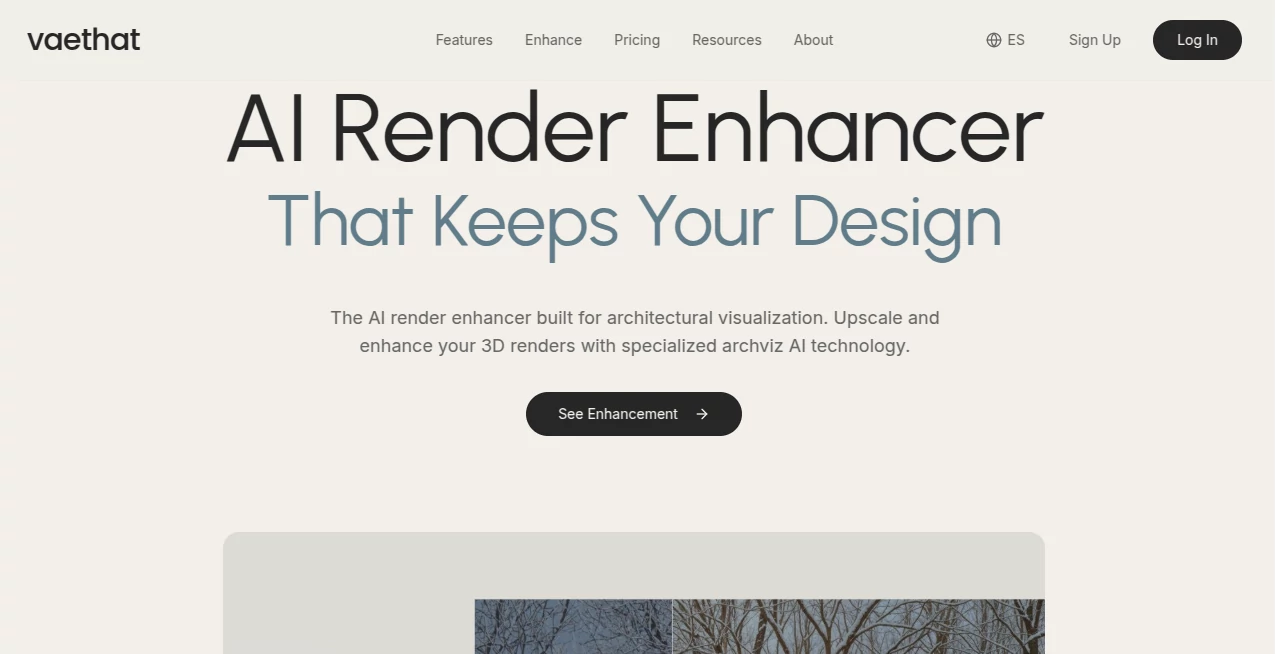
Raw 3D renders often come out looking flat, noisy, or just not quite client-ready. You spend hours tweaking lights and materials, only to still need heavy post-production. Vaethat changes that experience. It takes your render and intelligently upscales, denoises, and refines it while protecting the original design intent, lighting, and geometry. Architects and 3D artists I’ve spoken with say it feels like having a dedicated post-production artist who never gets tired and works in minutes instead of hours.
Introduction
Architectural visualization has always been a balancing act between speed and quality. You can render longer for better results or spend more time in Photoshop fixing issues. Vaethat offers a smarter middle path. Trained exclusively on high-quality archviz work, it understands what makes an architectural image look professional—clean edges, natural textures, proper depth—and enhances exactly those elements. The result is a render that still feels like *your* work, just noticeably better. No weird AI hallucinations, no destroyed details, just a polished version that makes presentations and client deliveries smoother and more impressive.
Key Features
User Interface
The workflow is refreshingly simple. Upload your render, choose one of the clear presets (Precision for accuracy, Detail for sharpness, Creativity for a more artistic touch), and let it work. No complicated sliders or prompt writing required. You see a side-by-side comparison quickly, so you can decide whether to refine further or download. It’s built by people who understand the pressure of deadlines—everything is designed to get you a better image fast without breaking your flow.
Accuracy & Performance
What sets it apart is how well it preserves your original vision. Geometry stays intact, lighting direction and mood are respected, and materials keep their character. It removes noise and compression artifacts while adding realistic detail where it belongs. Processing is fast enough that you can iterate several versions in the time it used to take to set up one render pass. Many users report that a single enhancement often replaces hours of manual retouching.
Capabilities
It handles interior and exterior renders, day and night scenes, and complex architectural details with impressive consistency. Batch processing lets you enhance entire project folders at once. You can upscale significantly while keeping edges crisp and surfaces believable. The presets are tuned specifically for archviz needs, so you don’t have to fight generic AI tools that were trained on random internet images. The output is clean enough for final client presentations and flexible enough for further editing if you want.
Security & Privacy
Your renders are processed securely and not used to train public models. Professional studios and independent artists alike appreciate that their client work stays private and isn’t stored longer than necessary. It’s the kind of respectful approach you want when handling confidential projects.
Use Cases
An architectural studio uses it to quickly polish competition entries, turning good renders into standout visuals that impress juries. A freelancer enhances client revisions in minutes instead of days, keeping projects on schedule and budgets intact. Interior designers upload daytime renders and get beautiful evening versions without re-rendering. Marketing teams turn raw 3D outputs into social media and brochure-ready images without hiring extra help. In every case, it saves time while raising the perceived quality of the work.
Pros and Cons
Pros:
- Specifically trained for architectural visualization—results look professional, not generic.
- Preserves your artistic intent and lighting design better than general upscalers.
- Extremely fast compared to traditional post-production.
- Simple one-click presets that actually work for real archviz workflows.
- Batch processing saves massive time on larger projects.
Cons:
- Best results come from decent-quality input renders (garbage in, garbage out still applies).
- Heavy artistic stylization options are more limited than general-purpose AI tools.
Pricing Plans
It offers a free trial so you can test it on your own projects before committing. Paid plans are usage-based and scale with your needs—perfect for freelancers who might only need it occasionally and studios running frequent enhancements. The pricing feels fair for the time and quality it returns.
How to Use Vaethat
Upload your raw render (any common format works). Choose the preset that matches your goal—Precision for clean accuracy or Detail for richer textures. Click enhance and review the before/after. Download the improved version or tweak the preset and try again. For larger projects, use batch mode to process multiple images at once. The entire process is fast enough that you can refine several options in one sitting.
Comparison with Similar Tools
General AI upscalers often introduce unwanted artifacts or change the lighting mood. Generic image enhancers don’t understand architectural elements like window reflections or material textures. Vaethat stands out because it was built by and for archviz professionals. It keeps the soul of your render while fixing the technical issues that usually require hours of manual work.
Conclusion
Good architecture deserves good presentation. Vaethat makes achieving that higher standard faster, easier, and more consistent. It respects the time and skill that went into the original render while giving it the polish clients expect. For anyone serious about architectural visualization, it’s quickly becoming one of those tools you wonder how you ever lived without.
Frequently Asked Questions (FAQ)
How much better are the results compared to regular upscalers?
Noticeably better on architectural subjects—cleaner lines, better material definition, and preserved lighting.
Can I use it on interior and exterior renders?
Yes, it performs well on both.
Do I need to learn prompting?
No—one-click presets handle most cases effectively.
Is batch processing available?
Yes, especially useful for larger projects and studios.
AI 3D Model Generator , Photo & Image Editor , AI Design Generator , AI Image to Image .
These classifications represent its core capabilities and areas of application. For related tools, explore the linked categories above.

Vaethat Alternatives Product

AI Age Progr…

Image to Ima…

GPT Image 2-…

trellis 2

Nano Banana …

Photo Grid C…

Uni-1

Z image AI

LongCat Image