
VaultVision
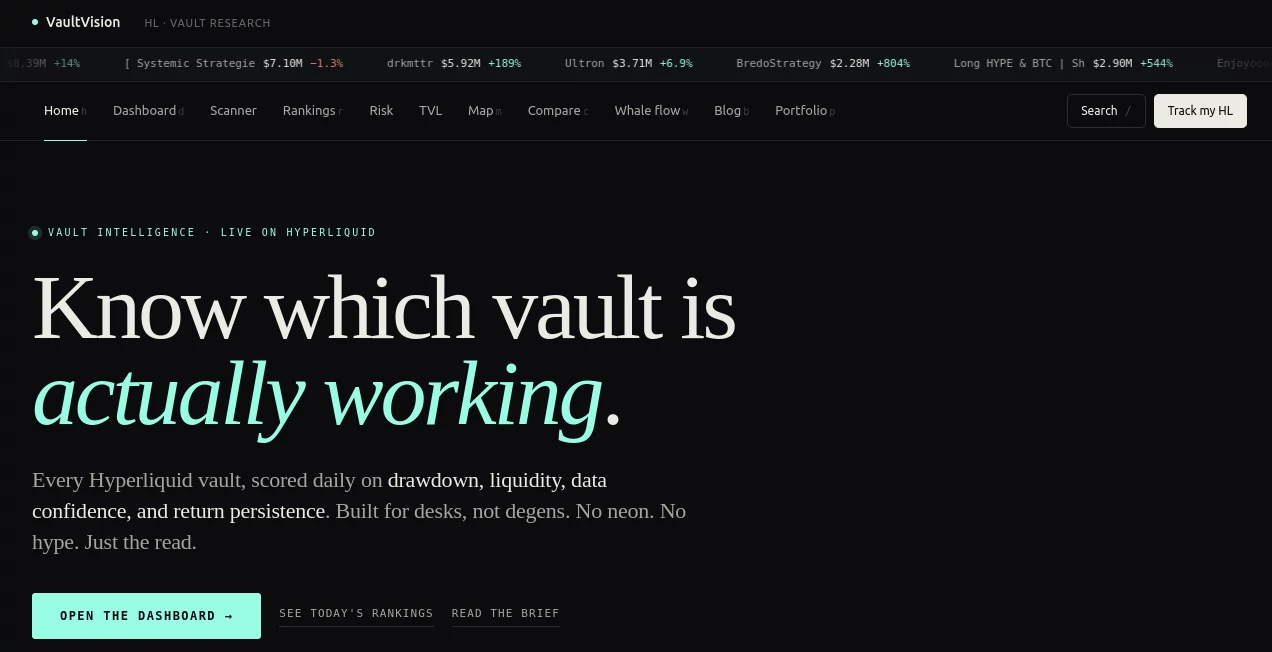
What is VaultVision?
Remember the last time you tried to log into a new app and gave up because of yet another password reset? Or worried about whether your users’ data was truly safe? This platform removes those headaches entirely. It lets you add secure, passwordless login to your website or app with almost no code, using modern methods like passkeys, magic links, and biometrics. Founders and developers who’ve implemented it often say the integration took minutes instead of days, and their users actually thanked them for making login simple and secure. It feels like the future of authentication finally arrived without the usual complexity.
Introduction
Passwords are one of the biggest friction points in digital products. They’re annoying for users and a constant security risk for builders. VaultVision was created to solve both problems at once. It offers a clean, no-code or low-code way to add modern authentication that feels invisible to users but rock-solid behind the scenes. Whether you’re building on Webflow, React, Bubble, or any other platform, it handles registration, login, and user management without forcing you to become a security expert. The result is higher conversion on sign-ups, fewer support tickets about forgotten passwords, and genuine peace of mind about data protection.
Key Features
User Interface
The setup is refreshingly straightforward. You get pre-built components and simple embed code that blends perfectly with your design. Users see clean login flows with options for passkeys, magic links, or social login — no clunky password fields unless you want them. The developer dashboard is equally clean, letting you manage users, view analytics, and tweak settings without digging through documentation. It feels like the tool was built by people who’ve actually tried to implement auth the hard way and decided there had to be a better approach.
Accuracy & Performance
Login success rates climb noticeably after implementation because users no longer abandon the flow due to password frustration. The system handles edge cases gracefully — lost devices, new browsers, multi-device access — while keeping everything snappy. Passkey support works reliably across modern devices, and the whole experience feels fast and dependable, which is exactly what you want when users are trying to get into your product.
Capabilities
It supports passwordless login via passkeys, magic links, and biometrics, plus traditional options when needed. You get user management, role-based access, session handling, and easy integration with Webflow, React, Node, Python, Go, and more. Built-in security features include rate limiting, bot protection, and compliance-ready architecture (OpenID Connect certified). Everything scales smoothly from small side projects to larger applications without changing your integration approach.
Security & Privacy
Security is baked in from the start. The platform uses industry-leading standards and never stores plain passwords. Passkeys eliminate phishing risks, and all data is handled with strong encryption and privacy-first principles. For teams handling user data, knowing the auth layer was built with real security expertise (not just bolted on) brings genuine confidence.
Use Cases
A Webflow agency adds secure member areas to client sites in hours instead of weeks. A SaaS founder launches passwordless login and sees sign-up conversion improve immediately. An internal tool builder gives employees quick, secure access without another password to remember. A community platform reduces support tickets about logins by letting members use their phone’s biometric login. It shines anywhere user registration and access need to feel effortless and trustworthy.
Pros and Cons
Pros:
- Truly simple integration — often just copy-paste for basic setups.
- Modern passwordless options that users actually love.
- Strong focus on security without making it complicated for developers.
- Works beautifully with popular no-code and code-based platforms.
- Clear pricing and generous free tier for getting started.
Cons:
- Advanced enterprise features (SSO, custom flows) are in higher tiers.
- Some very niche platforms may need a bit more custom work.
Pricing Plans
It starts with a generous free plan that covers most small projects and early-stage products. Paid tiers add higher usage limits, advanced security features, priority support, and enterprise capabilities like custom domains and SSO. The pricing is straightforward and scales with your actual needs, so you’re not paying for features you don’t use yet. Many teams find the free tier sufficient for months while they validate their idea.
How to Use VaultVision
Sign up, choose your platform (Webflow, React, etc.), and follow the short integration guide. Add the provided code snippet or component to your site, customize the look to match your branding, and test a few logins. Once live, you can manage users and monitor activity from the clean dashboard. For ongoing use, you simply add new features or users as your product grows. The whole process from zero to working passwordless login can take under an hour for many setups.
Comparison with Similar Tools
Traditional auth solutions often require significant custom code and ongoing maintenance. Other no-code options can feel limited or clunky. VaultVision stands out by combining genuine ease of use with strong modern security standards and beautiful default experiences. It’s less intimidating than heavy enterprise solutions and more capable than basic plugins, hitting a sweet spot for startups, agencies, and indie builders who want professional results without the headache.
Conclusion
Authentication doesn’t have to be a painful afterthought or a constant security worry. VaultVision turns it into one of the smoother parts of building and running a digital product. By making login simple, secure, and modern, it helps you focus on what actually matters — creating value for your users. Whether you’re launching something new or improving an existing app, it’s one of those tools that quietly makes everything else work better. Your users will thank you, and you’ll wonder why you didn’t switch sooner.
Frequently Asked Questions (FAQ)
How long does integration usually take?
Most people get basic passwordless login working in under an hour.
Do users need to create new accounts?
No — you can migrate existing users smoothly in most cases.
Is it secure enough for serious applications?
Yes — it uses modern standards including passkeys and is built with enterprise-grade security in mind.
Can I customize the login UI?
Absolutely — it’s designed to match your brand perfectly.
What platforms does it support?
Webflow, React, Node, Python, Go, Bubble, and many more.
AI No-Code & Low-Code , AI API Design , AI Developer Tools , AI Tools Directory .
These classifications represent its core capabilities and areas of application. For related tools, explore the linked categories above.

VaultVision Alternatives Product

Tate-A-Tate

Launchelion

Bolt AI

AgentHunter

AI Complianc…

Lovable

ShipAhead

DevUtilX

Top AI Writi…