
VibeVideo
What is VibeVideo?
Creating eye-catching videos no longer requires advanced editing skills or hours of manual work. This platform makes it easy to transform a simple idea, text prompt, or still image into cinematic video content within minutes. Whether you're producing marketing material, social media posts, or creative storytelling, the workflow feels smooth and beginner-friendly while delivering results that look polished and engaging.
Key Features
User Interface
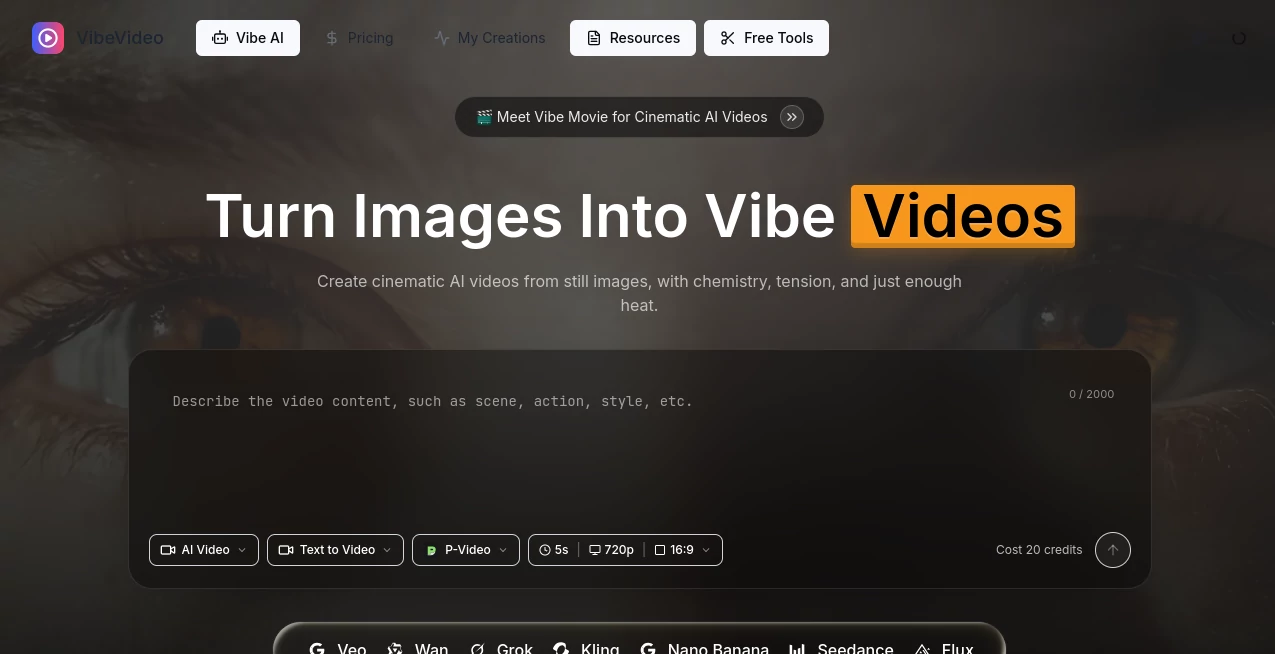
The dashboard is clean and intuitive, allowing users to upload an image, enter a prompt, choose an AI model, and generate a video in just a few steps. The streamlined layout makes it suitable for both newcomers and experienced creators.
Accuracy & Performance
Video generation is impressively fast, and motion remains natural in most scenes. Multiple AI models are available for different creative styles, helping users balance speed, quality, and visual consistency depending on the project.
Capabilities
- Image-to-video generation
- Text-to-video creation
- Reference-based video generation
- Support for multiple AI video models
- HD video output
- Fast rendering with flexible credit usage
Security & Privacy
Private generation options are available for paid users, making it easier to create commercial or client projects without exposing creative assets publicly.
Use Cases
- Creating engaging social media videos.
- Producing product promotions for online stores.
- Designing marketing campaigns with minimal editing.
- Generating concept videos for creative projects.
- Building visual content for presentations and advertisements.
Pros and Cons
- Pros
- Simple and modern interface.
- Supports both text and image inputs.
- Multiple AI models provide creative flexibility.
- Fast video generation with high-quality output.
- Free plan available for testing.
- Cons
- Free plan includes limited credits.
- Advanced features require a paid subscription.
- Generation quality may vary depending on the prompt.
Pricing Plans
A free plan allows new users to test the platform with limited credits. Paid Lite and Pro subscriptions increase monthly credits, unlock faster processing, watermark-free exports, private visibility, and additional production features for creators who generate videos regularly.
How to Use VibeVideo
Start by uploading an image or writing a text prompt. Select the AI model that best fits your project, adjust the desired settings, and launch the generation process. Once the rendering is complete, preview the result, download the finished video, and share it wherever you need.
Comparison with Similar Tools
Unlike many AI video generators that focus on only one workflow, this solution combines text-to-video, image-to-video, and reference-based generation in a single platform. The availability of multiple AI models gives creators more freedom to experiment without switching between different services.
Conclusion
For creators looking to produce professional-looking videos quickly, this platform offers an impressive balance of simplicity, speed, and creative flexibility. Its modern workflow, cinematic results, and generous collection of AI-powered features make it a practical choice for marketers, designers, content creators, and businesses that need fresh visual content on a regular basis.
Frequently Asked Questions (FAQ)
Is there a free version?
Yes. A free plan is available with limited credits for testing the platform.
Can I create videos from text?
Yes. Both text prompts and images can be used to generate AI videos.
Are the videos suitable for commercial use?
Commercial usage is supported under the platform's applicable terms and subscription plans.
Does it support HD exports?
Yes. High-definition video output is available, with additional export benefits included in paid plans.
Who is this platform best suited for?
It is ideal for content creators, marketers, agencies, social media managers, and businesses that need professional AI-generated videos quickly.
AI Image to Video , AI Video Generator , AI Video Editor , AI Text to Video .
These classifications represent its core capabilities and areas of application. For related tools, explore the linked categories above.

VibeVideo Alternatives Product

soro2

AI Hug

Seedream 6.0

CapCut

Overlap

Seedance 2.0

Seedream 4.0…

Seedance 2.0…

LoveGen AI