
Vidux AI
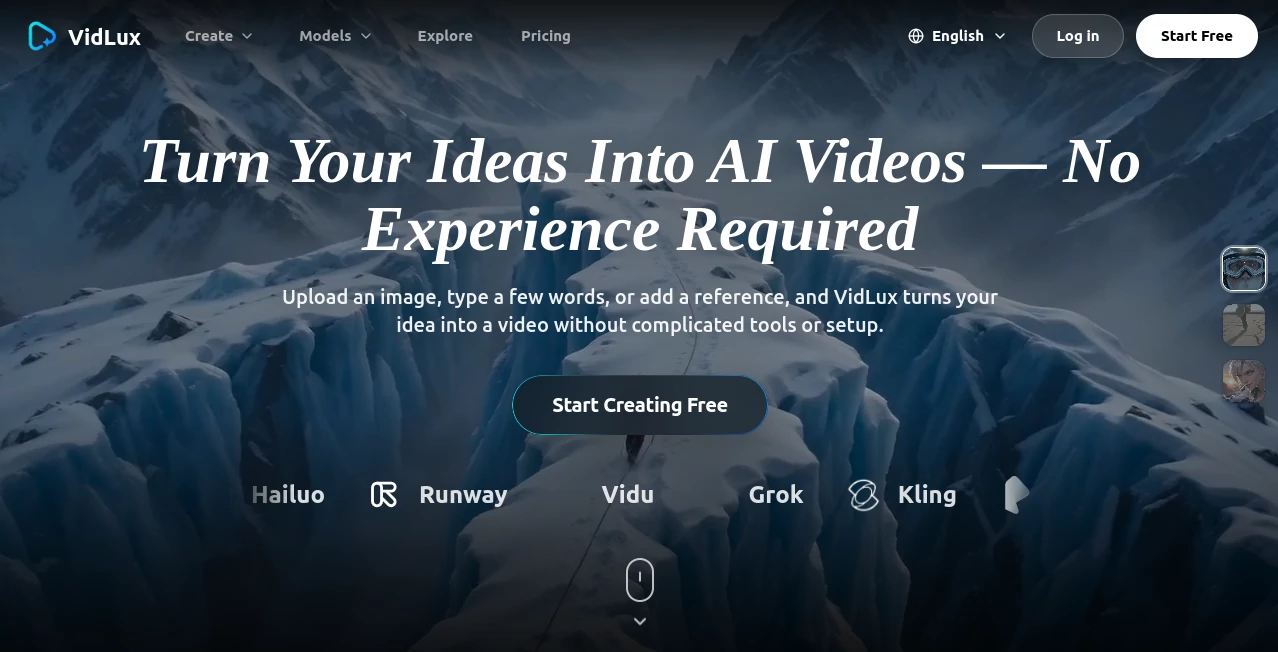
What is Vidux AI?
Creating professional videos has traditionally required powerful software, editing experience, and a significant amount of time. Today, modern AI technology is changing that process by making high-quality video production faster and far more accessible. Whether you are a content creator, marketer, educator, or business owner, you can transform simple ideas into engaging visual content with only a few clicks.
This platform combines video generation, enhancement, conversion, compression, and editing into a single workspace. Instead of switching between multiple applications, users can create, improve, and manage videos from one dashboard. The result is a smoother creative workflow that saves both time and effort while maintaining professional-quality output.
One feature that stands out is the ability to generate videos directly from text prompts or animate static images into dynamic scenes. Combined with AI-powered enhancement, format conversion, and intelligent compression, it becomes a practical solution for creators who need speed without sacrificing quality. The platform also supports advanced AI models, making it suitable for everything from quick social media clips to commercial video production. :contentReference[oaicite:0]{index=0}
Key Features
User Interface
The interface is designed with simplicity in mind. Essential tools are clearly organized, allowing beginners to start creating almost immediately while still offering enough flexibility for experienced users. Projects can be launched from text prompts, uploaded images, or existing videos without navigating through complicated menus.
Accuracy & Performance
Video generation is fast, with many projects completing within minutes depending on their complexity. AI enhancement tools improve sharpness, reduce visual noise, upscale resolution, and optimize overall video quality while preserving natural details. The platform also supports high-resolution exports, including 4K on eligible plans. :contentReference[oaicite:1]{index=1}
Capabilities
- Generate videos from text prompts.
- Convert images into animated videos.
- Enhance video quality with AI upscaling.
- Reduce noise and improve visual clarity.
- Compress videos while preserving quality.
- Convert videos into multiple formats.
- Support batch processing for larger workloads.
- Access multiple advanced AI generation models.
- Create videos suitable for commercial use.
- API support for business integrations on enterprise plans.
Security & Privacy
The service emphasizes enterprise-level security practices, encrypted data handling, and protection of uploaded files. It also states compliance with modern privacy standards while safeguarding user-generated content throughout the processing workflow. :contentReference[oaicite:2]{index=2}
Use Cases
- Produce social media videos for TikTok, Instagram, and YouTube.
- Create marketing campaigns and promotional advertisements.
- Generate educational lessons and training materials.
- Develop product demonstrations for online businesses.
- Improve older videos with AI enhancement.
- Create presentations with engaging animated visuals.
- Produce creative storytelling and entertainment videos.
- Generate branded content for agencies and professional teams.
Pros and Cons
- Pros
- Complete video creation toolkit in one platform.
- Fast AI-powered video generation.
- Supports text-to-video and image-to-video workflows.
- High-quality enhancement and upscaling.
- Professional interface suitable for beginners and experts.
- Commercial usage supported.
- API access available for larger organizations.
- Cons
- Advanced features require paid plans.
- Rendering time depends on project complexity.
- Some announced tools are still being released.
Pricing Plans
New users can begin with free access to selected features. Paid subscriptions unlock additional monthly credits, higher video quality, priority processing, batch operations, team collaboration, API access, and enterprise capabilities. Plans are available for individual creators, professionals, and larger organizations. :contentReference[oaicite:3]{index=3}
How to Use Vidux AI
- Create an account.
- Select the preferred AI video tool.
- Enter a text prompt or upload an image or video.
- Choose output settings and preferred style.
- Start the generation process.
- Review the generated result.
- Enhance, convert, or compress the video if needed.
- Download the final version for publishing or commercial use.
Comparison with Similar Tools
Many AI video platforms focus on only one task, such as text-to-video generation or video enhancement. This solution combines multiple production tools into one ecosystem, reducing the need for third-party software. In addition to AI generation, users gain access to enhancement, compression, format conversion, batch processing, and business-ready integrations, making it suitable for creators with diverse production needs rather than a single editing workflow.
Conclusion
For creators looking to simplify video production without compromising quality, this platform delivers an impressive balance of automation, flexibility, and professional features. From generating videos with simple prompts to improving existing footage with AI enhancement, it supports nearly every stage of the creative process. Whether producing content for social media, marketing campaigns, education, or commercial projects, it provides an efficient environment that helps transform ideas into polished videos in far less time than traditional editing methods.
Frequently Asked Questions (FAQ)
Can beginners use this platform?
Yes. The interface is designed to be accessible for users with little or no video editing experience.
Can I create videos from text?
Yes. Text prompts can be transformed into AI-generated videos using advanced generation models.
Does it support image animation?
Yes. Static images can be converted into dynamic animated videos.
Can generated videos be used commercially?
Yes. Commercial usage is supported according to the available subscription plans.
Does it provide API access?
Yes. API integration is available for enterprise-level customers. :contentReference[oaicite:4]{index=4}
AI Image to Video , AI Video Generator , AI Video Editor , AI Video Enhancer .
These classifications represent its core capabilities and areas of application. For related tools, explore the linked categories above.

Vidux AI Alternatives Product

seedance 3.0

Wan 2.7

Ltx 2.3

RenderFlow AI

Kling 3.0

MuseCraft.AI

VidiOne

Gemini Omni …

Seedance 2.0