
















What is Gemini Omni AI Video?
There’s a special excitement when you describe a scene in plain words and watch it come alive as a smooth, cinematic clip—characters moving naturally, light falling just right, camera work that feels intentional. This platform delivers exactly that feeling, turning text prompts or reference images into video that looks directed rather than generated. I’ve shown results to friends who normally dismiss AI video, and they pause, lean in, and ask how it managed to keep the same face across shots or nail that subtle camera push. It’s the kind of quality that makes you want to create more, not because it’s perfect every time, but because the hits feel genuinely impressive.
Introduction
Most AI video tools still struggle with basic consistency—faces change, motion feels robotic, lighting jumps around. Gemini Omni AI quietly raises the bar by combining strong world understanding with fine control over motion, style, and timing. Whether you start with text, a single image, or both together, the outputs carry real cinematic intent: motivated camera moves, natural physics, and emotional tone that matches your description. It’s become a favorite for creators who need fast, usable clips without spending days in editing software. The workflow feels thoughtful—designed for people who actually tell stories, not just generate random motion.
Key Features
User Interface
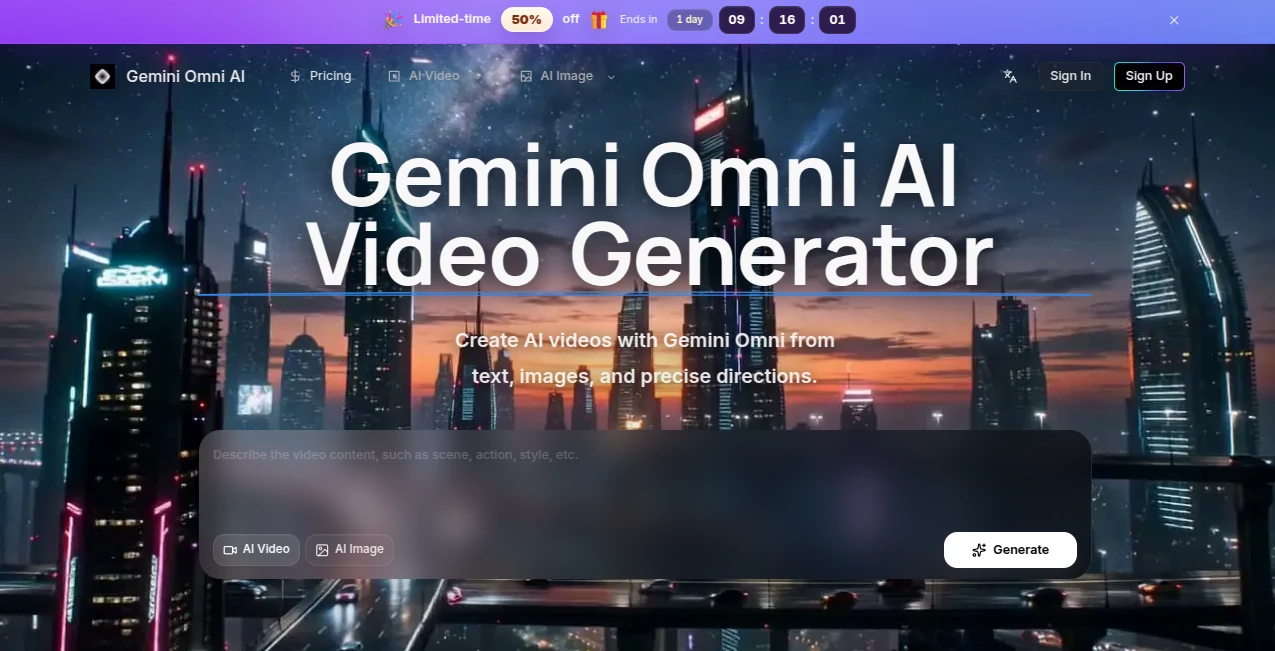
The interface stays clean and focused. A prominent prompt box invites you to describe the scene, with clear options to upload reference images for stronger visual guidance. Aspect ratio and duration controls are simple and visible. Previews load reasonably fast, letting you iterate without losing momentum. It never overwhelms you with options—instead, it gives just enough control to shape the result while keeping the creative flow alive. Beginners get great results on the first try; experienced users appreciate how quickly they can refine ideas.
Accuracy & Performance
Character consistency stands out—faces, clothing, and body types hold steady across camera angles and lighting changes. Motion feels natural rather than jittery, and the model understands physics well enough that objects and people behave believably. Generation speed is practical for real workflows, and the outputs maintain high detail even in complex scenes. The results often surprise people with how closely they match the intended mood and composition, especially when using reference images.
Capabilities
Strong text-to-video and image-to-video generation, hybrid prompting that combines both for precise control, multi-shot storytelling with natural transitions, and good support for cinematic camera directions. You can guide style, lighting, timing, and subject behavior effectively. It handles product visuals, narrative scenes, social clips, and conceptual pieces with impressive coherence. The ability to anchor generations with reference images gives creators much more director-like control than pure text tools usually allow.
Security & Privacy
Your prompts and uploaded images are handled responsibly during generation. The platform focuses on delivering value without unnecessary data retention or sharing. For creators working on client projects or personal ideas, that respectful approach builds confidence to experiment freely.
Use Cases
A small brand turns a single product photo into a smooth lifestyle video that feels like a real ad shoot. A short-form creator generates daily Reels with consistent character style without filming every day. A filmmaker mocks up emotional story beats quickly to test pacing and tone before full production. A musician creates official visuals that actually match the song’s mood instead of generic stock footage. Wherever you need moving pictures fast with cinematic quality, this tool delivers usable results that save significant time.
Pros and Cons
Pros:
- Excellent character and style consistency across shots.
- Hybrid text + image guidance gives strong creative control.
- Cinematic motion and lighting that feel directed.
- Fast enough workflow for real creative iteration.
- Great results even on relatively simple prompts.
Cons:
- Clip lengths are still best for short scenes (multi-shot helps for longer stories).
- Very complex or contradictory prompts can occasionally confuse the model.
- Higher resolutions and unlimited use require paid access.
Pricing Plans
Free daily credits let you test the quality and create several clips without commitment. Paid plans unlock higher resolutions, longer generations, faster processing, and more credits for regular use. The structure feels fair—start free to see the difference, then scale up naturally as your projects grow. Many creators find the paid tiers pay for themselves quickly through time saved on traditional production.
How to Use Gemini Omni AI
Start with a clear, vivid prompt describing the scene, action, mood, and camera movement. Add a reference image if you want stronger visual consistency (highly recommended for characters or products). Choose your aspect ratio and desired length, then generate. Review the preview—refine the prompt or reference strength if needed—and download the result. For longer narratives, create multiple connected clips and stitch them together. The process stays fast and intuitive, letting you focus on storytelling rather than technical hurdles.
Comparison with Similar Tools
Many AI video generators still suffer from visible artifacts, drifting faces, or unnatural motion. This one prioritizes coherence and cinematic feel, often delivering clips that look closer to human-directed work. The hybrid reference system gives more precise control than pure text tools, while staying simpler than heavy professional software. It strikes a sweet spot for creators who want quality without complexity.
Conclusion
Video creation used to demand time, equipment, or big budgets. Tools like this quietly change the equation—letting ideas move from mind to screen much faster while keeping visual quality high. It won’t replace every traditional shoot, but it opens the door for more people to tell visual stories with confidence and speed. If you’ve ever had a scene in your head that you wished you could see moving, this is one of the better ways to make it happen right now.
Frequently Asked Questions (FAQ)
How long can generated clips be?
Best results come in short, focused scenes (typically 5–10 seconds); longer stories work well by combining multiple clips.
Do I need reference images?
Text-only works, but adding images dramatically improves consistency and control.
What resolutions are available?
Up to high definition on paid plans; free tier offers solid preview quality.
Can I use the videos commercially?
Yes—paid plans include commercial usage rights for your generated content.
How consistent are characters across shots?
Very strong—especially when using reference images. One of the standout strengths of the model.