


















Visro AI
What is Visro AI?
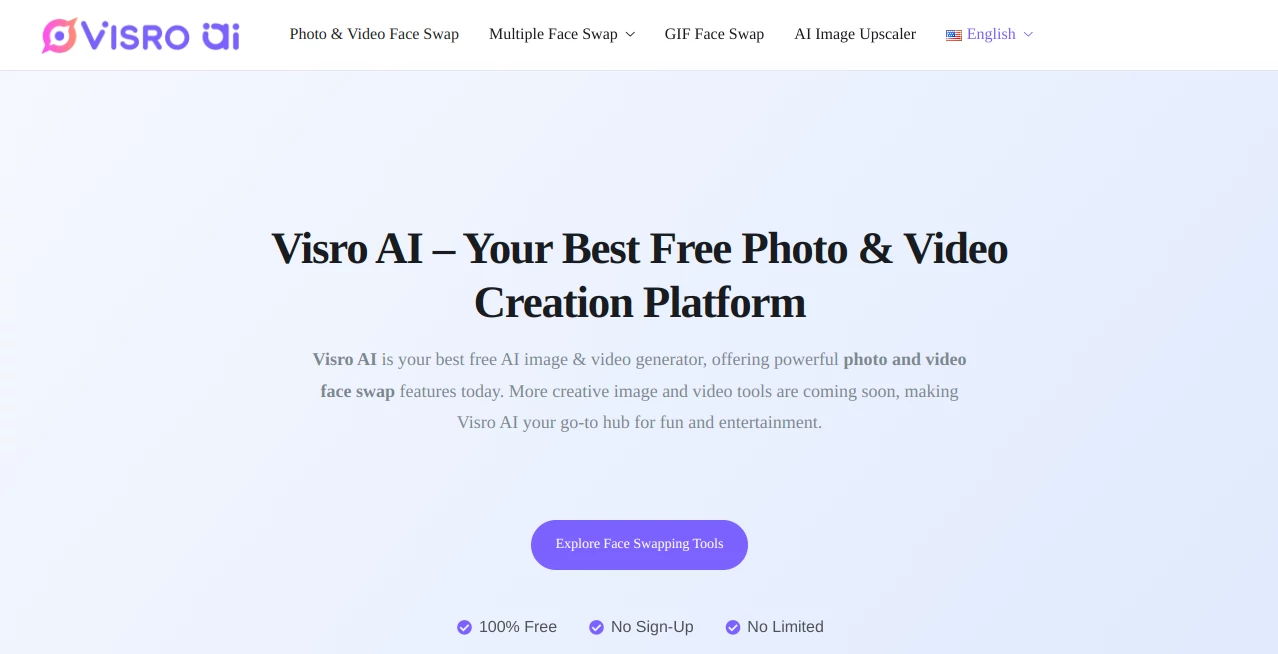
Visro AI is a free online AI image and video creation platform built around one particularly entertaining idea: making realistic face swaps without requiring editing software or technical skills. Users can upload a photo or video, let the AI handle the replacement, and create a finished result in a matter of seconds.
The biggest attraction is its simplicity. There is no account creation barrier, no subscription requirement, and no complicated editing timeline to learn. For someone who wants to experiment with a group photo, create a playful social media post, or produce a quick video edit, the process feels much closer to uploading a file and getting a result than using traditional editing software.
The platform currently focuses on photo and video face swapping, while additional creative features such as image generation, video generation, photo-to-anime conversion, and image-to-video conversion are planned for the future.
Key Features
- AI-powered face swapping for photos
- AI face swapping for videos
- Multiple face swapping for group photos
- GIF face swapping for animated content
- Fast processing designed for quick results
- No account or sign-up required
- Free access without subscription paywalls
- High-quality, natural-looking results
- No-watermark output for supported face swap tools
- Browser-based workflow with no software installation
- Encrypted uploads and generated results during processing
- Automatic deletion of uploaded and generated files within 24 hours
User Interface
The interface keeps the face-swapping process straightforward. Instead of presenting users with a large collection of editing controls, the workflow revolves around uploading content, selecting the face that should be replaced, allowing the AI to process it, and downloading the result.
This approach is especially useful for people who have never worked with professional image or video editors. A creator looking to turn a group photograph into something humorous, for example, does not need to learn layers, masks, blending modes, or keyframes before getting started.
The browser-based experience also makes the tool convenient for quick experiments. There is no desktop application to install and no account setup standing between the user and the editing workspace.
Accuracy & Performance
Face swapping works best when the source faces are clear and reasonably well positioned, and the platform is designed to preserve a natural appearance while making the replacement. For video projects, the system is intended to maintain facial expressions and movements rather than simply placing a static image over every frame.
Photo swaps are particularly suited to quick creative edits because results can be generated within seconds. Video processing naturally requires more work, but the workflow remains simple: upload the clip, select the target face, let the AI process the footage, and download the finished result.
For group photographs, the multiple-face feature is another useful addition. Instead of processing each person separately, users can work with several faces in the same image, making it more practical for group pictures and playful social content.
Capabilities
The current feature set covers several forms of face-based creative editing. Photo face swapping can be used with selfies, portraits, and group photographs, while video face swapping extends the same concept to moving footage. GIF face swapping adds another option for short animated clips and reaction-style content.
Supported video formats include common choices such as MP4, MOV, AVI, and GIF. The platform also emphasizes high-quality output, making the generated files suitable for sharing on social networks, messaging apps, or personal projects.
Beyond face swapping, the platform is expanding toward a broader creative toolkit. Planned additions include an AI image generator, AI video generator, photo-to-anime conversion, and image-to-video conversion. These features could make the service more useful for creators who want several lightweight AI editing tools in one place.
Security & Privacy
Privacy is an important part of the service, particularly because face-swapping tools require users to upload personal images and videos. Uploaded files and generated results are encrypted during processing, and the service states that these files are automatically removed within 24 hours.
The platform also states that uploaded content and generated results are not stored permanently, backed up, or used for AI training. This gives users a clearer understanding of what happens to their files after processing. Because files are automatically removed, users should download anything they want to keep before the deletion period expires.
Use Cases
Face swapping can be used for much more than a quick joke. Photographers can experiment with creative portrait concepts, while social media creators can produce unusual posts and short-form videos without spending time inside a traditional editor.
- Creating humorous social media images
- Making creative memes and reaction GIFs
- Experimenting with portrait concepts
- Creating playful group-photo edits
- Producing entertaining short video clips
- Testing face-swap concepts before a larger production
- Creating shareable content for friends and online communities
- Experimenting with AI-powered photo and video editing
For example, someone with a group holiday photograph could use the multiple-face workflow to create a playful alternative version of the picture. A short video creator could instead use video face swapping to add a different character to an existing clip. The appeal is that neither scenario requires professional editing experience.
Pros and Cons
Pros
- Completely free to use
- No registration required
- Simple browser-based workflow
- Supports both photo and video face swapping
- Multiple-face swapping is useful for group photographs
- GIF support adds another creative format
- High-quality and natural-looking results
- Files are automatically removed after 24 hours
- Content is not used for AI training according to the service
Cons
- The current feature set is still focused primarily on face swapping
- Video processing can take longer than photo processing
- Results can depend on the quality and positioning of the source faces
- Users need to download their creations before automatic deletion
- Some announced creative tools are not yet available
Pricing Plans
The platform currently follows a straightforward pricing model: its available AI face-swapping features are free to use. There is no subscription requirement, no sign-up barrier, and no stated paywall for the current photo and video face-swapping experience.
This makes it particularly attractive for occasional users. Someone who only needs to create a face swap once in a while does not have to commit to a monthly plan simply to access a basic editing feature.
How to Use Visro AI
Using the platform does not require previous experience with photo or video editing. The basic process is designed to be completed directly in the browser.
- Open the face-swapping tool.
- Upload a suitable photo, video, or supported GIF.
- Select the face or faces that should be replaced.
- Allow the AI to process the uploaded content.
- Review the generated result.
- Download the finished image or video before the automatic file-removal period.
For the best results, use clear source images where faces are visible and reasonably well positioned. Good lighting and unobstructed facial features can also help produce a more convincing final result.
Comparison with Similar Tools
Many face-swapping services compete on advanced controls, premium subscriptions, or extensive editing suites. This platform takes a different route by emphasizing accessibility. The combination of free access, no registration, browser-based processing, and support for photos, videos, and GIFs makes it particularly appealing for users who want to get a result quickly rather than learn a complete editing application.
Another practical difference is the focus on privacy. The service states that uploaded and generated files are encrypted during processing, are automatically removed within 24 hours, and are not used for AI training. For users working with personal photographs, these policies can be an important consideration when choosing between online creative tools.
It may not yet replace a full professional video editor or a comprehensive generative media suite, but that is not really its purpose. Its strength is the narrow, convenient workflow: upload content, perform the face swap, and download the result.
Conclusion
For anyone looking for a quick way to experiment with AI face swapping, this platform offers a surprisingly accessible experience. The absence of registration and subscription requirements removes much of the friction normally associated with online creative tools, while support for photos, videos, GIFs, and multiple faces gives users plenty of room to experiment.
The privacy approach is another welcome feature, especially when working with personal photographs. Automatic deletion within 24 hours means users should remember to save their creations, but it also provides a clear limit on how long uploaded material remains available.
Its future direction is equally interesting. With additional image and video creation tools planned, the platform could grow from a focused face-swapping service into a broader collection of browser-based AI creative tools. For now, its strongest selling point remains simple: fast, free, accessible face swapping without the usual editing complexity.
Frequently Asked Questions (FAQ)
Is the face-swapping tool free?
Yes. The available photo and video face-swapping features are offered for free without a required subscription or account.
Do I need to create an account?
No. The service can be used without signing up, allowing users to upload their content and start creating without creating an account first.
Can I swap faces in videos?
Yes. The video face-swapping feature allows users to upload video clips and replace faces while maintaining natural facial movements and expressions.
Can I swap multiple faces in one photo?
Yes. A dedicated multiple-face feature is available for group photographs, allowing several faces to be replaced in the same image.
Does the service support GIFs?
Yes. GIF face swapping is available for creating animated face-swap edits and shareable reaction-style content.
Are uploaded images and videos stored permanently?
No. The service states that uploads and generated results are automatically removed within 24 hours. Users should download anything they want to keep before the files are removed.
Is uploaded content used to train AI models?
The service states that uploaded content and generated results are not used for AI training. Files are encrypted during processing and automatically removed according to its stated retention policy.
What video formats are supported?
Common supported formats include MP4, MOV, AVI, and GIF, making the video face-swapping feature suitable for many typical short-form video files.
Do the face-swapped results have a watermark?
The available face-swapping tools are promoted as offering downloads without a watermark, making the resulting content easier to share or use in personal creative projects.
AI Video to Video , AI Video Editor , AI Face Swap Generator , AI Image to Image .
These classifications represent its core capabilities and areas of application. For related tools, explore the linked categories above.

Visro AI Alternatives Product

SurgePix

Remove Water…
Kirkify Al

Kling O1

MeltFlex AI

Niji V7

lyric video …

FinalLayer

SlideStorm AI
