
















What is lyric video maker?
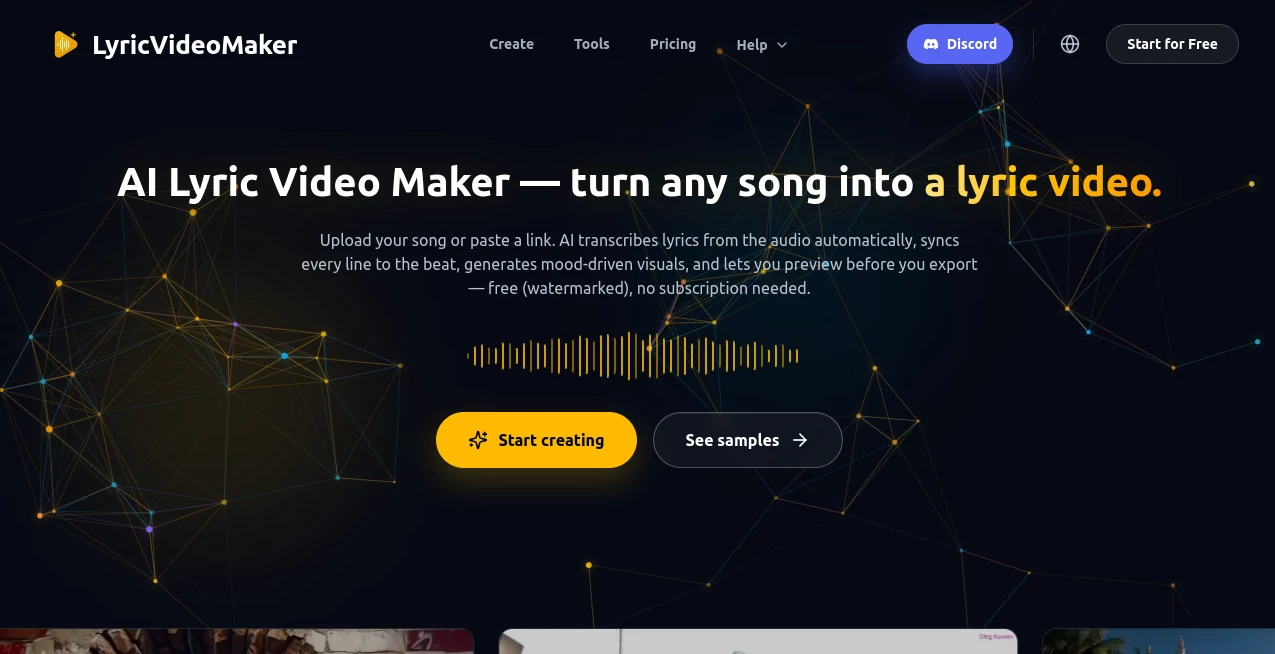
Creating a professional lyric video used to require hours of editing, careful timing, and advanced video production skills. Today, artists, musicians, record labels, and content creators can transform a finished song into a polished visual experience in just a few steps. This platform is designed specifically for music creators, making the entire workflow simple without sacrificing creative freedom.
Instead of spending time placing text manually on a timeline, the platform automatically transcribes lyrics, synchronizes every line with the music, and generates visuals that match the atmosphere of the track. Whether you're releasing a new single, preparing content for social media, or building a YouTube music channel, the workflow feels fast, intuitive, and enjoyable.
One of its strongest advantages is that it was built around musicians rather than general-purpose video editing. That focus is noticeable from the first upload, allowing creators to spend more time promoting their music instead of editing videos frame by frame.
Key Features
User Interface
The interface is clean and beginner-friendly. Upload an audio file, review the automatically generated lyrics, make any edits if needed, and export the finished project. Every step follows a logical order, making the creation process approachable even for first-time users.
- Simple song upload workflow
- Automatic lyric transcription
- Easy lyric editing before export
- Multiple export aspect ratios including 16:9, 9:16, and 1:1
- Support for popular audio formats
Accuracy & Performance
The transcription engine is designed for music rather than spoken captions, allowing lyrics to stay synchronized with the rhythm of the song. Users can review and adjust the timing whenever necessary, ensuring the final result looks polished before publishing.
The system also supports lyrics in more than fifty languages, making it suitable for international artists and multilingual audiences.
Capabilities
Beyond simple lyric synchronization, the platform offers a complete production workflow. AI-generated visuals can reflect the mood of the music, creators can upload their own artwork, enhance images using AI, create lip-sync scenes, trim audio, and export projects for professional editing software including Adobe Premiere Pro, DaVinci Resolve, and Final Cut Pro. Commercial use is also supported for eligible exports. :contentReference[oaicite:0]{index=0}
- AI-generated visual scenes
- Automatic lyric synchronization
- AI image generation and editing
- Lip-sync generation
- Audio trimming tools
- HD video export
- Professional editing software compatibility
- Commercial usage support
Security & Privacy
The service operates through secure user accounts and keeps the workflow entirely online. Projects remain associated with the creator's account, while exports can be downloaded whenever they are ready. Since users upload their own music, maintaining ownership of copyrighted material remains the creator's responsibility.
Use Cases
- Independent musicians launching new singles
- Record labels producing promotional content
- YouTube lyric channels
- TikTok, Instagram Reels, and YouTube Shorts creators
- Music marketing campaigns
- Artists publishing multilingual songs
- Content agencies managing multiple music releases
Pros and Cons
Pros
- Built specifically for lyric video production
- Fast AI lyric transcription and synchronization
- Supports over 50 languages
- AI-generated visuals reduce production time
- Multiple export formats for social media
- Professional editing software export options
- Commercial-friendly workflow
Cons
- Premium features require paid credits or subscriptions
- Very detailed creative edits may still require external software
- Best experience depends on clear audio recordings
Pricing Plans
A free plan allows new users to test the complete workflow with signup credits. Paid subscriptions are available for regular creators and professional teams, while one-time credit packs provide flexibility for occasional projects. Higher plans include larger monthly credit allowances and advanced production capabilities. :contentReference[oaicite:1]{index=1}
How to Use LyricVideoMaker
- Upload your completed song.
- Allow the AI to transcribe the lyrics automatically.
- Review and edit the generated text if necessary.
- Select or generate visuals that fit the mood of the music.
- Preview the synchronized video.
- Export in the desired aspect ratio for your preferred platform.
Comparison with Similar Tools
Many traditional video editors require users to manually place text, adjust timestamps, and build animations from scratch. In contrast, this platform begins with the song itself. Automatic lyric transcription, beat-aware synchronization, AI-generated imagery, and music-focused workflows significantly reduce production time while maintaining professional quality.
For creators who produce lyric videos regularly, this specialized approach offers a faster and more efficient alternative to general-purpose editing software. :contentReference[oaicite:2]{index=2}
Conclusion
For musicians, labels, and creators who want professional lyric videos without spending countless hours editing timelines, this platform delivers an impressive balance between automation and creative control. The AI-powered workflow handles many of the repetitive production tasks while still giving users opportunities to customize visuals and refine timing.
Its music-first design, multilingual support, professional export options, and modern AI capabilities make it an excellent choice for artists looking to release engaging visual content consistently across today's most popular platforms.
Frequently Asked Questions (FAQ)
Can beginners create lyric videos?
Yes. The workflow is designed to be accessible even for users with no video editing experience.
Does it support multiple languages?
Yes. The transcription system supports more than 50 languages.
Can I export videos for social media?
Yes. Videos can be exported in formats optimized for YouTube, TikTok, Instagram Reels, Shorts, and other platforms.
Is commercial use allowed?
Commercial use is supported for eligible exports, provided users own the rights to the uploaded music.
Can I continue editing in professional software?
Yes. Projects can be exported for applications including Adobe Premiere Pro, DaVinci Resolve, and Final Cut Pro.