

















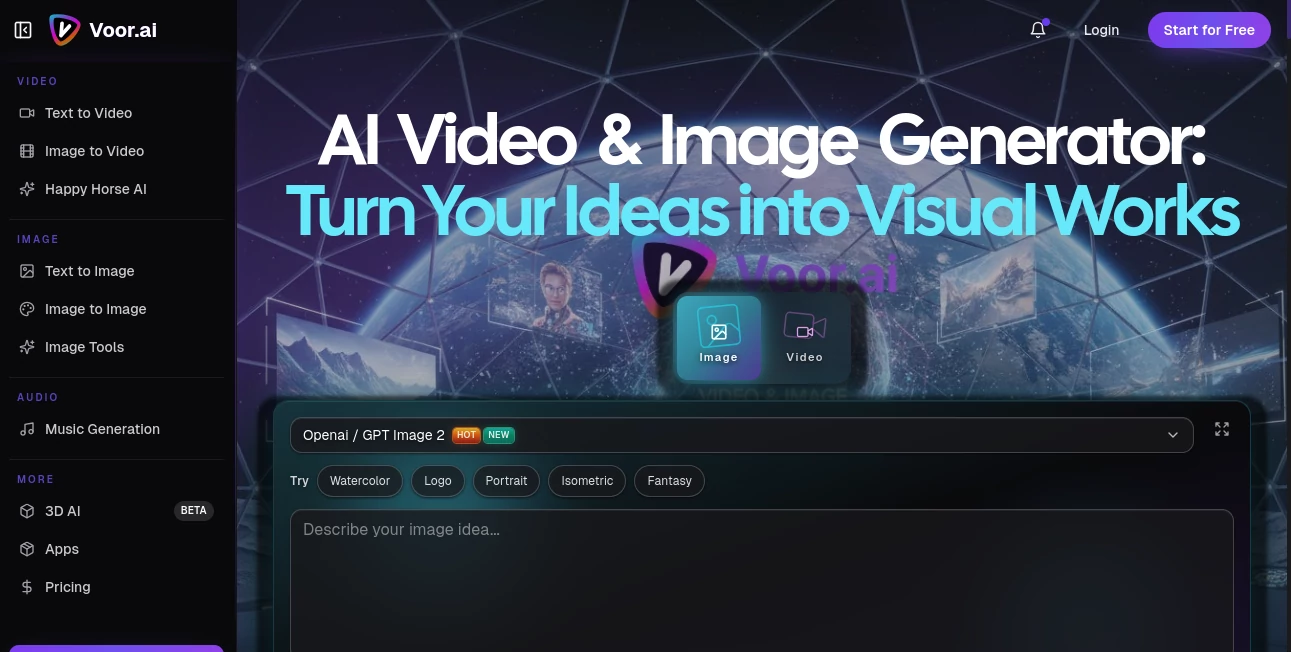
What is Voor AI?
I still remember the first time I typed a half-baked idea into an AI generator and got back something that actually looked beautiful. With Voor, that moment happens almost every time. Whether I’m creating marketing visuals for a client, making a short video for social media, or just exploring wild creative concepts late at night, the results feel polished, intentional, and full of life. It’s not just another generator — it feels like having a talented creative partner who understands lighting, composition, and storytelling.
Introduction
Creating high-quality visuals used to require expensive software, years of training, or hiring professionals. Voor changes that completely. It’s a unified creative studio that brings together powerful AI models for both images and video in one clean place. You can go from a simple text prompt to stunning stills, or turn those images into moving scenes with smooth, cinematic motion. The platform stands out because it delivers production-quality results quickly while staying remarkably easy to use. For creators, marketers, small businesses, and anyone with ideas they want to see come to life, it removes the usual barriers and lets the fun part take center stage.
Key Features
User Interface
The workspace feels calm and focused. A large prompt area invites your ideas, with helpful style presets and simple controls for aspect ratio, quality, and duration. Uploading reference images is effortless, and the preview system lets you compare variations quickly. Everything loads fast and stays out of your way, so you can stay in that creative flow instead of fighting with the tool. Even on busy days, it never feels overwhelming.
Accuracy & Performance
The models understand context remarkably well — they handle complex scenes, consistent characters, and natural motion without the usual glitches. Text-to-image and image-to-video generations are fast while maintaining high visual quality. In real use, the first or second variation is often strong enough to use, which saves enormous time compared to tools that require endless prompt tweaking.
Capabilities
You get strong text-to-image, image-to-image, text-to-video, and image-to-video tools, plus access to multiple high-performing models. The video features shine with smooth motion, good temporal consistency, and the ability to create short cinematic clips. Additional tools like upscaling and refinement options round out the studio. It works beautifully for marketing assets, social content, concept art, product visuals, and personal creative experiments.
Security & Privacy
Your prompts and uploaded images are handled securely. The platform focuses on delivering great creative output while respecting user data, giving you confidence to experiment freely with personal or client projects.
Use Cases
A small business owner generates consistent product visuals and short promotional videos without hiring a photographer or videographer. A content creator builds entire visual campaigns from one core idea, saving hours every week. A designer quickly mocks up concepts for client presentations with realistic renders. Someone with a story in their head turns it into a short animated video to share with friends or on social media. The platform adapts naturally to both professional needs and pure creative play.
Pros and Cons
Pros:
- High-quality, consistent results across both images and video.
- Fast generation that keeps creative momentum going.
- Unified studio approach — everything you need in one place.
- Strong motion and character consistency in video outputs.
- Accessible for beginners while powerful enough for regular creators.
Cons:
- Longer or more complex videos may need multiple generations to perfect.
- Some advanced features and higher usage limits require paid plans.
Pricing Plans
It offers a solid free tier so you can explore the quality and find your favorite models before committing. Paid plans unlock faster generation, higher limits, priority access, and more advanced features. The pricing feels reasonable for the creative output and time it saves — many users say it quickly becomes an essential part of their workflow.
How to Use Voor
Start by typing a clear description of what you want to create. Add a reference image if you have a specific style or subject in mind. Choose your preferred model and settings, then generate. Review the variations, refine your prompt if needed, and download the best ones. For video, describe the motion or upload a starting image and let the AI bring it to life. The process stays fast and enjoyable whether you’re making one asset or building a full campaign.
Comparison with Similar Tools
Many AI generators focus heavily on either images or video, often sacrificing quality or consistency in one area. Voor stands out by delivering strong performance in both while keeping the experience unified and user-friendly. It feels less experimental and more production-ready than many alternatives, with better motion coherence in video and reliable quality across different styles.
Conclusion
Visual creation should be exciting, not frustrating. Voor makes that possible by combining powerful models with a clean, thoughtful interface that respects your time and creativity. Whether you’re building a brand, telling stories, or just exploring ideas, it gives you the tools to turn thoughts into beautiful visuals without the usual headaches. Once you experience how smooth and enjoyable the process can be, it’s hard to imagine going back to slower, more complicated methods.
Frequently Asked Questions (FAQ)
How fast are generations?
Most images appear in seconds, with video clips taking a bit longer depending on length and complexity.
Do I need advanced prompting skills?
No — it works well with natural language, though more detailed prompts give even better control.
Can I use it for commercial projects?
Yes — paid plans support commercial use with appropriate licensing.
Is my data private?
Yes — your prompts and uploads are handled securely and not used for training without permission.
What kind of content can I create?
Almost anything — product visuals, social media content, concept art, short films, marketing assets, and more.