


















Wellspoken
What is Wellspoken?
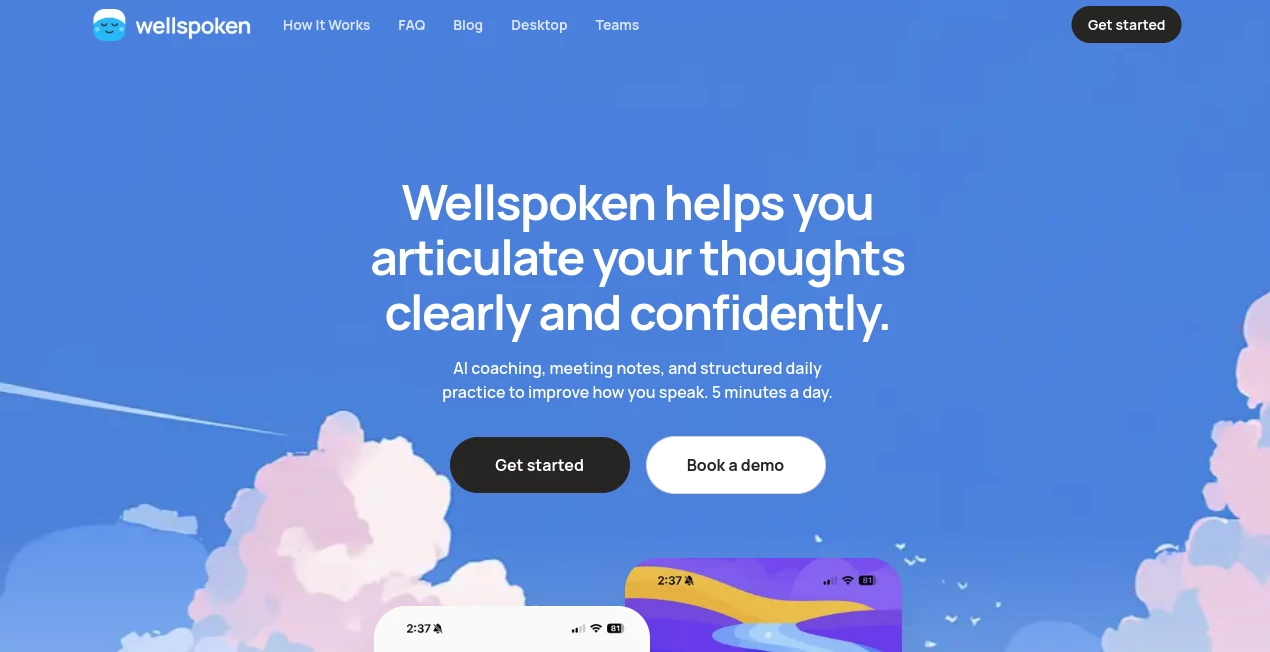
Wellspoken helps you articulate your thoughts clearly and confidently. Instead of treating communication as something you either naturally have or do not have, it approaches speaking as a skill that can be practiced, measured, and improved.
The idea is refreshingly practical: spend around five minutes a day speaking, receive feedback, and gradually build better habits. You can choose a topic, record your response, and receive an analysis of how you communicate. There is no camera required for the core practice experience, which makes it much easier to practice without feeling like you are performing for an audience.
What makes the experience particularly interesting is the focus on both what you say and how you say it. A response can contain a good idea but still feel difficult to follow because of excessive filler words, poor pacing, weak structure, or an unclear delivery. The platform brings these details into view so users have something concrete to work on.
It is a useful approach for professionals, students, job seekers, non-native English speakers, and anyone who occasionally knows exactly what they want to say but struggles to express it in the moment.
Key Features
- AI-powered speech analysis across multiple communication dimensions.
- A 1000-point Wellspoken Index for tracking speaking performance.
- Analysis of Structure, Conciseness, Confidence, Pronunciation, Filler Rate, and Pace.
- Short daily speaking exercises designed to build consistency.
- Structured communication curriculum with guided lessons and drills.
- Vocabulary training focused on moving words from recognition into active use.
- More than 1,000 vocabulary words and over 100 professional phrases in its learning library.
- AI coaching for mock interviews and difficult conversations.
- Meeting recording and analysis for supported desktop workflows.
- Automatic meeting transcripts, summaries, key decisions, and action items.
- Progress tracking that shows how communication skills change over time.
User Interface
The interface is built around a straightforward learning loop: choose a prompt, speak, review the feedback, and practice again. That simplicity matters because communication training can easily become complicated when an application throws too many scores, charts, and lessons at the user at once.
The main experience keeps the focus on speaking rather than filling out forms or navigating a maze of settings. The progress view gives users a clear reason to return, while the practice material provides direction when they do not know what to work on next.
For someone who wants to build a daily habit, the five-minute format is especially appealing. You can fit a session between meetings, before work, or even during a short break.
Accuracy & Performance
The platform evaluates recordings using six main dimensions: Structure, Conciseness, Confidence, Pronunciation, Filler Rate, and Pace. These categories provide a more useful picture than a single generic pronunciation or grammar score.
For example, someone might pronounce words correctly but speak too quickly, bury the main point, or use unnecessary filler phrases. Looking at several dimensions together makes those patterns easier to identify.
The 1000-point index also gives users a simple reference point. Rather than relying entirely on a subjective feeling such as “I think I sounded better today,” users can compare sessions and watch individual areas develop over time.
Capabilities
The strongest part of the platform is the combination of measurement and practice. Users can record spontaneous answers, work through structured drills, develop vocabulary, and then return to their scores to see what needs attention.
The AI coach adds another layer. It can be used for mock interviews, role-playing difficult conversations, or talking through an idea before an important meeting. After a recorded meeting, it can also help extract key takeaways and create follow-up material.
The meeting functionality extends the product beyond traditional public-speaking practice. On supported desktop setups, meetings from services such as Google Meet, Zoom, and Microsoft Teams can be recorded and analyzed, producing transcripts, summaries, action items, and speaking feedback.
This makes the product relevant not only when preparing for a presentation, but also when communication happens naturally during everyday work.
Security & Privacy
Because the service works with voice recordings, transcripts, meeting recordings, and performance data, privacy is an important consideration. Its privacy documentation explains that the service may process recordings, transcripts, AI-generated analysis, practice history, account information, and technical usage data in order to provide its features.
Users should therefore review the current privacy policy before recording sensitive meetings or conversations, particularly when other people are involved. For professional environments, organizations should also consider their own recording and consent requirements.
Use Cases
- Public Speaking: Practice organizing thoughts and delivering answers before presenting to an audience.
- Job Interviews: Rehearse unexpected questions and improve the ability to answer clearly under pressure.
- Professional Communication: Improve how ideas are expressed during standups, one-to-one meetings, presentations, and workplace conversations.
- Non-Native English Communication: Work on pronunciation, vocabulary, pacing, and clearer expression in spoken English.
- Leadership: Develop a more concise and confident communication style for situations where clarity matters.
- Meeting Improvement: Review real conversations to identify habits such as excessive filler words, long monologues, or unclear explanations.
- Vocabulary Development: Practice turning passive vocabulary into words that can be naturally used while speaking.
- Difficult Conversations: Role-play challenging situations before having the real conversation.
Pros and Cons
Pros
- Measures several aspects of speaking instead of focusing only on pronunciation.
- Provides a clear numerical index for tracking progress.
- Short practice sessions make regular training easier to maintain.
- Includes structured drills rather than leaving users to practice without direction.
- Useful for both everyday communication and professional situations.
- Includes vocabulary development alongside speech analysis.
- AI coaching supports mock interviews and role-play scenarios.
- Meeting analysis adds practical value for working professionals.
- Available across mobile and desktop experiences.
Cons
- The most useful feedback comes from consistent practice, so occasional use may not produce meaningful progress.
- Users looking only for traditional language lessons may find the broader communication focus different from a conventional language-learning app.
- Meeting recording features require careful attention to participant consent and workplace policies.
- Some advanced functionality is reserved for paid subscriptions.
Pricing Plans
The service follows a freemium subscription model. A free tier provides limited practice sessions, allowing users to experience the core speaking workflow before committing to a subscription.
Paid subscriptions unlock broader access to the platform, including additional practice and more advanced learning and analysis capabilities. Subscription periods can vary, and the service supports recurring billing through the relevant app-store or account system.
For teams, dedicated plans are also available. The team offering is designed for organizations that want communication coaching at scale and includes features such as core practice drills, index tracking, AI coaching, meeting analysis, and team-level progress visibility.
Since pricing and available subscription options can change, users should check the current plan shown at the time of purchase before subscribing.
How to Use the Platform
- Choose a speaking topic or select a prompt provided by the platform.
- Record yourself answering the question or discussing the selected subject.
- Complete the short speaking session without worrying about producing a perfect response.
- Review the feedback across structure, conciseness, confidence, pronunciation, filler rate, and pace.
- Identify one or two areas that need the most attention rather than trying to fix everything at once.
- Use the guided drills and vocabulary exercises to practice those specific weaknesses.
- Return regularly and compare your results to see whether your communication habits are changing.
- Use the AI coach for mock interviews, role-play conversations, or preparation before an important discussion.
Comparison with Similar Tools
Many speech and communication applications concentrate on one particular area, such as accent reduction, pronunciation, language learning, or live meeting assistance. This platform takes a wider approach by combining speaking practice, measurable communication feedback, vocabulary development, AI coaching, and meeting analysis.
That distinction makes it particularly attractive to users who do not simply want to pronounce English words more accurately. Someone preparing for an interview, for example, may need to think quickly, structure an answer, avoid unnecessary filler, maintain an appropriate pace, and sound confident. Those are different skills, and the platform attempts to evaluate several of them together.
It also differs from passive learning resources. Watching another public-speaking lesson can provide useful advice, but it does not necessarily show you whether you personally ramble, rush through sentences, or bury the important part of an answer. Recording yourself and receiving structured feedback closes that gap.
For users who want focused pronunciation training above everything else, a specialized pronunciation application may be a better fit. For broader communication practice with measurable progress, however, this approach has a compelling advantage.
Conclusion
Better communication rarely comes from knowing one secret technique. It usually comes from noticing small habits, practicing deliberately, and getting enough feedback to understand what is actually changing.
That is where this platform stands out. The combination of short daily exercises, detailed speech analysis, vocabulary training, progress tracking, AI coaching, and meeting feedback creates a practical environment for people who want to become clearer speakers.
It is particularly well suited to professionals, job seekers, non-native English speakers, and anyone who has experienced the frustrating gap between having a good idea and struggling to explain it out loud. The five-minute practice format also makes the commitment feel manageable.
If your goal is not simply to speak more, but to make your ideas easier to understand, more concise, and more confident, this is a tool worth exploring.
Frequently Asked Questions (FAQ)
What does the platform help with?
It helps users improve spoken communication through practice, AI feedback, vocabulary development, structured drills, and progress tracking. The system evaluates areas including structure, conciseness, confidence, pronunciation, filler rate, and pace.
What is the Wellspoken Index?
The Wellspoken Index is a 1000-point scoring system designed to measure speaking performance across six dimensions: Structure, Conciseness, Confidence, Pronunciation, Filler Rate, and Pace.
Can it analyze real meetings?
Yes. On supported desktop setups, users can record meetings from platforms such as Google Meet, Zoom, and Microsoft Teams. The resulting analysis can include transcripts, meeting notes, action items, and speaking feedback.
Is it useful for job interviews?
Yes. Users can practice answering questions and use AI-powered mock interview scenarios to become more comfortable thinking and speaking under pressure.
Is it suitable for non-native English speakers?
Yes. The platform specifically supports non-native English speakers by helping them work on pronunciation, active vocabulary, clarity, pacing, and natural spoken expression.
How much time should I spend practicing?
The service is designed around a daily practice rhythm of about five minutes. Short, consistent sessions are intended to make speaking practice easier to maintain over time.
Is there a free plan?
Yes. A free tier is available with limited practice sessions. Paid subscriptions provide access to additional functionality and broader usage.
AI Meeting Assistant , AI Coaching , AI Speech to Text .
These classifications represent its core capabilities and areas of application. For related tools, explore the linked categories above.

Wellspoken Alternatives Product

Parking Prac…

ModelsLab

AutoDub

mp3tourl

AudioScribe

Mp3ToMidi
WhisperWebUI

Sourcetable

MediTailor -…
