
















What is WhisperWebUI?
WhisperWebUI is an AI-powered transcription platform that makes converting audio and video files into accurate text simple and accessible. Designed for creators, professionals, researchers, students, and businesses, it provides a smooth workflow where users can upload media files, generate transcripts, review the results, and export them in multiple formats.
Powered by Whisper Large-v3 technology, the platform focuses on delivering reliable speech-to-text conversion without requiring complicated technical setup or API configuration. Whether you need to transform interviews into written content, create subtitles for videos, or extract information from recorded meetings, this tool provides a practical solution that saves significant time.
The service supports popular audio and video formats and offers export options such as TXT, SRT, VTT, and PDF, making it suitable for different professional workflows. With thousands of transcripts already created, it has become a useful choice for anyone looking for a straightforward AI transcription experience.
Key Features
User Interface
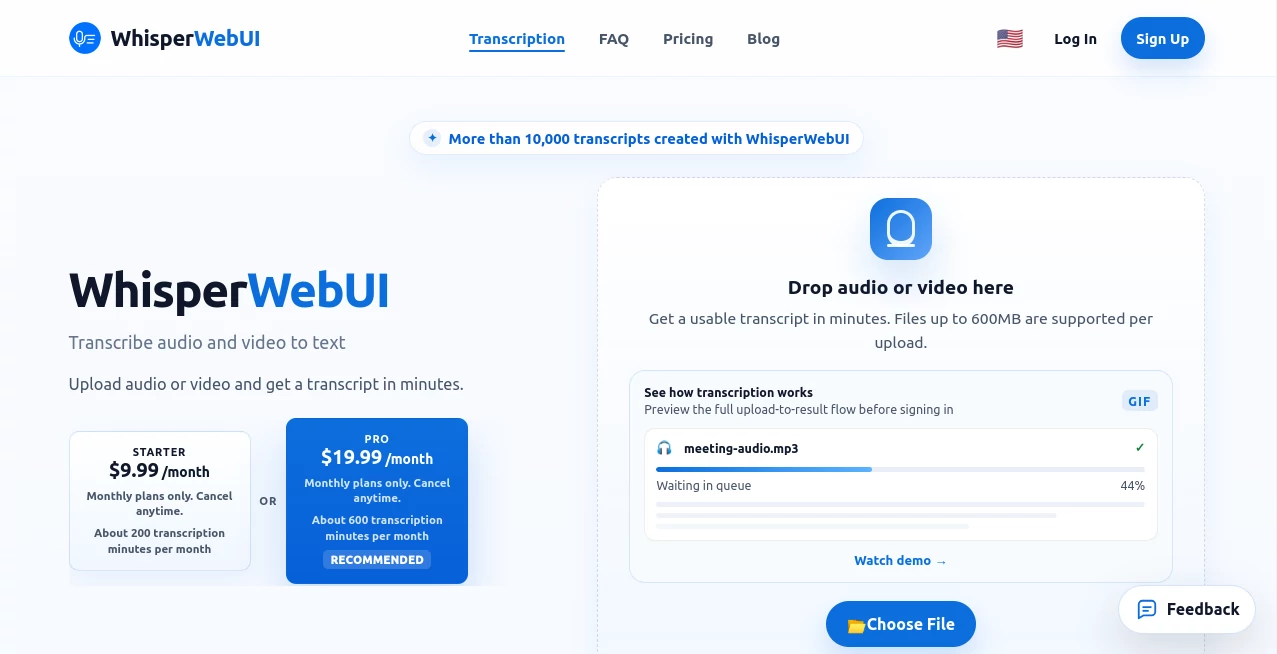
The platform offers a clean and beginner-friendly interface that removes unnecessary complexity. Users can simply upload their audio or video file, wait for processing, and receive a ready-to-use transcript. The upload workflow is designed to be clear even for people who have never used AI transcription software before.
The simple design helps users focus on their main goal: getting accurate text from their recordings. There is no need to install additional software or configure technical settings before starting.
Accuracy & Performance
Using advanced speech recognition models, the platform provides strong transcription quality across different languages and audio conditions. Performance can vary depending on recording quality, background noise, and speaker clarity, but the underlying AI model is optimized for professional-level speech recognition.
The system is capable of handling conversations, interviews, educational recordings, podcasts, and other real-world audio sources while maintaining a fast processing experience.
Capabilities
The tool supports audio-to-text and video-to-text workflows with multiple export formats. Users can generate transcripts for content creation, subtitle production, documentation, and research purposes.
- Audio and video transcription
- Support for MP3, WAV, M4A, MP4, and WEBM files
- Subtitle generation with SRT and VTT export
- TXT and PDF transcript downloads
- Multilingual speech recognition
- No API key setup required
Security & Privacy
Privacy is an important consideration for transcription services. Uploaded files are processed only for generating transcripts, and users maintain ownership of their uploaded content. The service is designed to provide a secure workflow while avoiding unnecessary complexity around technical integrations.
Use Cases
This AI transcription solution can help many different types of users improve their productivity and manage information more efficiently.
- Content Creators: Convert videos, podcasts, and interviews into written content or subtitles.
- Journalists: Quickly transform recorded conversations into searchable text.
- Students: Turn lectures and educational recordings into study notes.
- Businesses: Create meeting records and documentation from conversations.
- Researchers: Process interviews and qualitative research materials.
- Video Editors: Generate subtitle files for online videos.
Pros and Cons
Pros
- Simple upload and transcription workflow
- Powered by advanced Whisper speech recognition technology
- Supports multiple export formats
- No API configuration required
- Works with both audio and video files
- Suitable for personal and professional use
Cons
- Very large files may require longer processing times
- Accuracy depends on audio quality and recording conditions
- Advanced editing features may require additional tools
Pricing Plans
The platform offers a free option for users who want to try transcription features before upgrading. The free plan includes limited daily transcription usage, making it suitable for occasional projects.
For users with higher transcription needs, paid plans provide increased limits, longer file support, faster processing priority, and additional export capabilities.
- Free: Limited daily transcriptions with basic usage options.
- Starter: Designed for regular users needing more monthly transcription minutes.
- Pro: Suitable for professionals handling larger transcription workloads.
How to Use WhisperWebUI
Using the platform is straightforward and requires only a few steps:
- Upload an audio or video file from your device.
- Select the transcription process and wait while the AI analyzes the content.
- Review the generated transcript.
- Export the result as TXT, SRT, VTT, or PDF.
The simple workflow allows users to move from raw recordings to usable text without dealing with complicated software installation or development processes.
Comparison with Similar Tools
Compared with traditional transcription software, this solution focuses on simplicity and accessibility. Many professional transcription platforms require subscriptions, complex settings, or API integrations, while this service provides a more direct upload-and-transcribe experience.
Compared with manual transcription, AI-powered processing can dramatically reduce the time needed to convert long recordings into written documents. It is especially useful for users who regularly handle interviews, meetings, educational content, or video production.
Conclusion
WhisperWebUI provides an efficient way to transform spoken content into accurate written text. By combining modern AI speech recognition with a simple user experience, it helps creators, businesses, educators, and professionals save time and manage audio content more effectively.
For anyone searching for a practical AI transcription tool with flexible export options and an easy workflow, this platform offers a valuable solution for turning recordings into useful information.
Frequently Asked Questions (FAQ)
What is this AI transcription tool used for?
It converts audio and video files into text transcripts using advanced AI speech recognition technology.
Does it support subtitle creation?
Yes. Users can export transcripts in subtitle formats such as SRT and VTT for video projects.
Do I need an API key to use it?
No. The service provides a ready-to-use transcription workflow without requiring users to configure external APIs.
Which file formats are supported?
Common formats including MP3, WAV, M4A, MP4, and WEBM are supported.
Is the transcription always 100% accurate?
No AI transcription system is perfect. Results depend on audio quality, background noise, speaker clarity, and language complexity.