
















Wild and Free Tools
What is Wild and Free Tools?
Let's be honest for a second. How many times have you needed to quickly resize an image, grab a hashtag set for Instagram, or convert a video, only to hit a paywall after five minutes? It gets old fast. You sign up, you hand over your email, sometimes even your credit card, just to do one simple thing. That frustration is exactly why this platform was brought to life.
You probably don't want another subscription eating into your budget every month. You just want a tool that works, right now, without any fuss. This is a massive collection of over 357 online utilities that live completely in your browser. No signup forms, no annoying ads popping up in your face, and definitely no watermarks ruining your work. It feels like stumbling into a workshop where every single tool is already oiled up and ready to go. Whether you are a student trying to finish a project, a creator working on a tight deadline, or a developer needing a quick code formatter, the whole setup just feels fair. It is built by someone who, like the rest of us, got tired of paying for software they barely use.
Key Features
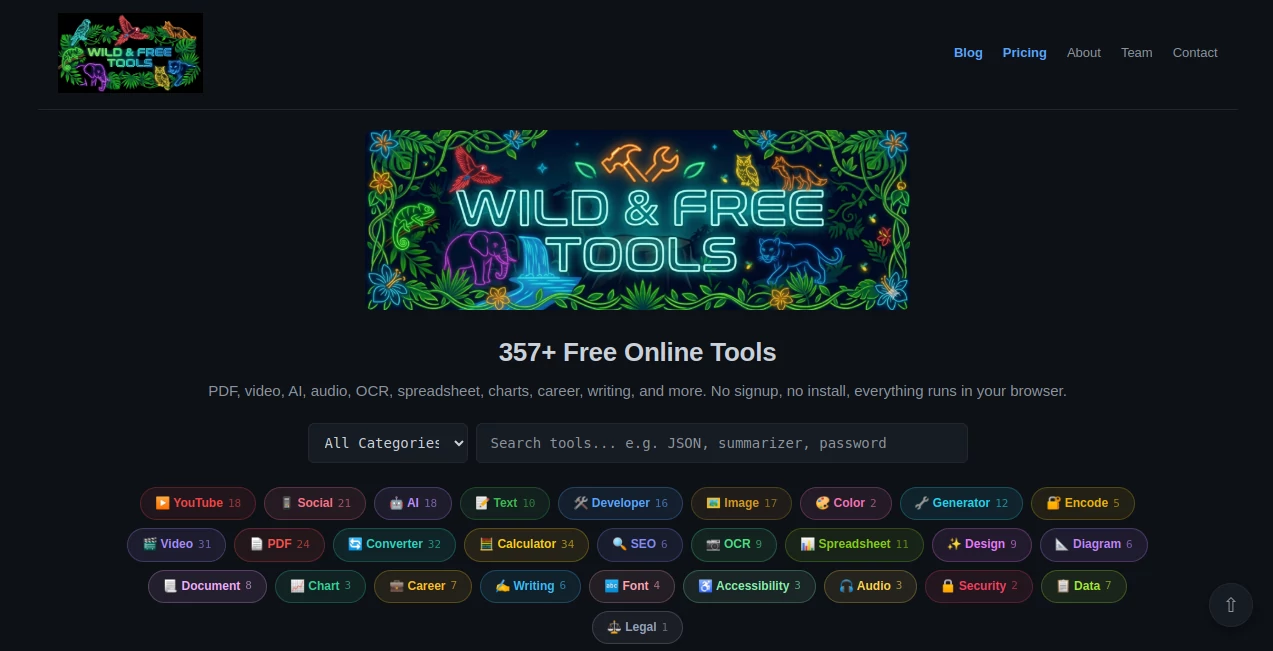
It is rare to find a suite that packs this much power without asking for a dime. The magic here is in the simplicity. Everything is organized into 24 specific categories, so you are not digging through a messy blog post to find what you need. From image editors to PDF converters and AI helpers, it covers the essentials that most people pay monthly for elsewhere.
User Interface
You won’t need a tutorial to figure this out. The interface is stripped back to the absolute basics. You land on the page and immediately see the categories laid out like a control panel. Click on what you need, and the tool pops up instantly. There are no laggy animations or complex dashboards to navigate. It feels responsive, almost like using a native app on your computer, because everything runs client-side. The lack of clutter means you get in, do the job, and get out. That clean, fast environment saves you from the headache of hunting through nested menus just to rotate a PDF.
Accuracy & Performance
Just because it is free doesn't mean it cuts corners on quality. You might assume a free PDF merger would mess up the formatting, but that isn't the case here. The processing is sharp and reliable. When you use the image background remover or the video converter, the output maintains high integrity. Performance is snappy because the tools run directly in your browser whenever possible. You aren't waiting for a file to upload to a remote server, process, and then download again. That serverless approach means your tasks finish in seconds, not minutes, and the accuracy remains top-notch across all 357 tools.
Capabilities
The range is surprisingly wide. You get 24 categories that cover almost every modern need. There are standard PDF tools for merging, splitting, and compressing. The image section includes resizing, cropping, and even adding filters. For social media managers, the hashtag generators and SEO checkers are lifesavers. Video converters and compressors handle large files easily. There are also code utilities for developers, AI-powered writing helpers, and even specific generators for things like QR codes and barcodes. It isn't just a one-trick pony; it is a full toolbox for digital work.
Security & Privacy
Here is the part that should make you feel comfortable. Because no signup is required, the platform never asks for your name, email, or password. You don't have to worry about data breaches or your files being stored on some unknown cloud server. Most tools process everything locally inside your browser tab. Once you close the window, the data vanishes. There are no upload limits because, in many cases, your files aren't actually uploading to a third-party database. This privacy-first approach is a huge weight off your shoulders, especially when handling sensitive business documents or personal photos.
Use Cases
You will find a reason to use this almost every day. Freelance graphic designers can quickly strip backgrounds from product photos without opening heavy software like Photoshop. Social media managers can generate trending hashtags and compress video clips for TikTok or Reels in under a minute. Students can convert lecture notes to PDFs or use the AI summarizers to study faster. Developers can beautify messy code or validate JSON structures without installing any local packages. Even small business owners can use the SEO tools to check meta tags and site health without paying for expensive monthly subscriptions. It really fits into any workflow where speed and cost matter.
Pros and Cons
Pros:
First, the biggest win is the price—it is completely free with no hidden upsells. Second, the no-signup policy saves you from spam emails and forgotten passwords. Third, the variety is impressive; with 357 tools, you rarely need to look elsewhere for basic utilities. Fourth, the privacy aspect is solid because files are processed locally, keeping your data safe.
Cons:
On the flip side, because it is free and browser-based, you can't expect the advanced features of premium software like Adobe Premiere or Photoshop. Very high-resolution video editing might be limited. Also, since there is no user account, you can't save your work in progress on the cloud; you have to download everything immediately. Finally, an internet connection is still required to access the library, though the tools themselves often run offline once loaded.
Pricing Plans
There is only one plan here: zero dollars. No freemium tiers, no "Pro" versions hiding the good stuff. You get access to all 357 tools, across all 24 categories, with no watermarks and no daily usage caps. You never have to enter a credit card or start a free trial that threatens to bill you later. It is genuinely free, built for people who are tired of the SaaS subscription model. The only "cost" is that you might bookmark the page because you will keep coming back.
How to Use Wild and Free Tools
Getting started takes less than ten seconds. Open your browser and navigate to the site. You will see the main menu listing all the categories like Image Tools, PDF Tools, AI Tools, or Video Converters. Click on the category that matches the job you need to do. Select the specific tool from the list—for example, "Compress Image" or "Merge PDF." Upload your file directly from your computer. Adjust any settings if needed (like compression level or output format). Hit the action button. Download your finished file immediately. That is the whole loop. No logging in, no waiting for approval, no captcha codes to solve.
Comparison with Similar Tools
Most competitors like Canva or Adobe Express lock their best features behind a paywall. Yes, they offer free tiers, but you hit limits on exports or watermarks quickly. Others like ILovePDF give you two tasks a day before asking for money. Here, you don't have that ceiling. Compared to desktop software like GIMP or HandBrake, this platform is infinitely easier to use because you don't need to install anything or watch tutorial videos to understand the interface. It sacrifices extreme advanced controls for speed and accessibility. If you need to do something quick and dirty without losing quality, this beats the big names hands down. If you are a professional needing batch processing of 1000 files, you might still need that paid software. But for 99% of daily tasks, this library is the faster, smarter choice.
Conclusion
It is rare to find a digital resource that feels genuinely generous. This platform doesn't try to trap you into a subscription or sell your data to advertisers. It is just a massive, well-organized set of tools that do exactly what they promise. You save money, you save time, and you keep your files private. For freelancers, students, marketers, and developers, having this site bookmarked is like having a secret weapon against daily digital headaches. Stop paying for tools you use once a week. Give this library a try, and you will probably wonder why you didn't switch sooner.
Frequently Asked Questions (FAQ)
Do I need to create an account to use these tools?
No. Absolutely not. You can use every single tool instantly without providing an email or password.
Are there watermarks on the exported files?
No. All outputs are clean and watermark-free. You get the final result exactly as you expect it.
How many tools are currently available?
The library includes over 357 free tools organized into 24 different categories.
Can I use these tools on my phone?
Yes, the website is fully browser-based and works on mobile devices, tablets, and desktops without needing an app download.
Is my data safe during processing?
Most tools process your files locally within your browser. Your data is not uploaded to external servers or stored permanently.
Will there ever be a paid version?
The core library is committed to staying free. If any advanced features are added later, the existing free tools will remain available.