

















What is Luffy?
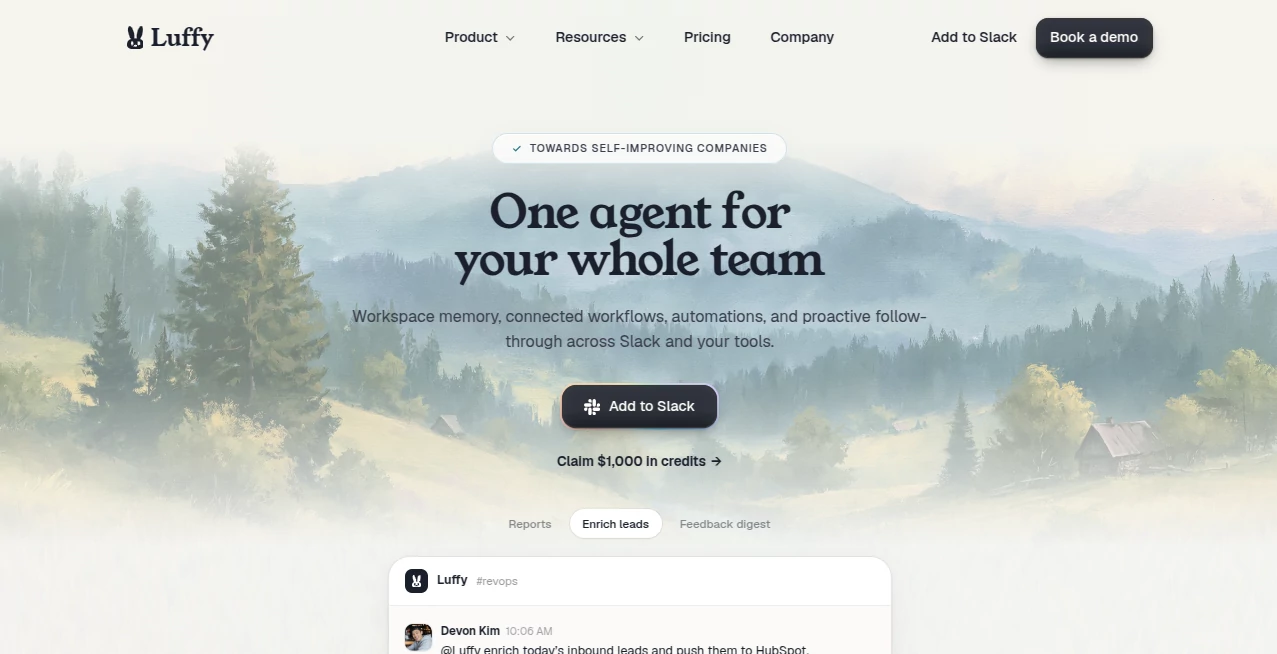
Modern teams spend an incredible amount of time switching between applications, chasing updates, preparing reports, and repeating the same operational tasks every week. This platform approaches productivity from a different angle by bringing an intelligent digital teammate directly into Slack, allowing employees to work naturally without learning another complicated interface. Instead of forcing users to jump between dashboards, it performs work where conversations already happen.
Designed for startups, growing businesses, engineering teams, marketers, and operations departments, the platform connects with thousands of business applications including Notion, GitHub, Gmail, Google Sheets, PostHog, Cloudflare, Vercel, Supabase, Meta Ads, Google Ads, Linear, Ahrefs, and many more. Once connected, it understands company context, retrieves information, automates repetitive workflows, schedules recurring jobs, researches topics, enriches leads, and posts completed work directly back into Slack conversations.
One of its biggest strengths is how naturally it fits existing workflows. Team members simply describe a task in plain English, much like asking a coworker for help. From preparing weekly growth reports to tracking open discussions, generating summaries, scheduling recurring tasks, or building internal automations, the assistant works quietly in the background while employees focus on decisions that require human creativity.
Key Features
User Interface
The experience feels familiar because everything happens inside Slack. Installation takes only a few clicks, after which the assistant becomes another member of the workspace. Employees can mention it in channels or threads, ask questions naturally, and receive completed work without navigating separate dashboards. This conversational workflow dramatically reduces friction and encourages adoption across teams.
Accuracy & Performance
The platform builds knowledge from connected business tools and remembers organizational context over time. Rather than treating every request as a new conversation, it understands previous workflows, recurring reports, dashboards, and business metrics. Scheduled automations can execute daily, weekly, or whenever predefined events occur, helping teams receive timely insights with minimal manual effort. Important AI-generated outputs should still be reviewed before final decisions, especially when handling business-critical operations.
Capabilities
The assistant goes far beyond answering questions. It creates recurring reports, researches information, enriches sales leads, follows up on unfinished work, summarizes discussions, coordinates calendars, builds internal workflows, automates repetitive operations, and chains together actions across thousands of connected applications. Businesses can transform repetitive requests into reusable automations that continue running automatically without constant supervision.
Security & Privacy
Security is treated as a priority. Organizations grant only the permissions they choose, ensuring access remains limited to approved tools and channels. Every action is logged for transparency, making it easy to review automated activities whenever necessary. Company data remains within the organization's workspace and is not used to train shared AI models, providing additional confidence for businesses handling sensitive operational information.
Use Cases
Marketing teams can generate weekly campaign reports, compare advertising performance, and monitor growth metrics automatically.
Sales departments can enrich prospects, organize lead information, and prepare summaries before customer meetings.
Engineering teams can automate internal reporting, monitor deployments, collect operational metrics, and simplify recurring maintenance tasks.
Operations teams can schedule recurring workflows, coordinate cross-functional processes, and reduce manual administrative work.
Executives can receive business summaries directly inside Slack without requesting updates from multiple departments.
Pros and Cons
Pros
- Works directly inside Slack with almost no learning curve.
- Connects with more than 3,200 business applications.
- Supports recurring automations and scheduled workflows.
- Understands business context across connected tools.
- Simple natural-language interaction.
- Transparent permission management and audit logs.
- Excellent choice for cross-functional collaboration.
Cons
- Provides the greatest value for teams already using Slack.
- Some advanced workflows depend on connecting external services.
- AI-generated business recommendations should always be reviewed by humans before implementation.
Pricing Plans
The service offers access through its website, with onboarding designed around Slack integration. Pricing details may vary over time, so businesses should consult the official pricing page for the latest plans, credits, and enterprise options.
How to Use Luffy
Install the assistant inside your Slack workspace.
Connect the business tools your team already uses.
Grant only the permissions required for your workflows.
Ask for reports, research, summaries, automations, or recurring tasks using natural language.
Review completed work directly inside Slack and refine future workflows as your organization grows.
Comparison with Similar Tools
Unlike traditional chatbots that primarily answer questions, this solution is designed to complete operational work across connected business systems. Its strongest advantage lies in combining conversational interaction, workflow automation, recurring scheduling, workspace memory, and integrations into a single Slack-first experience. Teams that already collaborate inside Slack can automate significant portions of daily operations without introducing another platform into their workflow.
Conclusion
Organizations looking to eliminate repetitive work while keeping collaboration inside Slack will find this platform especially appealing. Its combination of connected business knowledge, intelligent automation, recurring workflows, and natural communication creates an experience that feels more like working alongside an experienced teammate than using conventional automation software. By reducing context switching and handling routine operational tasks automatically, teams gain more time to focus on strategic thinking, customer relationships, and innovation.
Frequently Asked Questions (FAQ)
Can it work with applications outside Slack?
Yes. It connects with thousands of external services while using Slack as the primary collaboration interface.
Is coding required to build workflows?
No. Most tasks can be described in plain English without writing code.
Can recurring reports be automated?
Yes. Reports and workflows can run on schedules or be triggered by business events.
Does it keep company information private?
Organizations control permissions, review audit logs, and retain ownership of their workspace data.
Who benefits the most from this platform?
Marketing, engineering, operations, sales, founders, and growing businesses that rely heavily on Slack collaboration can achieve significant productivity improvements.