
WiFi Analyser
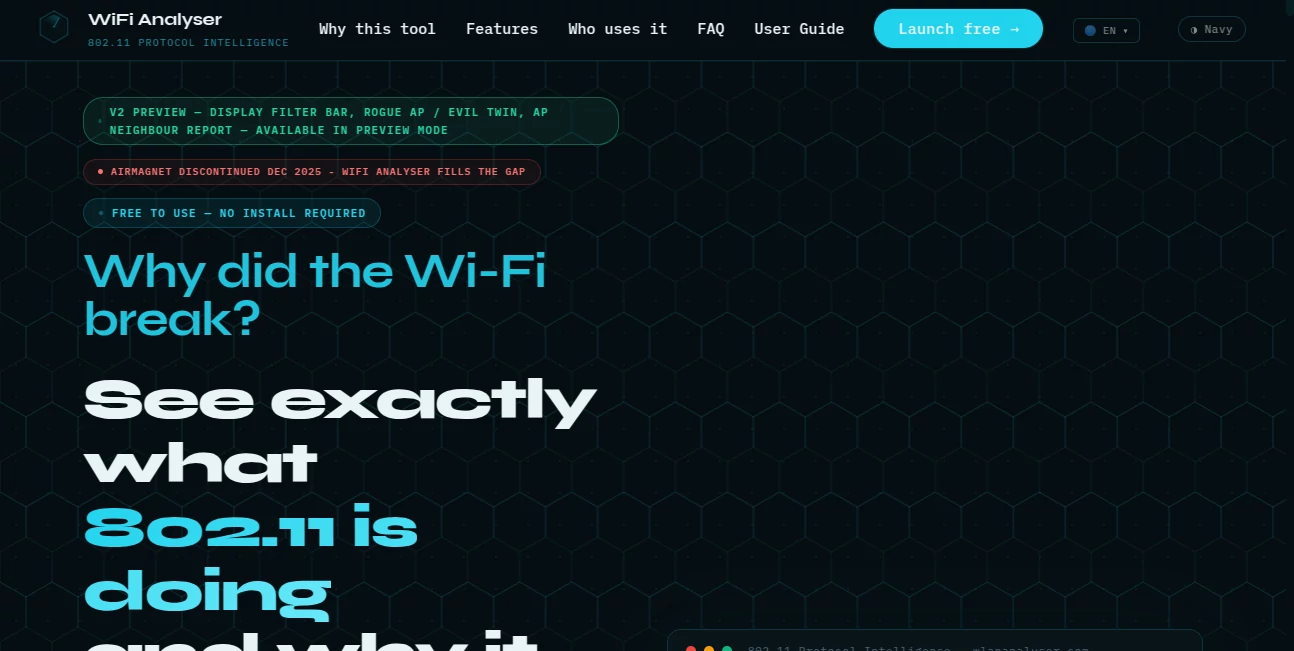
What is WiFi Analyser?
Wireless network troubleshooting often demands deep protocol knowledge, time-consuming packet inspection, and multiple specialized utilities. This platform simplifies that entire workflow by transforming complex 802.11 packet captures into clear, actionable insights within minutes. Instead of manually reviewing thousands of frames, users receive intelligent diagnostics, protocol explanations, and practical recommendations in a browser-based environment.
Designed for network engineers, enterprise IT teams, Wi-Fi consultants, managed service providers, and security professionals, the platform focuses on frame-level analysis rather than simple signal strength measurements. It helps uncover authentication failures, roaming issues, encryption weaknesses, retry problems, and security anomalies that traditional monitoring tools often leave hidden. Everything runs directly in the browser with no software installation or license management, making professional Wi-Fi analysis far more accessible.
Key Features
User Interface
The interface is clean, modern, and intentionally designed to reduce complexity. Uploading a PCAP file or simply describing a network problem takes only a few clicks. Analysis results are organized into logical sections with health scores, detected anomalies, protocol explanations, and remediation guidance, allowing both experienced engineers and less specialized IT staff to navigate findings comfortably.
Accuracy & Performance
Rather than sampling packets, the platform examines every frame within supported captures and evaluates authentication exchanges, roaming behavior, encryption settings, management frames, and performance indicators. Dozens of automated detection engines work together to identify root causes quickly, reducing investigation time from hours to just a few minutes. AI-generated explanations further simplify complicated protocol interactions into understandable language.
Capabilities
- Frame-level 802.11 packet analysis
- AI-powered root cause diagnosis
- PCAP and PCAPNG support
- Symptom-based troubleshooting without packet captures
- Automated anomaly detection
- Roaming performance analysis
- Authentication and EAP diagnostics
- Security posture assessment
- Vendor-specific configuration recommendations
- Professional PDF reporting
- Wi-Fi health scoring
- Integrated planning and network validation tools
Security & Privacy
Privacy receives significant attention throughout the platform. Packet captures are processed in memory instead of being permanently stored, helping organizations analyze sensitive wireless traffic with greater confidence. The service also emphasizes minimal data collection while supporting secure browser-based access, making it suitable for enterprise troubleshooting workflows where confidentiality matters.
Use Cases
- Troubleshooting enterprise Wi-Fi connectivity issues
- Investigating authentication failures
- Analyzing WPA2 and WPA3 deployments
- Diagnosing roaming performance between access points
- Performing wireless security assessments
- Creating client-ready diagnostic reports
- Supporting managed Wi-Fi services
- Validating new wireless infrastructure deployments
- Teaching 802.11 protocol behavior in technical training
- Accelerating packet capture investigations for IT support teams
Pros and Cons
Pros
- Completely browser-based with no installation required.
- Free to use without complicated licensing.
- AI simplifies advanced wireless troubleshooting.
- Supports detailed frame-level protocol inspection.
- Professional reports can be shared with customers and teams.
- Works with captures from various vendors.
- Helpful for both troubleshooting and security analysis.
Cons
- Primarily focused on Wi-Fi protocol analysis rather than complete network monitoring.
- Requires packet captures for the most detailed investigations.
- Advanced wireless concepts may still require networking knowledge for full interpretation.
Pricing Plans
The service is currently available as a free browser-based platform. Users can access professional wireless analysis capabilities without purchasing licenses or installing desktop software, making it an attractive option for individual engineers as well as enterprise teams evaluating wireless performance.
How to Use WiFi Analyser
Start by uploading a supported wireless packet capture or describe the symptoms affecting the network. The system automatically analyzes the communication process, detects anomalies, calculates overall network health, and presents detailed findings in an organized report. Users can review protocol explanations, inspect detected problems, explore AI-generated root causes, export reports, and follow remediation recommendations to resolve wireless issues more efficiently.
Comparison with Similar Tools
Many traditional wireless troubleshooting utilities require significant manual packet inspection or depend heavily on RF measurements. This platform distinguishes itself by combining protocol intelligence with AI-assisted explanations, allowing users to understand not only what happened but also why it happened. Browser accessibility, automated anomaly detection, integrated health scoring, and guided remediation significantly reduce the learning curve while accelerating enterprise troubleshooting workflows.
Conclusion
Modern wireless networks continue to grow in complexity, making rapid diagnosis increasingly important. This platform delivers an impressive combination of protocol expertise, automation, AI-powered analysis, and practical reporting in a simple browser experience. Whether investigating authentication failures, validating security configurations, or resolving roaming issues, it helps professionals reach accurate conclusions much faster while reducing manual effort. For organizations seeking an accessible yet technically capable Wi-Fi analysis solution, it offers exceptional value.
Frequently Asked Questions (FAQ)
Is the platform suitable for enterprise wireless environments?
Yes. It supports professional troubleshooting workflows for enterprise Wi-Fi deployments, including authentication, roaming, and security analysis.
Can packet captures from different vendors be analyzed?
Yes. Standard PCAP and PCAPNG files generated by many popular wireless capture tools are supported.
Does it require software installation?
No. Everything operates directly inside a modern web browser.
Can beginners use the platform?
Yes. AI explanations and structured reports make complex 802.11 protocol behavior much easier to understand than traditional packet inspection alone.
Does the platform generate reports?
Yes. Users can create professional reports that summarize health scores, detected issues, security findings, and recommended actions.
AI Research Tool , AI Analytics Assistant , AI Developer Tools , AI Monitor & Report Builder .
These classifications represent its core capabilities and areas of application. For related tools, explore the linked categories above.

WiFi Analyser Alternatives Product

Period Calcu…

igrecent

DemoDash

LazyLister

Ito AI

GLM 5

Quso AI

Website Traf…

Domain Rank …