

















Ito AI
Verified Blue CheckMark
Verified Blue CheckMark products are featured above free or unverified listings.
This badge indicates authenticity and builds trust, giving your product higher visibility across the platform.
Upgrade to get verified
Verified Blue CheckMark products are featured above free or unverified listings. This badge indicates authenticity and builds trust, giving your product higher visibility across the platform.
Upgrade to get verified
What is Ito AI?
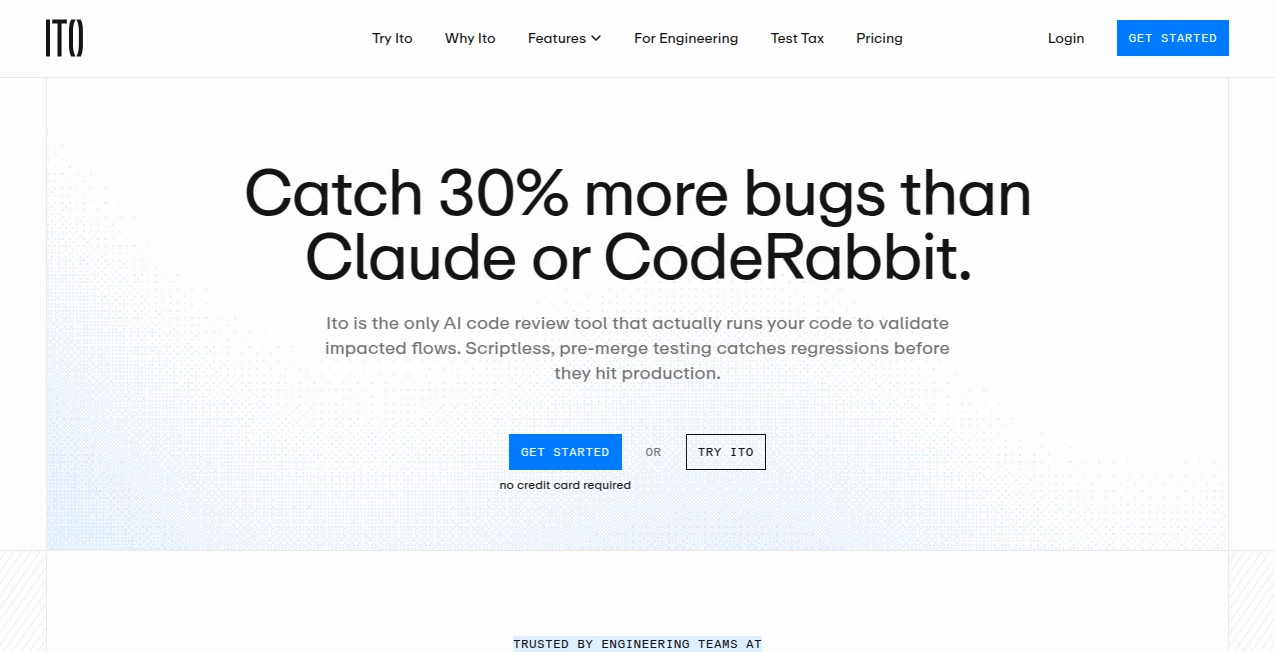
Modern software teams move quickly, but speed often creates a difficult challenge: making sure every change works exactly as expected. This AI-powered code review assistant helps engineering teams automatically test applications during the development process, finding problems that traditional code reviews may overlook.
Instead of only reading code changes, the platform runs applications, explores user flows, and provides evidence when something goes wrong. It is designed to help developers reduce manual testing time, improve release confidence, and catch issues before they reach production.
For startups, growing engineering teams, and companies managing frequent updates, this approach creates a smoother workflow where developers can focus more on building features and less on repetitive verification tasks.
Key Features
User Interface
The platform is designed around a simple workflow connected to the developer’s existing process. After installation, teams can connect their repositories and allow the system to monitor pull requests automatically. Reports are delivered with clear findings, making it easier for developers and reviewers to understand what happened without switching between multiple tools.
The interface focuses on practical information rather than overwhelming dashboards. Each issue includes useful details that help teams reproduce and fix problems faster.
Accuracy & Performance
Unlike traditional static analysis tools that only inspect code patterns, this solution executes applications in an isolated environment and checks how the software behaves when running. This allows it to discover real-world problems such as broken user interactions, failed integrations, and unexpected application behavior.
Every test session produces supporting evidence, including recordings and detailed reports, helping teams verify issues with confidence before merging changes.
Capabilities
The tool provides automated quality checks for pull requests without requiring developers to create and maintain large collections of test scripts. It can understand code changes, create targeted testing scenarios, interact with applications through a browser, and highlight potential regressions.
- Automated testing for pull requests
- AI-powered exploration of application workflows
- Browser-based testing with real user interactions
- Bug reports with reproduction details
- Video recordings of discovered issues
- Code analysis to identify possible causes
- Severity classification for discovered problems
Security & Privacy
Security is an important part of automated code testing. The platform uses isolated testing environments to run applications and analyze behavior without becoming part of the production system. This approach allows teams to receive automated quality insights while keeping development workflows controlled.
Use Cases
This solution is useful for teams that release software frequently and need reliable quality checks without increasing manual testing workloads.
- Software Development Teams: Automatically validate changes before merging new code.
- Startups: Maintain high-quality releases while working with smaller engineering teams.
- QA Teams: Reduce repetitive testing tasks and focus on complex quality improvements.
- Engineering Managers: Improve visibility into application reliability and development performance.
- Growing Applications: Detect unexpected issues as features and user flows become more complex.
Pros and Cons
Pros
- Tests real application behavior instead of only reviewing code patterns.
- Reduces the need for manually maintained testing scripts.
- Provides visual evidence for easier debugging.
- Works directly with modern development workflows.
- Helps teams discover issues earlier in the release cycle.
Cons
- May require initial setup and repository connection.
- Best suited for teams working with active software development workflows.
- Complex applications may require additional configuration for optimal results.
Pricing Plans
The platform offers plans designed for different development needs. A professional plan is available for startups and smaller teams, while enterprise options provide additional features, security support, and higher limits for larger organizations. Qualified open-source projects may also access free usage options.
How to Use This Tool
Getting started is straightforward. Users typically connect their development repository, install the required integration, and open a pull request. The AI system then begins analyzing the change, running tests, and generating a report with any detected issues.
- Create an account and connect a GitHub repository.
- Install the required repository integration.
- Create or update a pull request.
- Allow the automated testing process to run.
- Review findings, recordings, and suggested fixes.
Comparison with Similar Tools
Many code review solutions focus on analyzing source code and identifying possible mistakes. This platform takes a different approach by validating how the application actually works during execution.
Compared with traditional automated testing frameworks, it reduces the need to manually write and maintain detailed test scripts. This makes it especially valuable for teams that want broader testing coverage while keeping development speed high.
Conclusion
For development teams looking to improve software reliability without slowing down innovation, this AI-powered testing approach provides a practical solution. By combining automated analysis, real application execution, and clear reporting, it helps teams identify important issues earlier and release with greater confidence.
Whether you are building a new product or maintaining a complex application, adding intelligent testing into the workflow can make the development process more efficient and predictable.
Frequently Asked Questions (FAQ)
What type of problems can this tool find?
It can identify behavioral issues, broken workflows, unexpected application responses, and other problems that may appear only when software is actually running.
Does it require developers to write test scripts?
No. The system is designed to automatically create testing scenarios based on application changes and behavior.
Who can benefit from using this platform?
Software engineers, QA professionals, startups, and organizations that frequently release updates can benefit from automated quality checks.
How does it provide bug reports?
Reports include details about discovered problems, reproduction information, and supporting evidence such as recordings to help developers understand the issue.