

















Wolfcut Online
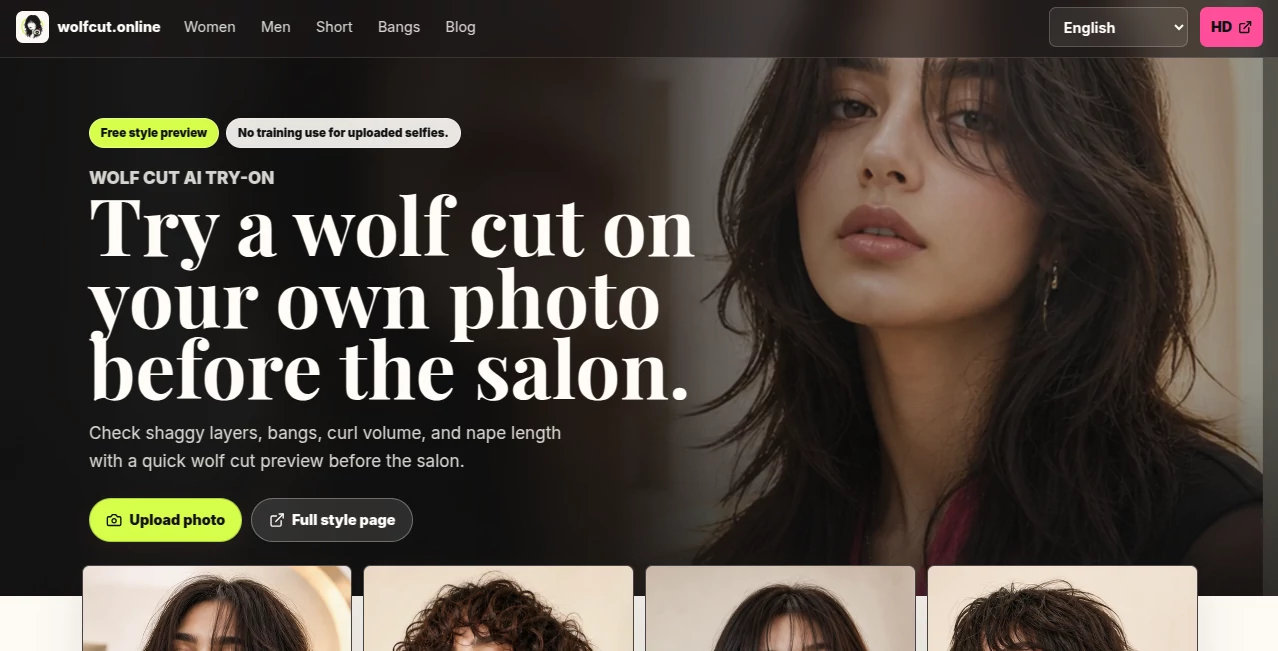
What is Wolfcut Online?
There’s something exciting about seeing a bold new hairstyle on yourself without the commitment of scissors and regret. This tool makes that possible in the most effortless way. Upload a clear selfie, pick a wolf cut variation, and seconds later you’re staring at a realistic preview that adapts to your face shape, hair texture, and lighting. I’ve watched friends debate whether to go for the chop for weeks, only to upload one photo here and decide in minutes. The results feel surprisingly natural—not like a cheap filter, but like a genuine glimpse of what the cut could look like. It takes the anxiety out of trying something trendy and turns it into fun exploration.
Introduction
The wolf cut exploded in popularity for good reason: it blends shaggy layers, face-framing pieces, and that signature textured nape into something edgy yet wearable. But walking into a salon without knowing if it suits you is nerve-wracking. This platform removes the guesswork. It’s a virtual mirror powered by AI that shows you different versions—classic, soft, short, curly, with bangs, even men’s interpretations—so you can see what works with your features before booking. No downloads, no sign-up for basic previews, and photos are deleted after 48 hours. It’s become the go-to for people who want confidence before the chair, whether they’re chasing a full transformation or just curious how the style would sit on their face.
Key Features
User Interface
The experience is delightfully simple. Big upload area, clear instructions (front-facing, good lighting, no hats), and a row of style thumbnails to choose from. Once your photo processes, you see side-by-side comparisons and can switch between variants instantly. Sliders or toggles for intensity and color options make fine-tuning easy. Everything feels intuitive—like browsing outfits rather than wrestling with complicated software. Even non-techy friends managed their first preview without help.
Accuracy & Performance
The AI reads face shape, hair density, and current length surprisingly well. It adapts the cut to your features instead of slapping on a generic template. Results look believable—layers fall naturally, bangs blend with your forehead, and the nape texture respects your hair type. Processing is quick, usually under 15 seconds, and the previews are detailed enough to make real decisions. It’s not perfect (nothing digital is), but it’s close enough that most people walk away with useful insight.
Capabilities
Multiple wolf cut styles including Classic, Soft, Short, Curly, With Bangs, and Men’s versions. Hair color suggestions, intensity adjustments, and realistic rendering that respects lighting and shadows. It works on straight, wavy, and curly hair, with guidance for different face shapes. You get salon-ready descriptions for each style so you know exactly what to ask your stylist. The output is clear enough for sharing with friends or taking straight to the salon as reference.
Security & Privacy
Your photos are handled respectfully—processed quickly and deleted after 48 hours. No forced account creation for basic use, and no training on user uploads. That privacy-first approach gives you freedom to experiment without worry, especially when uploading less-than-perfect selfies.
Use Cases
A college student nervous about chopping her long hair tries the soft wolf cut and books the appointment the same week with confidence. A guy with thick hair debates going shorter and uses the men’s version to visualize the texture. A curly-haired friend tests the curly wolf cut to see if it’ll hold volume without turning triangular. Salon clients bring their generated previews as references, making communication with stylists smoother and reducing revision appointments. It’s perfect anytime you’re considering a big change but want to see it first.
Pros and Cons
Pros:
- Realistic previews that actually respect your face shape and current hair.
- Multiple style variations let you compare options side-by-side.
- Fast, no-signup experience for spontaneous trying.
- Helpful salon cards with exact wording to show your stylist.
- Privacy-focused—no long-term storage of your photos.
Cons:
- Results are previews, not guarantees—real hair density and cowlicks still matter.
- Very low-quality or heavily filtered selfies can reduce accuracy.
- Advanced features or unlimited tries require a paid upgrade.
Pricing Plans
Basic previews are free and generous enough for most people to try several styles. Premium unlocks higher resolution downloads, more variations, color experiments, and salon cards without limits. It’s priced like a coffee run—worth it when you’re serious about making the change and want the best possible reference.
How to Use Wolf Cut Online
Take a clear, well-lit front-facing selfie (natural expression works best). Upload it on the site. Choose your preferred wolf cut variant from the thumbnails. Wait a few seconds for the preview to appear. Compare styles, adjust if options are available, and download your favorite. Bring the image (and the handy salon description) to your appointment. Simple, fast, and surprisingly helpful for making a confident decision.
Comparison with Similar Tools
Many hairstyle try-on apps feel cartoonish or generic. This one focuses specifically on wolf cuts with better face adaptation and realistic rendering. Where others give one rigid style, the variety here (soft, curly, short, with bangs) helps you find the version that actually suits you. It’s less about playing dress-up and more about making an informed choice before the salon—practical and fun at the same time.
Conclusion
Big hair changes are exciting but scary. This tool takes away the fear and leaves the excitement. It gives you a realistic preview of one of the trendiest cuts around, helping you decide with confidence instead of regret. Whether you end up going for it or not, seeing yourself in the style is entertaining and insightful. For anyone curious about the wolf cut, it’s the smartest first step you can take—before the scissors come out.
Frequently Asked Questions (FAQ)
How realistic are the previews?
Very realistic for planning purposes. The AI considers face shape, lighting, and hair texture, though real results depend on your hair type and stylist skill.
Do I need to create an account?
No—basic previews work without signing up. Accounts are optional for saving results.
Will the wolf cut look exactly like the preview in real life?
It’s a close guide, but hair density, curl pattern, and styling make every cut unique. Use it as a strong reference, not a guarantee.
Can I try it on group photos or pets?
Best results come from clear single-person selfies. Group or pet photos usually don’t process well.
Are my photos kept private?
Yes—photos are deleted after 48 hours and not used for training.