


















WorkWithPDF
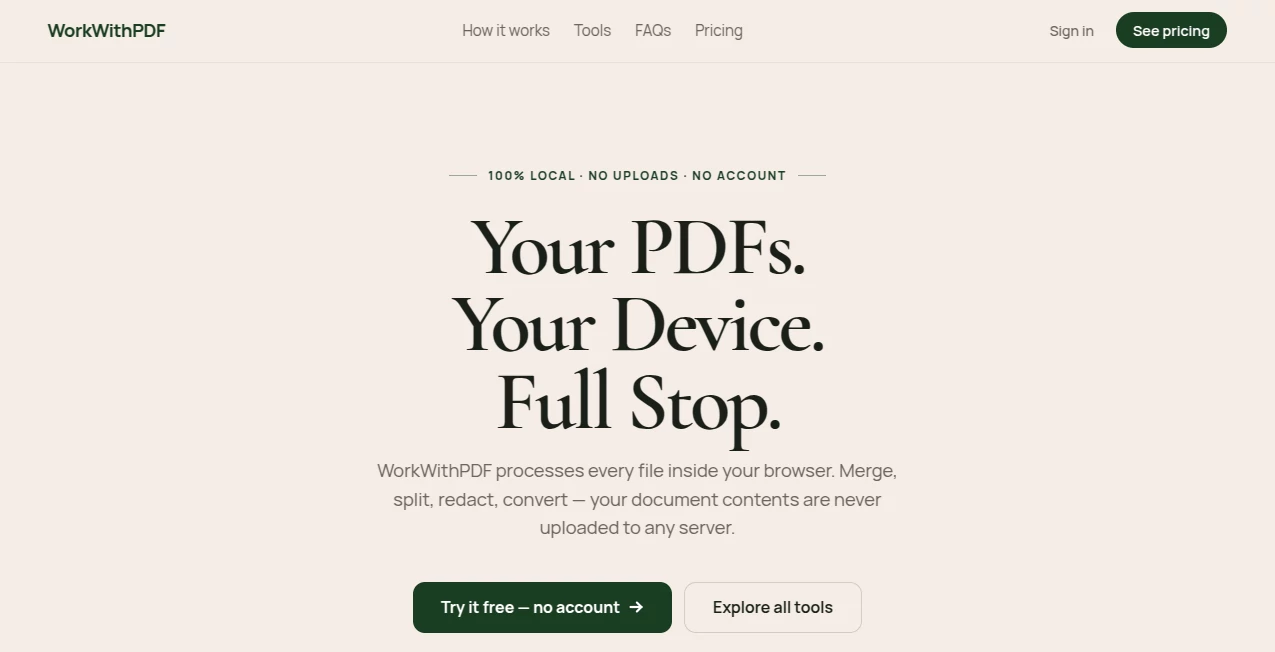
What is WorkWithPDF?
There's something deeply reassuring about opening a PDF, making changes, converting it, or splitting pages without ever wondering where your document is being sent. This platform delivers exactly that feeling. Everything happens directly in your browser—no uploads, no cloud servers holding your files, no worrying about data leaks. I’ve used it to handle sensitive contracts and old family documents alike, and the peace of mind it provides is hard to overstate. It quietly removes one of the biggest annoyances of working with PDFs: the nagging sense that your private files are no longer private.
Introduction
Most PDF tools ask you to upload your documents first. That single step creates risk, especially when dealing with contracts, medical records, or confidential business files. WorkWithPDF takes a different path entirely. Built as a local-first application, it processes every file directly on your device using your browser’s power. No accounts forced on you, no mysterious servers, no data leaving your machine unless you explicitly choose to. It’s become a go-to for people who value both functionality and control—lawyers, freelancers, researchers, and everyday users who are tired of trading privacy for convenience.
Key Features
User Interface
The design is refreshingly straightforward and calm. You drag a file in or click to select it, and the available tools appear clearly around it. No overwhelming menus or hidden settings. Everything feels intentional: merge, split, convert, compress, unlock, redact—all accessible without clutter. The before-and-after view when converting or editing gives you confidence that the result will match what you expect. It’s the kind of interface that disappears so you can focus on the actual work.
Accuracy & Performance
Conversions are impressively clean—PDF to Word preserves layout better than many cloud tools, Excel extraction pulls tables accurately, and image exports retain quality without unnecessary bloat. Redaction actually removes content permanently rather than just hiding it. Processing speed is excellent for most files, even on mid-range laptops, because it leverages your own hardware instead of waiting on distant servers. The reliability builds trust quickly; you stop second-guessing whether your document came back correctly.
Capabilities
It covers the full PDF workflow: merge multiple files, split pages, compress for smaller size, convert to and from Word, Excel, PowerPoint, and images, unlock password-protected files, redact sensitive information, add watermarks, rotate pages, and more. Advanced features include AI-powered OCR for scanned documents. Because everything runs locally, you can even work offline for core tools once the page is loaded. It’s comprehensive without feeling bloated.
Security & Privacy
This is where it truly stands out. Your files never leave your device. No server ever sees your content. The platform uses modern browser technologies (WebAssembly and Web Workers) to handle heavy lifting right where you are. For lawyers handling client privilege, businesses with compliance requirements, or anyone with personal documents they don’t want shared, this local-first approach is a breath of fresh air.
Use Cases
A lawyer redacts sensitive client information before sending discovery materials, knowing nothing was uploaded anywhere. A student converts lecture PDFs to editable Word files for note-taking without worrying about data privacy. A small business owner merges contracts and compresses them for email without relying on third-party services. A researcher processes scanned archival documents with OCR entirely on their laptop. It fits naturally into any workflow where privacy and control matter.
Pros and Cons
Pros:
- Complete privacy—your files never leave your device.
- Fast, accurate conversions and editing tools.
- Works offline for core functions.
- No account required to start using it.
- Clean, focused interface that respects your time.
Cons:
- Very large files can be limited by your device’s memory.
- Some advanced AI features may perform better in newer browsers.
- No collaborative real-time editing (by design for privacy).
Pricing Plans
The core tools are available for free with generous daily limits—enough for regular personal and small business use. Individual one-time purchase unlocks unlimited usage, advanced features, and priority support. Team and enterprise plans offer shared licensing and admin controls. The pricing model feels fair and transparent: you pay once for lifetime access on the individual plan instead of recurring subscriptions that add up over time.
How to Use WorkWithPDF
Simply visit the site, drag your PDF into the upload area, and choose the tool you need—merge, convert, compress, redact, etc. Make your selections, adjust any settings if needed, and click process. The file is handled entirely in your browser. Once finished, download the result. For repeated tasks, you can save custom templates or use batch mode on paid plans. The entire experience stays simple and private from start to finish.
Comparison with Similar Tools
Popular PDF platforms require uploads and store your files on their servers. This one stands apart by keeping everything local, offering genuine privacy without sacrificing capability. While some tools have more polished collaborative features, none match the peace of mind that comes from knowing your documents never left your device. For privacy-conscious users, that difference is decisive.
Conclusion
In an age where data privacy concerns grow daily, having reliable PDF tools that respect your boundaries feels increasingly valuable. This platform delivers powerful functionality with uncompromising privacy, making it a standout choice for professionals and everyday users alike. It turns PDF work from a necessary chore into something simple, secure, and even satisfying. When your documents stay truly yours throughout the process, you can focus on what matters most—getting the work done right.
Frequently Asked Questions (FAQ)
Do my files ever leave my computer?
Never. All processing happens locally in your browser.
Can I use it without creating an account?
Yes—core tools work immediately with no signup required.
Does it work on mobile devices?
Yes, on both Android and iOS browsers, though desktop offers the best performance for large files.
Is there a limit on file size?
Limits depend on your device’s memory. Most common documents work smoothly.
Can I use it for sensitive legal or medical documents?
Absolutely—it’s specifically designed for privacy-sensitive workflows.
AI PDF , AI Documents Assistant .
These classifications represent its core capabilities and areas of application. For related tools, explore the linked categories above.

WorkWithPDF Alternatives Product

The #1 Compa…

TO MD

Transcribe A…

SuperAI

Sourcetable

Certificate …

PDF Inspector

AIDeckly

Lynote
