Yewsafe
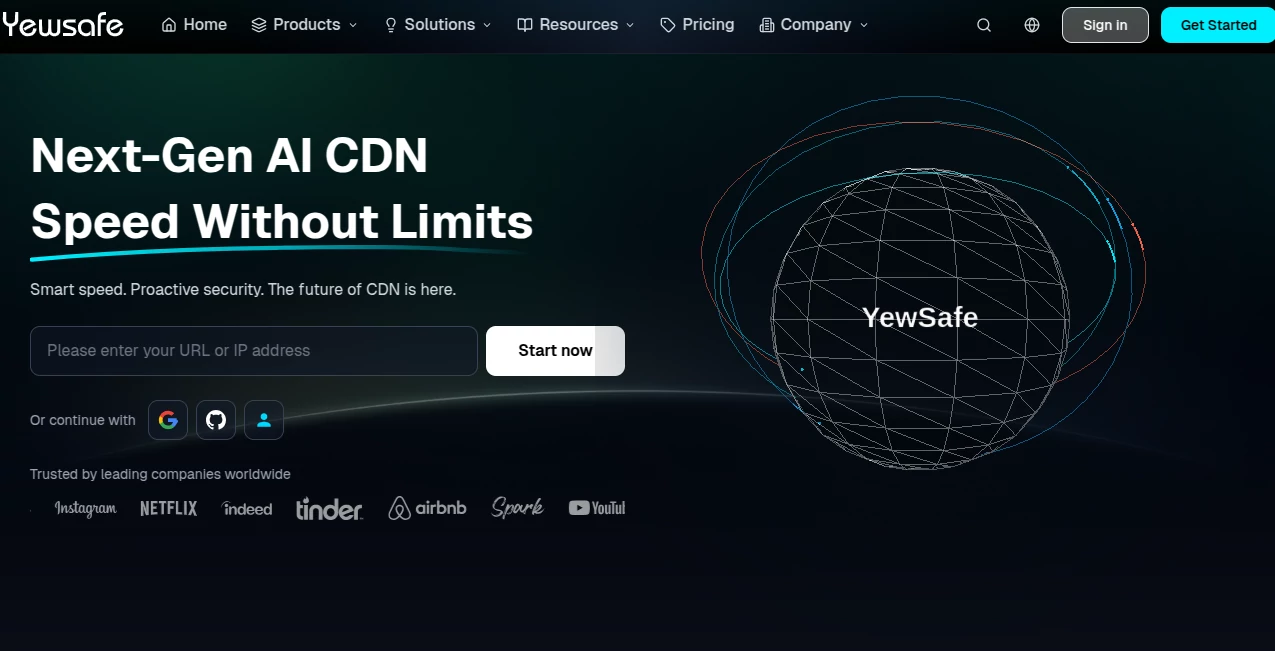
What is Yewsafe?
Let’s be real for a second. Running a website today isn't just about having good content or a sleek design. It feels like you are constantly waiting for the other shoe to drop. One minute you are celebrating a spike in traffic, and the next, you are staring at a timeout error because a botnet decided to ruin your day. I have been there, watching the analytics flatline while some attacker halfway across the world holds your business hostage. That sinking feeling is the worst.
That is exactly why I started digging into next-generation security solutions. Sure, everyone knows about basic firewalls, but modern threats need something different. This platform isn't just another CDN you plug in and forget about. It is built for those moments when the pressure is highest—Black Friday sales, product launches, or just a random Tuesday when a DDoS attack spikes to half a terabit. It combines the speed of a global network with the brains of artificial intelligence to actually predict problems before they take you offline. If your business relies on keeping visitors happy and data safe, this is the kind of tool that turns a potential disaster into just another normal day.
Key Features
What makes this service stand out in a crowded market isn't just the size of its network—it’s how the technology thinks for itself. Most traditional providers react to attacks after the damage starts. This one actively predicts and neutralizes threats at the edge before they ever reach your origin server. You get a suite of tools that work together seamlessly, from intelligent traffic routing to deep packet inspection that doesn't slow down load times. It supports modern protocols like HTTP/3 and QUIC out of the box, ensuring that even as security measures kick in, your user experience stays buttery smooth.
User Interface
I have to admit, I was a bit nervous when I first logged into the dashboard. Enterprise-level security tools are often a nightmare of confusing menus and technical jargon. But the control panel here is refreshingly straightforward. Within ten minutes, I had my domain pointed and the SSL certificates auto-provisioned. The visual analytics are a lifesaver. You can see a world map with live traffic dots, instantly spotting where your users are coming from and if any red flags are popping up. When an attack triggers, the interface doesn't panic; it simply highlights the event, shows you what the AI blocked, and lets you drill down into the logs without needing a degree in cybersecurity.
Accuracy & Performance
This is where the rubber meets the road. A high防御 solution is useless if it blocks your paying customers by mistake. In stress tests, the accuracy rate for attack recognition sits above 99.9%. But the number that really surprised me was the false positive rate—it’s incredibly low. I ran a simulated high-traffic event, and while the system filtered out malicious bots, it left legitimate shoppers completely alone. Performance-wise, the edge computing architecture keeps latency under 25ms in most global regions. You are not sacrificing speed for safety. In fact, for many users, routing through these optimized nodes actually makes the site faster than going direct.
Capabilities
This isn't just a shield; it is a Swiss Army knife. The platform handles standard DDoS mitigation (SYN floods, UDP reflections) easily, but it also digs deep into Layer 7 attacks. We are talking about sophisticated CC attacks that try to mimic human behavior. The AI looks at the behavior over time, not just single requests. It supports edge computing, meaning you can run lightweight code functions right at the network edge for IoT devices or API calls. There is also a full Web Application Firewall (WAF) that uses semantic analysis rather than just matching signatures, catching SQL injection attempts that would slip past older filters.
Security & Privacy
Privacy is a massive selling point here. The network uses TLS 1.3 encryption as a default, which is the gold standard. But the killer feature is ECH (Encrypted Client Hello). To put it simply, most networks leak the name of the site you are visiting during the handshake process. This tool hides that. No one snooping on the wire can see exactly which page you are accessing. For financial services, healthcare portals, or any platform dealing with sensitive user data, this level of privacy is non-negotiable. It also supports full "Origin Shield" protection, ensuring your real server IP stays completely invisible, even during a sustained attack.
Use Cases
Who actually needs this level of protection? Honestly, more people than you think. I have seen it work wonders for a crypto exchange that was getting hit with勒索 attacks every week; it kept their API response times stable even under a 1.1 Tbps flood.
- E-commerce & Retail: During flash sales, traffic spikes look a lot like DDoS attacks. This tool learns your normal traffic patterns and doesn't block your actual buyers.
- Gaming Studios: Competitive gamers hate lag. The platform prioritizes UDP traffic and stops "booters" without adding extra milliseconds to the ping.
- SaaS & API Providers: If your business runs on API calls, you cannot afford downtime. The AI routing ensures high availability.
- Media Streaming: For 4K or live events, the edge nodes cache content close to the viewer, reducing buffering while blocking scrapers.
Pros and Cons
Let’s break it down honestly. No tool is perfect for every scenario, but knowing the trade-offs helps you decide.
Pros:
- Exceptionally low false positive rate (under 0.02%), meaning real users rarely get blocked.
- Massive global network with over 4,200 nodes, ensuring low latency even during attacks.
- True AI-driven defense that adapts to zero-day threats, not just static rules.
- Superior privacy features including ECH and TLS 1.3.
- Works great for China delivery via Hong Kong nodes without requiring ICP备案.
Cons:
- It is not a budget option. There is no free tier, and the entry point is aimed at professional businesses.
- It might be overkill for a small personal blog with very low traffic.
- The advanced AI features (like custom edge computing) have a slight learning curve for absolute beginners.
Pricing Plans
You won't find a "freemium" model here, and that is actually a good thing for reliability. The platform focuses on delivering enterprise-grade stability, which means pricing is tailored to your specific bandwidth and protection needs. Generally, plans start around the enterprise level, designed for businesses that treat their online presence as a mission-critical asset. The billing is transparent. There are no hidden fees for "attack overages" that surprise you at the end of the month. You pay for the capacity you need, and if you expect a huge surge, you can contact support to scale up temporarily. For startups that are growing fast or established mid-market companies, the ROI here comes from preventing the lost revenue of downtime.
How to Use This Platform
Getting started is easier than you might think, even with all this high-tech talk. First, you sign up and verify your domain. The system will automatically scan your current DNS settings. You then change your domain's nameservers to the ones provided (or just do a CNAME record if you prefer). Once the DNS propagates—which usually takes a few minutes to an hour—the AI starts learning your traffic patterns. You do not need to manually configure a thousand rules. The default settings are highly secure. However, if you want to get fancy, you can dive into the WAF rules to block specific countries or set up rate limiting for login pages. The dashboard also offers a "Test Mode" so you can see what would be blocked before you actually turn on strict filtering.
Comparison with Similar Tools
Everyone knows the big names like Cloudflare or Akamai. So why switch? If you look at raw latency for traffic going into China, many competitors see jumps of 150ms or more during peak hours. This service keeps latency around 35-40ms via Hong Kong. Comparing security, while Cloudflare has a great free tier, their enterprise CC attack拦截 rate sits around 97%, which sounds high until you realize that 3% of bad traffic can still overwhelm a small server. This platform pushes that into the 99.9% range with virtually zero false positives. Akamai is powerful but often requires long-term contracts and massive budgets. This offers a more agile, modern architecture focused on AI-driven decisions rather than just brute force bandwidth. If you are a growing business that has outgrown basic shared hosting protection, this is the logical next step.
Conclusion
In a digital landscape where AI is being used to create smarter, more aggressive attacks, you need an equally intelligent defense. This isn't just about stopping downtime; it is about preserving your brand's reputation. When a customer clicks your link, they expect speed and safety. This platform delivers both by weaving security directly into the fabric of the content delivery network. The slight premium in price is an investment in peace of mind—knowing that while your competitors might be scrambling during a traffic storm, your site will stay up, stay fast, and stay secure.
Frequently Asked Questions (FAQ)
Q: Is this service good for a small e-commerce store just starting out?
A: It depends on your risk. If you hold customer payment data or have high-value products, the protection is worth every penny. For a very small hobby site, it might be more than you need, but for any business generating revenue, the security is a must-have.
Q: Do I need to be a tech wizard to set up the security rules?
A: Not at all. The AI handles the heavy lifting out of the box. You can literally just point your domain to the service and let it learn. There are advanced settings for pros, but the "set and forget" mode is very effective.
Q: Will this slow down my website outside of North America and Europe?
A: Quite the opposite. Because of the Anycast routing and edge nodes, users in places like Southeast Asia, Australia, and South America often see speed improvements because the traffic is routed optimally rather than taking the default internet highway.
Q: Can this prevent my server IP from getting leaked?
A: Yes. As long as you configure your origin firewall to only accept connections from this network's IP ranges, your real server stays hidden. The service acts as a full reverse proxy.
Q: What happens if my site gets a sudden, massive spike in real users?
A: The platform treats it as a normal scaling event. The AI distinguishes between a flash crowd of shoppers and a botnet. It will auto-scale to handle the load, unlike traditional setups that might crash or falsely flag the traffic as an attack.
AI Website Builder , AI Developer Tools .
These classifications represent its core capabilities and areas of application. For related tools, explore the linked categories above.

Yewsafe Alternatives Product

Toonifyit

Luma AI

CtrlOps

freellm

Sento AI

Timestamp Ro…

JSON-Tools

LocaFlow

Kimi K2.5