

















BatchRemover
What is BatchRemover?
Creating clean, professional-looking images often takes far more time than expected, especially when backgrounds need to be removed manually. This AI-powered solution makes that process remarkably simple by delivering accurate background removal in just a few seconds while preserving the original image quality. Whether you're preparing product photos, portraits, marketing visuals, or transparent graphics, everything happens directly in your browser without installing software.
One of its biggest advantages is that users can export images at their original resolution instead of receiving compressed previews. The platform also allows background replacement, canvas resizing, and multiple export formats, making it suitable for both casual users and professionals. From online sellers to photographers, it offers an efficient workflow that saves time while maintaining excellent image quality.
Key Features
User Interface
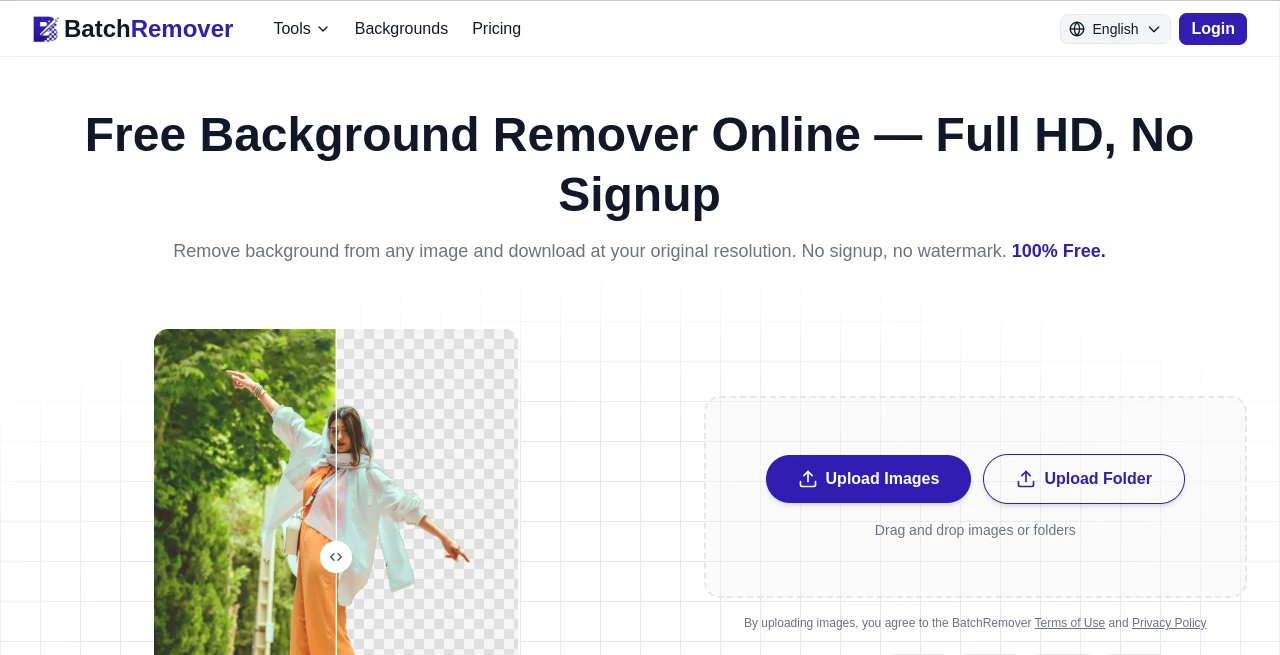
The interface is refreshingly straightforward. Users simply drag and drop a single image or an entire folder, wait a few seconds while the AI processes the files, preview the results, and download finished images immediately. There are no complicated editing panels or lengthy setup steps, making the experience comfortable even for first-time users.
Accuracy & Performance
The AI performs impressively when detecting difficult edges such as hair, fur, transparent objects, logos, and detailed product shapes. Images retain their original resolution with no watermark, providing crisp results that are ready for professional use. Batch processing significantly reduces editing time for users handling dozens of images.
Capabilities
- Automatic AI background removal
- Full HD exports at original resolution
- Supports PNG, JPG, and WebP formats
- Replace backgrounds with solid colors or custom images
- Resize canvas for marketplaces and social platforms
- Batch processing for multiple images
- Folder upload support on eligible plans
- ZIP download for processed batches
- No watermark on exported images
- No account required for single-image editing
Security & Privacy
Privacy is clearly considered throughout the workflow. Images are processed securely, are not permanently stored, and are not used for AI training purposes. Processed files are automatically removed after a short period, giving users additional confidence when working with personal or commercial content.
Use Cases
- Preparing product photos for eCommerce marketplaces.
- Creating transparent PNG graphics for designers.
- Generating clean profile pictures and professional headshots.
- Producing marketing materials with consistent branding.
- Removing distracting backgrounds from social media content.
- Editing hundreds of product images for online stores.
- Preparing print-on-demand artwork.
- Creating passport and ID photos with compliant backgrounds.
Pros and Cons
Pros
- Free single-image background removal.
- No registration required.
- Original resolution downloads without quality loss.
- No watermarks.
- Fast AI processing.
- Supports multiple output formats.
- Background replacement and resizing included.
- Excellent batch workflow for professionals.
Cons
- Bulk processing requires a paid subscription or credit pack.
- Extremely complex backgrounds may occasionally benefit from minor manual adjustments.
- Advanced image editing features are intentionally limited since the platform focuses on background processing.
Pricing Plans
A generous free plan allows users to remove backgrounds from individual images without creating an account. New users receive free credits to test batch processing. Paid Lifetime credit packs and Yearly subscription plans unlock batch uploads, folder processing, priority queues, and larger processing limits for businesses and high-volume users.
How to Use BatchRemover
Upload one image or an entire folder directly from your device. The AI automatically detects the foreground subject and removes the background within seconds. Review the generated result, optionally replace the background with a solid color or custom image, resize the canvas if needed, choose PNG, JPG, or WebP, and download the finished image at full resolution. For multiple files, simply process everything together and download a ZIP archive.
Comparison with Similar Tools
Many online background removers restrict downloads by lowering image resolution, adding watermarks, or requiring account creation before exporting. This platform takes a more user-friendly approach by providing full-resolution downloads, multiple export formats, built-in background replacement, resizing tools, and a streamlined batch workflow. These features make it particularly attractive for online sellers, photographers, designers, and marketing teams who regularly process large collections of images.
Conclusion
For anyone looking to eliminate the repetitive work of manual background editing, this AI-powered solution delivers an impressive balance of speed, simplicity, and image quality. The ability to export full-resolution files without watermarks immediately sets it apart from many competing services. Combined with background replacement, resizing tools, secure image handling, and efficient batch processing, it becomes a practical solution for both occasional creators and professional production workflows.
Frequently Asked Questions (FAQ)
Is it really free to remove backgrounds?
Yes. Individual image processing is available for free without creating an account, while batch processing is available through paid plans.
Which file formats are supported?
The platform accepts JPG, PNG, and WebP files for upload and allows exporting in the same popular formats.
Will my images lose quality?
No. Processed images are downloaded at their original resolution without unwanted compression or watermarks.
Can I process multiple images at once?
Yes. Paid plans support batch uploads, allowing users to process multiple images or entire folders simultaneously.
Are uploaded images kept private?
Yes. Images are securely processed, not permanently stored, and are automatically deleted after processing.