

















AI Image Translator
What is AI Image Translator?
In a world where information is often embedded inside images, screenshots, and scanned documents, the ability to instantly understand visual text has become essential. This tool is designed to bridge that gap by transforming text inside images into readable, translatable content in seconds. Whether it's a photo taken abroad, a screenshot from social media, or a scanned document, it helps users break language barriers effortlessly.
What makes it stand out is its simplicity. There is no complex setup, no learning curve, and no technical background required. Everything is built around speed, clarity, and accessibility, making it useful for students, professionals, and everyday users alike.
Key Features
User Interface
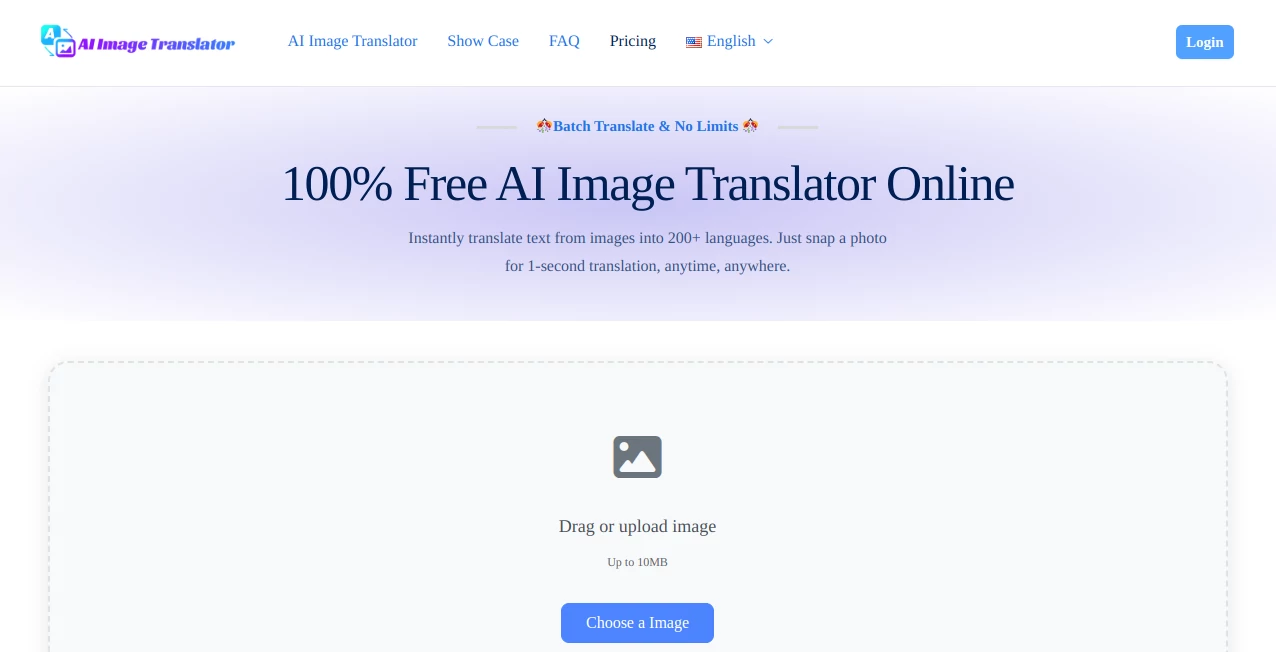
The interface is clean and minimal, allowing users to upload images and get results without distractions. Everything is designed to be intuitive, so even first-time users can navigate it with ease.
Accuracy & Performance
Text detection is highly accurate, even in images with mixed fonts, lighting issues, or complex backgrounds. The system quickly identifies text regions and converts them into editable and translatable output with impressive reliability.
Capabilities
- Extracts text from images in multiple languages
- Translates extracted content instantly
- Works with screenshots, documents, and photos
- Supports various image formats
- Handles both printed and digital text efficiently
Security & Privacy
User privacy is treated with care. Uploaded images are processed securely, and data is not stored longer than necessary. This ensures users can work with sensitive documents without concern.
Use Cases
- Translating foreign language signs or menus while traveling
- Extracting text from academic materials or scanned notes
- Converting screenshots into editable text for work or study
- Assisting businesses with multilingual documents
- Helping content creators repurpose visual information
Pros and Cons
Pros
- Fast and easy to use
- High accuracy in text detection
- Supports multiple languages
- No technical skills required
- Works across different image types
Cons
- Performance may vary with extremely low-quality images
- Requires internet connection for processing
Pricing Plans
The platform typically offers flexible access options, including free usage for basic needs and premium plans for users who require higher limits, faster processing, or advanced features. This makes it suitable for both casual users and professionals.
How to Use This Tool
Getting started is simple and straightforward. Users only need to upload an image containing text, wait a few seconds for processing, and then review the extracted or translated result. The output can usually be copied, edited, or exported depending on the user’s needs.
Comparison with Similar Tools
Compared to traditional OCR tools, this solution focuses more on usability and real-time translation. While many alternatives require manual adjustments or deliver raw text without context, this tool emphasizes clarity and language conversion in one smooth workflow. It is particularly useful for users who want both extraction and translation in a single step.
Conclusion
Overall, this tool offers a practical and efficient way to interact with text hidden inside images. It saves time, removes language barriers, and simplifies workflows for both personal and professional use. For anyone dealing with multilingual content or image-based text on a regular basis, it becomes a genuinely valuable assistant rather than just another utility.
Frequently Asked Questions (FAQ)
Is it free to use?
Yes, basic features are generally accessible for free, while advanced options may require a premium plan.
What types of images are supported?
It supports common image formats such as screenshots, photos, scanned documents, and digital graphics.
Does it support multiple languages?
Yes, it can detect and translate text across a wide range of global languages.
Is my data safe?
Yes, uploaded content is processed securely and is not permanently stored.
AI Image Scanning , AI Image Recognition , AI Productivity Tools .
These classifications represent its core capabilities and areas of application. For related tools, explore the linked categories above.
AI Image Translator details
Website unavailable — View Alternatives
Pricing
- Free
Apps
- Web App
Categories

AI Image Translator Alternatives Product
AI Wire

KwaKwa Cours…

Alai

Free Email V…

PineBill

Your Own AI

Image Descri…

Magpie

HISAB 360
