
AI UGC Ads
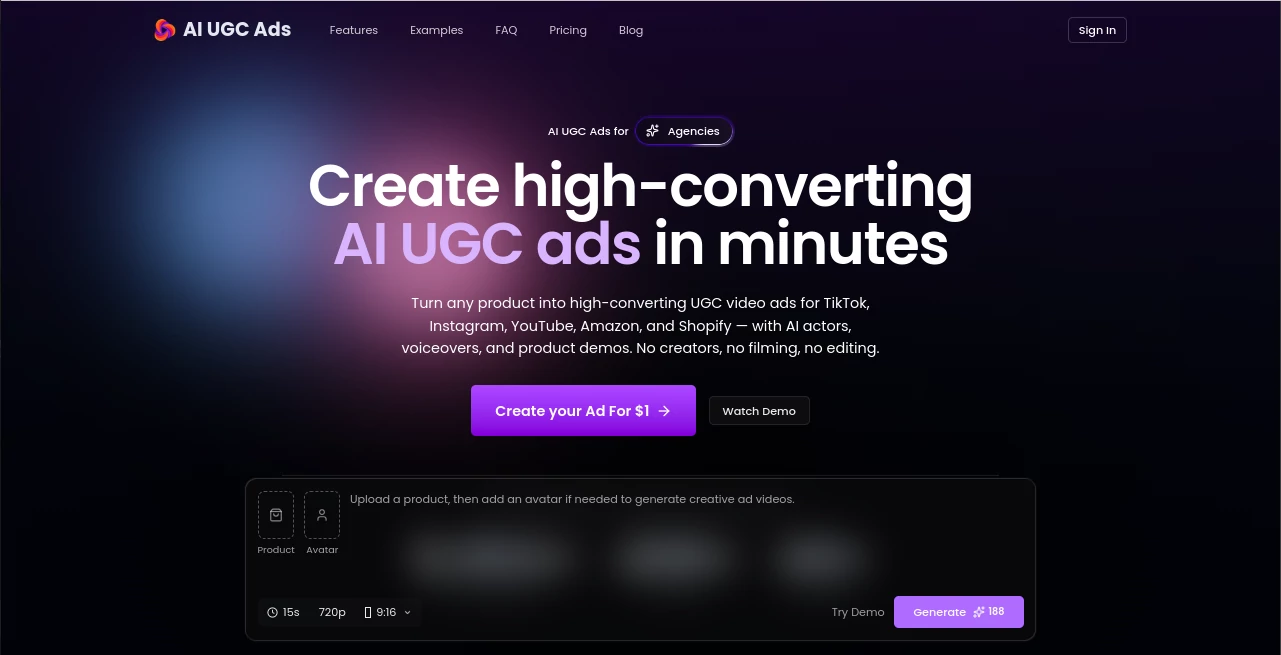
What is AI UGC Ads?
Creating UGC-style advertising videos usually means finding creators, sending products, waiting for footage, and going through several rounds of edits. That process can become expensive and slow, especially when a brand wants to test several hooks, audiences, or creative ideas at once. This platform takes a much faster approach by turning product information and images into ready-to-use UGC-style video advertisements.
The service is designed for ecommerce brands, Shopify stores, TikTok sellers, dropshippers, marketplace sellers, and marketing agencies that need a steady supply of advertising creatives. Instead of coordinating with individual creators, users can select an AI creator, generate a script and voiceover, and produce a finished video in a matter of minutes.
One particularly useful feature is the ability to start with a product URL. The platform can use product information from sources such as Amazon, AliExpress, Shopify, and TikTok Shop to gather images, descriptions, and selling points before turning them into an advertising concept. This makes the workflow practical for marketers who already have their product pages online and want to move quickly from product research to creative testing.
Key Features
- AI-generated UGC-style advertising videos
- 300+ AI avatars available on current paid plans
- AI-generated advertising scripts and hooks
- Natural AI voiceovers in 75+ languages
- AI voice cloning
- Product URL to UGC video workflow
- Product image to talking-head video creation
- Automatic subtitles and captions
- Product demonstrations and branded video scenes
- Multiple video variations for creative testing
- 15 to 30-second video durations
- One-click export for advertising platforms
- No-watermark outputs on paid plans
- Commercial use included in paid plans
User Interface
The workflow is built around a straightforward creation process rather than a traditional video editor filled with complicated timelines and controls. Users can begin with a product URL or upload a product image, select an AI creator, and work through the content generation process from there.
This approach should feel particularly comfortable for marketers who are more interested in producing advertising variations than learning professional video editing software. The main creative decisions remain focused on the product, presenter, script, voice, and final format.
Accuracy & Performance
Performance is one of the strongest parts of the workflow. The service states that advertisements can be generated in under two minutes, while its current plans also include faster generation speeds. The platform reports more than 10,000 generated ads, 500+ brands, and access to hundreds of AI creators, giving some indication of the scale the product is designed to handle.
For performance marketers, speed matters because a single advertising idea rarely provides enough information to make a confident decision. Being able to create several versions with different presenters, hooks, scripts, or messages makes it easier to test creative concepts before investing heavily in production.
Like any automated advertising system, the quality of the final result still depends on the product information, creative direction, and message supplied by the user. AI can accelerate production, but good advertising strategy remains important.
Capabilities
The platform combines several stages of UGC production in one workflow. A product URL can provide the starting information, after which AI can help create the script, select or apply a virtual presenter, generate a voiceover, and assemble the final video.
Users can also start from a single product image. The image becomes the visual reference while an AI creator presents the product in a talking-head format. This is useful for businesses that have professional product photography but do not have existing video assets.
Another advantage is language support. Current plans advertise more than 75 languages along with multiple voice options and voice cloning. That can make the system useful for brands testing advertising concepts across different markets rather than producing every version manually.
Security & Privacy
The website provides dedicated Privacy Policy and Terms of Service pages for users who want to review how the service handles information and the conditions governing its use. Businesses should review those documents before uploading commercially sensitive product materials, proprietary assets, or other information that requires specific contractual protections.
For marketing teams, it is also sensible to establish internal rules for which product assets and customer-related information can be submitted to an AI service. This is especially important when creating advertising content for multiple clients.
Use Cases
- Ecommerce advertising: Turn product photos and product information into short promotional videos for online stores.
- Shopify brands: Create multiple creatives for testing different advertising concepts and product angles.
- TikTok sellers: Produce fresh presenter-style videos without organizing a new creator shoot for every campaign.
- Dropshipping: Test potential products with video creatives before committing to a large traditional production budget.
- Marketing agencies: Produce client-ready UGC-style advertising content for multiple brands from a single workflow.
- Marketplace sellers: Create product-focused videos for marketplaces and promotional campaigns.
- Creative testing: Experiment with different hooks, presenters, scripts, and messaging to discover stronger advertising concepts.
- International campaigns: Produce versions in different languages and accents for audiences in multiple markets.
Pros and Cons
- Pros: Fast UGC-style video production, large selection of AI avatars, product URL workflow, multilingual voiceovers, voice cloning, automatic subtitles, commercial use on paid plans, and no-watermark outputs on paid plans.
- Pros: The workflow reduces the need for filming, physical product shipping, creator coordination, and conventional editing.
- Cons: AI-generated presenters may not provide the same personal connection or authenticity as a real creator in every campaign.
- Cons: Advertising quality still depends on the quality of the product information, script, creative direction, and claims used in the final video.
- Cons: High-volume users need a paid plan because larger production requirements consume more credits.
Pricing Plans
The current pricing structure offers three main plans, with monthly and discounted annual billing options. A $1 trial is also advertised for users who want to test the workflow before committing to a larger subscription.
- Starter: $29 per month, or $20 per month when billed annually at $240. It includes 6,960 credits per year, approximately 116 15-second UGC videos, 300+ AI avatars, 75+ languages, AI voice cloning, faster generation, commercial use, no-watermark outputs, and email support.
- Growth: $69 per month, or $35 per month when billed annually at $420. It includes 16,560 credits per year, approximately 276 15-second UGC videos, along with the main features included in Starter.
- Scale: $149 per month, or $75 per month when billed annually at $900. It includes 35,760 credits per year, approximately 596 15-second UGC videos, plus the features available in the Growth plan.
All current plans support 15 to 30-second videos and use Seedance 2.0 for video generation. The higher tiers are particularly suited to brands and teams that need to run a large number of creative tests.
How to Use the Platform
- Start with a product URL from a supported ecommerce source, or upload a product image.
- Let the system collect or process the available product information and identify useful selling points.
- Choose an AI creator that fits the intended audience and advertising style.
- Generate a script with an appropriate hook, product message, and call to action.
- Select the desired language, accent, and voice options.
- Generate the UGC-style video with the presenter, product visuals, voiceover, and captions.
- Review the result and create additional variations when testing different creative approaches.
- Export the finished video and adapt it to the intended advertising campaign.
Comparison with Similar Tools
Traditional UGC production and AI-based video creation solve the same broad problem in very different ways. Hiring a creator can produce highly authentic footage, but it usually requires communication, product delivery, scheduling, filming, and editing. For campaigns that need dozens of variations, those steps can quickly become a bottleneck.
General-purpose AI video editors, meanwhile, often provide more detailed editing controls but require users to build much of the creative themselves. This platform takes a more specialized advertising approach by combining virtual creators, scripts, voiceovers, product presentation, captions, and short-form video generation in one workflow.
The biggest advantage is therefore not necessarily replacing every form of professional video production. It is reducing the time between having a product and having multiple advertising concepts ready to test. For performance marketers, that distinction can be valuable.
Conclusion
For ecommerce sellers and advertising teams, producing enough creative material for continuous testing can be one of the hardest parts of running paid campaigns. This platform addresses that problem with a focused workflow for turning products into short UGC-style advertisements without the usual filming and creator-management process.
Its combination of AI presenters, multilingual voiceovers, automated scripts, product demonstrations, captions, and high-volume credit plans makes it especially interesting for brands that need to produce and test creative at scale. The product is not a substitute for a strong advertising strategy, but it can remove a substantial amount of production friction.
If your goal is to test more advertising ideas without arranging a new filming session every time, this is a practical option worth exploring. Its strongest use case is clear: helping marketers move from product concept to multiple ready-to-test video creatives much faster.
Frequently Asked Questions (FAQ)
What can I use to create a UGC-style advertisement?
You can start with a product URL or product image. The system can then help generate the script, select an AI presenter, create the voiceover, and assemble the video.
How long does it take to generate a video?
The service states that UGC ads can be generated in under two minutes, although actual generation time can vary depending on the selected workflow and current processing conditions.
How many AI creators are available?
The current paid plans advertise access to more than 300 AI avatars. The website also provides different presenter options intended for different audiences, brands, and tones.
Can I create videos in different languages?
Yes. Current paid plans advertise support for more than 75 languages, along with different accents and AI voice options.
Can the generated videos be used commercially?
Commercial use is included with the current paid plans. Businesses should still review the applicable terms and ensure that their advertising claims, product assets, and campaign content comply with the rules of the platforms where the videos will be published.
Are the generated videos watermarked?
The current paid plans advertise no-watermark outputs, making the exported creatives more suitable for direct use in advertising campaigns.
Can I create multiple versions of the same advertisement?
Yes. The workflow is designed for creative testing, allowing marketers to experiment with different presenters, hooks, scripts, languages, and advertising messages.
Who is this platform best suited for?
It is particularly useful for ecommerce store owners, DTC brands, Shopify sellers, TikTok Shop sellers, dropshippers, marketplace sellers, and marketing agencies that need to produce UGC-style advertising content at scale.
AI Ad Creative Assistant , AI Video Generator , AI Advertising Assistant , AI UGC Video Generator .
These classifications represent its core capabilities and areas of application. For related tools, explore the linked categories above.

AI UGC Ads Alternatives Product

Lyria 3

Leonardo.ai

GoViralTrend

Veo 4 AI Vid…

Flow Veo 3

KOOX AI

Seedance 2

Adchat

Mediagen