

















AIVIDIA
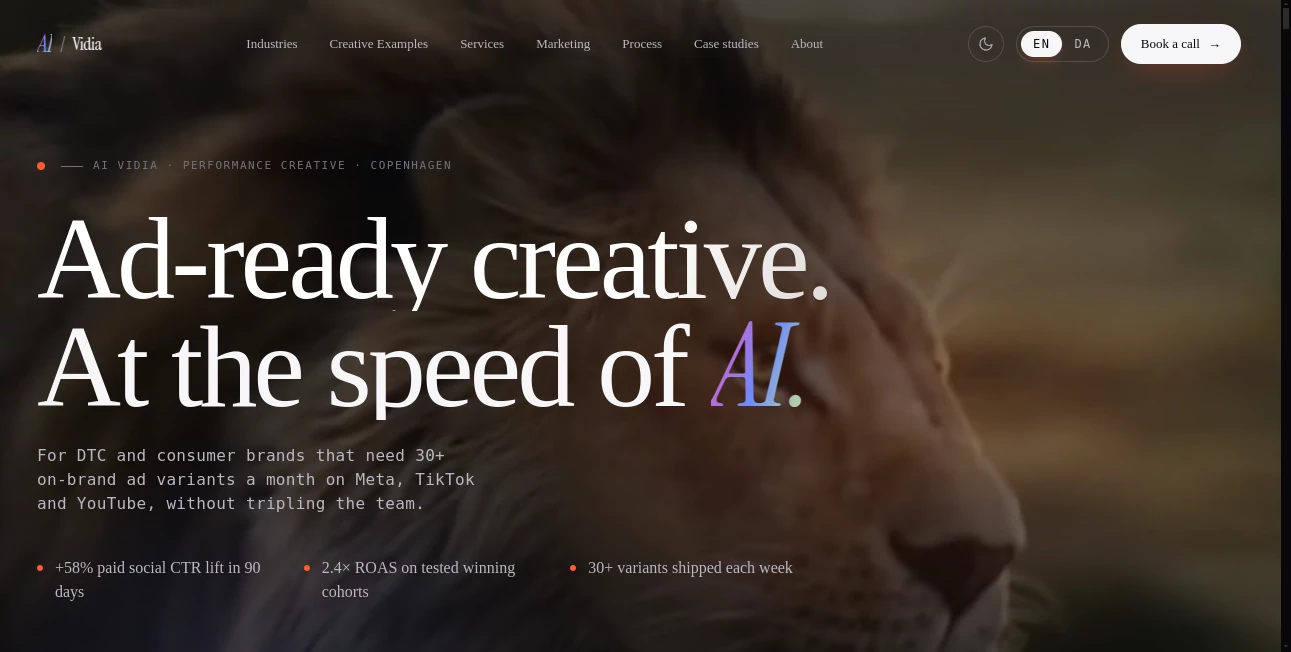
What is AIVIDIA?
Let’s be real for a second. Creating high-quality video content used to mean expensive gear, complicated software, and hours of rendering time. It was a headache. But things look different now. Imagine describing a scene in a few words and watching it come to life as a polished clip. That’s not magic; it’s just smart technology. Right now, you have the chance to step into a space where your ideas turn into visuals instantly, without needing a degree in film production. Whether you are a freelancer trying to keep up with social media trends or a business owner looking to boost engagement, this platform takes the stress out of creation. It hands you the keys to professional-grade content, letting you focus on the fun part: being creative.
Key Features
This tool isn’t just another text-to-video generator. It’s built to give you control without the clutter. You know how some platforms promise the world but deliver a confusing mess of buttons? This one keeps it clean. It focuses on doing a few things exceptionally well, making sure you don’t get lost in menus when you should be creating. The core strength lies in turning your rough ideas into smooth, watchable clips that actually look like they took hours to make, even when they didn't.
User Interface
You don’t need a manual to figure this out. The dashboard is surprisingly straightforward. You’re greeted by a simple input field, a few style options, and an export button. That’s it. There are no pop-ups asking for unnecessary permissions or hidden settings designed to confuse you. Everything you need sits right on the main screen. Even if you’re someone who usually avoids tech tools because they look intimidating, you’ll feel comfortable here. It welcomes you to just play around and see what happens, which is honestly the best way to discover great results.
Accuracy & Performance
Here is where it really shines. When you type "a cat drinking coffee in a cyberpunk city," you want a cat drinking coffee in a cyberpunk city, not a blurry mess of shapes. The engine behind this service understands context. It keeps characters stable from frame to frame, which is a huge issue with many other options out there. Hands don’t turn into spaghetti monsters, and backgrounds don’t melt into abstract paintings. The rendering speed is impressive too. You aren’t waiting for fifteen minutes to see if your prompt worked. In most cases, you get your clip back while you are still brainstorming the next idea.
Capabilities
It handles more than just basic prompts. You can dictate camera angles like "close-up" or "wide shot." You can set the mood with terms like "cinematic lighting" or "dark atmosphere." It works for short social media reels, abstract art loops, or even quick storyboards for client pitches. The platform supports standard aspect ratios, so you can create vertical videos for TikTok and Instagram or horizontal ones for YouTube without cropping out half the action. Plus, it handles different styles smoothly, from realistic renders to anime and oil paintings.
Security & Privacy
No one wants their unfinished work leaking out before it’s ready. The system treats your privacy seriously. Your prompts and the videos you generate stay within your account unless you choose to share them. There is a clear policy that they don’t just grab your content to train their models without asking first. For professionals handling client work, that peace of mind matters. You can upload reference images and trust that they aren’t ending up in a public gallery somewhere.
Use Cases
So, what can you actually do with this? A lot. Marketing teams are using it to pump out product teasers in a fraction of the usual time. Instead of hiring a videographer for a simple announcement, they write a prompt and have a draft in seconds. Content creators love it for generating background visuals or "B-roll" to fill gaps in their vlogs. Teachers and trainers are creating engaging visual examples for their students without stealing copyrighted clips from movies. Even if you just want to visualize a dream scene from a book you are writing, this makes it possible. It turns the abstract into something you can actually see and share.
Pros and Cons
Pros: The speed is a massive win. It respects your time. The quality of the output is consistently high, especially when you compare it to other free or cheap alternatives. It’s also very beginner-friendly. You don’t need to learn specific syntax or coding terms to get a good result. Just describe what you see in your head.
Cons: Like almost every AI tool right now, it occasionally struggles with very complex actions involving multiple specific objects interacting. Sometimes, you might need to re-roll a prompt a few times to get the exact magic frame. Also, longer, narrative-driven sequences aren't really the focus here—it excels at short, punchy clips.
Pricing Plans
Details on specific pricing tiers change often, so it’s best to check the official site for the latest numbers. Generally, you can expect a freemium model. There is usually a free tier that lets you test the waters, though those videos might come with a watermark or be limited to lower resolution. Paid plans unlock higher resolution exports (like HD), faster generation queues, and commercial usage rights. They usually offer a monthly subscription and a discounted yearly plan for the regulars.
How to Use aividia.dk
Getting started takes less than two minutes. First, you sign up with an email address. Once you are in the main workspace, you will see a text box. Start typing what you want to see. Instead of just saying "a tree," try "a massive oak tree in a golden wheat field during sunset, 4k, photorealistic." Hit the generate button. Wait about ten to twenty seconds. The video will appear on the right side. If you like it, hit download. If you don’t, tweak the words—add "cinematic lighting" or change "photorealistic" to "anime style"—and try again. That is the whole workflow. Iterate until it feels right.
Comparison with Similar Tools
You might have heard of other big names like Runway or Pika Labs. Those are great, don't get me wrong. But where those sometimes feel like technical playgrounds for engineers, this platform feels like a tool built for artists. The focus here is less on "how does the model work" and more on "does this look good on my feed?" Some competitors offer complex editing suites that overcomplicate things. This one keeps it simple: prompt in, video out. For someone who just needs quick, beautiful visuals without the hassle of learning node-based editing or negative prompting, this is usually the better choice.
Conclusion
We are living in a time where the barrier to creation is almost zero. You no longer need a big budget to have a big idea. This service proves that by putting professional video generation into the hands of anyone with a keyboard. It isn't perfect, and it won't replace a full animation studio for complex narratives, but for short-form content, social media assets, and rapid prototyping, it is incredibly powerful. If you have been waiting for a sign to jump into AI video, consider this it. It is fast, it is fun, and it actually delivers on the promise of turning text into motion.
Frequently Asked Questions (FAQ)
Do I own the videos I create?
Generally, yes. Most platforms grant you full ownership of the output for personal and commercial use, but it is always safe to double-check the specific Terms of Service.
Can I upload my own images to animate?
Yes, the tool supports image-to-video features. You can upload a starting image and let the AI animate it based on your text prompt.
Why does my video look blurry?
Check your export settings. You might be on a free plan that limits resolution. Also, try making your prompt more specific about quality, like adding "high definition" or "8k."
Is there a mobile app?
Currently, the service is primarily web-based, but it works perfectly on mobile browsers, so you can generate on the go.
AI Image to Video , AI Video Generator , AI Short Clips Generator , AI Text to Video .
These classifications represent its core capabilities and areas of application. For related tools, explore the linked categories above.

AIVIDIA Alternatives Product
Seedance 2.0…

Seedance 2.0

Seedance 2.0

VoooAI

v04 ai

MiniMax H3

Gemini Omni

Seedance2 Vi…

Sora by Open…
