

















MiniMax H3
What is MiniMax H3?
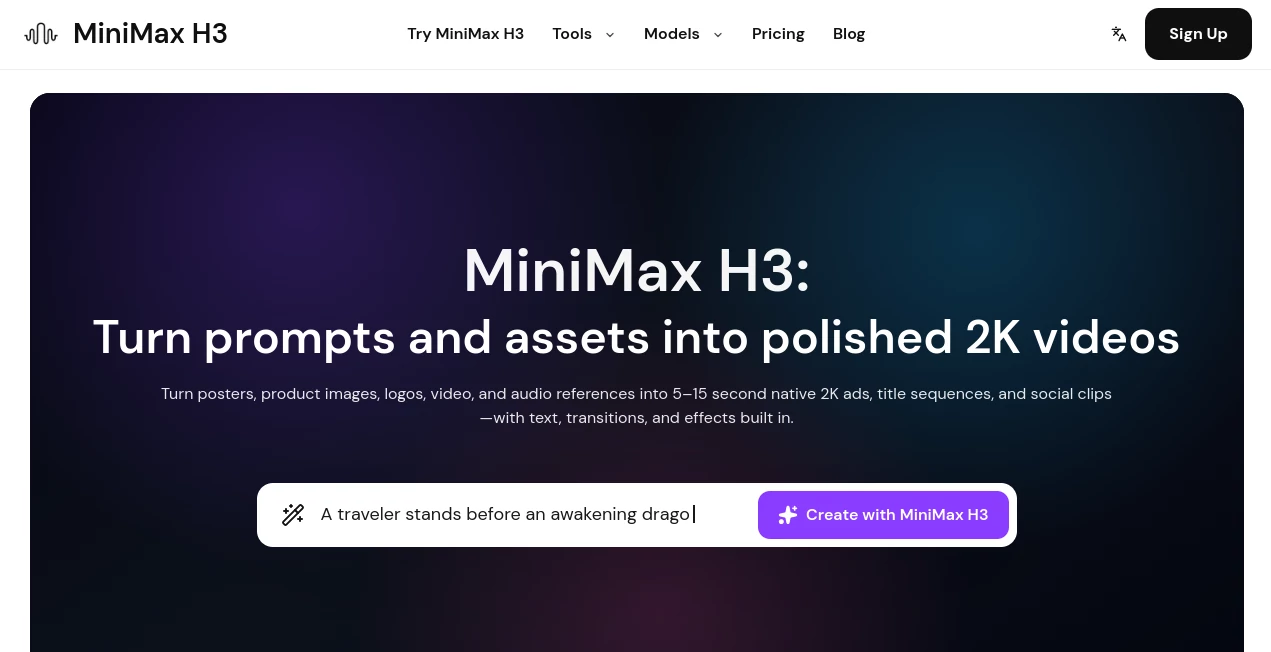
MiniMax H3 is an AI video generation platform designed for creators who want to turn simple ideas and existing creative assets into polished short-form videos. Instead of starting every project from a blank canvas, users can work with text prompts, images, posters, product visuals, logos, video clips, and audio references to build a finished visual sequence.
The platform focuses on short videos between 5 and 15 seconds, with native 2K MP4 output. This makes it particularly interesting for social content, advertising, product presentations, title sequences, promotional clips, and other projects where a compact, visually engaging video is more useful than a long production.
One of its strongest advantages is the way it brings different reference materials into a single workflow. A creator can start with a product image, provide additional visual references, and describe the desired movement, transitions, or atmosphere rather than having to manually animate every element.
Key Features
- Native 2K MP4 video generation
- 5 to 15 second video durations
- Text-to-video generation
- Image-to-video generation
- Reference-based video creation
- Support for start and end frames
- Multiple image, video, and audio references
- Motion, transitions, and visual effects
- Support for product images, posters, logos, and creative assets
- Multiple video models available from the same workspace
- One-time credit packs and recurring subscriptions
User Interface
The interface is built around a straightforward generation workflow. Users can begin with a written prompt or upload reference material and then select the type of video they want to create. The experience is especially convenient for people who already have an image, product shot, poster, or other asset and want to turn it into something more dynamic.
Another practical touch is the ability to access different video models from the same environment. This can save time for creators who regularly compare generation approaches instead of opening separate services for every experiment.
Accuracy & Performance
Performance is strongest when the request is clearly described and supported with useful visual references. The system can work from text alone, but reference images and other assets provide additional context for composition, movement, style, and subject identity.
The native 2K output is particularly useful when the generated clip needs to survive cropping or resizing for different publishing formats. The available duration range also makes it practical for short advertisements, social posts, product showcases, and cinematic snippets.
Generation speed can vary depending on the selected plan and workload. Standard generation is available on Lite plans, while Pro and higher plans provide access to faster generation with priority resource allocation.
Capabilities
The platform supports several ways of creating video. Text prompts can describe a scene, action, camera movement, lighting, or visual direction. Images can provide a starting point for animation, while reference-based workflows allow multiple assets to guide the resulting sequence.
A reference request can contain up to 9 images, 3 videos, and 3 audio files. Video and audio references can each be between 2 and 15 seconds, with a 15-second total limit per media type. At least one image or video is required when using the reference workflow.
The result is designed as a native 2K MP4 file, with durations selectable in whole seconds from 5 through 15 seconds. The platform also supports motion, transitions, and visual effects, making it more suitable for finished creative pieces than a simple animated-image generator.
Security & Privacy
Users should review the platform's current Terms of Service and Privacy Policy before uploading confidential business materials, unreleased products, customer information, or copyrighted assets. As with any cloud-based creative service, the safest approach is to avoid submitting sensitive material unless the applicable policies and permissions are clear.
The service also handles generated results independently of temporary upstream links. According to its published information, successful results are copied to its own storage before the upstream result link expires, helping prevent generated work from depending on a temporary external URL.
Use Cases
- Product Marketing: Turn product photos and promotional graphics into short advertisements with movement and visual effects.
- Social Media: Create compact visual clips suitable for short-form social content.
- Fashion Content: Animate fashion imagery and develop short visual sequences for campaigns or product presentations.
- UGC-Style Content: Experiment with reference-driven clips for promotional and social campaigns.
- Brand Advertising: Combine logos, images, text instructions, and visual references into short advertising concepts.
- Title Sequences: Build short cinematic introductions and branded opening sequences.
- Creative Prototyping: Quickly test an idea before investing time in traditional video production.
- E-commerce: Give static product images more visual energy for online stores and promotional campaigns.
- Visual Storytelling: Turn a collection of references into a short scene with controlled visual direction.
Pros and Cons
Pros
- Native 2K video output
- Supports videos from 5 to 15 seconds
- Works with text, images, video, and reference assets
- Useful for advertising and product-focused content
- Supports multiple reference files in a single workflow
- Offers both one-time credits and subscriptions
- Faster generation is available on higher plans
- Multiple video models can be accessed from one workspace
Cons
- Generation requires credits
- The platform focuses on short video durations rather than long-form production
- Audio cannot currently be generated directly through the site, although audio can be supplied as a reference
- Generation speed depends on the selected plan and available resources
- Results may still require conventional editing for complex commercial productions
Pricing Plans
The pricing system is based on credits rather than unlimited generation. Users can choose between one-time credit packs for occasional projects and subscription plans for recurring video creation.
One-time packs do not automatically renew, making them suitable for users who only need video generation from time to time. Subscription plans provide recurring monthly credits and additional benefits such as faster queues and higher output tiers.
Credit consumption depends on factors such as the selected model, video duration, resolution, and other billable options. The platform states that Lite uses 90% of standard credits, Pro uses 70%, and Premium uses 65%.
Yearly subscriptions are billed annually and can provide savings of up to 50%. The yearly plans also include commercial use rights. Users who run out of credits can purchase additional credit packs without changing their existing subscription.
How to Use It
- Open the video creation workspace.
- Choose whether to start with a text prompt, image, or reference material.
- Describe the scene, movement, visual style, and desired result as clearly as possible.
- Upload supporting images, videos, or audio when additional visual direction is needed.
- Select the desired duration between 5 and 15 seconds.
- Submit the generation and wait for the video to be processed.
- Review the resulting clip and use it in your creative workflow or refine the idea with another generation.
Comparison with Similar Tools
There are now many AI video generators competing for the attention of creators, but this platform takes a particularly practical approach to short-form production. Its combination of text-to-video, image-to-video, and reference-based generation makes it useful for users who want more control than a simple text prompt can provide.
Compared with workflows that require separate tools for animation, references, and asset preparation, having these capabilities in one workspace can make experimentation considerably faster. The availability of other video models also gives creators the option to compare different approaches without constantly switching between unrelated interfaces.
Its 2K output and 5-to-15-second duration range make it especially well suited to short advertising concepts, social clips, product visuals, and cinematic experiments rather than long-form video editing.
Conclusion
For creators who want to turn static assets and written ideas into short, polished videos, this platform offers a focused and capable workflow. Native 2K output, reference-driven generation, support for multiple media types, and flexible credit options give it a strong position among modern AI video creation services.
The biggest attraction is its practical approach. A product image can become an animated promotional clip, a poster can become a moving title sequence, and a collection of references can provide the foundation for a more controlled visual concept. For marketers, designers, content creators, and businesses producing frequent short-form material, that flexibility can make the creative process noticeably easier.
Frequently Asked Questions (FAQ)
What types of input can be used?
You can begin with text, a start frame, an end frame, or a combination of image, video, and audio references. Reference-based generation supports up to 9 images, 3 videos, and 3 audio files.
What video resolution is available?
The platform provides native 2K MP4 video output. Generated clips can have durations from 5 to 15 seconds in whole-second increments.
Can it generate audio?
The current website does not generate audio directly. Audio can, however, be uploaded as a reference together with compatible image or video material.
How are credits calculated?
Credit usage depends on factors including the selected model, output duration, resolution, and other billable options. Reference-video seconds and additional reference images can also affect the final credit cost.
Is there a subscription option?
Yes. Users can choose recurring monthly or yearly plans, while one-time credit packs are available for occasional projects. Plans can be canceled at any time, with access continuing through the current billing period.
Can the generated videos be used commercially?
Commercial usage depends on the selected plan and its current licensing terms. The published pricing information states that yearly plans include commercial use rights, so users should check the applicable terms before using generated content commercially.