
AI Wardrobe
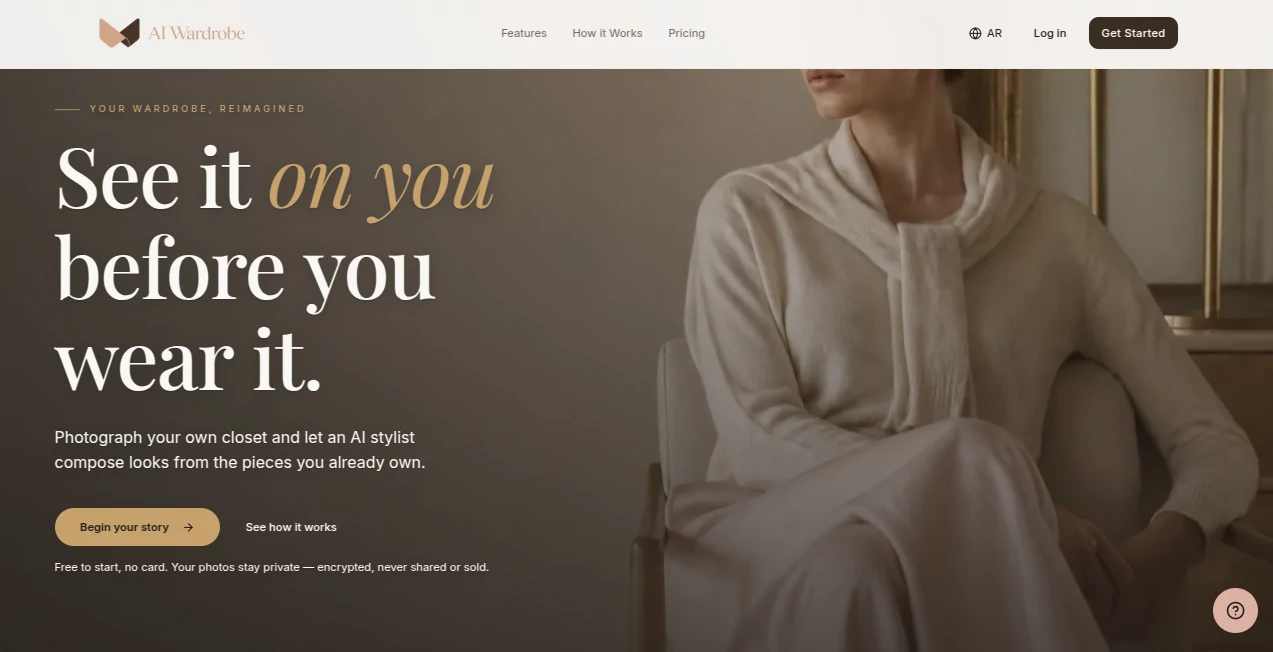
What is AI Wardrobe?
AI Wardrobe is a digital closet and personal styling platform designed around one simple idea: better outfits do not always require buying more clothes. Instead of suggesting random pieces from an online catalog, it works with the clothes you already own and turns them into a practical, personalized wardrobe.
Users can photograph their clothing, let AI identify and organize individual pieces, and then receive outfit suggestions based on their personal taste, the weather, and the occasion. The experience goes beyond basic outfit generation, with weekly planning, travel packing, wardrobe insights, saved favorites, and virtual try-on features.
What makes the concept particularly appealing is its focus on the existing closet. Someone who regularly stands in front of a full wardrobe thinking “I have nothing to wear” can use the digital version of that wardrobe to rediscover combinations they may have overlooked. The result feels more like having a personal stylist who knows your clothes than using a conventional fashion catalog.
Key Features
The platform combines wardrobe organization, personal styling, planning, and visual tools in one place. Its main features are built around making everyday clothing decisions faster and more useful.
- AI-powered wardrobe organization from clothing photos.
- Automatic categorization and tagging of individual garments.
- Outfit recommendations based on color, occasion, weather, and personal preferences.
- Weekly outfit planning to reduce repetitive looks.
- Travel wardrobe and packing assistance.
- Virtual try-on using a photo of the user.
- Wardrobe insights that highlight frequently worn pieces and potential gaps.
- Saved favorite outfits for quick reference.
- Chrome extension for evaluating clothing found while shopping online.
- Studio-quality cutouts that turn detected clothing into clean catalog-style images on the Pro plan.
User Interface
The interface is built around a straightforward upload-and-style workflow. Users begin by photographing clothes or complete outfits, after which the AI separates garments and organizes them into a digital closet. This approach removes much of the tedious manual work normally associated with creating a wardrobe catalog.
The experience is also divided into practical stages: uploading the closet, understanding personal style, planning outfits, and visualizing a look before wearing it. That structure makes the product approachable even for someone who has never used a digital wardrobe before.
Accuracy & Performance
Performance is most noticeable in the way clothing photos are processed. A single photograph of a full outfit can be analyzed and separated into individual wardrobe items, with automatic tagging helping users avoid entering every garment by hand.
Outfit recommendations are designed to take several factors into account rather than simply matching colors. The system considers weather, occasion, color relationships, preferred silhouettes, and the user's previous style choices. Over time, this can make recommendations feel more personal because the system has more information about the wardrobe and the combinations the user tends to prefer.
Capabilities
The platform covers considerably more than basic outfit recommendations. Weather-aware styling can help users decide what makes sense for the day, while weekly planning creates a complete sequence of outfits instead of requiring a decision every morning.
The virtual try-on feature adds another useful layer. Users can see a proposed look on a photograph of themselves before committing to wearing it. For shopping, the Chrome extension can save clothing discovered on websites such as Zara or ASOS and compare the potential purchase with the user's existing wardrobe.
That shopping workflow is especially practical. Instead of asking whether a new item looks good on its own, users can consider whether it actually works with the clothes they already own.
Security & Privacy
Privacy is an important part of a digital wardrobe because users upload photographs of their clothing and may also use personal photographs for virtual try-on. The service states that uploaded photos remain private, are stored in the user's private space, and are encrypted both at rest and in transit.
It also states that these photos are never shared or sold. These protections are reassuring for users who want the convenience of AI styling without treating their personal wardrobe images as public content.
Use Cases
A digital wardrobe can be useful in surprisingly ordinary situations. Someone preparing for work can plan several office outfits at once rather than deciding each morning. A frequent traveler can build a compact collection of outfits suitable for the destination and weather. Someone who has accumulated many clothes can identify pieces they rarely wear and find new combinations for them.
It can also be helpful when shopping. Imagine finding a jacket online that looks perfect but being unsure whether it works with anything already in the closet. Saving that item through the browser extension allows the existing wardrobe to become part of the decision rather than relying on impulse.
For people who enjoy experimenting with fashion, virtual try-on offers another reason to use the platform. A new combination can be tested visually before the clothes are taken out of the closet and put together physically.
Pros and Cons
Pros
- Works with the clothes users already own.
- Automates much of the wardrobe organization process.
- Considers weather and occasion when creating outfits.
- Includes weekly planning and travel packing assistance.
- Offers virtual try-on for visualizing complete looks.
- Provides useful shopping assistance through its Chrome extension.
- Includes privacy protections for uploaded photographs.
- Has a free plan for users who want to test the basic experience.
Cons
- The free plan is limited to 20 wardrobe items.
- Daily outfit recommendations are restricted on the free tier.
- The larger wardrobe and advanced styling features require the Pro subscription.
- Recommendation quality naturally depends on the quality and variety of the wardrobe information provided.
Pricing Plans
The service offers a free tier as well as a paid Pro option. The Free plan costs $0 and is designed for trying the core wardrobe experience. It supports up to 20 wardrobe items, one outfit per day, seven days of outfit history, one free virtual try-on, automatic tagging, and the ability to upload a complete outfit for automatic item separation.
The Pro plan costs $9.99 per month and expands the wardrobe to 500 items. It includes three outfits per day, 365 days of outfit history, weekly outfit planning, outfit alternatives, priority AI styling, up to 100 virtual try-ons per month, brand wardrobes, studio-quality cutouts, a wardrobe health score, and travel packing lists.
For someone simply curious about digital wardrobe management, the free tier is a low-risk starting point. Users who have a larger closet or want more frequent styling and planning are likely to get considerably more value from the Pro features.
How to Get Started
Getting started is straightforward. First, create an account and begin adding clothing to the digital wardrobe by taking photographs of individual garments or complete outfits.
The AI then identifies and separates clothing items, categorizes them, and adds useful tags. Once enough of the wardrobe has been added, users can request outfit recommendations and explore combinations based on their preferences.
From there, the experience can become part of a regular routine. Users can plan outfits for the week, save combinations they particularly like, check what works for upcoming weather, or prepare a travel wardrobe. When shopping online, the Chrome extension can also be used to save potential purchases and see how they fit with the existing closet.
Comparison with Similar Tools
Traditional fashion apps tend to focus heavily on discovering products, while many outfit inspiration platforms concentrate on showing users looks created around clothing they may not own. This approach takes a different direction by making the user's personal wardrobe the foundation of the experience.
That distinction matters. If the main problem is deciding what to buy, a conventional shopping platform may be enough. But if the challenge is getting more value from an existing closet, organizing clothes, planning outfits, or avoiding unnecessary purchases, a wardrobe-centered AI assistant can be considerably more practical.
The combination of personal wardrobe data, weather-aware recommendations, weekly planning, virtual try-on, and shopping analysis also gives it a broader role than a simple outfit generator. It connects what users own, what they want to wear, and what they are considering buying.
Conclusion
AI-powered fashion does not have to mean endlessly generating new looks or encouraging users to purchase more clothes. This platform takes a more grounded approach by starting with the wardrobe that already exists.
Its strongest qualities are the combination of automated closet organization, personalized outfit recommendations, weather awareness, planning tools, and visual try-on. The shopping extension is another thoughtful addition because it helps users judge a potential purchase in the context of their entire wardrobe.
For anyone with a closet full of clothes but limited time or inspiration, turning that wardrobe into a searchable, intelligent digital collection can be genuinely useful. The free plan makes it easy to experiment, while the Pro tier provides the depth needed for larger wardrobes and more regular styling.
Frequently Asked Questions (FAQ)
What is this AI wardrobe platform?
It is a digital wardrobe and AI styling service that helps users organize their clothes, create outfits, plan what to wear, and visualize looks using clothing they already own.
Can it recommend outfits based on the weather?
Yes. Weather is one of the factors used when creating outfit recommendations, helping users choose combinations that are more appropriate for current conditions.
Can I upload photos of my clothes?
Yes. Users can photograph individual garments or complete outfits. The AI can automatically separate a full outfit into individual wardrobe items and organize them.
Does it have a virtual try-on feature?
Yes. Users can try a selected look on a photo of themselves to get a visual idea of how the combination works before wearing it.
Is there a free plan?
Yes. The Free plan costs $0 and includes up to 20 wardrobe items, one outfit per day, seven days of outfit history, one free virtual try-on, and several core wardrobe organization features.
What does the Pro plan include?
The Pro plan expands the wardrobe limit to 500 items and adds features such as weekly outfit planning, more daily recommendations, outfit alternatives, priority styling, 100 virtual try-ons per month, brand wardrobes, wardrobe insights, and travel packing lists.
Can it help me decide whether to buy clothes online?
Yes. Its Chrome extension can save clothing discovered on online stores and compare potential purchases with the user's existing wardrobe, helping shoppers make more informed decisions.
Are uploaded photos private?
The service states that wardrobe photos are kept in a private space, encrypted at rest and in transit, and are not shared or sold.
Can it help plan outfits for a trip?
Yes. Travel wardrobe and packing assistance is available as part of the Pro plan, allowing users to prepare a collection of outfits for a trip.
Is this useful for someone with a large wardrobe?
Yes. The larger wardrobe capacity and extended outfit history in the Pro plan make it particularly suitable for users who want to digitally organize and actively use a substantial clothing collection.
AI Clothing Generator , AI Life Assistant , AI Photography , AI Image to Image .
These classifications represent its core capabilities and areas of application. For related tools, explore the linked categories above.
AI Wardrobe details
Website unavailable — View Alternatives
Pricing
- Free
Apps
- Web App
- Chrome Extensions
Categories

AI Wardrobe Alternatives Product

Before After…

StarBattle O…

Pontefuerte …

SearchSpot

Sketchready

Medical Illu…

ColorChanger

RenderQuill

Seedream 5.0