

















What is RenderQuill?
I used to dread product photography days — setting up lights, wrestling with reflections, and hoping the shots would actually look good enough for the store page. Then I started using this tool and the whole process became almost relaxing. You describe what you want or upload a reference photo, and it delivers clean, commercial-ready images that actually look like they belong in a real campaign. The first time I generated a full set of lifestyle shots for a new product in under ten minutes, I realized how much time and money I had been wasting before. It’s not just fast — it understands commercial needs like framing, negative space for text, and consistent lighting across variations.
Introduction
Creating high-quality visuals for products and campaigns used to require expensive equipment, studio time, or hiring photographers. RenderQuill changes that equation. It lets you generate polished, ready-to-use images from simple prompts or reference photos, with a strong focus on commercial applications. Whether you need clean product shots for your online store, lifestyle scenes for social media, or campaign variations with space for headlines, it delivers results that look professional without the usual hassle. The workflow is built for real creators who need repeatable, editable, and consistent output — not just one-off pretty pictures.
Key Features
User Interface
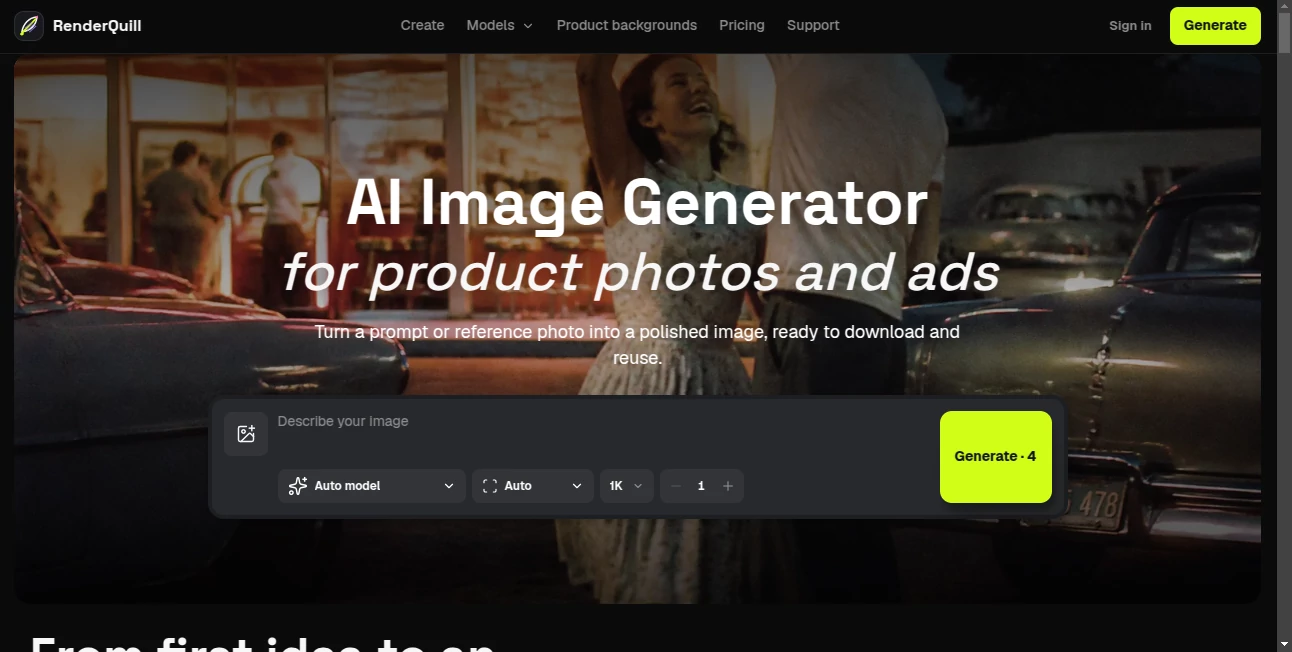
The interface is clean and purpose-built. You have a big prompt area, easy reference photo upload, and clear controls for aspect ratio, model choice, and quality level. Generated results appear with the original prompt preserved right next to them, making it simple to refine and create variations without starting from scratch. Everything feels designed for speed and iteration rather than overwhelming you with options. Even on busy days, I can jump in, generate a few options, and pick the winner quickly.
Accuracy & Performance
It excels at keeping products looking accurate while changing the scene, lighting, or composition. References are respected without being blindly copied, and the output maintains proper proportions, materials, and branding details. Generation is fast enough to support real workflows, and the results hold up at commercial sizes without strange artifacts. For product work especially, the attention to edges, shadows, and reflections makes a noticeable difference compared to more generic image generators.
Capabilities
You can start from text prompts or reference images, control framing and negative space for ads, generate consistent variations for campaigns, and produce both product-only shots and lifestyle scenes. The tool is particularly strong at commercial photography needs — clean backgrounds, proper lighting for products, and leaving room for text overlays. It supports different aspect ratios and quality levels so you can create everything from social media assets to high-res catalog images in the same session.
Security & Privacy
Your uploaded reference photos and generated images are handled professionally. The platform focuses on delivering value without unnecessary data retention or sharing. For businesses creating product visuals or campaign assets, that respectful approach to privacy provides important peace of mind.
Use Cases
An e-commerce founder generates an entire product catalog’s worth of lifestyle shots in one afternoon instead of booking a photographer. A marketing team creates multiple campaign variations from one hero product photo, testing different backgrounds and compositions quickly. A small brand owner turns smartphone reference shots into polished ad visuals that look studio-quality. Content creators build consistent visual libraries for their social channels without daily photoshoots. It shines anywhere you need professional-looking product and advertising imagery without the traditional production costs and time.
Pros and Cons
Pros:
- Excellent at commercial product photography with proper framing and lighting.
- Reference photo support gives you strong control over consistency.
- Fast iteration with preserved prompts makes variations easy.
- Results look polished and ready for real marketing use.
- Focused workflow that understands advertising and e-commerce needs.
Cons:
- Very complex or artistic scenes may still need refinement.
- Higher volume or priority generation requires credit purchases.
Pricing Plans
You can start generating right away with a free allowance that lets you test the quality on real projects. Credit packs are available for heavier use, with clear pricing shown before you generate. The model is straightforward — you pay for what you use without forced subscriptions, which feels fair for both occasional and regular commercial needs.
How to Use RenderQuill
Go to the generator, write a clear prompt describing your product and desired scene, or upload a reference photo for stronger consistency. Choose your aspect ratio and quality level, then generate. Review the results using the before/after or side-by-side views, refine the prompt if needed, and download the winners. For campaigns, generate multiple variations from the same base prompt and keep the ones that work best. The process stays fast and repeatable, making it easy to build complete visual sets.
Comparison with Similar Tools
Many general AI image generators produce beautiful pictures but struggle with commercial requirements like accurate product representation, proper negative space, and consistent branding. This one is clearly built for practical marketing and e-commerce work, delivering results that look like they came from a professional studio rather than a generic AI tool. The combination of speed, reference control, and commercial focus makes it stand out for real business use.
Conclusion
Professional product and advertising visuals shouldn’t require a full photography studio or weeks of scheduling. This tool brings that capability to anyone with a good idea and a few minutes. It respects the practical needs of creators and businesses while delivering quality that actually works in the real world. If you regularly need clean, compelling images for products or campaigns, it can become one of those tools you wonder how you ever managed without.
Frequently Asked Questions (FAQ)
How good is it with product accuracy?
Very strong — it maintains product details, proportions, and branding when using reference photos.
Can I generate images for commercial use?
Yes, the outputs are suitable for marketing, e-commerce, and advertising campaigns.
Do I need to write long prompts?
No — clear, focused prompts work well, especially when combined with reference images.
How fast is generation?
Most images are ready in seconds to under a minute, supporting quick iteration.
Is there a free way to try it?
Yes, you can generate several images for free to test the quality on your own products.