


















Anakin AI
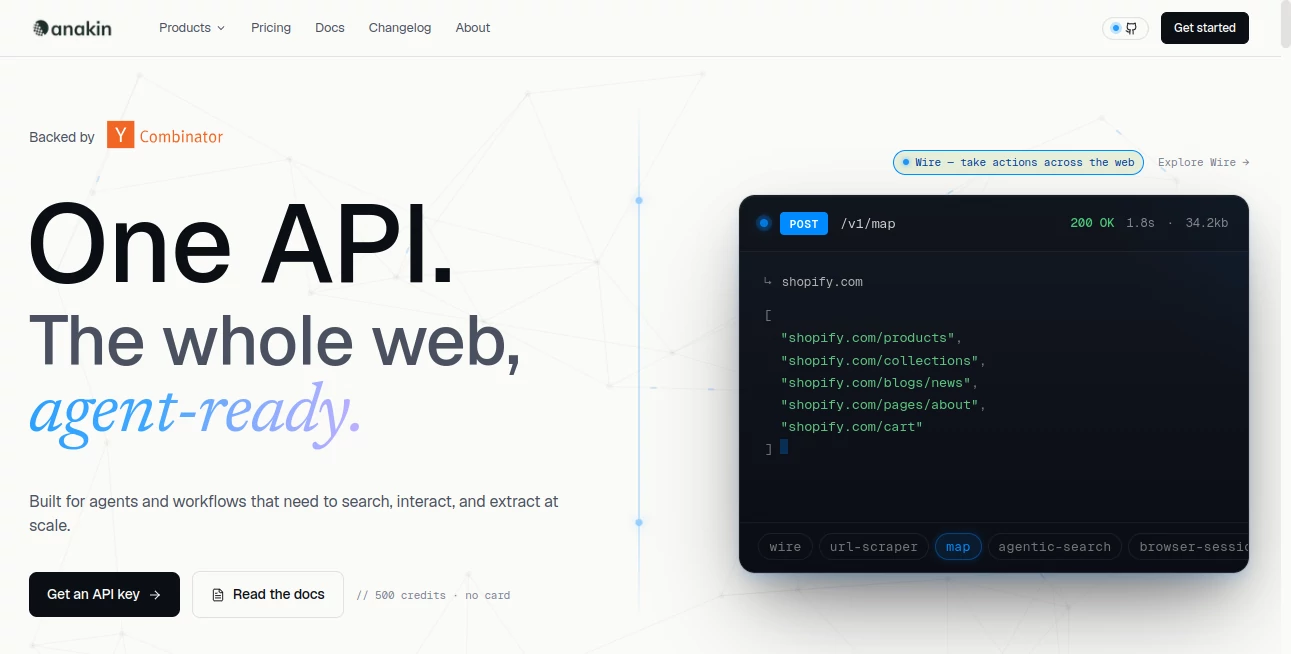
What is Anakin AI?
In the last few years, building with artificial intelligence has shifted from something reserved for developers to something accessible for creators, marketers, and entrepreneurs. This platform fits directly into that shift, offering a no-code environment where users can design, test, and deploy AI-powered applications in just a few clicks.
Instead of spending weeks writing scripts or connecting complex APIs, users can visually assemble workflows, choose models, and create functional tools that automate tasks or generate content. It feels less like programming and more like assembling building blocks that already know what to do.
What makes it especially interesting is how flexible it is. Whether you're building a simple text generator or a multi-step automation pipeline, the system adapts without requiring technical depth. It’s designed for speed, experimentation, and real-world productivity.
Key Features
User Interface
The interface is designed with simplicity in mind. Users are presented with a clean workspace where AI apps can be created using drag-and-drop logic. Even first-time users can understand the flow within minutes, which reduces the barrier to entry significantly.
Accuracy & Performance
Performance depends largely on the selected AI models, but overall responsiveness is fast and stable. Outputs are generated quickly, making it suitable for both experimentation and production-level use cases where time matters.
Capabilities
The platform supports a wide range of AI tasks, including text generation, summarization, chatbot creation, data transformation, and workflow automation. Users can chain multiple steps together, allowing complex processes to run automatically without manual intervention.
Security & Privacy
Security is handled through standard cloud-based protections, ensuring user data is processed safely. While users should always be mindful of sensitive data in any AI system, the environment is structured to maintain a reliable and controlled workspace.
Use Cases
- Creating AI chatbots for customer support or internal tools
- Automating content creation workflows for blogs and marketing teams
- Building data processing pipelines without coding knowledge
- Generating product descriptions, ads, or email sequences
- Rapid prototyping of AI-driven SaaS ideas
Pros and Cons
Pros
- No-code environment suitable for beginners
- Flexible workflow and app creation system
- Supports multiple AI models and task types
- Fast setup and quick iteration cycles
- Useful for both personal and business applications
Cons
- Advanced customization may still feel limited for developers
- Quality of output depends on chosen models
- Can require experimentation to optimize workflows
Pricing Plans
The platform typically offers a mix of free access and paid plans depending on usage needs. Free tiers are often suitable for testing and light experimentation, while paid plans unlock higher usage limits, faster processing, and advanced features for professional users or teams.
How to Use Anakin AI
Getting started is straightforward. After signing up, users can begin by selecting a template or starting from a blank workspace. From there, building an AI application involves choosing a model, defining inputs, and setting up outputs.
Workflows can be expanded step-by-step. For example, a user might start with a simple text generator, then add a summarization step, and finally connect it to an automation that sends results to email or a database. The visual structure makes it easy to understand how each part interacts.
Comparison with Similar Tools
Compared to traditional AI development platforms, this solution focuses heavily on accessibility. While many tools require API configuration and coding knowledge, this one removes those barriers and prioritizes visual building.
In comparison with other no-code AI builders, it stands out due to its flexibility in chaining multiple AI steps together. Some competitors focus only on single-task apps, but here the emphasis is on building full workflows that behave like mini automated systems.
Conclusion
For anyone looking to explore AI without diving into complex programming, this platform offers a practical and intuitive entry point. It balances simplicity with enough depth to support real-world use cases, making it suitable for creators, startups, and businesses alike.
While it may not replace fully custom-coded AI systems for advanced engineers, it excels in speed, usability, and experimentation. It’s the kind of tool that turns ideas into working prototypes faster than most traditional approaches.
Frequently Asked Questions (FAQ)
Is this platform suitable for beginners?
Yes, it is designed specifically with non-technical users in mind, offering a visual interface that requires no coding experience.
Can it be used for business applications?
Absolutely. Many users build automation workflows, content tools, and customer support systems for real business use.
Does it require coding knowledge?
No coding is required for most features, although advanced users can still integrate more complex logic if needed.
What kind of AI tasks can be built?
Users can create chatbots, content generators, data processors, and multi-step automation workflows.
Is it scalable for teams?
Yes, it can be used for individual projects as well as team-based workflows depending on the chosen plan.
AI No-Code & Low-Code , AI Developer Tools , AI App Builder , AI Workflow Management .
These classifications represent its core capabilities and areas of application. For related tools, explore the linked categories above.

Anakin AI Alternatives Product

Defapi

AI text clea…

JSON-Tools

Perchance AI

JSON to TOON…

Tate-A-Tate

AI Agent Ski…

Jujutsu Zero…

AIQualityHQ
