Anijam
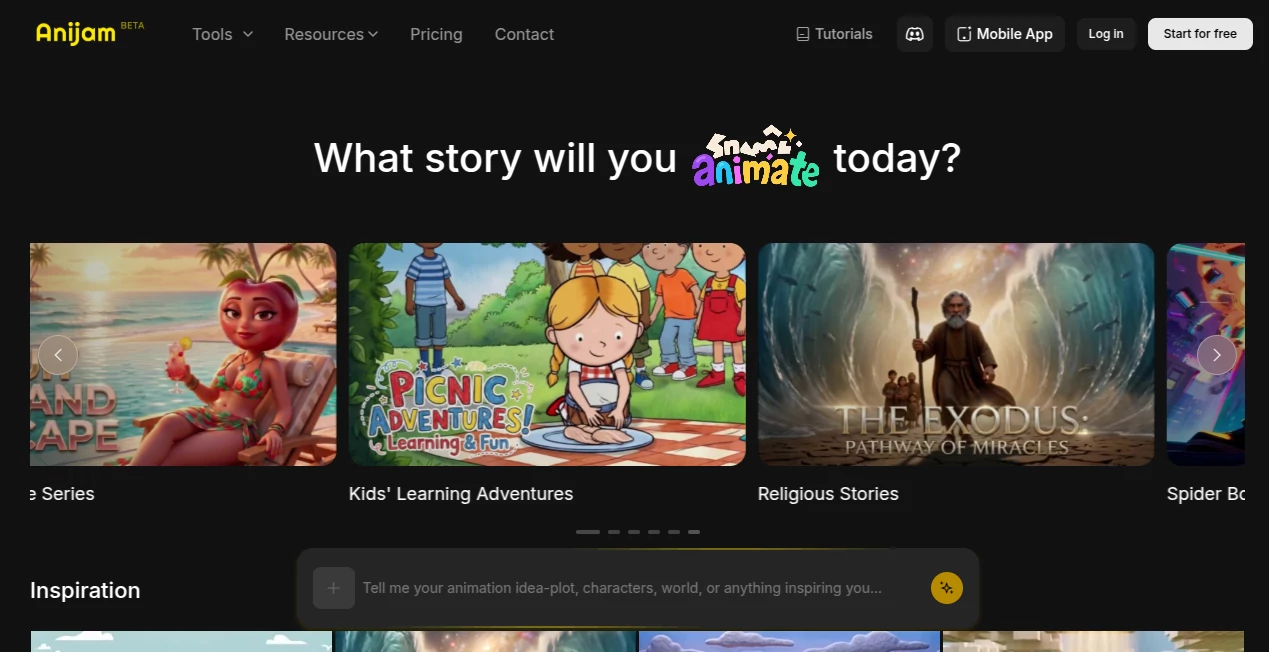
What is Anijam?
Anijam is an all-in-one AI animation platform built for creators who want to transform ideas into polished animated videos without mastering complex editing software. From a simple text prompt to a fully animated production, the platform streamlines every stage of the creative process into a single workspace. Whether the goal is producing educational explainers, YouTube intros, marketing videos, animated stories, or engaging social media content, it removes many of the traditional barriers associated with animation.
Instead of switching between multiple applications for script writing, image generation, voice synthesis, lip synchronization, and video editing, users can complete everything inside one intuitive environment. This unified workflow saves valuable production time while maintaining creative flexibility. Beginners appreciate how quickly they can generate professional-looking animations, while experienced creators benefit from advanced controls for refining scenes, maintaining character consistency, and customizing visual styles.
The platform also supports multiple animation styles ranging from cinematic 3D visuals to cartoon-inspired artwork and anime aesthetics. Combined with AI-powered voice generation, timeline editing, and scene management, it offers a complete production pipeline suitable for both personal and commercial projects.
Key Features
User Interface
The workspace is thoughtfully organized, making animation creation surprisingly approachable. Users can begin with text prompts, scripts, images, audio files, or existing characters. Every project remains accessible through a clean dashboard where scenes, assets, and timelines can be managed efficiently. The visual editor allows quick adjustments without overwhelming new users, while experienced creators can fine-tune every frame when necessary.
Accuracy & Performance
The AI engine generates structured scenes from written prompts while preserving logical transitions throughout the animation. Character consistency across multiple scenes helps maintain visual continuity, and automatic lip synchronization aligns spoken dialogue with facial movements. Fast rendering speeds allow creators to iterate quickly and experiment with different creative directions before exporting the final project.
Capabilities
The platform combines numerous creative tools into a single production workflow. Users can create animations from text, scripts, images, or audio, generate AI voices in multiple languages, animate custom characters, edit scenes individually, synchronize speech automatically, create marketing videos, educational explainers, short-form social media content, and cinematic storytelling projects. Multiple artistic styles provide additional flexibility for different audiences and industries.
Security & Privacy
User projects are managed through personal accounts with dedicated storage. Paid subscriptions provide private project generation and commercial usage rights, while the platform maintains a published privacy policy describing how user information and generated content are handled. This provides additional confidence for businesses creating professional content and client work.
Use Cases
The platform serves a wide range of creative professionals and businesses. Marketing teams can build promotional campaigns and product advertisements. YouTubers can create intros, educational videos, and animated storytelling content. Teachers can produce engaging learning materials that simplify complex topics. Startup founders can prepare animated product demonstrations for investors or customers. Social media creators can generate vertical videos for TikTok, Instagram Reels, and YouTube Shorts without investing in expensive production equipment.
Agencies may also benefit by producing branded animated content for multiple clients while maintaining consistent characters and visual identity across campaigns.
Pros and Cons
Pros
Complete animation workflow inside one platform.
Supports text, image, script, and audio-based animation generation.
Built-in AI voice generation with multilingual support.
Automatic lip sync improves character realism.
Multiple visual styles including anime, cartoon, cinematic, and 3D.
Suitable for beginners as well as professional creators.
Cons
Some advanced features require paid subscriptions.
Free exports include watermarks.
High-resolution exports and premium AI models consume credits.
Pricing Plans
A free plan allows users to explore the platform with limited credits, watermark exports, and non-commercial usage. Paid subscriptions include Beginner, Creator, Master, and Master Pro plans with increasing monthly credits, higher storage limits, advanced animation tools, watermark-free exports, commercial usage rights, motion control features, and higher-quality video exports including upscaling options for premium users.
How to Use Anijam
Create an account and start a new project.
Select the preferred input method such as text, script, image, or audio.
Choose an animation style that matches the desired visual appearance.
Generate scenes automatically using AI.
Edit the timeline, refine scenes, and adjust character movements if needed.
Add AI voiceovers or upload audio for automatic lip synchronization.
Preview the final animation and export it in the available resolution based on the selected subscription plan.
Comparison with Similar Tools
Unlike many AI video generators that specialize in only one stage of production, this platform combines scripting, character generation, animation, lip synchronization, scene editing, and voice creation into one integrated workflow. While competitors often require external editing software to complete a project, the all-in-one approach significantly reduces production complexity. The combination of character consistency, multilingual voice generation, timeline editing, and diverse animation styles makes it particularly attractive for creators producing recurring video content.
Conclusion
Modern content creation demands speed without sacrificing quality, and this platform delivers an impressive balance of both. Its unified production environment eliminates the need to juggle multiple creative tools while giving users enough flexibility to build polished animations for education, marketing, entertainment, and social media. Whether someone is creating their first animated video or managing professional client projects, the streamlined workflow and growing collection of AI-powered features make it a compelling choice for efficient animation production.
Frequently Asked Questions (FAQ)
Can beginners create animations without editing experience?
Yes. The interface is designed for users with little or no animation background while still offering advanced editing tools for professionals.
Does it support AI voice generation?
Yes. Users can generate multilingual AI voiceovers and synchronize them automatically with animated characters.
Can I create videos from text prompts?
Yes. Text prompts can be transformed into animated scenes, making idea generation significantly faster.
Is commercial usage allowed?
Commercial usage is available through paid subscription plans.
What types of content can be created?
Users can produce marketing videos, educational explainers, YouTube content, animated stories, presentations, advertisements, and social media videos.
AI Animated Video , AI Character , AI Video Generator , AI Text to Video .
These classifications represent its core capabilities and areas of application. For related tools, explore the linked categories above.

Anijam Alternatives Product

Seedance 2.0…

S2LIfe AI

Happyhorse 1…

ViewMax Stud…

Seedance 2.0
Wan 2.7

HappyHorse A…
Grok Imagine…

Gemini Omni