Anysite
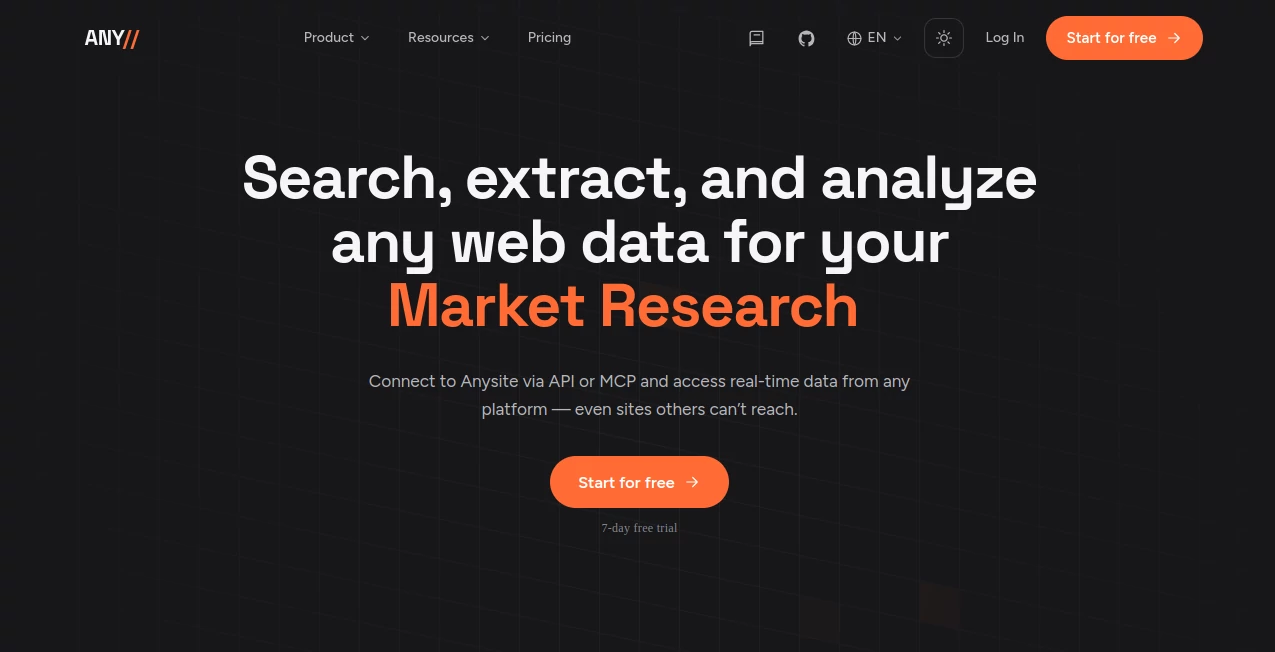
What is Anysite?
Getting useful information from the web is often much harder than simply finding a page. Websites change their structure, data becomes outdated, and collecting information from several platforms can quickly turn into a maintenance project. Anysite takes a different approach by turning live web data into structured information that developers, marketers, researchers, and AI agents can actually use.
The platform connects to more than 550 sources and provides thousands of endpoints across social networks, business platforms, e-commerce, finance, maps, news, developer communities, and other areas. Instead of manually copying information or maintaining a collection of fragile scrapers, users can describe the data they need and receive structured results through an API, MCP connection, or command-line workflow.
For a marketing team, that could mean finding prospects with specific characteristics. For a researcher, it could mean tracking companies, products, discussions, or market changes. The practical advantage is that the data is collected when the query is made rather than simply being pulled from an old search index.
Key Features
- Live web data collected at query time instead of relying solely on static search indexes.
- More than 550 supported sources covering social media, e-commerce, finance, news, maps, developer platforms, and business data.
- Thousands of structured endpoints for extracting information from major platforms.
- AI-powered parsing that can turn public web pages into structured data.
- Self-healing extraction designed to adapt when website structures change.
- MCP support for working with AI assistants through natural language.
- REST API access for developers building custom applications and data pipelines.
- CLI support for production workflows, batch processing, scheduled jobs, and database loading.
- Integration options for teams that prefer visual workflow automation.
User Interface
The experience is designed around the task rather than around complicated scraping configurations. Users can connect the MCP server to compatible AI assistants and describe what they want in ordinary language. Developers can instead use the REST API or CLI when they need more control.
This flexibility is particularly useful for mixed teams. A researcher can ask for information conversationally while an engineer can turn the same data source into a repeatable production workflow. The platform essentially gives both sides access to the same underlying web-data infrastructure without forcing everyone into the same interface.
Accuracy & Performance
One of the strongest aspects of the platform is its focus on fresh information. Data is pulled from sources when a request is made, which is useful when tracking changing prices, recent company activity, social posts, hiring information, market signals, or other time-sensitive details.
The structured output also reduces the amount of cleanup normally required after scraping. Instead of receiving a large block of HTML and figuring out what matters, users can work with fields such as people, companies, posts, prices, reviews, and other structured attributes.
Performance will naturally depend on the source, endpoint, request volume, and subscription level. However, the platform is designed for both individual research tasks and larger workflows where data needs to be collected repeatedly.
Capabilities
The platform covers a surprisingly broad range of data sources. Ready-made endpoints are available for services such as LinkedIn, Instagram, Reddit, YouTube, Amazon, GitHub, Google Maps, SEC EDGAR, and several other platforms. Its web parser can also process public URLs that do not have a dedicated endpoint.
For AI-driven workflows, MCP is especially interesting. Instead of writing an API request for every research task, a user can connect the service to an AI assistant and explain the desired outcome. The assistant can then discover, retrieve, filter, and work with structured web data.
Production teams can use YAML-based pipelines through the CLI, schedule recurring collection jobs, process batches, and send results into their own databases. This makes the product more than a simple page scraper; it can serve as a data layer for larger applications and automated agents.
Security & Privacy
API access is protected through API-key authentication, with the access token supplied through request headers. The documentation recommends keeping credentials in environment variables, rotating keys regularly, and avoiding exposure in client-side code or source repositories.
The platform also states that it uses HTTPS/TLS 1.3 and does not persist extracted data. Teams working with business or customer-related information should still review the current privacy policy and their own compliance requirements before creating production workflows.
Use Cases
- Lead generation: Build prospect lists using current professional and company information rather than relying only on static databases.
- Competitive research: Monitor competitor products, pricing, announcements, advertisements, and other public signals.
- Market intelligence: Collect information from multiple sources to understand changes within a market or niche.
- Social monitoring: Track mentions, discussions, engagement, and emerging conversations across supported platforms.
- Content research: Discover popular posts, topics, creators, and engagement patterns that can inform new content.
- Recruiting: Research professional profiles, companies, hiring activity, and relevant talent signals.
- E-commerce intelligence: Monitor products, prices, offers, and reviews across supported marketplaces.
- AI agents: Give autonomous agents access to structured, current web information instead of limiting them to static knowledge.
- Research and due diligence: Gather information from business, financial, social, and public web sources in a repeatable workflow.
Pros and Cons
Pros
- Fresh data collected at query time.
- Broad coverage across hundreds of web sources.
- Structured JSON reduces the need for manual parsing.
- MCP makes web research accessible through natural language.
- REST API and CLI provide strong options for developers.
- Self-healing extraction reduces the maintenance burden associated with traditional scrapers.
- Useful for both quick research and recurring production pipelines.
Cons
- Advanced plans can become expensive for high-volume API workloads.
- Coverage and reliability can vary depending on the target website.
- Highly protected or niche websites may require additional evaluation.
- Users who only need occasional page extraction may find the broader infrastructure more than they need.
Pricing Plans
The pricing structure is designed around different levels of usage. The MCP plan starts at $30 per month and includes a 7-day free trial, making it a practical entry point for people who mainly want to research web data through compatible AI assistants.
For heavier MCP usage, higher tiers are available at $99 and $199 per month. API users can choose credit-based plans, starting with 15,000 credits for $49 per month. Growth provides 100,000 credits for $200, while Scale offers 190,000 credits for $300 and Pro provides 425,000 credits for $549.
An Enterprise option starts at $1,199 per month with 1.2 million credits, while custom arrangements are available for organizations needing different volumes, rate limits, dedicated support, or custom sources. The exact value of each plan depends heavily on how frequently data is collected and which endpoints are used.
How to Use It
Getting started is relatively straightforward. First, create an account and generate an API key from the account settings. Developers can then authenticate requests using the access-token header.
If the goal is conversational research, connect the MCP server to a compatible AI assistant. Once connected, describe the task in plain language. For example, instead of manually searching dozens of pages, a user could ask for a list of companies matching a particular market, location, funding stage, or hiring signal.
For automated systems, use the REST API or CLI. The CLI is particularly useful when the same research needs to run repeatedly because workflows can be defined in YAML, executed in batches, scheduled, and connected to a database.
Comparison with Similar Tools
Traditional web scrapers generally require developers to identify page elements, maintain selectors, handle changes, and build their own infrastructure around proxies, storage, scheduling, and error handling. That approach can work well for a small number of stable websites, but the maintenance cost grows quickly when dozens of sources are involved.
Basic URL-to-text services solve a different problem. They can make a webpage easier for an AI model to read, but they do not necessarily provide typed business objects or specialized endpoints for different platforms. This platform goes further by combining ready-made endpoints with AI-powered parsing for other URLs.
It also differs from conventional business-data databases because the emphasis is on retrieving current information from the web. That makes it particularly appealing for workflows where freshness matters more than maintaining another static contact database.
Conclusion
Web data is valuable, but collecting it reliably has traditionally required a combination of scraping scripts, proxies, parsers, maintenance work, and custom infrastructure. This platform packages much of that complexity into a single data layer that can be accessed through MCP, REST, or CLI workflows.
Its biggest strength is the combination of breadth and flexibility. A team can start with a simple natural-language research request, then move toward automated pipelines as its needs grow. The availability of hundreds of sources, structured endpoints, live extraction, and adaptive parsing makes it especially relevant for AI agents, sales teams, researchers, developers, and companies building data-driven products.
For anyone who regularly asks, “How can I get this information from the web into a system I can actually use?”, this is a compelling approach worth exploring.
Frequently Asked Questions (FAQ)
What is this platform used for?
It provides structured access to live web data for research, lead generation, competitive intelligence, social monitoring, e-commerce analysis, recruiting, AI agents, and automated data pipelines.
Does it support AI assistants?
Yes. Its MCP server can connect web data to compatible AI assistants, allowing users to request information using natural language rather than manually constructing every API request.
How many sources are supported?
The current website states that more than 550 sources and over 3,500 endpoints are available across areas such as social media, e-commerce, finance, maps, news, and developer platforms.
Can it extract data from an arbitrary website?
Yes. Its AI-powered web parser can process public URLs and return structured information such as titles, main content, metadata, links, images, authors, publication dates, and word counts.
Is coding required?
No. MCP allows users to interact through natural language. Developers who need programmatic control can use the REST API or CLI instead.
Is there a free trial?
Yes. The current plans include a 7-day free trial, with the available features and usage depending on the selected plan.
Is it suitable for production data pipelines?
Yes. The platform provides CLI-based workflows, YAML configuration, scheduling capabilities, database-oriented pipelines, rate limits, and API access intended for production use.
AI Data Mining , AI Research Tool , AI Web Scraping , AI Lead Generation .
These classifications represent its core capabilities and areas of application. For related tools, explore the linked categories above.

Anysite Alternatives Product

AI Complianc…

Distro

LocalRAG!

MidJourney

Duct Tape 3

Sound Level …

Quizify - AI…

Pinpoint Ans…

SciSpace