
Appwrite
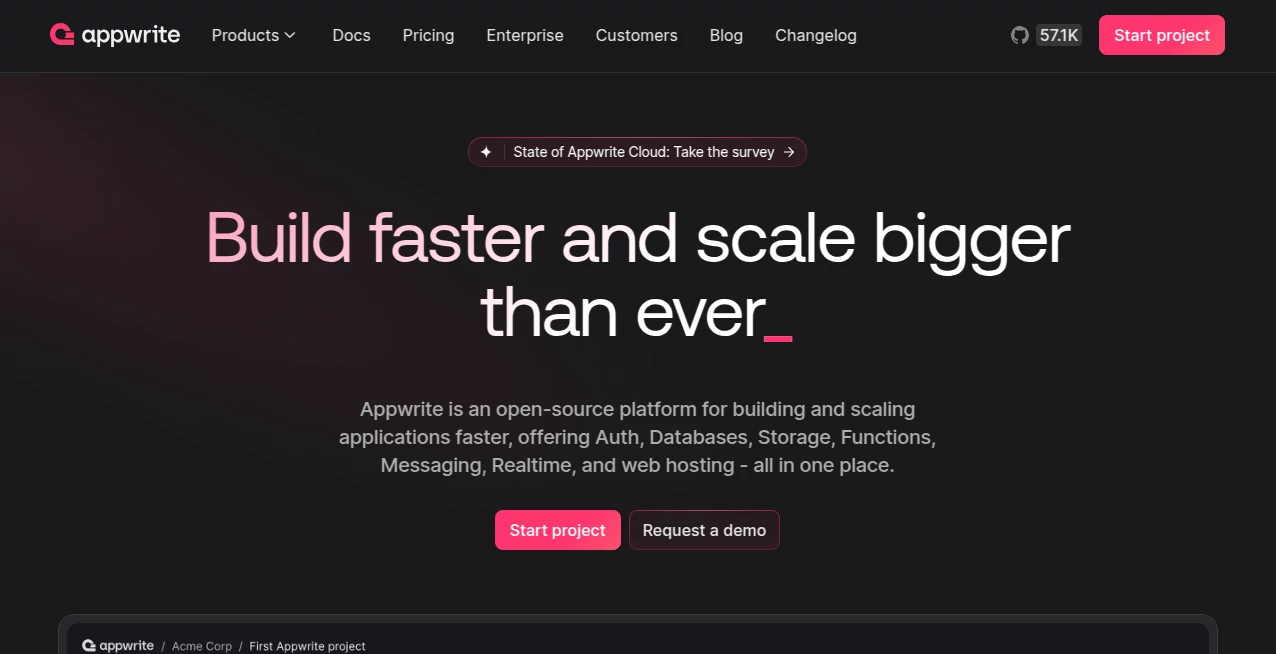
What is Appwrite?
Appwrite is an open-source development platform designed to help developers build, deploy, secure, and scale modern applications without stitching together a long list of separate backend services. It brings authentication, databases, storage, serverless functions, messaging, realtime features, hosting, and network protection into a unified environment.
What makes the platform particularly interesting for modern development teams is its growing focus on AI-assisted workflows. Developers can connect AI agents to their backend through MCP servers, use dedicated skills to teach agents how their projects work, and integrate the platform into popular development environments and coding assistants.
The result is a backend experience that feels much more organized. Instead of spending days connecting authentication to a database, configuring file storage, deploying functions, and setting up infrastructure protection, developers can manage these pieces from one project.
Key Features
- Authentication with email, SMS, OAuth, MFA, anonymous sessions, teams, and magic URLs.
- Multiple database options, including TablesDB, DocumentsDB, VectorsDB, PostgreSQL, and MySQL.
- Secure file storage with access controls, compression, encryption, and image transformations.
- Serverless functions for APIs, scheduled jobs, and event-driven workloads.
- Static, SSR, and CSR website deployment directly from Git repositories.
- Realtime capabilities for applications that need live data updates.
- Email, SMS, and push messaging functionality.
- CDN delivery and built-in DDoS protection.
- MCP servers and agent integrations for AI-assisted development workflows.
- SDKs, CLI tools, Terraform support, and integrations with common development stacks.
User Interface
The console is designed around the idea of managing an entire application from one place. Developers can create projects, configure authentication, manage databases and storage, deploy functions, monitor activity, and handle other backend services without constantly jumping between unrelated dashboards.
This approach is especially useful during early development. A developer can start with a small project and gradually introduce additional services as the application becomes more sophisticated. The unified console also makes the relationship between different backend components easier to understand.
Accuracy & Performance
For a developer platform, performance is less about generating an answer and more about how reliably backend services respond under real application workloads. The platform provides globally distributed infrastructure, CDN delivery, and edge protection designed to reduce latency and improve application availability.
Its network infrastructure includes hundreds of points of presence, while the platform is already handling billions of requests each month. Developers can also choose regions and infrastructure configurations according to latency, compliance, and data residency requirements.
Capabilities
The platform covers a surprisingly broad part of the application lifecycle. Authentication handles user identity and access, databases provide several data models, storage manages application files, and serverless functions allow developers to execute backend logic without maintaining traditional servers.
For AI-focused projects, the database layer can also support vector workloads, while MCP servers allow AI agents to interact with backend resources. Agent skills can provide AI coding tools with instructions for working with project data and APIs.
It also works with a wide range of frameworks and technologies, including React, Next.js, Vue, Nuxt, SvelteKit, Angular, Flutter, React Native, Astro, and several others. This flexibility makes it suitable for both web and mobile development.
Security & Privacy
Security is a major part of the platform rather than an optional add-on. Built-in protections include encryption for data at rest and in transit, DDoS mitigation, abuse protection, access controls, and security-oriented infrastructure.
For organizations with more demanding compliance requirements, higher-tier offerings include features associated with SOC 2, HIPAA, GDPR, and CCPA requirements. Enterprise deployments can also include advanced security controls, custom backup policies, activity logs, and dedicated support.
Use Cases
The platform can fit a wide range of projects, from a small prototype to a production application with substantial traffic.
- Building SaaS applications with user accounts and subscription-based features.
- Creating mobile applications with authentication, databases, and file storage.
- Deploying web applications directly from Git repositories.
- Developing AI-powered applications that need databases, vector search, authentication, and backend functions.
- Creating realtime dashboards and collaborative applications.
- Building APIs and event-driven backend services.
- Managing application files, images, and other user-generated content.
- Connecting AI coding agents to application backends through MCP.
- Launching prototypes quickly before moving them toward production infrastructure.
Pros and Cons
Pros
- Large collection of backend services under one platform.
- Open-source foundation with a strong developer community.
- Useful support for modern AI-agent workflows.
- Multiple database technologies and data models.
- Serverless functions reduce infrastructure management.
- Built-in security and network protection.
- Good framework coverage for web and mobile development.
- Free plan available for smaller projects.
Cons
- The large number of features can take time for new developers to understand.
- Usage limits need to be monitored as production traffic grows.
- Advanced enterprise capabilities are reserved for custom plans.
- Developers who only need a very small backend may find the full platform broader than necessary.
Pricing Plans
The platform currently offers a Free plan at $0, a Pro plan starting at $25 per month, and an Enterprise plan with custom pricing.
The Free plan is aimed at passion projects and smaller applications. It includes 5GB of bandwidth, 2GB of storage, 750,000 executions, and up to 75,000 monthly active users. Free projects can also use databases, storage buckets, functions, and other core services within the plan limits.
The Pro plan starts at $25 per month and is designed for production applications. It provides dedicated resources, 2TB of bandwidth, 150GB of storage, 3.5 million executions, up to 200,000 monthly active users, unlimited databases, buckets, and functions, along with additional production-oriented features.
Enterprise pricing is customized for organizations that require larger resources, advanced security, premium support, uptime SLAs, custom deployment options, and other enterprise capabilities.
How to Use It
Start by creating a project and selecting the development environment you want to use. From there, configure authentication if your application requires user accounts, then create the database structures needed for your application.
Files can be placed into storage buckets, while backend logic can be handled through serverless functions. If you are deploying a frontend application, connect the project repository and configure the appropriate build settings.
For AI-assisted development, connect the backend to compatible AI agents through MCP and use the available agent skills where appropriate. This can make it easier to let coding assistants work with project resources while keeping the backend structure consistent.
A practical workflow is to begin with the free tier during development, validate the application, and move to a production plan when resource requirements increase.
Comparison with Similar Tools
Developers looking at this type of platform will often compare it with services such as Firebase, Supabase, Vercel, or other backend-as-a-service providers. The biggest distinction is the breadth of services available within a single development environment.
Some alternatives may be particularly strong in one area, such as database management, frontend hosting, or authentication. Here, the emphasis is on bringing many of those responsibilities together while maintaining an open-source foundation and supporting both cloud and self-hosted approaches.
The addition of MCP servers, agent skills, vector databases, and AI-oriented development workflows also gives the platform a more modern position for teams building applications alongside AI coding agents.
Conclusion
For developers who want more than a simple database or authentication service, this platform offers a compelling way to consolidate application infrastructure. Authentication, databases, storage, functions, hosting, realtime capabilities, messaging, and security can all live within the same development environment.
Its open-source roots are another strong advantage, particularly for teams that care about flexibility and control. The growing support for AI agents makes it even more relevant as software development increasingly involves coding assistants and autonomous development workflows.
For a small experiment, the free tier provides a straightforward starting point. For a production application, the combination of dedicated resources, broader limits, security features, and scalable infrastructure makes the platform worth considering.
Frequently Asked Questions (FAQ)
What is this platform used for?
It is used to build and scale applications by providing backend services such as authentication, databases, storage, serverless functions, messaging, realtime features, and hosting.
Is it open source?
Yes. The platform is built around an open-source foundation and is supported by an active developer community.
Can it be used for AI applications?
Yes. It supports AI-oriented development through vector database capabilities, MCP servers, agent skills, and integrations designed to help AI agents interact with application backends.
Is there a free plan?
Yes. A free plan is available for passion projects and smaller applications, with defined limits for bandwidth, storage, executions, users, databases, buckets, and functions.
How much does the Pro plan cost?
The Pro plan currently starts at $25 per month and is intended for production applications that require more resources and dedicated infrastructure.
Can it host websites?
Yes. Developers can deploy static, server-side rendered, and client-side rendered websites from Git repositories.
Does it support PostgreSQL and MySQL?
Yes. In addition to its own database options, the platform provides managed PostgreSQL and MySQL for projects that need native SQL compatibility.
Can AI coding agents work with it?
Yes. MCP servers, agent skills, and integrations allow compatible AI agents and development tools to interact with backend resources and assist with application development.
AI No-Code & Low-Code , AI API Design , AI Developer Tools .
These classifications represent its core capabilities and areas of application. For related tools, explore the linked categories above.

Appwrite Alternatives Product

AI Workflow …

Mage Flow AI…

Workik

AllInOneTools

ChatFlowchart

EasyRouterAI

AgentOne

OhNoCode

DeepSeek