
Aqua Voice
What is Aqua Voice?
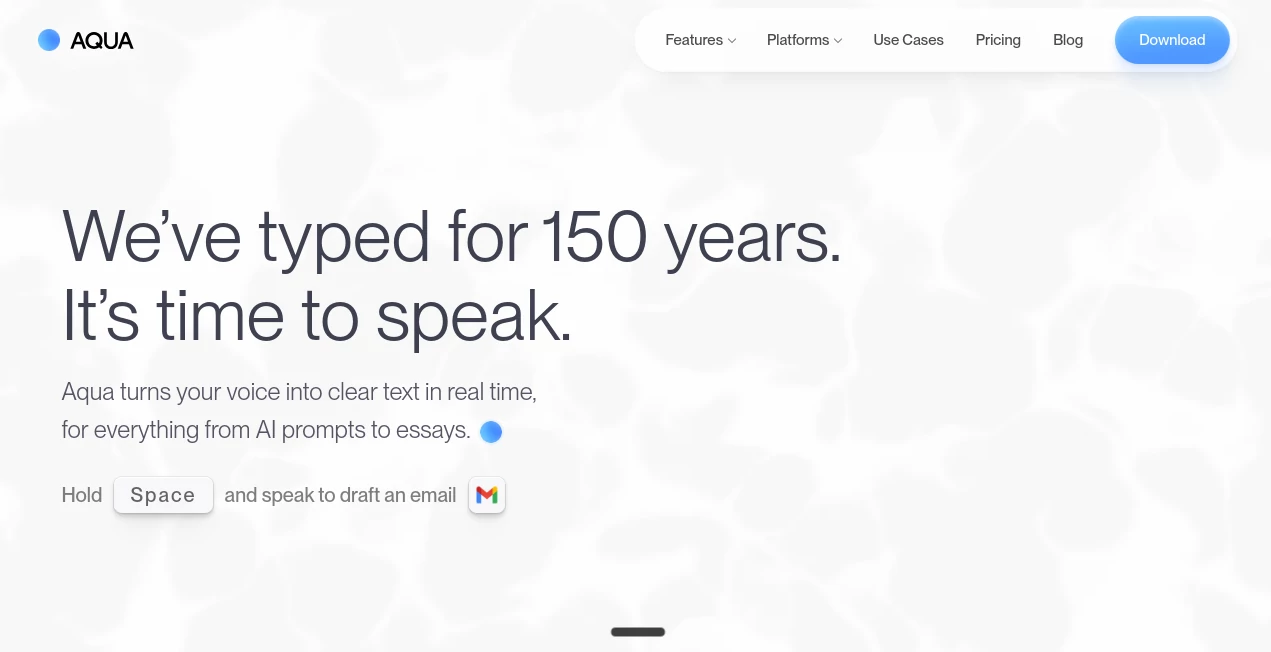
AquaVoice is an AI-powered voice dictation tool built for people who would rather speak their ideas than spend hours typing them. Its main job sounds simple: turn spoken words into polished text. In practice, it goes further by understanding natural speech, punctuation, writing preferences, technical vocabulary, and the context of the application being used.
The idea is especially useful for anyone who writes regularly. A developer can explain a coding task without repeatedly reaching for the keyboard. A marketer can dictate an email while keeping the natural flow of their thoughts. A student can speak the first draft of an essay, while a manager can quickly turn a spoken project update into a clear message.
The platform claims that users can reach speeds of up to 230 words per minute, compared with around 40 words per minute when typing. That difference can make a noticeable impact during long writing sessions, particularly when the goal is to capture ideas quickly rather than polish every sentence while it is being created.
Key Features
- AI-powered voice dictation designed for natural speech.
- Up to 230 words per minute in supported workflows.
- Powered by the Avalon transcription model.
- Support for 49 languages.
- Custom dictionary for names, brands, technical terms, and specialized vocabulary.
- Custom instructions for controlling tone, formatting, and writing style.
- Realtime Mode for seeing words appear while speaking.
- Voice commands such as “send it” in supported desktop workflows.
- Privacy Mode that prevents transcript storage on the service's servers.
- Works across text fields in many desktop and mobile applications.
- Available on macOS, Windows, and iOS.
User Interface
The interface is deliberately built around a simple interaction rather than a complicated workspace. Instead of opening a separate editor every time you want to dictate something, you can place the cursor in the text field where the words should appear, hold the configured key, and start speaking.
This approach makes the experience feel closer to a keyboard shortcut than a traditional speech-recognition application. It is particularly convenient when moving between different programs during the same work session. Email, messaging applications, documents, AI chat interfaces, coding environments, and other text fields can all become destinations for dictated text.
Realtime Mode adds another layer for users who prefer immediate visual feedback. Rather than waiting until the end of a recording, words can appear on screen while the person is speaking. This is useful when dictation is being used for live writing or when the user wants to keep an eye on the transcription as ideas develop.
Accuracy & Performance
Accuracy is one of the strongest parts of the product's positioning. The underlying Avalon model is designed to handle natural speech while also refining grammar and formatting. The company reports 97.3% accuracy on the AISpeak benchmark, giving users a useful indication of how seriously transcription quality is treated.
Another interesting detail is its ability to use information from the current screen and application context. This can help when a person is working with technical language, software names, frameworks, or other vocabulary that ordinary dictation systems may struggle to recognize.
The custom dictionary is also practical. If your work repeatedly includes client names, product names, programming libraries, medical terminology, or company-specific words, adding those terms can make everyday dictation more reliable.
Speed is equally important. The advertised 230 words-per-minute figure is considerably faster than typical typing speeds, although real-world results will naturally depend on speaking pace, pronunciation, pauses, and the type of content being dictated.
Capabilities
The tool is more than a basic speech-to-text converter. It is designed to turn spoken thoughts into usable writing. The AI can clean up grammar, add punctuation, preserve the meaning of what was said, and adapt the output to different writing situations.
For example, a user can explain a long idea conversationally instead of carefully composing every sentence. The resulting text can then be used as an email, project update, document draft, AI prompt, message, or piece of code-related communication.
Its support for technical vocabulary is particularly interesting for developers. The platform demonstrates use cases involving programming languages, frameworks, libraries, AI tools, and coding environments. This makes voice-driven prompting more realistic for people who spend much of their day working with software.
The system also supports 49 languages, making it suitable for multilingual users and international teams. Custom instructions add another useful layer by allowing people to establish preferences for tone and formatting, such as keeping messages casual or applying a more structured style to professional documents.
Security & Privacy
Privacy matters considerably for a tool that handles spoken conversations, work messages, documents, and potentially sensitive information. The service states that it is SOC 2 Type II compliant and provides a Privacy Mode designed for users who do not want transcript data stored on its servers.
With Privacy Mode enabled, transcript data is not stored on the company's servers. Users can also access transcript history when they want the convenience of reviewing previous dictations.
For organizations, the Business plan adds stronger administrative features, including Zero Data Retention, SSO/SAML, SCIM, advanced reporting, and team-wide dictionaries. These options make the platform more suitable for companies with stricter security and administration requirements.
Use Cases
Writing and content creation: Writers can speak rough ideas, paragraphs, stories, or outlines without interrupting their creative flow. This can be especially helpful when the goal is to get a first draft down quickly.
AI prompting: People who regularly use AI assistants can dictate longer prompts instead of typing them manually. Speaking also makes it easier to provide context and explain an idea in detail.
Software development: Developers can describe coding tasks, explain changes, write commit messages, or interact with AI coding tools using their voice. Technical vocabulary support and awareness of coding terminology make this use case particularly compelling.
Email and communication: Instead of typing a detailed response, a user can explain what they want to say naturally and let the system turn it into structured text. This is useful for emails, Slack-style messages, team updates, and customer communication.
Documents and reports: Project briefs, proposals, notes, and longer documents can be drafted through speech. For people who think faster than they type, this can remove a significant bottleneck.
Education: Students and researchers can use dictation to capture ideas, prepare outlines, draft assignments, or organize thoughts before editing the final version.
Accessibility: Voice-based writing can be valuable for people who find extended keyboard use uncomfortable or simply prefer speaking as their primary way of producing text.
Pros and Cons
- Pros: Very fast voice input, strong transcription accuracy, support for 49 languages, custom vocabulary, custom writing instructions, broad application compatibility, Privacy Mode, and a free starting tier.
- Pros: The experience is particularly useful for developers, writers, AI users, and professionals who frequently move between different applications.
- Pros: Realtime Mode provides immediate feedback and hands-free sending on supported desktop setups.
- Cons: There is currently no Android application.
- Cons: Some of the more advanced capabilities require a paid subscription.
- Cons: Voice dictation still depends on microphone quality, speaking habits, pronunciation, and the environment in which it is used.
Pricing Plans
The pricing structure is divided between individual users and organizations. The Starter plan is free and includes 1,000 lifetime words using the Avalon transcription model, making it a convenient way to test the experience without committing to a subscription.
The Pro plan costs $8 per month when billed annually and provides unlimited words, custom instructions, and an expanded custom dictionary. For people who use voice dictation regularly, this is likely the most straightforward option.
The Max plan costs $24 per month when billed annually, or $30 month-to-month. It includes the Pro features along with Realtime Mode, the “send it” voice command, and early access to new features.
For teams of two to nine users, the Team plan costs $12 per user per month when billed annually. It adds centralized billing, team-wide settings, and the ability to enforce Privacy Mode.
Larger organizations can use the Business plan, which is offered with custom pricing. It includes features such as SSO/SAML, SCIM, advanced reporting, Zero Data Retention, team-wide dictionaries, and volume discounts.
How to Use It
Getting started is straightforward. First, install the application for a supported platform and grant the necessary microphone permissions. On macOS, accessibility access may also be required.
Next, choose the hold-to-talk key in the settings. Open any application containing a text field, place the cursor where you want the text to appear, and hold the selected key while speaking.
Speak naturally rather than trying to pronounce every word like a traditional transcription recording. The AI is designed to interpret conversational speech, punctuation, grammar, and context. When you finish, release the key and review the resulting text.
For better results over time, add frequently used names, technical terms, brands, or specialized vocabulary to the custom dictionary. You can also configure writing instructions if you regularly want a particular tone or formatting style.
Comparison with Similar Tools
Traditional built-in dictation features are convenient because they are already included with many operating systems and applications. Their limitation is often scope: the experience may be tied to a particular application or text field.
This solution takes a broader approach by providing one voice-driven workflow across different applications. The custom dictionary and application context can also be useful when standard speech recognition struggles with technical or specialized language.
Compared with ordinary transcription software, the focus here is not simply producing a literal transcript. The system is designed to turn spoken thoughts into cleaner, formatted writing. That distinction makes it more appealing for people who want to compose messages, prompts, documents, and code-related instructions rather than simply archive recordings.
For users choosing between dedicated voice-writing products, the strongest reasons to consider this option are its application-wide approach, technical vocabulary handling, multilingual support, writing customization, and the ability to switch between standard dictation and realtime workflows.
Conclusion
Voice dictation becomes much more useful when it stops feeling like a separate transcription step and starts behaving like another way to use the computer. That is where this platform makes a strong impression.
Its combination of fast dictation, the Avalon model, custom vocabulary, writing instructions, multilingual support, and application-wide functionality gives it a practical advantage for people who write frequently. Developers, content creators, professionals, students, and heavy AI users can all find sensible ways to fit it into their daily workflow.
The free Starter plan also makes the decision easier. With 1,000 lifetime words available without a paid subscription, users can test the core experience before deciding whether unlimited dictation or advanced features are worth upgrading for.
For anyone who regularly catches themselves thinking, “I know exactly what I want to say, but typing it is taking too long,” voice-first writing is worth exploring. This is one of the more polished approaches to making that shift feel natural.
Frequently Asked Questions (FAQ)
What does this tool do?
It converts spoken language into written text and can refine grammar, punctuation, formatting, and style while producing the final text.
How fast can I dictate?
The platform advertises speeds of up to 230 words per minute. Actual speed depends on the user's speaking pace and the complexity of the content.
How accurate is the transcription?
The company reports 97.3% accuracy on the AISpeak benchmark using its Avalon model.
How many languages are supported?
The service currently states support for 49 languages.
Can it recognize technical words?
Yes. It is designed to understand technical vocabulary, including programming terms, frameworks, libraries, names, and other specialized language. Users can also add their own terms through the custom dictionary.
Does it work with AI tools?
Yes. It can be used to dictate prompts and instructions into AI applications, making it useful for people who frequently work with conversational AI and coding assistants.
Is there a free plan?
Yes. The Starter plan is free and includes 1,000 lifetime words using the Avalon transcription model.
What platforms are supported?
The service is available on macOS, Windows, and iOS. There is currently no Android application.
Does it store my transcripts?
Transcript history can be available for users who want it, while Privacy Mode prevents transcripts from being stored on the service's servers.
Is there a plan for businesses?
Yes. The Business plan is designed for organizations with 10 or more users and includes features such as SSO/SAML, SCIM, advanced reporting, Zero Data Retention, team-wide dictionaries, and volume discounts.
AI Productivity Tools , AI Transcription , AI Speech to Text , AI Writing Assistants .
These classifications represent its core capabilities and areas of application. For related tools, explore the linked categories above.

Aqua Voice Alternatives Product
Block Poster…

YTVidHub-you…
AudioScribe

LyricStudio

Inkfox AI

nano banana …

Syncity AI

Hands Off

ClawBridge