ArnisMaps
What is ArnisMaps?
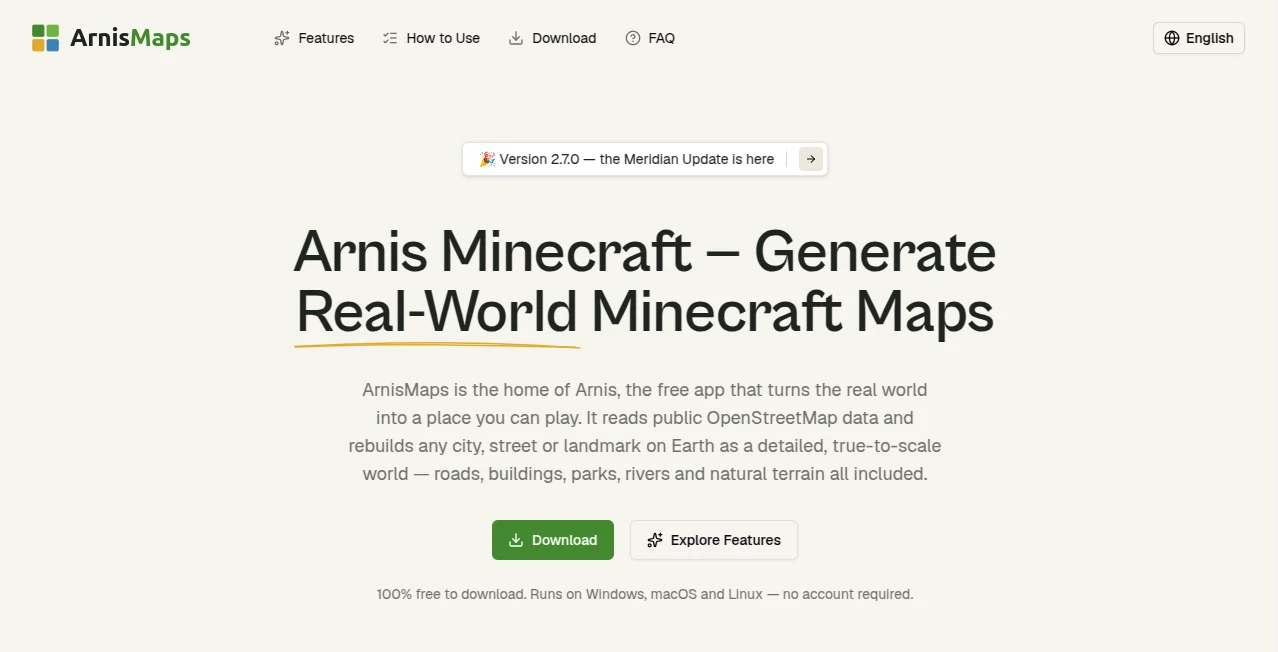
Imagine typing in your hometown, your childhood neighborhood, or that dream vacation spot—and moments later stepping into it inside Minecraft. Hills rise where they should, streets follow real paths, buildings appear in their actual locations. This tool makes that possible with surprising accuracy and speed. I’ve seen people recreate their university campus, their family village, or famous landmarks and just stand there in-game, smiling at how familiar yet magical it feels. It turns the game from pure fantasy into a personal playground grounded in reality.
Introduction
Most Minecraft worlds are built block by block with imagination. This platform flips the script: it pulls real geographical data and turns it into ready-to-play worlds you can explore, build upon, or share. Whether you want to walk the streets of your city in block form or recreate a historical site for a project, it handles the heavy lifting. What started as a clever project for map lovers has become a favorite among players who want something more personal than random generation. The best part? It’s fast, free to try, and produces worlds that actually feel alive because they’re based on the real thing.
Key Features
User Interface
The process is delightfully straightforward. Search for any location by name or coordinates, adjust a few simple settings like world size or detail level, and hit generate. The interface stays clean—no overwhelming options or technical jargon. Progress is visible, and once ready, you download a world file ready for Java or Bedrock Edition. It feels less like using software and more like ordering a custom adventure.
Accuracy & Performance
It pulls from reliable OpenStreetMap data, so roads, rivers, buildings, and terrain elevations line up impressively well with reality. Generation is quick even for decent-sized areas, and the resulting worlds are stable and playable without major glitches. Of course, it’s still a Minecraft interpretation—not every tiny detail is perfect—but the overall sense of place is strong enough that you immediately recognize where you are.
Capabilities
You can generate worlds from anywhere on Earth, choose different scales and detail levels, and export for both Java and Bedrock editions. It handles cities, villages, mountains, coastlines, and everything in between. You can then build on top of the real layout—add your own house where it actually stands, or recreate historical versions of places. The flexibility makes it great for education, nostalgia, city planning experiments, or just pure fun exploration.
Security & Privacy
Your generated worlds stay on your device after download. The platform doesn’t require deep personal data, and generation happens without storing your creations permanently on their servers unless you choose to. It’s a low-friction, respectful approach that lets you experiment freely without worry.
Use Cases
A teacher generates their local town so students can explore geography in Minecraft. A family recreates their grandparents’ old village as a nostalgic world to visit together. Urban planners test ideas by building on top of real city layouts. Gamers create massive survival challenges set in their favorite real-world locations. The possibilities stretch from serious educational uses to deeply personal creative projects.
Pros and Cons
Pros:
- Turns real places into immersive, explorable worlds quickly and easily.
- Strong accuracy for roads, terrain, and major landmarks.
- Supports both major Minecraft editions with clean exports.
- Free to generate and try—great for experimentation.
- Adds a meaningful personal touch to Minecraft that random seeds can’t match.
Cons:
- Smaller details like individual trees or minor buildings are approximated.
- Very large metropolitan areas can take longer to generate.
- Still requires some manual polishing if you want ultra-realistic builds on top.
Pricing Plans
Core generation is free with reasonable limits, making it accessible for casual users and hobbyists. Paid options unlock faster processing, larger world sizes, higher detail levels, and priority generation during busy times. The pricing feels fair—many users happily upgrade once they see how addictive exploring real places in Minecraft becomes.
How to Use ArnisMaps
Go to the generator page, search for your desired location by city name or coordinates. Adjust size and detail settings to your preference. Click generate and wait a short while as it builds the world. Once complete, download the file and load it in Minecraft. Explore the familiar landscape, then start building your own stories on top of reality. It’s that simple—from idea to playable world in minutes.
Comparison with Similar Tools
Other map importers can be slow, technical, or produce blocky, unrealistic results. This one stands out with its balance of speed, accuracy, and ease of use. It focuses on making the process enjoyable rather than overly complex, while still delivering worlds that feel authentic enough to spark wonder. For players who want real-world grounding without the usual headaches, it’s currently one of the strongest options available.
Conclusion
ArnisMaps bridges the gap between the real world and the blocky one we love, turning geography into something you can walk through, build upon, and share. It adds a deeply personal layer to Minecraft that random generation simply can’t match. Whether you’re exploring nostalgia, teaching geography, planning creatively, or just having fun, it opens doors to adventures grounded in reality. If you’ve ever wanted to step into a place you know inside the game you love, this is the tool that makes it happen.
Frequently Asked Questions (FAQ)
How accurate are the generated worlds?
Very good for major features like roads, rivers, and terrain. Smaller details are stylized but recognizable.
Which Minecraft editions are supported?
Both Java and Bedrock editions with compatible world files.
Can I generate very large areas?
Yes—paid plans support larger sizes; free tier works great for towns and neighborhoods.
Do I need a powerful computer?
No—the heavy work happens on the server side. Your device just needs to run Minecraft normally.
Is it completely free?
Basic generation is free with limits; paid plans unlock more power and speed for bigger projects.
AI Game , AI Maps Generator , Other .
These classifications represent its core capabilities and areas of application. For related tools, explore the linked categories above.

ArnisMaps Alternatives Product

TwitterXVideo

grow a garde…
X-Installer

WhereWasTaken
Robux Tax Ca…

ao3dle

ChatView-AI …

Astrologer B…

6 Letter Wor…