


















Aside
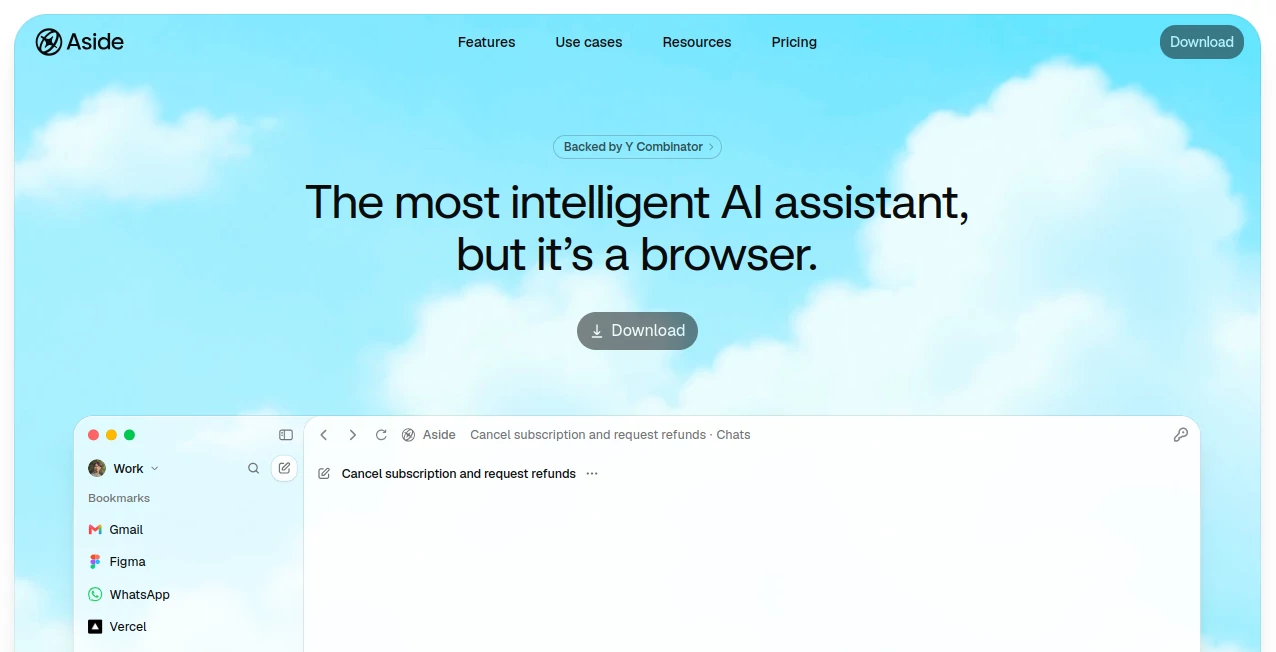
What is Aside?
Aside takes a different approach to AI assistance by putting an intelligent agent directly inside a browser. Instead of relying mainly on integrations, it can work with the websites, accounts, dashboards, files, and online tools you already use. That makes it particularly interesting for people who spend much of their day completing repetitive browser-based work.
The browser can handle tasks such as working with email, interacting with internal tools, managing communications, processing documents and spreadsheets, and carrying out multi-step workflows. Because it operates through a real browser environment, it can work with websites in much the same way a person does.
For someone who regularly moves between several web applications, this can be a meaningful change. Imagine asking an assistant to find a candidate you reviewed yesterday and prepare interview notes, check information across several dashboards, or gather evidence from different websites. Instead of manually jumping between tabs, the agent can take care of much of the browser work for you.
Key Features
- AI-powered browser agent for completing multi-step web tasks
- Works with websites where you are already logged in
- Built-in memory that can remember useful browsing context
- Agent-focused password manager with credential autofill
- Human approval for sensitive actions such as payments, posts, and messages
- Credential access logs for visibility into agent activity
- Support for files, documents, and spreadsheets on your computer
- Local-first handling of tasks and memory
- Sandboxing and access controls for filesystem and network activity
- Support for bringing your own AI subscription or API key
User Interface
The interface combines familiar browser elements with an AI workspace. Users can browse normally while also opening agent tabs and asking the assistant to perform tasks through natural-language instructions. Recent tasks and ongoing work can be monitored without turning the browser into an overly complicated automation dashboard.
This design is especially useful for people who want automation without learning a specialized workflow builder. You can describe what needs to be done and let the browser agent work through the steps. For everyday users, that feels much closer to delegating a task to a colleague than programming a bot.
Accuracy & Performance
Performance is one of the product's strongest selling points. According to its published benchmark results, the browser agent ranked first on Online-Mind2Web, BU-Bench-V1, and Odyssey. In its reported Online-Mind2Web comparison, it achieved a 99.0% score, compared with 97.7% for Browser Use, 92.8% for GPT-5.4, 84.0% for Claude Opus 4.8, and 70.0% for ChatGPT Atlas.
The underlying approach also focuses heavily on efficient browser interaction. Its custom browser automation layer is designed around Playwright-style syntax, while customized accessibility snapshots reduce unnecessary information presented to the model. According to the company, these snapshots can be substantially smaller than comparable browser-agent outputs, helping the agent maintain useful context during longer tasks.
Capabilities
The system is designed for more than simple page navigation. It can sign into websites using saved credentials, interact with communications, work with documents and spreadsheets, inspect web pages, gather information, complete forms, and perform recurring browser-based tasks.
Its memory system is another notable capability. Instead of requiring users to explain the same working context repeatedly, it can use browsing history and local memory to understand which websites are relevant to particular work. This can be useful for recurring activities such as research, sales preparation, recruiting, operations, and development workflows.
For more technical tasks, the browser agent can use JavaScript and browser automation techniques to interact with complex websites. It can also fall back to visual computer-use interactions when a website cannot be controlled effectively through the page structure alone.
Security & Privacy
Security is an important part of the product's design because an AI agent that can operate logged-in websites needs access to information that ordinary chatbots usually never see. The service uses a local-first approach for tasks, memory, and certain data, while sensitive credentials can be autofilled into websites without exposing the actual passwords to the AI model.
The password manager uses hardware-backed encryption and provides scoped access and audit logs. Sensitive actions, including payments, posts, and messages, can require human confirmation before they are completed. This gives users an opportunity to review consequential actions instead of allowing the agent to execute everything automatically.
The company also states that user content, browser context, browsing history, password-manager data, and files are not used by default to train AI models. However, users should still review the privacy policy and understand which information is sent to third-party AI providers when using hosted models or external services.
Use Cases
- Operations: Automate recurring browser work such as SaaS reporting, invoice downloads, renewals, approvals, and administrative workflows.
- Hiring: Assist with recruiting administration, candidate research, interview preparation, onboarding, and offboarding tasks.
- Sales: Prepare for sales calls, verify CRM information, research prospects, and collect supporting evidence.
- Research: Gather sources, compare information, capture evidence, review pricing pages, and extract information from documents.
- Development: Triage CI runs, inspect dashboards, capture staging screenshots, gather release evidence, and perform browser checks.
- Communication: Help manage comments, replies, follow-ups, and other browser-based communication workflows.
Pros and Cons
Pros
- Works directly with real websites and logged-in accounts
- Strong performance on several published browser-agent benchmarks
- Useful memory system for recurring browser work
- Built-in password management designed specifically for AI agents
- Human approval for sensitive actions
- Useful for both everyday productivity and technical workflows
- Local-first approach provides additional privacy controls
Cons
- AI browser agents can still make mistakes and should not be trusted blindly with irreversible actions
- Some workflows depend on third-party websites and their availability or restrictions
- Advanced automation may require users to understand how AI agents behave
- Pricing, usage limits, and available models can vary between plans
- Some features may involve third-party AI providers depending on the configuration
Pricing Plans
The service offers free, paid, team, enterprise, usage-based, beta, and promotional plans, with available features and limits subject to change. The company also supports bringing your own ChatGPT or Claude subscription, as well as using your own API key. Because plan pricing and usage allowances can change, users should check the current pricing information before subscribing.
For someone who only needs occasional browser assistance, a free or promotional option may be enough to explore the workflow. Heavy users, teams, and businesses with recurring automation requirements should compare the available paid options based on usage limits, model access, and collaboration requirements.
How to Use Aside
- Install and open the AI-powered browser.
- Sign in to the websites and accounts you want to use.
- Describe the task you want the browser agent to complete.
- Provide additional context when the task involves specific files, websites, or business workflows.
- Let the agent navigate and perform the required browser actions.
- Review sensitive actions before approving them.
- Check the completed task and any generated files, messages, or other results.
A simple starting point might be a repetitive task you already perform every day. For example, instead of manually checking several dashboards each morning, you could ask the agent to review them and prepare a concise briefing. Once you understand how it handles your workflow, more complex tasks become easier to delegate.
Comparison with Similar Tools
Traditional browser automation tools usually require integrations, scripts, selectors, APIs, or carefully constructed workflows. AI browser agents take a more flexible approach by allowing users to describe a desired outcome rather than specifying every individual browser action.
This approach also distinguishes the product from general-purpose AI chatbots. A chatbot may explain how to complete a task, while a browser-native agent can potentially perform the actual steps inside the websites you use. That difference becomes particularly valuable when the work involves several tabs, authenticated accounts, forms, dashboards, or internal systems.
Compared with other AI browsers, the strongest differentiators are its focus on agentic task completion, local memory, credential handling, human approval controls, and its browser automation architecture. The published benchmark results also suggest that performance has been a major engineering priority.
Conclusion
Aside is an impressive example of how the browser can evolve from a place where people use software into a workspace where AI can actively perform software-based work. Its biggest advantage is not simply that it can answer questions; it can interact with the websites and tools where the actual work happens.
The combination of browser automation, local memory, agent-focused credential management, and human approval makes it especially appealing for professionals who spend hours every week navigating repetitive web workflows. Researchers, developers, sales teams, recruiters, and operations professionals can all find practical uses for it.
It is still wise to treat any autonomous browser agent as an assistant rather than an unattended employee. Reviewing important actions remains essential. With that expectation, this approach offers a compelling way to turn repetitive browser work into something that can be delegated instead of manually repeated.
Frequently Asked Questions (FAQ)
What is Aside?
Aside is an AI-powered browser that can perform tasks across websites and accounts you already use. It combines a conventional browser with an autonomous AI agent capable of navigating pages and completing multi-step workflows.
Can it work with websites where I am already logged in?
Yes. The browser is designed to work directly with logged-in websites. Its password manager can also autofill credentials without exposing the actual passwords to the AI agent.
Is it safe to let an AI agent use my accounts?
The service includes several safeguards, including scoped credential access, access logs, local-first data handling, sandboxing, and human approval for sensitive actions. Nevertheless, users should review important actions before allowing them to proceed.
Can it work with documents and spreadsheets?
Yes. The browser agent can work with files directly on the computer, making it useful for workflows involving documents, spreadsheets, research materials, and other local files.
Can I use my own AI subscription or API key?
Yes. The service states that users can bring their own ChatGPT or Claude subscription or use their own API key, depending on the supported configuration.
Is there a free plan?
The service's terms state that free, paid, team, enterprise, usage-based, beta, and promotional plans may be offered. Available plans and limits can change, so users should check the current pricing information before choosing a plan.
AI Workflow Management , AI Browsers Builder , AI Productivity Tools , AI Developer Tools .
These classifications represent its core capabilities and areas of application. For related tools, explore the linked categories above.

Aside Alternatives Product

Firefox

TypingFirst

LaunchBoard

Layven

Weekly Brief

FormRoyale

Toolquix

Yorph AI

Thinkesta
