


















bank-statementconverter
What is bank-statementconverter?
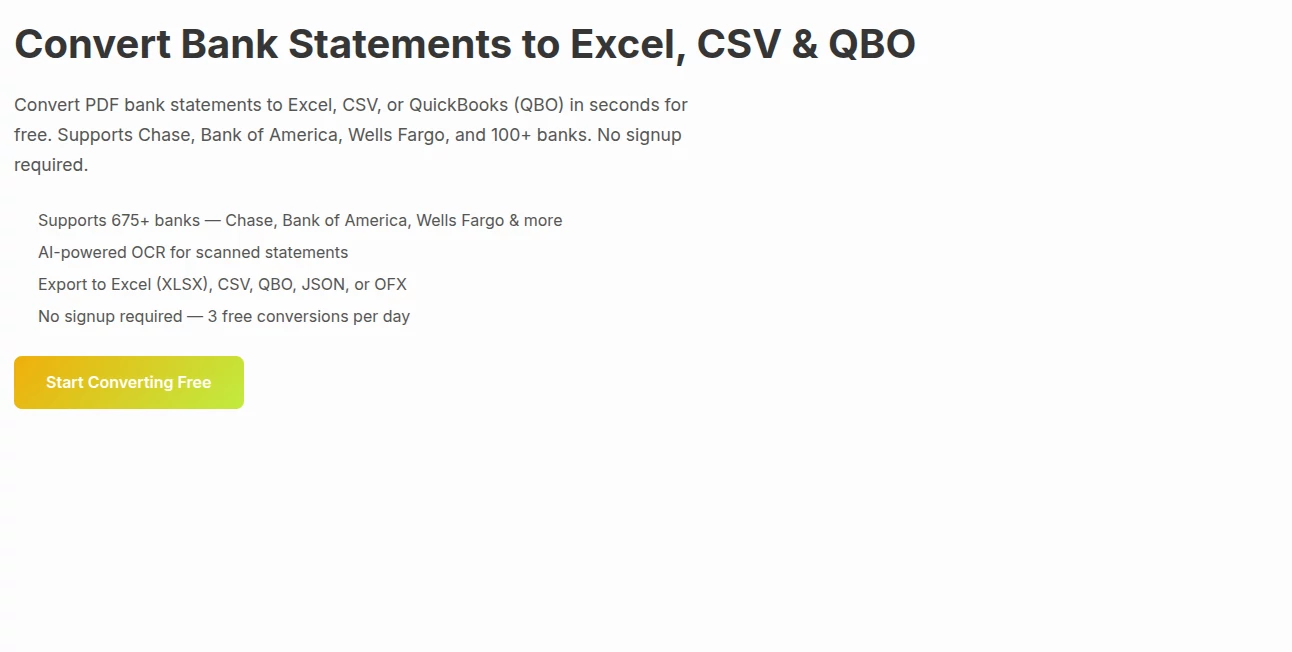
Managing financial documents can quickly become overwhelming, especially when bank statements arrive in inconsistent formats like PDFs or scanned files. This is where a modern conversion solution makes a real difference. It is designed to transform raw banking documents into structured, usable data that can be easily analyzed, exported, or integrated into accounting workflows.
Instead of spending hours manually copying transactions, users can streamline the entire process in just a few clicks. The result is cleaner data, fewer errors, and a much faster workflow for individuals, accountants, and businesses alike.
Key Features
User Interface
The interface is built with simplicity in mind. Even users with minimal technical experience can upload files, select output formats, and download results without confusion. Everything is arranged in a clear step-by-step flow.
Accuracy & Performance
One of the strongest advantages is its ability to accurately detect transaction details from complex bank statement layouts. It handles tables, dates, descriptions, and amounts with impressive consistency, reducing the need for manual corrections.
Capabilities
- Conversion of PDF bank statements into structured formats like CSV and Excel
- Support for multiple bank layouts and statement styles
- Extraction of transaction data including dates, descriptions, and balances
- Batch processing for multiple files
- Export-ready formatting for accounting software
Security & Privacy
Financial data protection is a priority. Uploaded files are processed securely, and sensitive information is handled with care. The system is designed to ensure that documents are not exposed or misused during conversion.
Use Cases
- Accountants preparing monthly financial reports
- Small business owners tracking expenses and income
- Freelancers organizing personal finances
- Financial analysts working with raw banking data
- Bookkeeping automation for agencies and startups
Pros and Cons
Pros
- Saves significant time on manual data entry
- High accuracy in transaction extraction
- Supports multiple file formats
- User-friendly workflow
- Useful for both personal and professional finance management
Cons
- May require review for highly unusual statement layouts
- Advanced customization options are limited for power users
Pricing Plans
The platform typically offers flexible access options, often including a free tier for basic usage and premium plans for users who need higher volume processing or advanced features. This makes it suitable for both occasional users and professionals handling large datasets.
How to Use This Tool
- Upload your bank statement file in supported format (PDF or similar)
- Select your preferred output format such as CSV or Excel
- Start the conversion process
- Review the extracted data for accuracy
- Download and use the structured file in your accounting system
Comparison with Similar Tools
Compared to traditional manual entry or generic PDF converters, this solution focuses specifically on financial data extraction. While general tools may struggle with complex tables and inconsistent bank layouts, this system is optimized for transaction-level accuracy and structured output. This specialization makes it more reliable for bookkeeping and financial reporting tasks.
Conclusion
For anyone dealing with bank statements on a regular basis, having a reliable conversion solution can dramatically improve productivity. It reduces repetitive manual work, improves data accuracy, and integrates smoothly into modern financial workflows. Whether for personal finance or business accounting, it provides a practical and efficient way to turn unstructured documents into actionable data.
Frequently Asked Questions (FAQ)
Can it handle different bank formats?
Yes, it is designed to support a wide range of statement layouts and structures.
Is technical knowledge required?
No, the process is simple enough for non-technical users to operate easily.
What file formats can be exported?
Common formats like CSV and Excel are typically supported for easy integration.
Is my financial data safe?
Yes, security measures are in place to ensure that uploaded files are processed securely.
AI Document Extraction , AI PDF , AI Productivity Tools , AI Files Assistant .
These classifications represent its core capabilities and areas of application. For related tools, explore the linked categories above.
bank-statementconverter details
Website unavailable — View Alternatives
Pricing
- Free
Apps
- Web App
Categories

bank-statementconverter Alternatives Product

Photo to Text

Flowmata AI

getgpt

mainaro

ace.me

fasturl

Chrome Sidek…

Sourcetable

PDF to MD
