Better Draft
What is Better Draft?
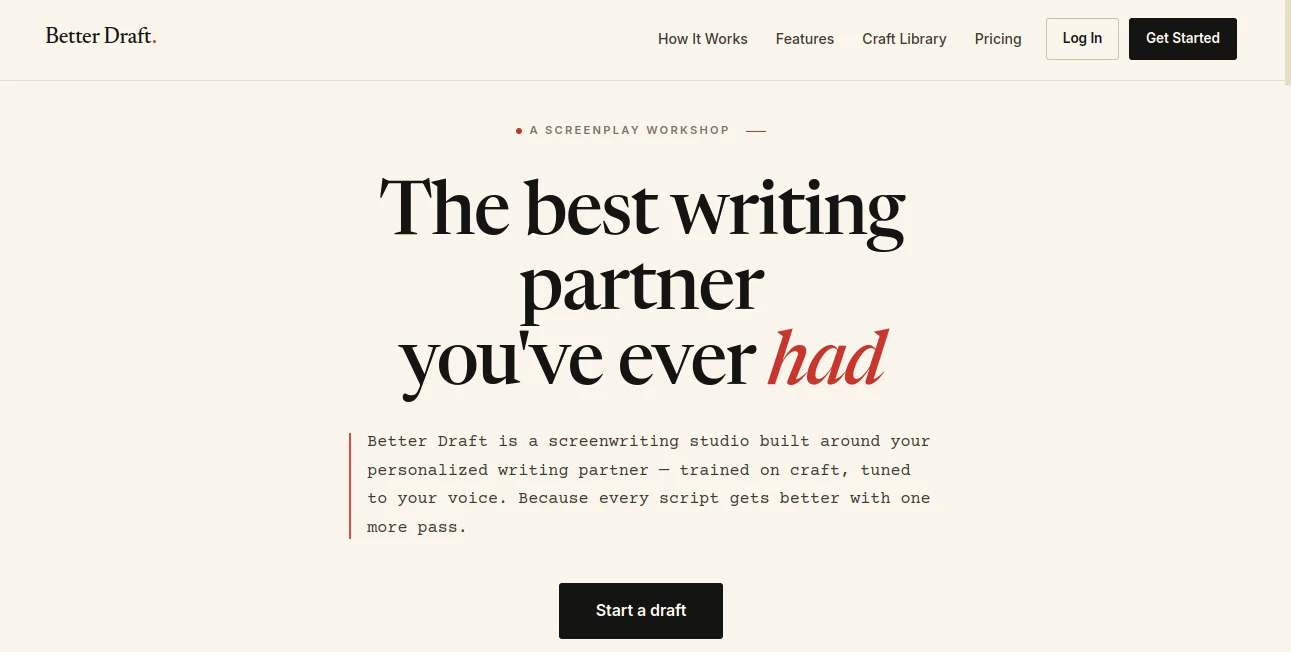
Anyone who has stared at a blank screenplay page knows the particular kind of paralysis that sets in. You know the story you want to tell, you can practically see the scene playing out, but turning that into properly formatted pages with dialogue that sounds human is a different skill entirely. This platform was built specifically for that gap — not as a generic chatbot wearing a screenwriting costume, but as a dedicated workshop where a personalized AI collaborator studies your actual writing and helps you develop a script in your own voice, scene by scene, from a loose concept all the way to a finished draft.
Key Features
User Interface
The experience starts with something most writing tools skip entirely: naming your collaborator. The default partner is called Penn, but you can rename it, and that name follows you everywhere across the studio. It's a small touch, but it sets the tone — this isn't meant to feel like typing prompts into a search box, it's meant to feel like sitting across from someone at a writers' table. The workflow moves in three clear stages: bring your existing writing so the system can study your voice, build out story structure and characters with guided development, then move into writing and rewriting individual scenes with notes along the way.
Accuracy & Performance
What sets the feedback apart is the voice-learning step. Upload a few scripts, treatments, or notes, and the system studies your rhythms and instincts before it ever offers a suggestion. The result is that notes and rewrites are calibrated to how you actually write, not generic chatbot phrasing. There's also a "Learning Mode" that explains why a particular suggestion was made, which is a rare and genuinely useful addition for writers who want to understand the craft reasoning behind a note rather than just accepting it blindly.
Capabilities
The toolset covers the full arc of screenwriting. Story development helps break a logline into acts and map out character arcs before a single scene gets written. Scene writing and rewriting support iterative drafting — write a scene, get notes on pacing and dialogue, revise, repeat. Script analysis goes beyond surface-level praise, offering specific, craft-aware feedback on structure and character. Higher tiers add full script coverage with deep structural analysis, production budget estimates across indie, mid-budget, and studio scales, a "Table Read" feature that performs your screenplay aloud, and translation into other languages. There's also a craft library built around analyses of 96 acclaimed screenplays, so you can study how established writers handled tension and structure and apply those lessons directly to your own pages.
Security & Privacy
For screenwriters, protecting an unproduced script is not a minor concern — it's often the entire point of keeping the work private until it's ready. The platform addresses this directly, stating plainly that scripts stay private and are never used for training or shared with anyone else, which is the kind of commitment that matters a great deal more in this genre than in most writing categories.
Use Cases
- An aspiring screenwriter who has the ideas but needs guidance on structure, formatting, and craft fundamentals
- A filmmaker who knows exactly what they want to shoot but needs help getting from vision to a workable draft
- A working writer on a tight deadline who needs a sharp collaborator to punch up dialogue or rework a scene that isn't landing
- A writer who wants to study how 96 acclaimed screenplays were built before applying those techniques to their own project
- Someone developing a pitch who needs early production budget estimates alongside the script itself
Pros and Cons
Pros:
- Genuinely learns and adapts to your individual writing voice rather than producing generic, interchangeable prose
- Covers the entire screenwriting process in one place — concept, structure, scene drafting, rewriting, and coverage
- The Table Read feature lets you hear your screenplay performed, which is a rare and practical way to catch dialogue that doesn't sound right out loud
- Craft library gives genuine educational value beyond just generating text
- Clear, direct privacy commitment around not training on or sharing your work
Cons:
- Several flagship features on the top tier — character visualization, location mood boards, storyboard generation — are still listed as coming soon
- Credit-based usage means heavy daily writers will need to watch consumption, especially on the entry plan
- Current launch pricing is a limited-time offer, so early rates won't necessarily hold long-term
Pricing Plans
Pricing is currently offered at locked-in launch rates for twelve months, with three tiers and a free starting option of 10 credits and no credit card required.
- Writer — $29/month billed annually ($348/yr, or $35/mo month-to-month): 120 credits a month, chat-based brainstorming and development, story outlining, scene writing and rewriting, character development, quick coverage notes per scene, the full craft library, voice learning with up to 3 uploads, Learning Mode, music and score suggestions, PDF and text export, and 2 active projects.
- Studio — $55/month billed annually ($660/yr, or $69/mo month-to-month), the most popular tier: everything in Writer plus 300 credits a month, full script coverage with deep structural analysis, production budget estimates, the Table Read feature, screenplay translation, voice learning with up to 10 uploads, and 5 active projects.
- Pro — $109/month billed annually ($1,308/yr, or $139/mo month-to-month): everything in Studio plus 650 credits a month, unlimited voice learning uploads, unlimited active projects, priority support, early access to new features, and upcoming tools like character visualization, location mood boards, and storyboard generation.
How to Use Better Draft
- Start a free account and optionally name your writing partner
- Upload existing scripts, treatments, or notes so the system can study your voice
- Begin with a concept or an existing draft and work through story structure and character development
- Move into scene-by-scene writing, requesting notes on pacing and dialogue as you go
- Revise based on feedback, then run full coverage, budget estimates, or a Table Read once your draft is ready
Comparison with Similar Tools
Most AI writing tools treat screenwriting as just another text format, which shows the moment you ask for proper scene formatting, act structure, or dialogue that doesn't sound like marketing copy. What separates this platform is that it was built around the actual screenwriting process rather than bolted onto a general-purpose writing assistant. The voice-learning step, the craft library built from real acclaimed screenplays, and a feature like the Table Read — which lets you hear your pages performed rather than just read them back — are not things you'll find in a generic AI writer. It's less a text generator and more a dedicated workshop for a specific craft.
Conclusion
Screenwriting has always been a craft that rewards repetition — draft, get notes, revise, draft again — and that's exactly the rhythm this tool is built around. Rather than promising to write a screenplay for you in one shot, it positions itself as a collaborator that studies your voice and pushes your pages through the same iterative process a writers' room would use. For anyone serious about finishing a script rather than just starting one, that structure, combined with genuinely craft-aware feedback, makes a real difference.
Frequently Asked Questions (FAQ)
Is there a free way to try it?
Yes, new users start with 10 free credits and no credit card is required to begin.
Does it really learn my personal writing voice?
Yes. You upload your existing scripts, treatments, or notes, and the system studies your style before offering notes or suggestions, so feedback is calibrated to your voice rather than generic phrasing.
What is the Table Read feature?
It's a tool available from the Studio tier up that performs your screenplay aloud, letting you catch dialogue and pacing issues that are easier to hear than to read.
Is my screenplay kept private?
Yes, scripts are stated to remain private and are never used for training or shared with anyone else.
How does pricing work?
There are three tiers — Writer, Studio, and Pro — currently offered at locked-in launch rates for 12 months when billed annually, with credit allowances scaling up at each level.
AI Creative Writing , AI Script Writing , AI Story Writing , AI Writing Assistants .
These classifications represent its core capabilities and areas of application. For related tools, explore the linked categories above.

Better Draft Alternatives Product

Ryne AI

Kyncept

Translators …

Inkfox AI

AI Fanfic Ge…

Neural Novel…

UndetectedGPT

Overchat AI
Thinkesta