
Bimg
What is Bimg?
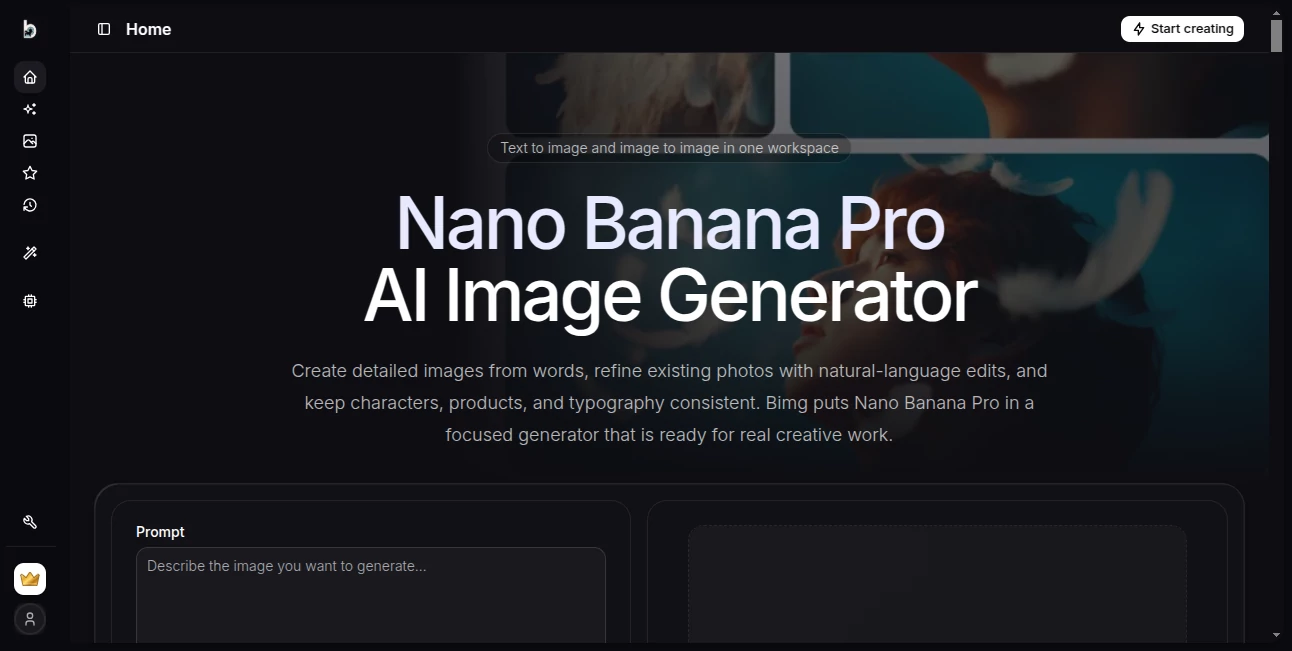
Bimg is an AI image creation workspace built around modern image-generation models, with a particular focus on Nano Banana Pro. It lets users turn written descriptions into finished visuals or transform existing images using natural-language instructions. Instead of switching between separate tools for prompting, references, settings, and results, everything is brought together in one focused workspace.
The platform is especially appealing for creators who need more control than a simple text-to-image prompt can provide. Users can describe a scene, upload reference images, choose an aspect ratio and resolution, and refine the result through additional instructions. This makes it useful for everything from social media graphics and product visuals to posters, editorial concepts, character work, and commercial imagery.
One of its strongest points is the combination of generation and editing. A creator can start with an existing image, explain what should change, and ask the model to preserve important elements such as the subject, framing, proportions, or visual identity. That workflow feels much closer to practical image production than generating a completely new image every time.
Key Features
- Text-to-image generation for creating visuals directly from written prompts.
- Image-to-image editing using one or more reference images.
- Support for multiple AI image models, allowing users to balance quality, speed, and generation cost.
- Output options ranging from 1K to 4K on supported models.
- Reference-image workflows for maintaining recognizable subjects, products, characters, and visual direction.
- Strong support for image designs containing readable text, including posters, menus, labels, diagrams, and social graphics.
- Prompt examples and a gallery that can help users understand how effective image prompts are structured.
- Generation history, favorites, and gallery features for keeping creative work organized.
- Batch generation on eligible paid plans for producing multiple variations or product images.
- Automatic credit refunds for failed generations.
User Interface
The interface is designed around the generation process rather than a large collection of unrelated controls. Users can enter a prompt, add reference images when necessary, select the model, adjust the aspect ratio and resolution, and review the visible credit cost before generating.
This approach is particularly helpful when working through several versions of the same concept. Rather than losing track of the original idea, users can keep the references and generation settings together and make controlled changes from one version to the next.
The prompt gallery is another useful touch. Someone who is still learning how to write effective image prompts can inspect examples, study the structure of successful descriptions, and use them as a starting point for a new project.
Accuracy & Performance
Image quality depends heavily on the selected model, prompt, references, and requested resolution. The available model lineup gives users flexibility instead of forcing every project through a single generation style.
The featured model is positioned for detailed compositions, readable text, consistent subjects, and high-resolution results. The platform also provides lighter options for quick experimentation and higher-volume creative work. This makes the workflow practical for both rough concept development and more polished final images.
For image editing, the ability to explicitly state what should remain unchanged can be valuable. For example, a user can preserve a character's face and pose while changing the lighting, environment, or overall atmosphere. Small, controlled revisions can also make it easier to reach a desired result without starting over.
Capabilities
The platform covers a broad range of creative tasks. Text-to-image generation can be used for illustrations, advertising concepts, product scenes, editorial compositions, posters, social media graphics, and imaginative artwork. Image-to-image editing expands those possibilities by allowing an existing visual to become the starting point.
Reference images are particularly useful when consistency matters. A product, outfit, character, or other recognizable subject can be included as a visual reference, helping the generation stay closer to the intended direction.
Another notable capability is text inside generated images. Users can provide exact wording and describe its placement, hierarchy, language, and visual treatment. This is useful for designs where the written message is part of the artwork rather than something added afterward.
For more demanding projects, 2K and 4K output options can provide a sharper final result, while 1K generation is better suited to quick exploration. Paid plans also introduce batch generation for workflows that require multiple variations.
Security & Privacy
When working with AI image services, users should always consider the nature of the files and references they upload. The platform provides a dedicated privacy policy and terms of service, so users should review those documents before submitting confidential, sensitive, or proprietary material.
For commercial projects, the paid plans currently advertise a commercial usage license. Businesses and professional creators should still review the applicable terms carefully, particularly when generating assets for clients, brands, or commercial campaigns.
Use Cases
Marketing and advertising: Create campaign concepts, promotional graphics, product scenes, branded visuals, and advertising variations without starting every design from a blank canvas.
Social media: Generate posts, promotional artwork, visual announcements, and platform-ready concepts with custom compositions and text.
Product visualization: Place products into new environments, experiment with commercial photography concepts, and create multiple visual directions for a product campaign.
Creative design: Designers can explore editorial compositions, illustrations, posters, conceptual artwork, and visual experiments before committing time to a final design.
Character development: Reference images can help maintain recognizable visual elements while experimenting with different scenes, lighting conditions, clothing, and environments.
Content creation: Bloggers, creators, publishers, and marketers can produce original supporting imagery for articles, newsletters, videos, presentations, and social campaigns.
Rapid prototyping: A designer with a rough idea can generate several directions quickly, compare them, and continue refining the strongest concept.
Pros and Cons
Pros
- Combines text-to-image and image-to-image workflows in one workspace.
- Offers several modern image-generation models.
- Supports resolutions up to 4K on supported configurations.
- Useful reference-image workflow for controlled editing.
- Good support for text-focused visual designs.
- Prompt gallery provides practical inspiration for new users.
- Commercial usage is included with paid plans.
- Failed generations are automatically refunded.
Cons
- Credit consumption varies according to the model and generation settings.
- Some advanced capabilities, including batch generation, require higher-tier plans.
- Image quality can still vary depending on prompt quality and the complexity of the requested scene.
- Users creating sensitive or confidential visuals should review the privacy and service terms before uploading source material.
Pricing Plans
The service uses a credit-based pricing system with monthly and yearly options. The Plus plan provides 2,200 credits per month and supports up to 4K output, all available AI models, failed-generation refunds, and commercial usage. The advertised yearly billing price is $119.
The Pro plan provides 6,000 credits per month and adds batch generation for variations, products, and CSV-based workflows, with up to 200 images supported for eligible batch operations. The advertised yearly billing price is $299.
The Max plan increases the allowance to 15,000 credits per month and adds a priority generation queue while retaining the higher-resolution, model access, batch-generation, refund, and commercial-use benefits. The advertised yearly billing price is $599.
Pricing and included features can change, so users should check the current plan information before subscribing.
How to Use the Tool
Start by deciding whether you want to create a new image or modify an existing one. For a new image, write a prompt describing the subject, environment, composition, lighting, style, and any important text. For an edit, upload the source image and explain both what should change and what should remain untouched.
Next, choose the model that fits the job. A more advanced model can be useful for detailed compositions and demanding final artwork, while lighter models can make sense for quick drafts and experimentation. Select the desired aspect ratio and resolution, then review the displayed credit cost.
Generate the image and inspect the result carefully. If it is close but not quite right, make a focused revision instead of rewriting the entire prompt. For example, you might keep the subject and composition unchanged while adjusting the lighting or background. This iterative approach often produces more predictable improvements.
Comparison with Similar Tools
Compared with basic AI image generators, this platform places more emphasis on the complete creative workflow. The combination of multiple models, reference images, image editing, resolution controls, prompt examples, history, and favorites makes it more suitable for users who expect to create several iterations rather than simply generate a single picture.
Its model selection is also useful for different stages of a project. A creator can experiment with a lightweight model while developing an idea and move to a more capable option when the composition is ready for a higher-quality result. For professional workflows, the availability of 2K and 4K output and commercial licensing can further improve its practicality.
It is not necessarily the right choice for someone who only wants the simplest possible image generator. However, users who care about references, editing, model selection, controlled iteration, and production-oriented image creation will find the workflow considerably more flexible.
Conclusion
Bimg offers a focused environment for creating and editing AI-generated images without making the process unnecessarily complicated. Its strongest advantage is the way it brings prompting, reference images, model selection, resolution controls, and iterative editing into one place.
For a casual creator, it can be a convenient way to turn ideas into polished visuals. For designers, marketers, product teams, and content creators, the combination of image-to-image editing, multiple models, high-resolution output, and commercial-use options makes it more interesting as a serious creative tool.
The most effective results will still come from users who treat prompting as part of the design process. Clear descriptions, precise constraints, useful references, and small revisions can make a noticeable difference. With that approach, the platform provides a capable workspace for turning rough visual ideas into finished images.
Frequently Asked Questions (FAQ)
What can I create with this AI image generator?
You can create illustrations, product visuals, posters, social media graphics, editorial compositions, advertising concepts, character artwork, and many other types of images from written prompts.
Can I edit an existing image?
Yes. You can upload reference images and describe the changes you want. The workflow is designed to preserve important visual elements while modifying the parts you specify.
Can generated images contain readable text?
Yes. The featured image model is designed to handle text-focused compositions more reliably. For better results, provide the exact wording and explain its position, hierarchy, language, and visual treatment.
What image resolutions are available?
Supported configurations include 1K, 2K, and 4K output. The available resolution and corresponding credit cost are shown before generation.
How many reference images can I use?
The current configuration supports up to five reference images when the selected model and settings allow multiple references.
Is commercial use available?
Paid plans currently advertise a commercial usage license. Users should review the current terms before using generated material in commercial projects.
Are failed generations charged?
Paid plans currently state that failed generations are automatically refunded.
Does the service offer batch generation?
Yes. Eligible Pro and Max plans support batch generation for variations, products, and CSV-based workflows, with batch operations supporting up to 200 images.
AI Photo & Image Generator , AI Art Generator , AI Image to Image , AI Text to Image .
These classifications represent its core capabilities and areas of application. For related tools, explore the linked categories above.

Bimg Alternatives Product
Nano Banana …

gpt image

Seedream 5.0…

Nano Banana …

SeeDream 4.5

PropFade

GPT IMAGE2

Berrioo

AI Tattoo Ge…