

















PropFade
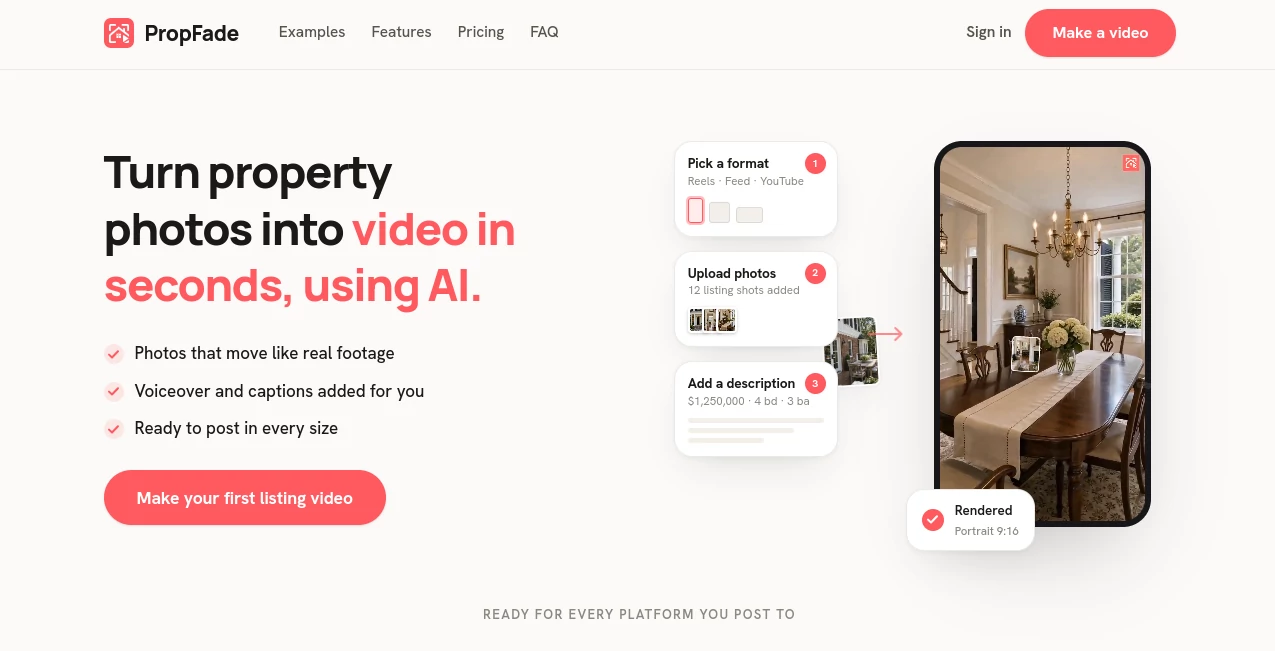
What is PropFade?
Creating attractive property listings has always been one of the biggest challenges in real estate marketing. Empty rooms often feel cold and uninspiring, making it difficult for buyers to imagine themselves living in the space. This platform solves that problem by transforming vacant interiors into beautifully furnished rooms within seconds using advanced artificial intelligence.
Instead of spending thousands of dollars on physical furniture, logistics, and staging professionals, real estate agents, brokers, photographers, and property marketers can instantly generate photorealistic interior designs that help listings stand out. The results are visually appealing, realistic, and designed specifically for modern property marketing.
What makes this solution particularly impressive is its focus on speed and usability. A room can be uploaded, styled, processed, and downloaded in less time than it takes to schedule a traditional staging consultation. For busy professionals handling multiple listings every month, that efficiency can significantly improve productivity.
Whether showcasing a luxury apartment, a suburban family home, or a newly constructed property, the platform helps present spaces in a way that feels warm, inviting, and market-ready.
Key Features
User Interface
The dashboard is designed with simplicity in mind. Users can upload property photos directly, select a preferred design style, and generate staged images with only a few clicks. The workflow feels intuitive even for people with no design experience.
Navigation is straightforward, and the platform focuses on helping users achieve results quickly rather than overwhelming them with unnecessary controls.
Accuracy & Performance
The AI analyzes room dimensions, lighting conditions, architectural elements, and perspective before placing furniture and decorative items. This creates a natural appearance that blends with the original image rather than looking artificially generated.
Processing times are remarkably fast, allowing professionals to generate multiple versions of a room in a short period. This speed is particularly valuable when preparing listings on tight deadlines.
Capabilities
- AI virtual staging for vacant properties
- Photorealistic furniture placement
- Multiple interior design styles
- Room-type recognition
- High-resolution image exports
- Fast image generation
- Batch processing support
- Property marketing optimization
- Suitable for residential and commercial listings
- Multiple design variations for each room
The platform can stage living rooms, bedrooms, kitchens, dining areas, home offices, and outdoor spaces while maintaining visual consistency throughout the property.
Security & Privacy
Property images often contain sensitive information related to homes and real estate transactions. The platform is designed to process uploaded photos securely while providing users with control over their generated assets.
For agencies managing client properties, this level of reliability is essential when handling listing materials and marketing content.
Use Cases
Real estate professionals can use the platform in numerous ways.
- Transform vacant listings into attractive homes
- Increase buyer engagement on property portals
- Create marketing materials for social media campaigns
- Generate multiple design concepts for the same property
- Improve presentation of newly constructed homes
- Support rental property advertising
- Enhance property brochures and presentations
- Help buyers visualize room functionality
- Reduce traditional staging expenses
- Prepare listings faster for market launch
A practical example would be a real estate agent managing several vacant apartments. Rather than waiting days or weeks for physical staging, the agent can upload photographs in the morning and have professionally staged visuals ready for publication the same day.
Pros and Cons
Pros
- Extremely fast staging process
- Cost-effective alternative to traditional staging
- Professional and realistic results
- Easy-to-use interface
- Multiple interior design styles available
- Suitable for high-volume listing workflows
- High-quality image exports
- No design expertise required
Cons
- Best results depend on photo quality
- AI-generated designs may occasionally require regeneration for specific preferences
- Physical staging may still be preferred for luxury in-person showings
- Disclosure requirements may vary depending on local real estate regulations
Pricing Plans
The platform offers accessible pricing designed for real estate professionals seeking a scalable staging solution. Users can typically begin with introductory access and then upgrade according to usage needs.
Because pricing structures can evolve over time, it is recommended to review the latest plans directly before making purchasing decisions.
How to Use PropFade
Getting started is simple.
- Upload a property photo.
- Select the room type if necessary.
- Choose a preferred interior design style.
- Allow the AI to analyze and stage the room.
- Review generated variations.
- Download the final high-resolution image.
- Use the staged visuals in listings, advertisements, and marketing materials.
The entire workflow can often be completed in under a minute, making it ideal for professionals who need quick turnaround times.
Comparison with Similar Tools
Many virtual staging platforms focus solely on adding furniture to empty rooms. This solution distinguishes itself through its combination of speed, realistic rendering, ease of use, and workflow efficiency.
Compared with traditional staging services, it eliminates scheduling delays, transportation costs, furniture rentals, and logistical challenges. Compared with generic image-generation tools, it is specifically optimized for real estate environments, producing layouts and furnishing choices that make practical sense for buyers.
The balance between automation and visual quality makes it particularly attractive for agents and marketers who need consistent results across multiple listings.
Conclusion
Modern property marketing depends heavily on strong visual presentation. Empty spaces rarely create the emotional connection that encourages buyers to schedule viewings or make offers. By converting vacant rooms into stylish, inviting environments within seconds, this platform provides a practical solution for one of real estate's most common challenges.
Its combination of photorealistic staging, rapid processing, user-friendly design, and cost efficiency makes it a valuable asset for real estate professionals looking to improve listing performance. For anyone seeking a smarter way to showcase properties, it delivers an impressive blend of convenience and visual impact.
Frequently Asked Questions (FAQ)
What is virtual staging?
Virtual staging uses artificial intelligence to add realistic furniture and decor to empty property photos, helping buyers visualize the potential of a space.
Who can benefit from this platform?
Real estate agents, brokers, photographers, property managers, home builders, and marketing teams can all benefit from using the platform.
How long does it take to stage a room?
Most images can be processed within seconds, making it significantly faster than traditional staging methods.
Can different interior styles be generated?
Yes. Users can choose from multiple design aesthetics to match the target audience and property type.
Are the results suitable for property listings?
Yes. The generated images are designed specifically for real estate marketing and can be used in listings, advertisements, and promotional materials.
Does it work with multiple room types?
Yes. Living rooms, bedrooms, kitchens, offices, dining rooms, and outdoor spaces can all be staged effectively.