
Bizgraph
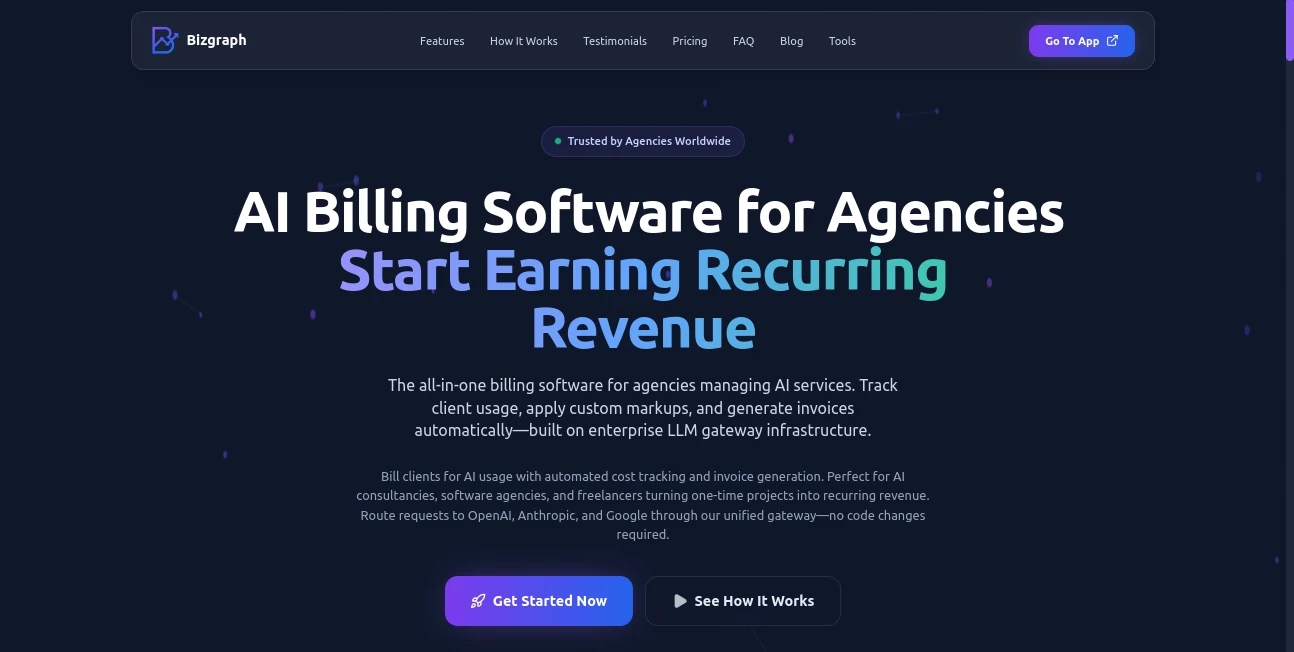
What is Bizgraph?
Managing AI services for multiple clients can quickly become complicated. Usage tracking, pricing structures, profit margins, and billing often require several disconnected tools and countless hours of manual work. This platform addresses those challenges by bringing client management, AI usage monitoring, and revenue tracking into a single environment.
Designed for agencies, consultants, freelancers, and AI-focused service providers, it helps businesses gain complete visibility into how AI resources are consumed while creating predictable recurring revenue streams. Instead of relying on spreadsheets and fragmented reporting, teams can monitor costs, control budgets, and manage client accounts from one centralized dashboard.
What makes this solution particularly appealing is its practical approach to AI operations. It focuses on the business side of AI adoption, allowing organizations to spend less time on administration and more time delivering value to their customers.
Key Features
User Interface
The dashboard is organized with business users in mind. Client accounts, API management, usage statistics, pricing configurations, and financial insights are presented in a clear structure that minimizes complexity. Even teams handling multiple customers can navigate between projects and accounts without confusion.
The centralized management approach reduces the need to switch between separate billing, analytics, and monitoring tools, creating a smoother workflow for daily operations.
Accuracy & Performance
Real-time tracking allows users to monitor AI consumption as it happens. This visibility helps businesses maintain accurate billing records and understand profitability at both client and project levels. Usage data is continuously updated, making it easier to identify spending trends and avoid unexpected costs.
Organizations working with several AI providers benefit from consolidated reporting that eliminates manual reconciliation and improves financial accuracy.
Capabilities
- Multi-client management from a single dashboard
- AI usage monitoring and spending analytics
- Custom pricing models and markup configuration
- API key generation and management
- Profitability tracking across projects
- Budget controls and spending limits
- Support for multiple AI model providers
- Usage reports and exportable analytics
- Recurring revenue management
- Automated operational workflows
These capabilities make it easier for service providers to scale AI offerings without increasing administrative overhead.
Security & Privacy
Security is a critical requirement when managing client API credentials and usage data. The platform includes centralized credential management, controlled access mechanisms, and budget safeguards that help protect both service providers and their clients.
Organizations can establish spending limits and usage restrictions, reducing the risk of unexpected expenses while maintaining operational transparency.
Use Cases
- AI agencies managing multiple client accounts and projects
- Consulting firms offering AI-powered solutions
- Freelancers reselling AI services to customers
- Technology companies monitoring AI infrastructure costs
- Teams requiring client-specific billing and reporting
- Businesses creating recurring revenue models from AI products
- Organizations seeking centralized AI operations management
For example, an agency delivering AI-powered chatbots to dozens of clients can monitor consumption, apply custom pricing, and understand profitability without maintaining complex spreadsheets.
Pros and Cons
Pros
- Centralized management for multiple clients
- Real-time usage and spending visibility
- Flexible pricing and markup options
- Strong support for recurring revenue models
- Useful analytics for profitability tracking
- Reduces manual billing efforts
- Scales well for growing agencies and consultancies
Cons
- Primarily focused on service providers rather than end users
- Some advanced automation features may depend on future updates
- Initial configuration may require planning for larger organizations
Pricing Plans
The platform follows a freemium and subscription-based model. Users can explore core functionality before upgrading to premium plans that unlock advanced management, analytics, and operational capabilities.
Paid plans are particularly valuable for agencies and consulting businesses that handle multiple clients and require comprehensive visibility into AI-related costs and revenues.
How to Use Bizgraph
Step 1: Create an account and configure your organization.
Step 2: Connect supported AI providers and establish API access.
Step 3: Add client accounts and organize projects.
Step 4: Configure pricing rules, markups, or billing structures.
Step 5: Monitor usage, spending, and profitability in real time.
Step 6: Review analytics and generate reports for business decision-making.
Step 7: Scale operations while maintaining visibility across all clients and services.
Comparison with Similar Tools
Many AI management platforms focus exclusively on model access, development workflows, or API routing. In contrast, this solution places significant emphasis on the financial side of AI service delivery.
While traditional monitoring tools provide usage metrics, they often lack built-in mechanisms for pricing management, profitability tracking, and client-focused billing workflows. This creates a stronger value proposition for agencies and consultants who need business intelligence alongside technical monitoring.
Compared to generic analytics platforms, it offers a more specialized environment tailored to AI service providers, helping organizations transform AI projects into sustainable revenue streams.
Conclusion
As AI adoption continues to expand, agencies and consultants face increasing pressure to manage costs, maintain profitability, and deliver transparent reporting to clients. This platform addresses those challenges with a practical combination of usage monitoring, client management, pricing controls, and financial visibility.
Its focus on recurring revenue, operational efficiency, and centralized oversight makes it a compelling solution for organizations building AI-powered services. For teams seeking greater control over AI operations without adding administrative complexity, it provides a strong foundation for sustainable growth.
Frequently Asked Questions (FAQ)
Who is this platform designed for?
It is primarily built for agencies, consultants, freelancers, and businesses that provide AI-powered services to clients.
Can it manage multiple clients?
Yes. Users can organize, monitor, and manage multiple client accounts from a centralized dashboard.
Does it support custom pricing models?
Yes. Businesses can configure markups, fees, and client-specific pricing strategies.
Can I monitor AI usage in real time?
Yes. Real-time analytics provide visibility into consumption, costs, and profitability.
Is it suitable for growing agencies?
Absolutely. The platform is designed to help agencies scale AI services while maintaining operational and financial control.
Does it help with profitability tracking?
Yes. Detailed analytics and reporting features allow businesses to understand margins and revenue performance across projects and clients.
AI Developer Tools , AI Business Ideas Generator , AI Analytics Assistant , AI Workflow Management .
These classifications represent its core capabilities and areas of application. For related tools, explore the linked categories above.

Bizgraph Alternatives Product

MyToolster W…

globalize.now

Sleepless Tr…

AI Wire

Fina Money

CtrlOps

Motion

Sound Level …

Goodnotes