
Blazesearch
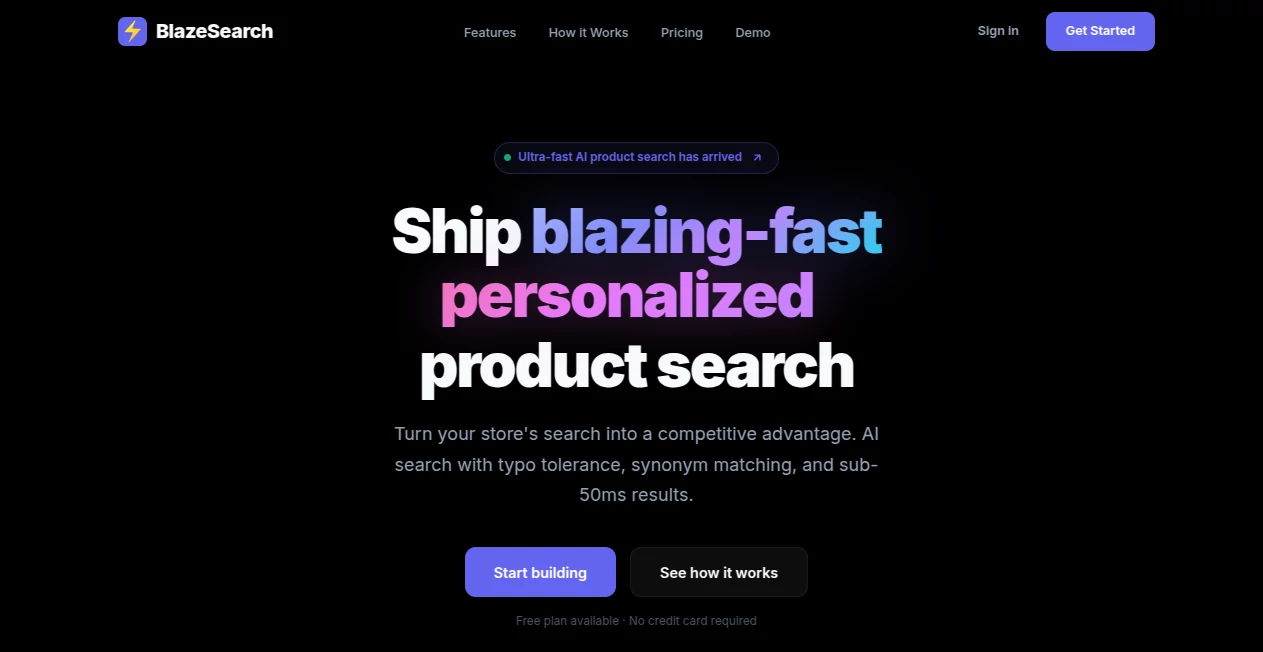
What is Blazesearch?
We’ve all been there. You’re watching a long video—maybe a tutorial, a webinar recording, or a lecture—and you know that somewhere in there is the exact piece of information you need. The problem? Scrubbing through the timeline, guessing timestamps, and watching minutes of irrelevant footage just to find one specific slide or sentence. It’s frustrating and it wastes a ton of time.
This is exactly the problem this tool was built to solve. Instead of treating videos like silent movies you have to watch from start to finish, it lets you search inside them just like you’d search a document. Type a word or phrase, and it instantly shows you the exact frames where that thing appears. No more guessing, no more wasted hours.
This isn't just another media player with a search bar tacked on. It's a smart, multimodal search engine designed from the ground up for one purpose: helping you retrieve in-video information with incredible speed and accuracy. Whether you're a student reviewing a recorded class, a content creator looking for that one clip, or a professional sifting through meeting recordings, this tool changes how you interact with video forever.
Key Features
User Interface
You know how some powerful tools feel like you need a manual just to get started? This isn't one of them. The interface is clean and straightforward. There's a simple search bar at the top and your video player below. It looks familiar, but the magic happens when you start typing. Results pop up as thumbnails showing you the exact frame where your search term appears. Click any result, and the video jumps right to that moment. No complicated menus, no hidden settings. Just search and find.
Everything is laid out logically. Your search results live in a sidebar that doesn't cover the video, so you can browse through findings while the video keeps playing. The thumbnails are large enough to recognize what's happening, and each one comes with a timestamp. It feels natural, almost like using an image gallery instead of a traditional video timeline.
Accuracy & Performance
This is where things get really interesting. The technology behind the scenes uses a model called OpenCLIP, which is specifically designed for matching text with images. What that means for you is simple: when you search for something, the system isn't just looking at video titles or descriptions someone typed in manually. It's actually analyzing what appears in every single frame of your video.
Type "mountain landscape" into the search, and it will find every frame that actually contains a mountain, even if the video never mentions the word "mountain" in its captions or audio. It understands the visual content. In testing, the accuracy is impressive, pulling up relevant frames even in videos with lots of movement or scene changes.
And speed? It's fast. We're talking near-instant results even with longer videos. The team optimized the search algorithms so you're not sitting there watching a loading spinner. You type, and the results appear. No lag, no delays, just the information you need right when you need it.
Capabilities
This tool handles a wide range of video content. Educational lectures, corporate training videos, vlogs, product demos, even raw footage from events. It doesn't care about the video's length, though naturally, longer files give you more to search through. The system ingests the video and creates a searchable index of its frames.
One of the smartest aspects is how it handles different types of queries. You can search for objects ("red car"), scenes ("beach sunset"), or even more abstract concepts ("celebration") and it will find visually relevant frames. It's not doing fancy AI interpretation where it tries to guess what you meant. It's matching what you typed to what it sees in the video, and it does that extremely well.
The tool also supports multiple video formats, making it versatile for different workflows. Whether you're dealing with MP4s, MOVs, or other common formats, it processes them without complaint.
Security & Privacy
Here's something you'll appreciate. The tool processes videos locally or within your controlled environment depending on your setup. Your video content isn't being uploaded to some random cloud server for analysis. This is crucial if you're working with sensitive material like internal company meetings, unreleased content, or personal videos.
The development team built this with a focus on user control. You know where your data is at all times, and you decide what gets processed. There's no background data harvesting, no sneaky analytics tracking what you're searching for. Just a clean, privacy-respecting tool that does its job and gets out of your way.
For professionals dealing with NDAs or confidential information, this alone makes the tool worth using. You can search through hours of sensitive recordings without ever worrying about a data breach or unauthorized access.
Use Cases
Students & Researchers: Recorded a two-hour lecture and need to find the professor's explanation of a specific concept? Search for the keyword and jump right to that moment. No more re-watching entire recordings the night before an exam.
Content Creators & Video Editors: Looking for that one perfect reaction shot or specific clip from hours of raw footage? Stop scrubbing through timelines. Search visually for the scene you remember, and you'll find it in seconds instead of minutes.
Business Professionals: Have a library of meeting recordings, product demos, or training sessions? Turn that static video archive into a searchable knowledge base. Need to find when a client mentioned a specific requirement or when a team member demoed a particular feature? Just search for it.
Legal & Compliance Teams: Reviewing deposition videos or compliance training recordings can be tedious. Use the tool to quickly locate specific statements or topics, making your review process dramatically more efficient.
Pros and Cons
Pros: The biggest win here is the time savings. What used to take hours of manual scrubbing now takes seconds of typing. The interface is intuitive, so there's virtually no learning curve. Accuracy is excellent for visual matching, and the performance stays snappy even with longer videos. Privacy-focused processing means you stay in control of your data.
Cons: The tool works best with clear, well-lit video. Extremely dark or blurry footage can impact accuracy. It focuses on visual frame matching, so it won't search spoken dialogue unless that dialogue appears as on-screen text. You'll need some basic technical comfort to get it set up, though once running, it's smooth sailing.
Pricing Plans
Pricing details are best checked directly on the official website, as plans may vary based on usage volume and deployment options. Many users start with a free tier or trial to test the waters with their own video content before committing. For individuals and small teams, entry-level pricing is typically affordable. Larger organizations with higher processing needs can reach out for custom enterprise plans. The value proposition is straightforward: how much is your time worth? If you regularly search through video content, this tool pays for itself quickly.
How to Use BlazeSearch
Getting started is simpler than you might think. First, head to the official website and sign up for an account. After verifying your email, you'll be taken to the dashboard. From there, upload the video file you want to work with. The system will process it—this might take a few minutes depending on the video's length and your plan.
Once processing is complete, you'll see your video in the library. Click to open it, and you're looking at the main interface: video player on the left, search bar up top, and a results panel on the right. Type any word or phrase into that search bar. In a second or two, the results panel fills with thumbnail images showing every frame that matches your search.
Click any thumbnail. The video instantly jumps to that timestamp and starts playing. That's it. You can run multiple searches, bookmark important frames, and export results if needed. The whole workflow feels more like using Google Images than a traditional video player, which is exactly the point.
Comparison with Similar Tools
Most video tools focus on one thing: editing. Premiere Pro, Final Cut, DaVinci Resolve—they're all about cutting, color grading, and effects. Searching inside video is an afterthought, usually limited to scanning file names or basic metadata. This tool flips that priority. Search is the main event, not a side feature.
Other AI video tools tend to do transcription. They listen to audio, convert speech to text, and let you search the transcript. That's useful, but it fails when you need to find purely visual information. This tool finds things that were never spoken aloud. A mute video of a product prototype? It will find specific features by name even without a narrator saying them.
Enterprise solutions like cloud-based video search platforms exist, but they often come with hefty price tags, mandatory cloud uploads, and complex setup. This tool is much more accessible for individuals and smaller teams while still offering the core functionality that matters.
There are browser extensions and hacky workarounds that promise similar features, but nothing matches the focused approach and accuracy of a dedicated multimodal search engine built specifically for video frames.
Conclusion
If you work with video content regularly, you need this tool. It's that simple. The amount of time you'll save in the first week alone will probably cover any cost involved. It transforms video from something you passively watch into something you actively search, making your entire library more valuable.
The developers clearly understood the pain point: finding specific moments inside videos is unnecessarily difficult. Their solution is elegant, effective, and refreshingly straightforward. No bloat, no unnecessary features, just really good video search that works the way you want it to.
Stop wasting hours scrubbing through timelines. Give this tool a try, and you'll wonder how you ever managed without it.
Frequently Asked Questions (FAQ)
Q: What video formats does it support?
A: The tool works with most common formats including MP4, MOV, AVI, and MKV. Check the official documentation for the complete list.
Q: Does it work with live streams or only recorded files?
A: Currently, it's designed for recorded video files that you upload or point the tool toward. Live streaming search isn't supported yet.
Q: How long does processing take for a one-hour video?
A: Processing time varies based on your hardware and the complexity of the video, but generally, it takes a few minutes. The tool provides progress indicators so you know when it's ready.
Q: Can it search for faces or specific people?
A: It can find faces if you search for descriptive terms like "person with glasses" or "smiling face," but it doesn't do facial recognition to identify specific named individuals unless that name appears on screen as text.
Q: Is my video content stored on external servers?
A: The tool prioritizes privacy and offers local processing options. Review the privacy policy on the official website for the specifics on your chosen plan.
Q: Can I search across multiple videos at once?
A: The tool focuses on single-video search for now. Batch searching across a library is a feature that may come in future updates.
AI Video Search , AI Documents Assistant , AI Productivity Tools , AI Research Tool .
These classifications represent its core capabilities and areas of application. For related tools, explore the linked categories above.

Blazesearch Alternatives Product

Zloth

Liftburst

Roipad

InPage AI

Read PDF Alo…

GameClick.io

SEO Tools Hu…

SalaryHow

Agentys