


















BuilderStudio
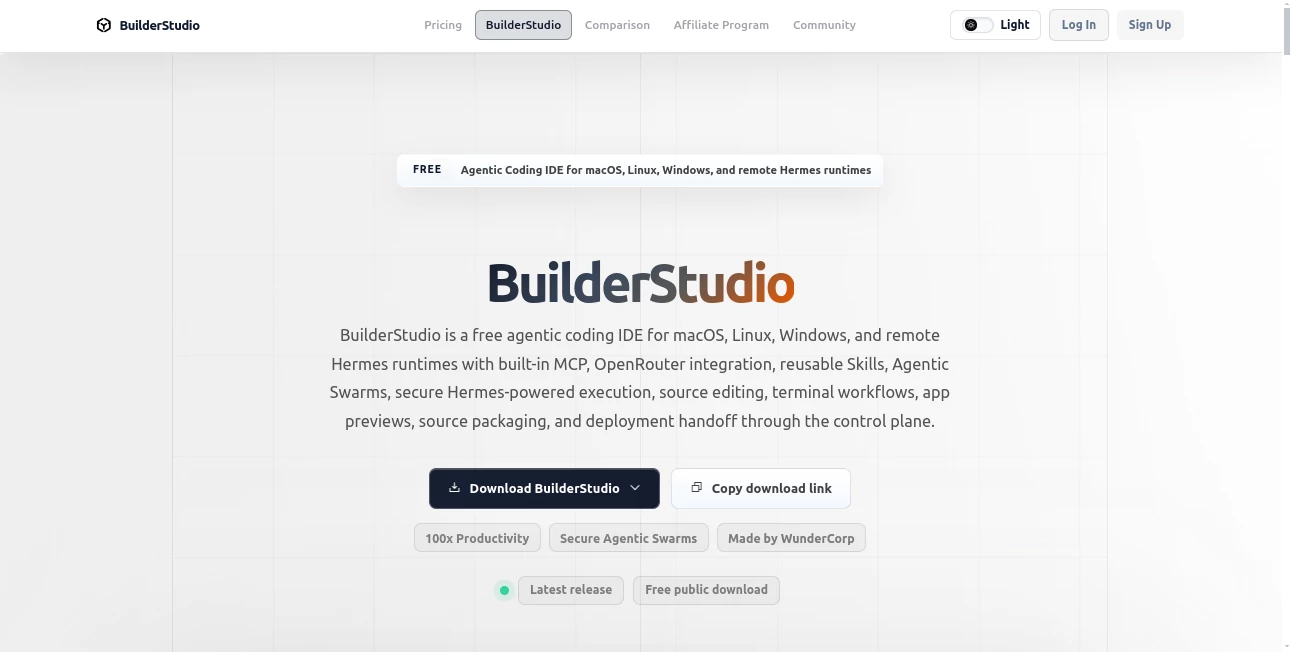
What is BuilderStudio?
I’ve spent too many nights fighting cloud latency, wrestling with browser tabs, and worrying about token limits while trying to build something real. Then I tried this native Mac app and it felt like finally having a proper workshop again. It runs entirely on your machine, gives you full control over the code, and brings AI agents right into a focused local environment. No more constant syncing or wondering what the AI actually changed behind the scenes. Builders who want to stay in flow while still getting smart assistance seem to love it — and after using it myself, I get why.
Introduction
Most AI coding tools live in the browser and feel like black boxes. You type a prompt, something happens, but inspecting, debugging, or taking full ownership of the code can be clunky. BuilderStudio flips that script. It’s a native MacOS app designed specifically for people who want to build locally first — with real source editing, terminal access, safe local previews, and intelligent agents that help without taking over. You stay in control of your files, your workflow, and your final output. It’s built for indie makers, small teams, and anyone who prefers working in a focused desktop environment rather than yet another web tab.
Key Features
User Interface
The app feels like a modern, thoughtful IDE. Clean project workspace, integrated terminal, side-by-side preview pane, and agent chat that understands your local files. Everything stays snappy because it runs natively on your Mac. You can open projects, run commands, preview changes, and collaborate with AI agents without ever leaving the app. It’s the kind of interface that disappears when you’re in the zone and reappears exactly when you need it.
Accuracy & Performance
Because it works locally with your actual codebase, the AI suggestions stay grounded in your real files and structure. No more hallucinated imports or broken dependencies that only show up later. Local previews run in Docker containers for safety, and you can review every change before accepting it. Performance feels solid — no waiting for cloud roundtrips on every edit, which makes the whole experience much more fluid than browser-based alternatives.
Capabilities
It combines traditional coding with agentic superpowers: source editing, terminal workflows, reusable Skills (pre-built expert behaviors), OpenRouter model access, local app previews, source packaging, and smooth handoff to deployment. You can build full apps locally, inspect everything, run safe tests, and then package a clean bundle when you’re ready to ship. It’s especially strong for developers who want to stay in control while still getting meaningful help from AI.
Security & Privacy
Your code never leaves your machine unless you explicitly decide to deploy. No sending entire projects to third-party servers for every suggestion. The local-first approach gives you peace of mind, especially when working on client projects or sensitive ideas. You control the models, the data, and the final output.
Use Cases
A solo founder prototypes a new SaaS idea entirely locally, testing flows and refining logic before committing to any cloud costs. A small product team uses it to explore multiple approaches quickly without polluting their main repository. An indie hacker builds and packages complete apps on their Mac before handing off to deployment. Developers who got tired of context-switching between browser tabs and local editors finally get both worlds in one focused app.
Pros and Cons
Pros:
- Native Mac app that feels fast and responsive.
- Full local control with agentic AI assistance when you want it.
- Safe local previews and clean packaging workflow.
- No vendor lock-in — you own your code at every step.
- Great for focused building sessions without distractions.
Cons:
- Currently Mac-only (Windows/Linux support may come later).
- Best results still depend on choosing the right models and prompts.
- Some advanced collaboration features are still evolving.
Pricing Plans
The core app is free to download and use locally, which is huge for indie builders and explorers. Additional credits for heavier AI usage or premium features are available through a simple top-up system. It’s priced in a way that respects builders who want to stay independent without forcing expensive subscriptions from day one.
How to Use BuilderStudio
Download the Mac app, open a new or existing project, and start building. Use the integrated chat to ask agents for help with specific files or features. Run terminal commands directly in the app, preview your changes safely in containers, and review every modification before accepting it. When your app feels ready, package the source cleanly and hand it off to deployment. The workflow keeps you in control while making AI feel like a helpful collaborator rather than a mysterious black box.
Comparison with Similar Tools
Browser-based AI coding platforms are convenient but often feel disconnected from your real codebase and introduce latency. Traditional IDEs with plugins can get the job done but lack deep agentic understanding. BuilderStudio sits in a sweet spot: native speed and control combined with thoughtful AI integration that respects your workflow. For Mac users who value ownership and focus, it stands out as a refreshing alternative to cloud-heavy tools.
Conclusion
Building software should feel creative and grounded, not like you’re surrendering control to distant servers. This tool brings AI into a local, native environment where you stay firmly in the driver’s seat. It respects your time, your code, and your process while still giving you meaningful help exactly when you need it. For anyone who loves building but wants to stay independent and focused, it’s one of those tools that quickly becomes part of your daily rhythm.
Frequently Asked Questions (FAQ)
Is it really free?
Yes — the core Mac app is free to download and use locally.
Do I need to send my code to the cloud?
No — everything can stay local. You decide when (and if) to connect to external models or deployment.
What languages and frameworks does it support?
It works with standard web and app development stacks — you bring your own project structure.
Can I use my own AI models?
Yes — it supports OpenRouter and gives you flexibility in model choice.
Is it suitable for teams?
Yes — especially small teams that value local-first development with clear handoff processes.
AI App Builder , AI No-Code & Low-Code , AI Code Assistant , AI Developer Tools .
These classifications represent its core capabilities and areas of application. For related tools, explore the linked categories above.
BuilderStudio details
Website unavailable — View Alternatives
Pricing
- Free
Apps
- Web App
- Mac App
Categories

BuilderStudio Alternatives Product

tanship

ModelsLab

AgentOne

AI Workflow …

git-lrc

Prelight

PZERO

UpMocker

JSON to TOON…
