

















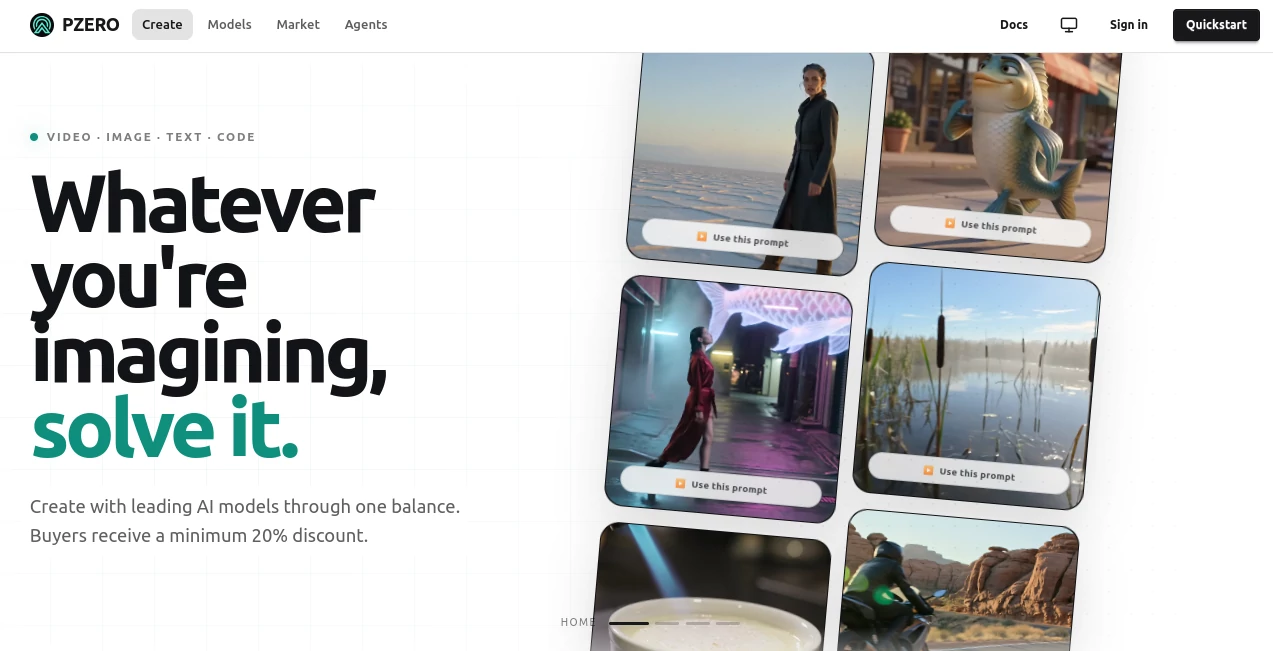
What is PZERO?
PZERO is an AI platform built around a simple idea: give creators, developers, and AI agents access to multiple modern AI models without forcing them into a separate subscription for every service. Instead of jumping between different dashboards and payment systems, users can work from one prepaid balance and access text, image, and video generation through a shared environment.
The approach is particularly interesting for people who use AI heavily but do not want to commit to several monthly plans. Developers can connect through an OpenAI-compatible API, while agent-based workflows can use the hosted MCP connection. For everyday users, the Studio provides a more approachable way to experiment with AI capabilities without having to build an integration first.
It feels less like another chatbot and more like an AI infrastructure layer. That distinction matters. Someone writing a few prompts a week may not need it, but a developer, creator, or AI agent making repeated calls can benefit from having models and billing handled through one place.
Key Features
- Access to a catalog of live AI models through a shared account balance.
- Support for text inference, image generation, and video generation.
- OpenAI-compatible API endpoints for developers.
- Hosted Model Context Protocol support for AI agents.
- Integration options for tools such as Cursor and other MCP-compatible clients.
- Prepaid USDC funding rather than requiring a traditional recurring subscription.
- Usage and request tracing for supported API calls.
- Model routing based on available supply and the buyer's maximum price.
User Interface
The Studio is designed to make the underlying infrastructure easier to approach. Users who simply want to create or test something do not necessarily need to understand APIs, authentication headers, or model routing. They can work through the browser-based environment while developers can move deeper into the API and agent tooling when needed.
That separation is one of its better design decisions. A developer can start with the visual interface, then move into an automated workflow later without having to completely change the service they are using.
Accuracy & Performance
Performance depends largely on the model selected and the available provider capacity. The platform exposes live model information and distinguishes between models that are currently callable and models that are not yet available. This is useful because users are not simply presented with a static catalog that may contain unavailable options.
For API users, requests can return request identifiers, support references, usage information, and cost information. That makes troubleshooting considerably easier than working with an opaque AI service where the only feedback is a generic success or failure message.
The routing system also looks for an eligible offer within the buyer's maximum price. In practical terms, this means the experience can depend on current capacity and market conditions rather than behaving like a conventional fixed-price API.
Capabilities
The strongest part of the platform is its breadth. Text models can be accessed through an OpenAI-compatible chat interface, making the transition relatively familiar for developers already working with standard AI APIs.
Image generation is available through a dedicated generation endpoint, with model-specific options such as resolution and quality handled according to the published model configuration. Video generation follows an asynchronous workflow, allowing users to request a quote, queue a job, and retrieve the finished video later.
There is also a clear focus on AI agents. The hosted MCP server can be connected to compatible clients, allowing an agent to perform tasks such as model discovery, chat completion, image generation, video generation, balance checks, and request tracing.
For someone building an automated AI workflow, this is more significant than simply having another image or text generator. The platform is trying to provide a common gateway for several types of inference.
Security & Privacy
Authentication for API and MCP access uses API keys, while the platform keeps account and request information associated with authenticated requests. API keys can be created, listed as metadata, and revoked when necessary.
Developers should still treat API credentials as sensitive information and store them in environment variables rather than placing them directly inside public source code. The MCP connection also requires authentication before paid tools can be used.
Because the service handles prepaid balances and paid inference, users should also pay attention to account limits, maximum-price settings, and the amount of confirmed credit available before running automated workloads.
Use Cases
AI application development: Developers can use the OpenAI-compatible interface to connect applications to supported text models without designing an entirely new request format.
AI agents: MCP support makes the platform useful for agent workflows where an AI assistant needs access to models or generation tools as part of a larger task.
Cursor workflows: Developers using Cursor can connect through MCP or an OpenAI-compatible configuration and select compatible models from the available catalog.
Content creation: Creators can use the Studio for text, image, and video generation while keeping funding under a common balance.
Experimentation: Teams evaluating different models can benefit from having access to multiple options without opening a separate account for every model provider.
Automated production pipelines: API access, request tracing, and programmatic generation make the service suitable for workflows that need repeated AI calls rather than occasional manual prompting.
Pros and Cons
Pros
- One balance can be used across multiple AI modalities.
- Supports text, image, and video workflows.
- OpenAI-compatible API lowers the barrier for developers.
- MCP support is useful for modern AI-agent workflows.
- Works with developer environments such as Cursor.
- Usage-based funding can be attractive for users who dislike recurring subscriptions.
- Request and cost information provides useful visibility for technical users.
Cons
- The pricing model is less familiar than a simple monthly subscription.
- Availability can depend on current model capacity and eligible supply.
- USDC-based funding may be less convenient for users who prefer conventional card subscriptions.
- Some of the more advanced features are clearly aimed at developers and AI-agent builders rather than casual users.
- Video generation is asynchronous, so it is not designed around instant results for every request.
Pricing Plans
The platform uses a prepaid, usage-based model rather than presenting the service as a collection of traditional monthly plans. Users fund a balance with USDC and inference consumes that balance according to the model, capacity, and applicable clearing price.
The published pricing system uses a 30 to 80 cents-per-dollar buyer ceiling. The actual amount paid is determined by the eligible offer selected by the routing system. This can make the economics attractive when competitive capacity is available, although the final cost can vary depending on the current market.
For developers, this model has an important advantage: spending can be tied directly to actual inference instead of paying for a subscription that may sit unused. At the same time, anyone running automated workloads should monitor balances and maximum-price settings carefully.
How to Use It
Start by creating an account and funding the prepaid balance. Once confirmed credit is available, users can work through the Studio or create an API key for programmatic access.
For API development, choose a live model from the available catalog and send requests through the OpenAI-compatible endpoint. Existing applications that already understand the standard chat-completion structure can therefore require relatively little adjustment.
For agent workflows, connect a compatible MCP client and authenticate it with the appropriate API key. Tools can then discover available models, perform inference, generate media, and inspect account or request information.
If using Cursor, users can choose between the hosted MCP route and the OpenAI-compatible HTTP configuration. This makes it possible to bring the same model access into an environment where coding and AI assistance are already taking place.
Comparison with Similar Tools
Traditional AI subscriptions are usually designed around a specific application. You subscribe to one product, use its interface, and accept the models and limits offered by that provider. This approach is convenient, but it can become expensive for developers who need several different AI capabilities.
Model aggregation APIs solve part of that problem by placing multiple models behind one developer interface. The difference here is the combination of that approach with prepaid funding, market-based routing, MCP access, and image and video generation.
Compared with a conventional chatbot, this platform is much more infrastructure-oriented. Compared with a standard API marketplace, it puts greater emphasis on agents and developer environments. And compared with a single-purpose image or video generator, its main advantage is breadth rather than specialization.
For casual users who only need one specific AI application, a dedicated service may still be simpler. For developers and advanced users who regularly move between models and modalities, the unified approach is considerably more compelling.
Conclusion
The real appeal here is not simply access to another AI model. It is the attempt to make different forms of AI inference feel like parts of the same workflow. Text, image, and video generation can share a prepaid balance, while developers get API access and AI agents can connect through MCP.
That combination makes the platform particularly worth considering for developers, creators, automation builders, and teams experimenting with agentic applications. The usage-based model also gives frequent users a different option from the increasingly crowded world of monthly AI subscriptions.
There is a learning curve if you want to take advantage of the more technical features, especially around API keys, USDC funding, routing limits, and MCP. But once those pieces are understood, the platform offers a practical way to bring several AI capabilities under one roof.
Frequently Asked Questions (FAQ)
What types of AI generation are available?
The platform currently supports text and image generation, with video generation available through an asynchronous workflow. The live model catalog determines which specific models are callable at a given time.
Does it provide an API?
Yes. Developers can use an OpenAI-compatible API for text inference, while dedicated endpoints are available for image and video workflows.
Can AI agents use the platform?
Yes. A hosted MCP connection is available for compatible AI clients and agent environments, allowing agents to discover models and use supported generation tools.
Can it be used with Cursor?
Yes. Cursor users can connect through MCP or configure an OpenAI-compatible base URL and use supported custom models.
Is there a monthly subscription?
The core approach is prepaid usage rather than a conventional monthly subscription. Users add USDC credit and inference charges are deducted from the confirmed balance.
How is the cost of AI requests determined?
Costs depend on the applicable model and eligible capacity. The routing system selects an eligible offer at or below the buyer's maximum price, and successful requests expose cost information for supported API responses.
Is video generation instant?
No. Video generation uses an asynchronous queue. A request receives a queue identifier, and the resulting video can be retrieved after processing is complete.
Who is this platform best suited for?
It is especially suitable for developers, AI-agent builders, creators, and users who regularly need access to multiple AI models instead of relying on one isolated application.