
Cekura
What is Cekura?
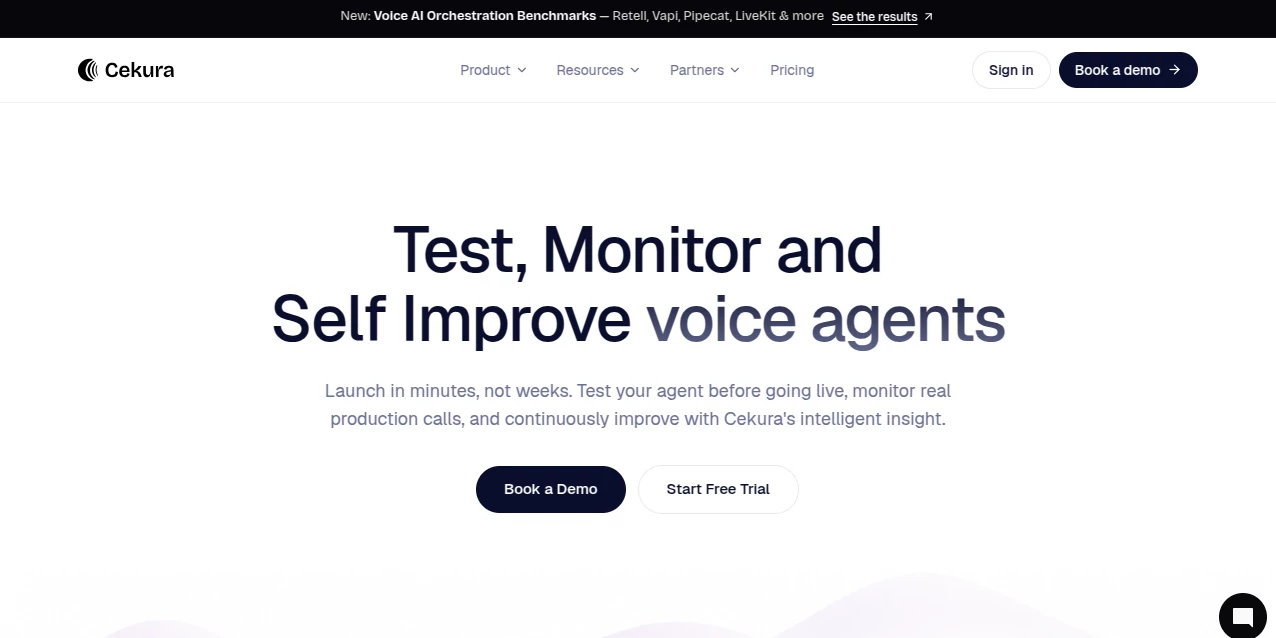
Cekura is a reliability platform built for teams developing voice and chat AI agents. Instead of waiting for users to discover broken conversations, unexpected responses, or workflow failures, teams can test agents before launch, monitor real production calls, and use the resulting insights to improve future releases.
The platform brings testing, evaluation, observability, benchmarking, and security checks into one workflow. It is particularly useful for companies building customer support, sales, recruitment, healthcare, and other conversational systems where a small mistake in an AI conversation can have a noticeable business impact.
One of the more practical ideas behind the platform is its continuous testing approach. A team can run synthetic conversations against an agent, identify a failure, reproduce the scenario, adjust the agent, and run the test again before deploying the change.
Key Features
- Pre-production simulation: Run large numbers of synthetic conversations before an AI agent reaches real customers.
- Automated evaluations: Score conversations against custom and standard metrics to identify weak points in an agent.
- Production monitoring: Monitor live calls and detect changes in agent behavior, performance, and conversation quality.
- Adversarial testing: Probe agents for jailbreaks, PII leaks, toxic intent, and off-script behavior.
- Benchmarking: Compare the same scenarios across different voice AI providers and infrastructure setups.
- Regression testing: Re-run established scenarios after changes so important workflows do not quietly break.
- Developer integrations: REST APIs, Python SDK and CLI access make automated testing practical for development teams.
- MCP support: AI coding assistants can interact with the platform and its APIs through Model Context Protocol integrations.
- Observability: Production call data can be evaluated using metrics, transcripts, recordings, and conversation metadata.
User Interface
The interface is designed around the lifecycle of an AI agent rather than simply presenting a collection of testing utilities. Teams can work with agents, scenarios, evaluations, calls, and performance metrics from a centralized environment.
The workflow is especially useful for developers who want to move from a failed conversation to an actionable test case. Instead of manually reviewing every call, teams can create metrics and evaluation rules that consistently check the behavior they care about.
Accuracy & Performance
Accuracy in conversational AI is about more than whether an answer sounds reasonable. An agent can produce fluent speech while still calling the wrong tool, ignoring an instruction, misunderstanding a customer, or failing to complete a business workflow.
The platform addresses this by testing specific scenarios and evaluating measurable behaviors. Teams can examine conversation transcripts, evaluation results, latency, interruptions, and other signals to understand why an interaction succeeded or failed.
It can also run voice evaluations through real voice, phone, or SIP calls, which makes testing more representative of the conditions encountered by deployed voice agents.
Capabilities
The platform supports voice and chat agent testing across a broad range of development workflows. Developers can run scenarios programmatically, integrate tests into development pipelines, and retrieve results through APIs rather than depending entirely on a dashboard.
It supports integrations with major voice AI technologies including Vapi, Retell, ElevenLabs, LiveKit, Pipecat, and custom systems. Production conversations can also be sent into its observability system for ongoing analysis.
For teams comparing providers, benchmarking can be particularly valuable. Running the same scenarios against multiple platforms gives developers a more useful comparison than relying only on advertised latency or feature lists.
Security & Privacy
Security is an important consideration when testing conversational systems because production calls may contain names, phone numbers, addresses, financial information, or healthcare data.
The platform provides tools for redacting sensitive information from observability data, with support for categories such as names, phone numbers, email addresses, locations, account information, and other forms of personally identifiable information.
Its enterprise offering includes security and deployment options such as SOC 2, HIPAA, GDPR, SSO, SCIM, audit logs, and VPC or on-premises deployment. Teams handling sensitive workloads should still review the provider's current security and data-processing documentation before choosing a deployment configuration.
Use Cases
Customer Support: Support agents can be tested against common questions, difficult customers, cancellations, escalations, and unexpected requests before they interact with customers.
Outbound Sales: Sales agents can be evaluated for objection handling, qualification flows, tool usage, and conversation consistency.
Healthcare: Healthcare organizations can test workflows involving appointment scheduling, patient conversations, identity verification, and escalation procedures while applying appropriate privacy controls.
Recruitment: Recruiting agents can be tested against interview scenarios, candidate questions, scheduling workflows, and multi-turn conversations.
Voice AI Development: Engineering teams can use automated regression suites to check whether a new prompt, model, voice provider, or integration introduces unexpected behavior.
Provider Benchmarking: Companies evaluating voice AI infrastructure can run comparable scenarios across different providers and compare reliability, latency, interruption handling, and other signals.
Pros and Cons
- Pros: Combines simulation, testing, evaluation, observability, and benchmarking in one platform.
- Pros: Supports both dashboard-based workflows and programmatic development through APIs, SDKs, CLI tools, and MCP.
- Pros: Useful for regression testing before releases as well as monitoring after deployment.
- Pros: Provides voice-specific testing capabilities rather than treating every AI application as a generic text model.
- Pros: Offers enterprise security and deployment options for more demanding environments.
- Cons: The breadth of features may be more than a small team needs when it is only experimenting with a basic conversational agent.
- Cons: Usage-based pricing means teams with heavy testing requirements need to estimate their testing volume carefully.
- Cons: Getting the most value from the platform requires defining meaningful scenarios and evaluation metrics rather than simply running tests.
Pricing Plans
The current pricing structure is based largely on usage. The Pay as you go option starts with the first user free and provides 300 free credits to get started. Voice testing is priced at $0.25 per testing minute, while monitored calls cost $0.05 each. The plan supports up to 10 concurrent calls and includes 30 days of log retention.
The Startup Plan costs $500 per month and includes 10,000 credits, approximately 2,000 voice testing minutes, up to 10,000 monitored calls, 50 concurrent calls, 10 seats, and 90-day log retention. Dedicated Slack support and a signed BAA and DPA are also included.
The Enterprise plan uses custom pricing and is designed for organizations requiring custom credits, concurrency, seats, retention, integrations, access controls, and deployment options such as VPC or on-premises infrastructure.
Because pricing and included usage can change, teams should check the current plan details before making a purchasing decision.
How to Use Cekura
- Create an account and set up an AI agent within the platform.
- Connect the voice or chat system you want to test, such as Vapi, Retell, ElevenLabs, LiveKit, Pipecat, or a custom integration.
- Create scenarios that represent real conversations your agent should handle successfully.
- Run evaluations against those scenarios and review the resulting scores, transcripts, and failures.
- Use observability features to monitor calls after the agent reaches production.
- Create regression tests from important workflows and run them whenever prompts, models, integrations, or other components change.
- For engineering teams, connect the API, SDK, CLI, or MCP server to automate testing and incorporate agent checks into development workflows.
Comparison with Similar Tools
Traditional monitoring platforms are generally focused on infrastructure, application performance, logs, or generic LLM traces. They can be useful, but conversational agents introduce additional problems such as interruptions, hallucinations, incorrect tool calls, poor instruction following, and failed multi-turn workflows.
Dedicated voice-agent platforms such as Vapi, Retell, and ElevenLabs focus primarily on building or operating voice experiences. This platform takes a different position by adding a testing and reliability layer around those systems. A company can continue using its preferred voice infrastructure while using a separate environment to simulate conversations, evaluate behavior, and monitor production performance.
That distinction makes it particularly interesting for engineering teams that already have a working voice agent but need stronger quality assurance before scaling it. Instead of replacing the underlying agent platform, it can sit alongside the existing stack.
Conclusion
Reliable conversational AI requires more than getting an agent to complete a successful demo. Real users interrupt conversations, ask unexpected questions, provide incomplete information, change their minds, and sometimes push an agent far outside its intended workflow.
This platform gives development teams a structured way to expose those problems before they become expensive production incidents. Its combination of synthetic testing, automated evaluation, adversarial checks, benchmarking, and production observability makes it a strong option for teams treating voice and chat agents as serious software products.
For developers building conversational AI at scale, the biggest advantage is the ability to turn real failures into repeatable tests. That creates a much more disciplined development cycle and makes every new agent release easier to evaluate.
Frequently Asked Questions (FAQ)
What is Cekura used for?
It is used to test, evaluate, monitor, benchmark, and improve voice and chat AI agents. Teams can simulate conversations before deployment and analyze real production interactions after launch.
Can it test voice AI agents?
Yes. Voice agents can be tested through simulated scenarios as well as real voice, phone, and SIP calls. The platform also supports voice-specific evaluation and observability workflows.
Does it work with Vapi?
Yes. Vapi can be connected for both testing and observability. Existing Vapi agents can be tested and their production calls can be monitored through the platform.
Can developers use an API?
Yes. The platform provides APIs for running scenarios, managing agents, ingesting production calls, and retrieving evaluation information. Python SDK and CLI workflows are also available.
Does it support AI coding assistants?
Yes. An MCP server allows AI coding assistants such as Claude Code, Cursor, and VS Code-based workflows to access documentation and interact with platform APIs.
Is there a free option?
Yes. The current Pay as you go option starts with the first user free and includes 300 free credits, with usage-based charges after the included credits are consumed.
Is it suitable for enterprise teams?
Yes. Enterprise capabilities include custom usage and concurrency, multiple projects, access controls, dedicated engineering support, SSO and SCIM, audit logs, and VPC or on-premises deployment options.
Can sensitive information be redacted?
Yes. Observability workflows support redaction of many types of personally identifiable information, including names, phone numbers, email addresses, locations, financial details, and healthcare-related identifiers.
AI Testing & QA , AI Analytics Assistant , AI Developer Tools , AI Voice Assistants .
These classifications represent its core capabilities and areas of application. For related tools, explore the linked categories above.

Cekura Alternatives Product

ttanonviewer

UpMocker

AutoChangelog

Tooladda

FurWall

CartLens

Customer Fee…

Omni Voice

OhNoCode