


















Claude Mark Remover
What is Claude Mark Remover?
Claude Mark Remover is a focused tool designed to clean text and files that may contain hidden Claude-related marks. Its approach goes beyond simply replacing a few characters. The service removes invisible Unicode characters and can also rewrite sentence structures to address patterns that may remain in generated wording.
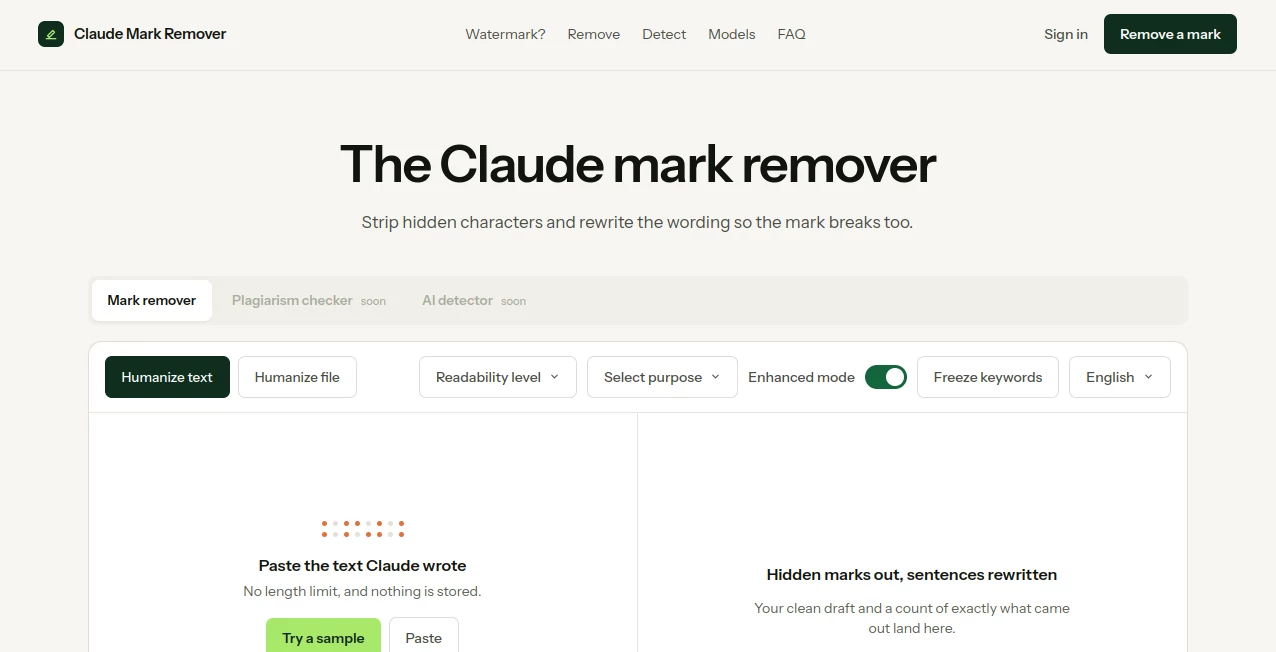
The experience is deliberately simple. You paste text, upload a supported file, or try the sample, choose the available options, and start the cleaning process. There is no account requirement, and the website states that submitted content is not stored. For anyone who wants a straightforward way to prepare AI-generated text before using it elsewhere, that simplicity is a real advantage.
Key Features
- Removal of hidden Unicode characters from text.
- Sentence rewriting designed to break detectable wording patterns.
- Support for both pasted text and uploaded files.
- No stated word limit for text processing.
- No account required.
- Browser-based processing with content not stored according to the website.
- Humanization controls including readability, purpose selection, enhanced mode, and keyword freezing.
- Support for common file formats including PNG, JPG, WEBP, SVG, PDF, DOCX, TIFF, HEIC, and AVIF, with files up to 20 MB.
- A result area showing how many hidden characters were removed and which sentences were rewritten.
User Interface
The interface keeps the main task front and center. Instead of navigating through a complicated dashboard, users are presented with an input area where they can paste their draft or upload a file. Options such as readability level, purpose, enhanced mode, and keyword freezing provide additional control when a simple cleanup is not enough.
The workflow feels particularly practical for people who work with large amounts of generated text. A writer can paste a draft, make the desired adjustments, and review the cleaned result without having to learn a complicated editing system.
Accuracy & Performance
The service uses two different approaches because hidden characters and wording patterns are not the same problem. Invisible Unicode characters can be removed mechanically without changing visible wording. The second layer involves rewriting sentences so that the original statistical wording pattern is less likely to remain intact.
The website provides a useful before-and-after example, including a count of hidden characters removed and sentences rewritten. It also reports a human score for the processed example, giving users an additional indication of the result rather than simply returning an unexplained block of text.
Processing is presented as quick, with the site describing the cleanup as taking about a second. Actual processing time can naturally depend on the amount and type of content being handled.
Capabilities
Text processing is the main strength of the service, but the workflow also extends to files. Users can work with documents and images rather than being restricted to plain pasted text. The file workflow is particularly useful when the content contains metadata that needs separate treatment.
The service distinguishes between text-based marks and file metadata. For supported files, it addresses content credentials and metadata such as EXIF and XMP, while the text workflow focuses on hidden characters and sentence-level rewriting. This separation makes the product more useful than a basic find-and-replace utility.
Security & Privacy
Privacy is one of the more noticeable points in the product's presentation. The website states that submitted content is not stored and that the processing runs entirely in the browser. That is reassuring for users handling drafts, documents, or other material they would rather not leave on a remote server.
As with any online processing service, users should still consider the sensitivity of the material they are handling and review the provider's current privacy information before processing confidential documents.
Use Cases
- AI-assisted writing: Clean and revise drafts before incorporating them into articles, reports, or other written material.
- Content editing: Rework sentence structures when a draft feels overly mechanical or repetitive.
- Academic and professional drafts: Prepare generated material for further human review and editing.
- Publishing workflows: Process text before moving it into a CMS, document editor, or publishing platform.
- Document preparation: Work with supported document and image formats when metadata or hidden information needs attention.
- Writers and editors: Use readability and purpose controls to make the final wording better suited to its intended audience.
Pros and Cons
Pros:
- Simple and focused interface.
- Free to use according to the website.
- No account required.
- No stated text length limit.
- Removes invisible characters without necessarily changing visible wording.
- Offers genuine sentence rewriting rather than simple word substitution.
- Supports text and several common file formats.
- Provides useful processing statistics after completion.
Cons:
- The statistical watermark detection layer described by the site is not publicly verifiable through a third-party detector yet.
- Sentence rewriting can change the original phrasing, so important content should always be reviewed afterward.
- Results may vary depending on the source material and how much rewriting is required.
- The service is specialized, so users looking for a complete general-purpose writing suite may need additional tools.
Pricing Plans
The service is presented as free, with unlimited words and no account requirement. The website does not advertise a conventional paid subscription for the main mark-removal workflow. This makes it particularly accessible for occasional users as well as people who need to process text regularly.
Because online tools can change their pricing or introduce additional features over time, users should check the current product page for the latest availability and any future premium options.
How to Use the Tool
- Open the mark-removal interface.
- Paste the Claude-generated text into the input area or upload a supported file.
- Choose options such as readability level or purpose if additional control is needed.
- Enable enhanced processing when a more substantial rewrite is appropriate.
- Use keyword freezing when specific terms need to remain unchanged.
- Start the removal process.
- Review the cleaned draft and the reported number of hidden characters or rewritten sentences.
- Copy the result or continue editing it manually before publishing or sharing.
Comparison with Similar Tools
Many text-cleaning utilities focus on one narrow task, such as removing invisible Unicode characters or replacing individual words. This service takes a broader approach by combining mechanical character removal with sentence-level rewriting. That distinction matters because removing hidden characters alone does not address a separate pattern that may exist in the wording.
Another difference is the inclusion of file processing. Instead of forcing users to extract text manually, the service accepts several document and image formats and treats file metadata as a separate issue. For users who want one simple workflow rather than several unrelated utilities, this can make the experience more convenient.
It is still important to distinguish watermark cleanup from authorship or originality verification. Removing a hidden mark does not make generated material automatically original, accurate, or suitable for publication. Human review remains an important part of a responsible editing workflow.
Conclusion
This tool takes a very specific problem and handles it with a surprisingly practical workflow. Its strongest feature is the distinction between invisible characters and wording-based patterns, allowing each problem to be addressed differently rather than relying on a superficial search-and-replace operation.
The combination of free access, no account requirement, browser-based processing, text rewriting, and file support makes it worth considering for writers, editors, marketers, students, and anyone regularly working with AI-generated material. The best results will come when the cleaned output is treated as an editing step rather than the final word. A quick human review can preserve important facts, terminology, tone, and intent.
Frequently Asked Questions (FAQ)
Does Claude-generated text contain a watermark?
The website states that current Claude models released from August 2026 support model-level marking. It describes the mark as being embedded within generated text rather than displayed as a visible watermark.
Can hidden characters be seen normally?
No. Invisible characters are designed to be imperceptible during ordinary reading. The website specifically mentions characters such as narrow no-break spaces and zero-width joiners that can be revealed using tools that display invisible characters.
Does copying and pasting remove the mark?
According to the information provided by the website, copying, pasting, reformatting, or changing a small number of words does not necessarily remove the underlying pattern.
Does the rewriting process change the original text?
Yes, sentence-level rewriting can change the wording. That is why the resulting draft should be reviewed carefully, especially when the original text contains technical terminology, factual statements, or carefully chosen phrasing.
Is the tool free?
Yes. The website currently describes the main mark-removal service as free, with unlimited words and no account required.
Are submitted texts stored?
The website states that nothing is stored and that the text-cleaning process runs entirely in the browser.
Can files be processed?
Yes. The service accepts several image and document formats, including PNG, JPG, WEBP, SVG, PDF, DOCX, TIFF, HEIC, and AVIF, with a stated maximum file size of 20 MB.
Should the result be reviewed before publishing?
Absolutely. Any automated rewriting can alter nuance or phrasing. A final human review is recommended to confirm that the cleaned version still says exactly what you intend.
AI Content Generator , AI Rewriter , AI Content Detector , AI Writing Assistants .
These classifications represent its core capabilities and areas of application. For related tools, explore the linked categories above.
Claude Mark Remover details
Website unavailable — View Alternatives
Pricing
- Freemium
Apps
- Web App
Categories

Claude Mark Remover Alternatives Product

AI Bypass Hub

Quikauthor

Nanobanana 2

Enji

nano banana …

YooPrompt

Simplified

Rephrazy

Jasper
