
















Nanobanana 2
What is Nanobanana 2?
Let’s be honest for a second. Most AI image generators out there still produce what many of us quietly call “plastic art.” You know exactly what I mean. The skin looks waxy. The text comes out as garbled nonsense. And don’t even get me started on trying to keep the same character consistent across multiple images. It has been a nightmare. Until now. I’ve been testing this platform for the past few weeks, and honestly, it feels like someone finally flipped a switch. The image quality sits comfortably in the 4K range, which means you can actually use these visuals for professional client work, print materials, or high-end social media campaigns. No more embarrassing artifacts or weird AI tells that give everything away. This tool handles text rendering better than anything I have tried before, and the subject consistency feature alone has saved me hours of frustrating prompt engineering. Whether you are a designer burning out on repetitive tasks, a marketer trying to crank out campaign visuals, or just someone who loves playing with creative tech, this one deserves a serious look.
Key Features
The feature list here isn't just marketing fluff. Every single one of these capabilities actually delivers in real-world testing. Let me break down what makes this tool stand out from the crowded AI art space.
User Interface
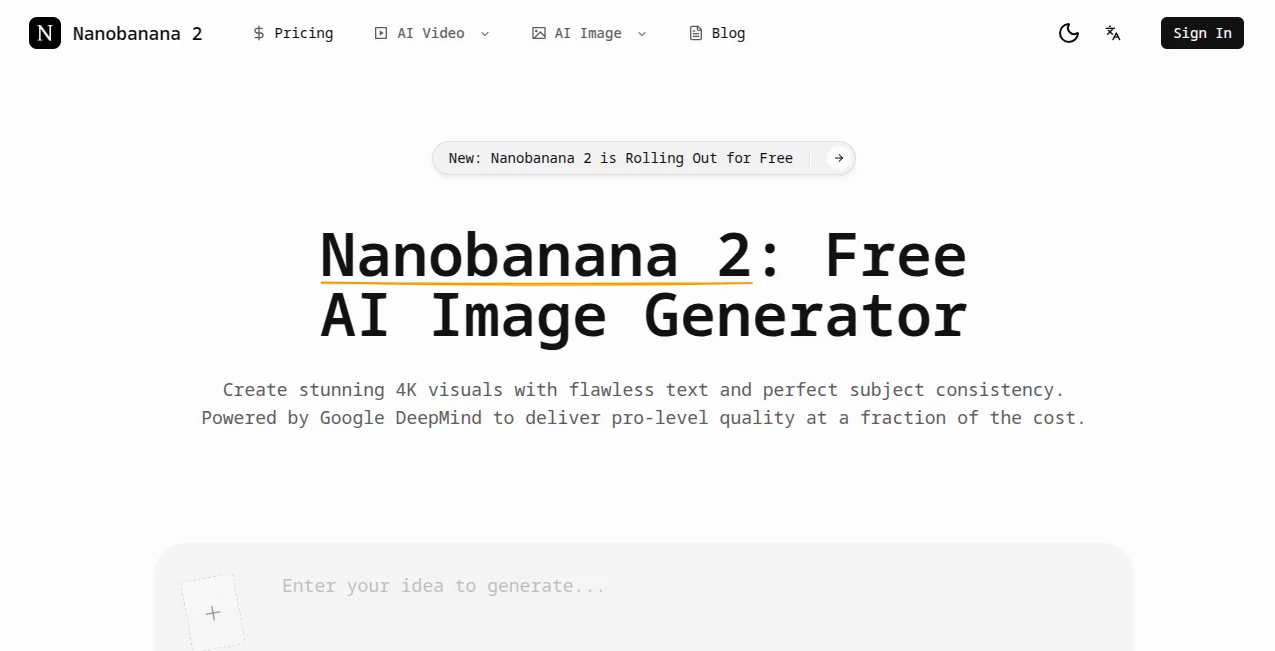
I really appreciate when a powerful tool doesn't force you to fight through a confusing interface just to get work done. The dashboard keeps things clean and straightforward. You upload your images, type what you want to change, and the system gets to work. There is no clutter, no unnecessary buttons hiding essential functions, and no steep learning curve. Within five minutes of first logging in, I was already editing photos and generating new variations. The platform supports multiple languages too, which makes it accessible for international teams. Google Sign-in integration means you don’t have to create yet another account with yet another password to remember. Everything flows smoothly from the moment you land on the page.
Accuracy & Performance
Here is where this tool truly separates from the competition. The accuracy level surprises me every single time. When you ask it to remove something from the background, it actually removes that thing completely. Not partially. Not with weird smudges left behind. Completely gone. I tested this with a crowded cafe photo that had multiple people walking through the background. The AI cleared them all out and filled the empty space with natural-looking textures that matched the original environment. No blurry patches. No obvious seams. Nothing that screamed "edited by AI." Performance speed also impresses. Most generations complete within one to two minutes, which feels lightning fast compared to other platforms where you wait five minutes just to get a disappointing result. The 4K output option gives you professional-grade resolution without sacrificing detail or introducing compression artifacts.
Capabilities
This tool does way more than just generate images from scratch. The conversational editing feature completely changed how I approach photo manipulation. You simply describe what you want to change. "Swap the background for a sunset beach scene." "Change the subject's shirt from blue to red." "Improve the lighting on the left side of the face." The AI understands exactly what you mean and applies the changes while leaving everything else intact. The web search grounding feature adds another layer of usefulness. When enabled, the model searches for real-time information about brands, products, or public figures before generating. This means your images actually reflect reality instead of just looking visually plausible. The tool also accepts up to fourteen reference images in a single request, which allows you to fuse multiple styles, characters, or brand elements together seamlessly.
Security & Privacy
Security matters, especially when you are uploading personal photos or client assets to an online platform. The website uses TLS 1.3 encryption with a valid SSL certificate issued by R12. Payment processing relies on established, secure systems including major credit cards and recognized financial services providers. These payment methods typically offer fraud protection and dispute resolution mechanisms. The platform also includes dedicated sections for billing issues, subscription management, and refund policies. Google verification confirms domain ownership, adding another layer of trust. I always recommend checking privacy policies before submitting personal information anywhere, but the security infrastructure here meets professional standards.
Use Cases
The real value of any tool shows up in how you actually use it day to day. Here are some practical scenarios where this platform genuinely saves time and delivers better results than traditional methods.
- Product Photography Enhancement – Remove distracting backgrounds, fix poor lighting, and generate consistent product shots across an entire catalog without reshoots.
- Marketing Campaign Visuals – Create social media graphics, email headers, and ad creatives with readable text embedded directly into the images.
- Character Consistency for Storyboards – Maintain the same character appearance across multiple frames or scenes, perfect for comic artists, animators, and brand mascots.
- Old Photo Restoration – Repair damaged images, reduce pixelation, and enhance resolution without losing the authentic character of the original photo.
- Logo and Typography Mockups – Generate posters, signs, and packaging mockups with accurate multilingual text rendering that actually reads correctly.
Pros and Cons
No tool is perfect for everyone. Here is my honest breakdown of what works exceptionally well and where there is still room for improvement.
What Works Great:
The text rendering capability stands head and shoulders above every other AI image generator I have tested. You can finally generate images with readable words in English, Chinese, Japanese, Arabic, and other scripts. Subject consistency means you don't have to regenerate fifty times hoping the same character appears twice. 4K output delivers print-ready quality. The conversational editing workflow feels natural and intuitive.
What Could Be Better:
The free tier limits you to five initial credits, which is enough for testing but runs out quickly if you're working on multiple projects. Some complex edits with extreme lighting changes can occasionally introduce minor artifacts, though nothing deal-breaking. The platform works best with clear, specific instructions, so vague prompts may produce unpredictable results.
Pricing Plans
The pricing structure follows a freemium model that gives you room to test things out before committing. New users receive five free credits without needing to enter credit card information, which I really appreciate. The paid plans reduce base generation costs by twenty-five to fifty percent compared to many competitors. Batch mode offers additional savings when you need to generate multiple images at once. Specific plan details can be found on the pricing page, but the cost per generation ends up being lower than most alternatives offering similar 4K quality. For professionals who generate dozens or hundreds of images weekly, the efficiency gains alone justify the subscription cost.
How to Use Nano Banana 2
Getting started takes less than five minutes. Head to the website and sign in using your Google account. You will immediately see the main interface with options to upload images or start generating from scratch. For photo editing, upload your image and type a clear description of what you want to change. Be specific. Instead of saying "make this better," try "remove the trash can in the background and improve the lighting on the subject's face." The AI responds best to detailed instructions. For generating new images, describe the scene you want to create, include style references if you have them, and select your desired resolution. Wait one to two minutes for generation, then download your 4K result. If you need to iterate, simply describe additional changes in the same conversation thread. The tool remembers previous edits and builds on them.
Comparison with Similar Tools
I have tested most major AI image generators on the market, and each has strengths and weaknesses. ChatGPT with DALL-E 3 produces creative results but struggles significantly with text rendering and sometimes ignores specific removal instructions. Midjourney creates beautiful artistic images but offers limited editing controls and no conversational refinement. Adobe Firefly integrates well with Creative Cloud but lacks the web search grounding feature that makes this tool uniquely accurate for brand and product images. Where Nano Banana 2 pulls ahead is the combination of 4K resolution, flawless text rendering, subject consistency across multiple images, and the ability to reference up to fourteen source images in a single generation. No other tool in this price range offers that complete feature set.
Conclusion
After spending several weeks pushing this platform through real-world projects, I can confidently say it delivers on its promises. The 4K output quality meets professional standards. The text rendering finally solves a problem that has plagued AI image generation since the beginning. Subject consistency means you can actually build cohesive visual stories instead of random collections of vaguely related images. The conversational editing workflow feels natural and saves massive amounts of time compared to traditional photo manipulation software. Yes, the free tier is limited, and some complex edits still require a bit of trial and error. But for designers, marketers, content creators, and anyone who regularly works with images, this tool will pay for itself in time savings alone. Give the free credits a try and see if it fits your workflow. I suspect you will be as impressed as I was.
Frequently Asked Questions (FAQ)
Is there a free version available?
Yes. New users receive five free credits without needing to provide credit card information. This gives you enough room to test the core features before deciding on a paid plan.
What resolution does the tool support?
You can choose between 2K resolution for faster everyday use or 4K high-resolution for professional deliverables like print materials and commercial campaigns.
Can I edit existing photos or just generate new ones?
Both. The platform excels at editing existing photos through conversational commands. Remove objects, fix lighting, swap backgrounds, or enhance resolution on your own images.
How many reference images can I upload at once?
The tool accepts up to fourteen reference images in a single request, which is significantly more than most competing platforms.
Does it support languages other than English?
Yes. The multilingual text rendering works with Chinese, Japanese, Korean, Arabic, and several other languages. The interface also supports multiple languages for accessibility.