

















ClipDance
What is ClipDance?
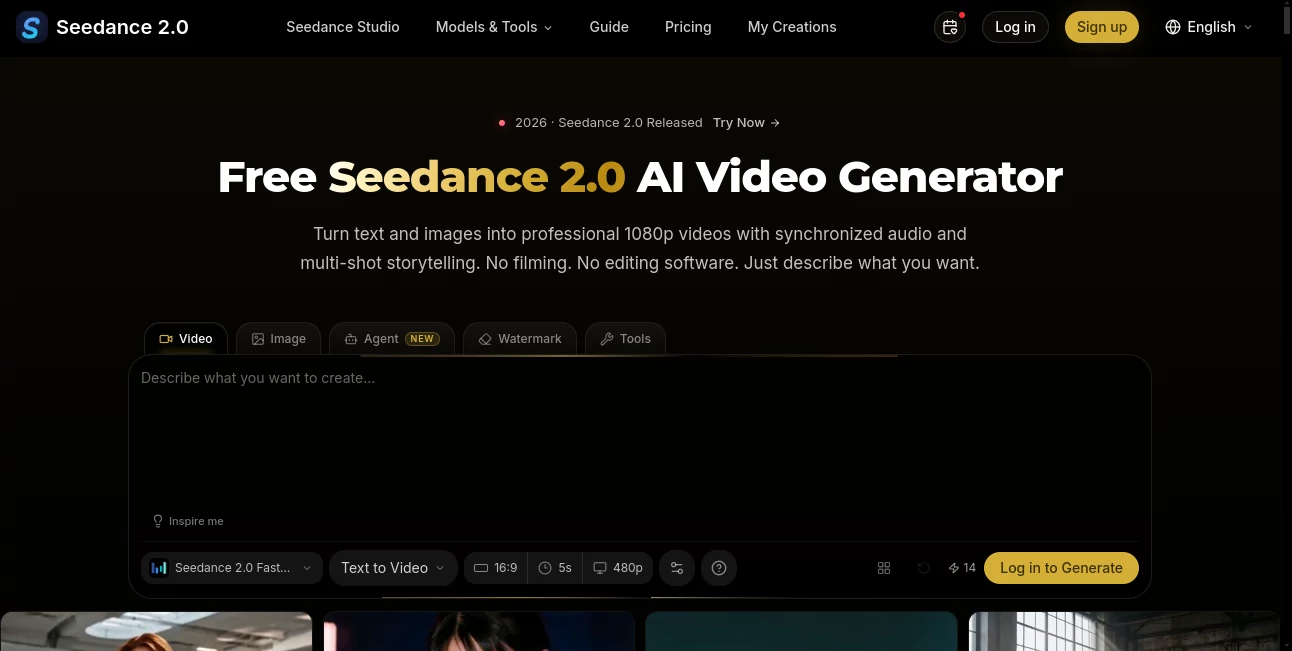
ClipDance is an AI-powered video creation platform built around Seedance 2.0 and several other modern image and video models. It lets creators turn written prompts, images, videos, and reference files into finished video content without requiring a traditional editing workflow. The platform supports 1080p generation, synchronized audio, multi-shot storytelling, and browser-based video editing, making it useful for everything from social media clips and product demonstrations to animation and cinematic experiments.
One of its strongest advantages is the combination of video and audio generation in the same workflow. Instead of creating a silent clip and moving to another application for sound design, users can generate dialogue, sound effects, and ambient audio alongside the video. Most standard generations are designed to be completed within roughly 30 to 60 seconds, depending on the selected model and settings.
Key Features
- Text-to-video generation from natural-language prompts
- Image-to-video animation for turning still images into moving scenes
- Reference-to-video workflows with multiple image, video, and audio inputs
- Native audio generation with dialogue, sound effects, and ambient sound
- Browser-based AI video editing
- Beat synchronization for music videos and short-form content
- Lip-sync support across more than eight languages
- Character consistency across multi-shot sequences
- Video extension and reference-guided generation
- Multiple AI video and image models in one workspace
User Interface
The interface is designed around a straightforward creation process: describe the scene, provide references when needed, generate the result, and download the finished video. This makes the platform approachable even for users who have never worked with professional video-editing software.
Pre-built workflows are particularly useful for beginners. Instead of figuring out every setting from scratch, a creator can select a template, replace the subject or references, and generate a complete sequence. For experienced users, additional controls become more useful, especially when working with camera direction, negative prompts, seed settings, and reference materials.
Accuracy & Performance
Performance depends on the selected model, video duration, resolution, and complexity of the prompt. The platform states that many standard generations can be ready within 30 to 60 seconds, while its workflow is designed to process video, audio, and transitions together rather than requiring separate synchronization.
Reference inputs also give creators more control over visual consistency. Up to 12 references can be used in a project, including images, video clips, and audio files. This is particularly helpful when a scene needs to preserve a character, visual style, product appearance, or specific composition.
Capabilities
The platform goes well beyond simple text-to-video generation. Users can animate photographs, create product demonstrations, develop cinematic scenes, transform manga panels into animated sequences, produce cartoon-style content, and create motion graphics such as animated logos and title sequences.
Its beat-sync workflow is another practical addition for music creators and social media publishers. A music track can guide camera cuts, transitions, and movement so that the resulting video feels connected to the rhythm rather than simply having music added afterward.
Security & Privacy
Users should review the platform's privacy policy and terms before uploading sensitive or confidential material, particularly when working with unreleased products, private footage, or client-owned assets. The service also states that generated videos come with commercial rights and do not require attribution, although creators should still make sure that their source materials and third-party assets are legally usable.
Use Cases
- Social Media Content: Create short videos for TikTok, Instagram, YouTube, and other social platforms from simple concepts or reference images.
- Marketing: Produce product demonstrations, promotional clips, advertising concepts, and branded visual content.
- Animation: Bring illustrated characters, manga panels, and cartoon concepts to life with movement and dialogue.
- Music Videos: Use beat synchronization to create visual sequences that follow the rhythm of a track.
- Film Previsualization: Experiment with scenes, characters, camera movements, and cinematic concepts before committing to conventional production.
- Content Creation: Build YouTube videos, travel-style clips, character stories, and other visual content without a conventional production setup.
- Motion Graphics: Generate animated titles, logos, visual effects, and other promotional graphics.
Pros and Cons
Pros:
- Text-to-video and image-to-video generation in one workspace
- Native synchronized audio generation
- Supports multiple reference inputs
- Useful tools for character and visual consistency
- Browser-based video editing
- Multiple AI video and image models available
- Commercial-use options on paid plans
- Free credits available without requiring a credit card
Cons:
- Higher resolutions and advanced controls require paid plans
- Generation costs vary according to resolution and duration
- Complex creative prompts may still require several attempts
- Unused subscription credits do not roll over to the next billing cycle
Pricing Plans
A free option is available for new accounts, providing 3 credits without requiring a credit card. The free tier includes standard models and video styles at 1024px resolution, giving new users a chance to test the generation workflow before subscribing.
The Pro plan costs $24 per month when billed monthly, or $29.99 as the listed regular monthly price with annual billing bringing the yearly cost to $288. It includes 500 credits per month, multiple video and image models, text-to-video, image-to-video, reference-to-video, video editing, audio generation, 1080p output without a watermark, and commercial-use rights.
The Business plan costs $64 per month, with an annual option listed at $768 per year. It provides 2,500 credits monthly, higher-resolution generation up to 4K, videos up to 15 seconds, camera and lens controls, seed and negative-prompt controls, priority generation, and team-oriented commercial use.
The Enterprise plan is listed at $160 per month, or $1,920 annually. It provides 8,000 credits each month, the highest generation priority, early access to new models, volume bonuses, dedicated account management, custom billing options, and unlimited access to selected image models under the plan's stated conditions.
How to Use ClipDance
- Choose a creation workflow: Start with text-to-video, image-to-video, reference-to-video, or another available workflow.
- Describe the scene: Write a clear prompt explaining the subject, environment, movement, camera behavior, style, and desired result.
- Add references: Upload images, video clips, or audio when you need greater control over appearance, movement, sound, or composition.
- Adjust settings: Depending on the selected plan and model, configure resolution, duration, camera controls, seed, negative prompts, or other available options.
- Generate: Submit the project and allow the selected model to create the video and accompanying elements.
- Review and refine: If the result does not match your idea, adjust the prompt or references and generate another version.
- Download and publish: Once satisfied, download the finished video and use it for your chosen platform or project.
Comparison with Similar Tools
Many AI video generators focus primarily on producing visual footage from text or images. This platform takes a broader approach by combining several video models, image models, audio generation, editing, reference workflows, and specialized creation tools in one browser-based environment.
Its native audio workflow can be especially appealing to creators who do not want to move between separate applications for video generation and sound production. The availability of multiple models is also useful when one model is better suited to a particular scene, visual style, or production requirement.
For straightforward experimentation, the free credits make it easy to test the workflow. For regular production, the paid tiers become more relevant because they add higher resolutions, additional credits, priority processing, longer videos, and more advanced controls.
Conclusion
For creators looking to move from an idea to a finished AI-generated video without assembling a complicated collection of tools, this platform offers a compelling workflow. Text prompts, reference images, video inputs, audio, editing, and multiple generation models can all be brought together in one place.
The combination of synchronized audio, reference-guided creation, character consistency, and support for marketing, animation, music, and social content gives it considerable flexibility. The free credits are a sensible starting point, while the paid plans provide a clear path for creators and teams producing video more frequently.
Frequently Asked Questions (FAQ)
Is there a free version?
Yes. New accounts receive 3 free credits without a credit card. The free option provides standard models and video styles at 1024px resolution.
Can I generate videos from text?
Yes. Text-to-video generation is one of the platform's core workflows. Users can describe a scene and generate video with synchronized audio.
Can I animate an existing image?
Yes. Image-to-video generation can animate a still image and add natural movement. Reference images can also be used to guide the composition and appearance of generated scenes.
Does it generate audio?
Yes. The platform supports native audio generation, including dialogue, sound effects, and ambient audio. It also offers beat synchronization for music-focused projects.
What resolution can I generate?
Resolution depends on the selected plan and workflow. Paid plans include 1080p output, while the Business tier adds generation up to 4K under its listed features.
How many reference files can I use?
The platform states that up to 12 reference inputs can be used in a project, including images, video clips, and audio files.
Are the generated videos suitable for commercial projects?
Paid plans include commercial-use rights according to the listed plan features. Users should also ensure that any uploaded source material is properly licensed for their intended use.
Can I edit videos in the browser?
Yes. Users can upload a clip, describe the desired edit, and use the AI video editing workflow directly in the browser.
What video formats are supported?
The platform states that generated videos can be provided in MP4 and WebM formats, making them suitable for major social platforms and common editing applications.
Do unused subscription credits carry over?
No. Subscription credits reset at the end of each billing cycle. Credit-pack credits have a separate 30-day validity period.
AI Video Generator , AI Image to Video , AI Music Video Generator , AI Video Editor .
These classifications represent its core capabilities and areas of application. For related tools, explore the linked categories above.

ClipDance Alternatives Product

Seedance 2.0

kling 5.0

Visfeng AI F…
Artaivo

ai seedance …

Genmi AI

Seedance 2 V…
hailuo03

The Influenc…
