
ContractMaker
What is ContractMaker?
Creating legal agreements often takes more time than it should. Whether you are preparing a service agreement, employment contract, NDA, or commercial document, every revision requires attention to detail and careful review. This platform simplifies the entire drafting process by combining professionally structured templates with intelligent document assistance, helping users produce polished agreements in a fraction of the usual time.
Instead of starting with a blank page, users can build contracts from ready-made templates or generate customized drafts based on their specific requirements. Every edit is tracked, making collaboration easier for legal professionals, startups, freelancers, and business teams. The result is a faster workflow that reduces repetitive work while maintaining clarity and consistency throughout every document.
One of the strongest advantages is its ability to keep revisions transparent. Every modification can be reviewed, compared, and refined before a document reaches its final version. This makes negotiations smoother and minimizes the confusion that often appears when multiple people contribute to the same agreement.
Key Features
- Generate contracts using intelligent drafting assistance.
- Start from professionally designed contract templates.
- Track every edit and document revision.
- Review agreements with highlighted changes.
- Redline contracts for faster negotiations.
- Collaborate with multiple stakeholders efficiently.
- Reduce manual drafting time.
- Create consistent legal documents across teams.
- Improve document review workflows.
- Suitable for businesses, legal teams, and independent professionals.
User Interface
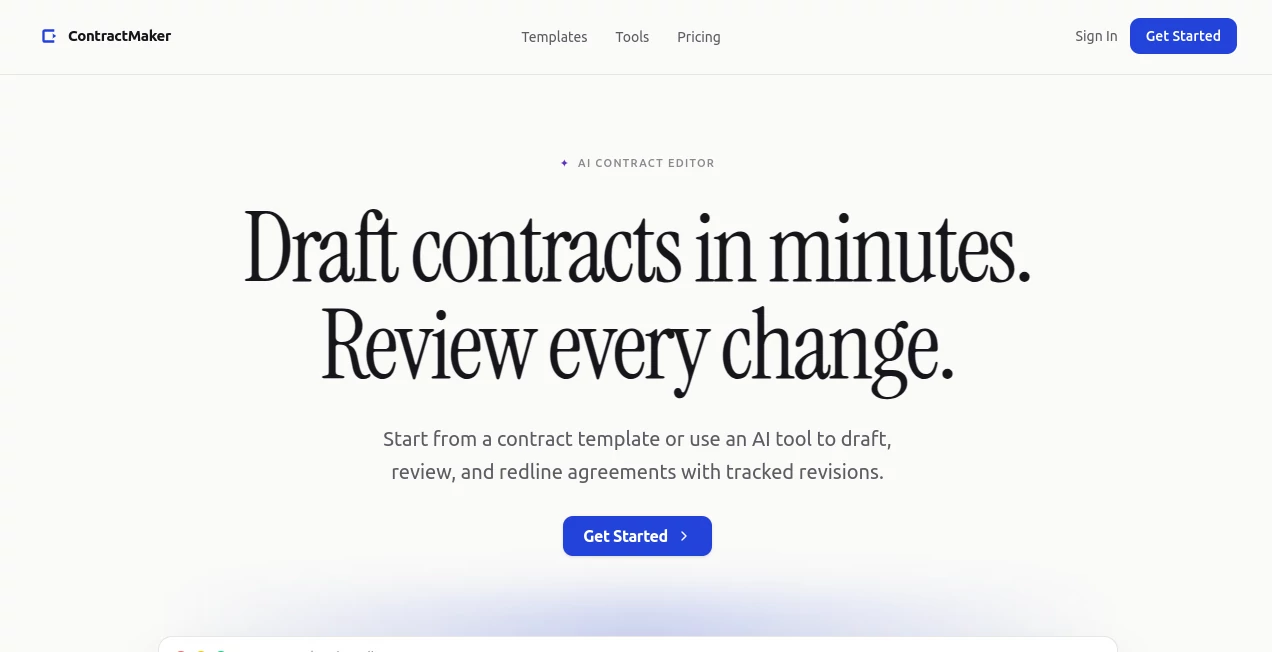
The interface focuses on productivity rather than complexity. Documents are organized in a familiar editor where drafting, reviewing, and comparing revisions feel intuitive. Important changes remain visible, allowing reviewers to understand every modification without searching through multiple document versions.
Accuracy & Performance
Using structured templates alongside intelligent drafting significantly reduces formatting mistakes and repetitive writing. Review tools help identify revisions quickly, allowing users to focus on legal content instead of document management. This leads to faster turnaround times while maintaining professional-quality agreements.
Capabilities
The platform supports contract creation, document editing, revision tracking, redlining, and collaborative review. Businesses can prepare agreements from templates, customize clauses for specific situations, and review every change before approval. These capabilities make it suitable for everything from everyday business contracts to more detailed commercial agreements.
Security & Privacy
Legal documents frequently contain confidential business information, making privacy an essential requirement. The platform is designed for professional document management, allowing organizations to review sensitive agreements in a controlled environment while keeping document revisions organized throughout the drafting process.
Use Cases
- Preparing client service agreements.
- Drafting employment contracts.
- Creating non-disclosure agreements.
- Reviewing commercial contracts before signing.
- Negotiating agreements with tracked revisions.
- Supporting startup legal documentation.
- Managing contract workflows for internal teams.
- Assisting freelancers with professional contracts.
Pros and Cons
Pros
- Fast contract drafting from templates.
- Clear revision tracking and redlining.
- Professional workflow for legal documents.
- Saves significant drafting time.
- Easy collaboration during contract reviews.
Cons
- Advanced legal review still benefits from professional legal expertise.
- Template availability may vary depending on document type.
- Complex jurisdiction-specific requirements should always be verified before execution.
Pricing Plans
Multiple pricing options may be available depending on user requirements. Prospective customers should visit the official pricing page to view the latest subscription plans, available features, and licensing information.
How to Use ContractMaker
- Select an appropriate contract template or begin a new draft.
- Provide the necessary agreement details.
- Generate the initial contract draft.
- Review the suggested content carefully.
- Edit clauses to match your legal requirements.
- Track every revision throughout the negotiation process.
- Finalize and export the completed agreement.
Comparison with Similar Tools
Unlike traditional document editors that only provide text editing, this solution combines intelligent drafting, structured templates, revision tracking, and redlining in a single workflow. It is particularly valuable for organizations that regularly negotiate agreements and need visibility into every document change instead of manually comparing multiple file versions.
Conclusion
Preparing legal agreements no longer has to involve hours of repetitive drafting and confusing version control. By combining intelligent document creation with structured templates and transparent revision tracking, this platform streamlines one of the most time-consuming business processes. Whether used by a growing startup, an established legal department, or an independent consultant, it provides a practical way to draft, review, and finalize contracts more efficiently while keeping every change visible from start to finish.
Frequently Asked Questions (FAQ)
Can I create contracts from templates?
Yes. The platform provides ready-made templates that can be customized for different agreement types.
Does it track document revisions?
Yes. Every modification can be reviewed through tracked revisions and redlining features.
Who can benefit from this platform?
Businesses, legal professionals, startups, freelancers, and teams that regularly prepare or review contracts can all benefit from its workflow.
Can multiple people review the same agreement?
Yes. The revision workflow supports collaborative review and document updates before final approval.
Is it suitable for business contracts?
Yes. It is designed to simplify the drafting and review of a wide variety of business agreements.
AI Workflow Management , AI Documents Assistant , AI Business Ideas Generator , AI Contract Management .
These classifications represent its core capabilities and areas of application. For related tools, explore the linked categories above.

ContractMaker Alternatives Product

Nifty

Restaurant S…

SalaryHow

PDF to MD

LongTerMemory
The #1 Text …
Zamicus

Solovio

AfterSession