
Coolo.ai
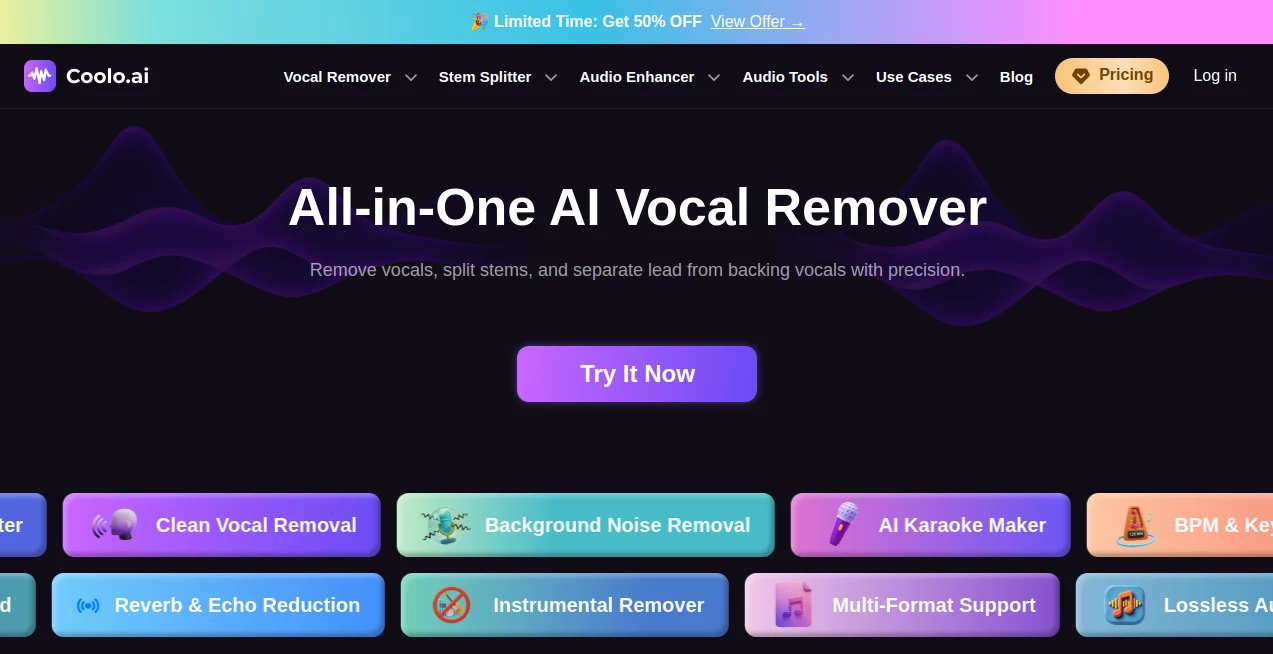
What is Coolo.ai?
Creating clean instrumentals, karaoke tracks, or isolated vocals used to require advanced editing software and plenty of patience. Today, AI has changed that process completely. This platform brings together professional-grade audio separation, enhancement, and analysis tools inside a simple browser-based workspace, making advanced music editing accessible to everyone.
Whether you're a musician preparing practice tracks, a DJ building mashups, a content creator cleaning audio, or a podcast producer improving recordings, the platform delivers fast processing with impressive sound quality. Instead of installing complicated software, users simply upload an audio file and let AI handle the heavy lifting.
Beyond vocal removal, it also offers stem separation, background noise reduction, echo removal, key and BPM detection, instrument isolation, and several other audio utilities that help creators complete projects more efficiently.
Key Features
User Interface
The interface is designed for speed and simplicity. Files can be uploaded with drag-and-drop functionality, while processing begins almost immediately. Every tool is organized clearly, allowing beginners to perform complex audio editing without technical experience.
Accuracy & Performance
Advanced AI models accurately separate vocals, instruments, drums, bass, guitar, piano, and backing vocals while preserving audio quality. Processing is fast, and the generated tracks remain clean enough for remixing, rehearsals, karaoke creation, educational use, and professional editing.
Capabilities
- AI vocal removal
- Stem separation
- Lead and backing vocal splitting
- Instrument isolation
- Background noise removal
- Echo reduction
- Reverb removal
- Audio enhancement
- Speech enhancement
- Podcast audio cleanup
- Song key detection
- BPM detection
- Audio to MIDI conversion
- Pitch changing
- Audio trimming and editing
- Lossless audio export
- Multi-format support
Security & Privacy
Audio processing takes place online, eliminating the need for software installation. Users simply upload files, process them, and download the results. This streamlined workflow minimizes complexity while providing a convenient editing experience across different devices. The platform also supports secure HTTPS connections for data transmission.
Use Cases
- Creating karaoke versions of popular songs
- Extracting vocals for remix production
- Separating instruments for music education
- Cleaning podcast recordings
- Improving interview audio
- Producing mashups for DJs
- Practicing individual instrument parts
- Analyzing song tempo and musical key
- Removing environmental noise from recordings
- Preparing content for YouTube videos and social media
Pros and Cons
- Pros
- Easy-to-use web interface
- Fast AI-powered processing
- Excellent vocal and instrument separation quality
- Wide collection of audio editing tools in one platform
- No advanced editing skills required
- Supports multiple audio formats
- Useful for beginners and professionals alike
- Cons
- Requires an internet connection
- Processing time depends on file size
- Some advanced features may require a paid plan
Pricing Plans
The platform provides free access to several AI audio tools, allowing users to test its capabilities before upgrading. Premium plans unlock additional processing capacity, higher-quality exports, and expanded usage limits for creators who work with audio regularly. Pricing options may change over time, so checking the official website is recommended for the latest details.
How to Use Coolo
Upload your audio or video file using the desired AI tool. Select the operation you want, such as vocal removal, stem separation, or noise reduction. The AI automatically analyzes the recording and processes it within seconds. Once complete, preview the output and download the finished audio in high quality for your project.
Comparison with Similar Tools
Compared with many standalone vocal removers, this solution combines numerous AI audio utilities within a single platform. Instead of switching between separate applications for vocal isolation, stem extraction, audio enhancement, BPM detection, and noise cleanup, creators can complete the entire workflow in one place. This integrated approach saves both time and effort while maintaining consistently high output quality.
Conclusion
For musicians, producers, educators, DJs, podcasters, and digital creators, this AI-powered audio toolkit offers an impressive combination of quality, speed, and convenience. Its extensive collection of intelligent editing features transforms tasks that once required expensive software into simple browser-based workflows. From creating karaoke tracks to restoring noisy recordings, it provides reliable results that make professional audio editing far more accessible.
Frequently Asked Questions (FAQ)
Can beginners use this platform?
Yes. The interface is designed for users of all experience levels and requires no professional audio editing knowledge.
Can vocals and instruments be separated independently?
Yes. AI can isolate vocals, drums, bass, guitar, piano, backing vocals, and additional stems depending on the selected tool.
Does it support podcast audio enhancement?
Yes. The platform includes speech enhancement, background noise removal, and echo reduction features that are useful for podcasts and interviews.
Can I detect the key and BPM of a song?
Yes. Dedicated AI tools analyze uploaded files and identify both musical key and tempo automatically.
Who benefits the most from this platform?
Musicians, DJs, producers, vocal coaches, educators, YouTube creators, podcasters, and anyone working with digital audio can benefit from its features.
AI Audio Enhancer , AI Music Generator , AI Speech Synthesis , AI Voice & Audio Editing .
These classifications represent its core capabilities and areas of application. For related tools, explore the linked categories above.

Coolo.ai Alternatives Product

Mp3ToMidi

FluentDictat…

Voice To Ins…

Solmi AI

Maestra

SongFromShort

Qwen3 TTS

TonesMatch

AI ASMR Gene…