

















SongFromShort
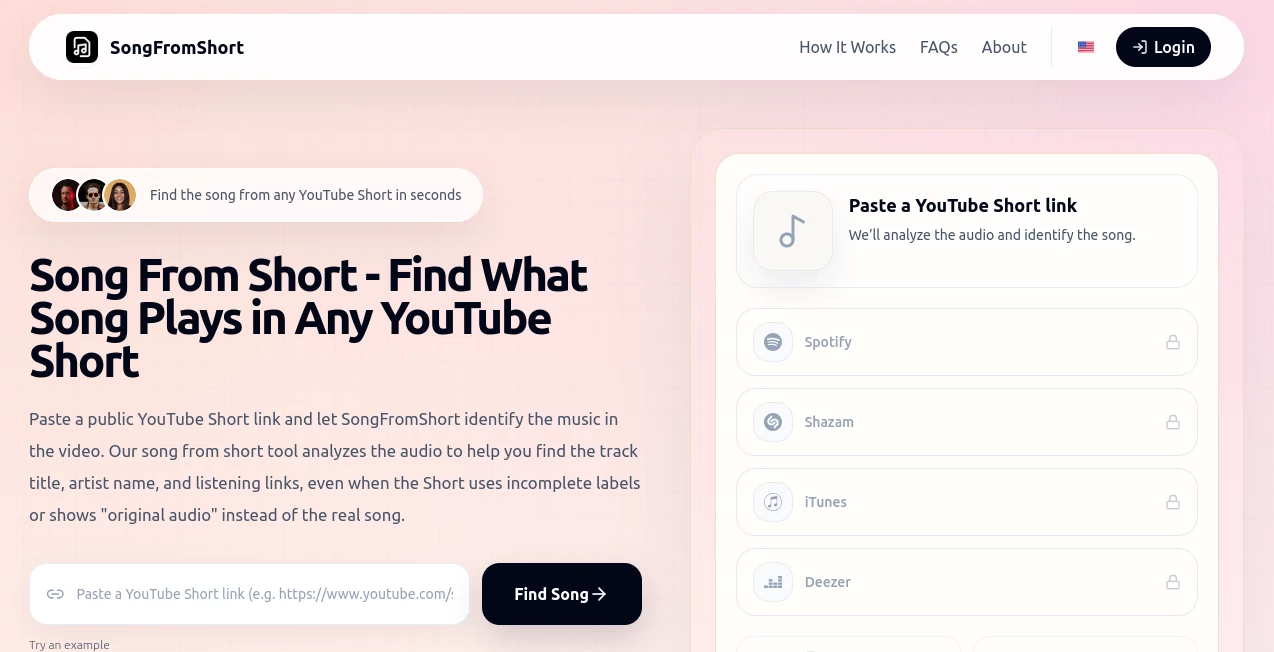
What is SongFromShort?
We’ve all been there. You’re scrolling through YouTube Shorts, and suddenly a track catches your ear. It’s perfect. You want to add it to your playlist, but the video just says “Original Audio” or there’s no music credit in sight. You check the comments, hoping someone asked, but there’s nothing helpful. The moment fades, and you move on. That used to be the end of the story. Not anymore. This tool exists for that exact scenario. It saves you the headache of Shazamming from your phone speaker or typing half-remembered lyrics into a search bar. It simply takes the link of any YouTube Short and tells you exactly what song is playing. No complex steps, no guessing games. Just a clean, accurate result that turns a fleeting background track into a song you can actually listen to later.
Key Features
The magic of this platform lies in its laser-focused approach. Instead of trying to do everything, it does one thing incredibly well. It strips away all the noise and gets straight to the answer you are looking for.
User Interface
You will not find any confusing dashboards or intimidating settings here. The interface is as minimal as it gets: a text box and a button. You paste your YouTube Short URL, hit analyze, and wait a few seconds. That simplicity is a breath of fresh air. There are no accounts to sign up for, no credit cards to enter, and no hidden menus. It feels like using a really clever bookmarklet. For anyone who just wants a quick answer without the fuss, this design respects your time and patience.
Accuracy & Performance
Speed matters when you are trying to identify a song. While no tool is perfect 100% of the time, this one consistently surprises me with how well it handles different audio qualities. Whether the music is layered under a voiceover, heavily compressed, or just a snippet in a 15-second clip, the analysis engine usually pulls through. It does not just guess based on a generic algorithm; it actually listens to the specific audio track in the link you provide. On average, results appear in under ten seconds. That quick turnaround makes the whole process feel seamless, keeping you in the flow of discovery rather than waiting around.
Capabilities
It handles far more than just mainstream pop songs. I tested it with a random lo-fi beat from an anime edit and an obscure synthwave track from a gaming montage. It identified both without breaking a sweat. The system is built to scan a massive database of tracks, including trending sounds, old remixes, and user-uploaded background music. If the song exists somewhere in the digital ether, chances are high that this tool will find it. Plus, it does not just give you the title. It provides the artist name and links to streaming services where you can actually listen to the full version.
Security & Privacy
This is a valid concern for anyone pasting links into web tools. You do not need to worry about your personal data here. Since it works entirely with public YouTube links, you are not uploading any private files or exposing your watch history. The tool is strictly web-based and focuses only on the audio fingerprint of the Short you provide. No login means no tracking of your identity. Once the analysis is done, the job is finished. There is no lingering storage of your searches or the results. It is a clean, private interaction from start to finish.
Use Cases
This tool fits nicely into several daily workflows. Content creators editing their next video often hear great background music in other Shorts and want to borrow that vibe legally. Social media managers trying to track down viral audio trends can use this to stay ahead of the curve. Casual users like you and me just want to solve the mystery of that catchy hook stuck in our heads. It is also fantastic for DJs and music curators looking for fresh, underground sounds that are popping off in the short-form video space. Basically, if you listen to YouTube Shorts with your ears open, you will find a use for this.
Pros and Cons
No tool is perfect, so let's break down what works really well and where it might stumble a little.
What Works Well:
- Extreme Simplicity: Paste a link, get a result. It is hard to mess up.
- Completely Free: You do not have to pay a cent to identify a song.
- No Bloatware: It focuses purely on music ID without distracting features.
- Broad Coverage: Handles everything from top 40 hits to indie deep cuts.
- Cross-Platform Friendly: Works in any browser on any device.
A Few Downsides:
- YouTube Only: It does not work for TikTok, Instagram Reels, or other platforms.
- Quiet Audio Struggles: If the music is barely audible, the tool might fail to match.
- No Mobile App: It is web-based, so you have to manually copy links from the YouTube app.
Pricing Plans
Let’s be honest. This is the best part for most users. The tool is completely free. There are no tiers, no premium subscriptions, and no limited daily uses. You can identify as many songs as you want, whenever you want. The developer keeps it accessible to everyone, which is a massive win for the community. Given the utility it provides, it is refreshing to see a tool that does not try to trap you into a monthly payment after a trial period. For students, hobbyists, or professionals on a budget, this pricing model is a lifesaver.
How to Use It
You really do not need a manual for this, but here is the quick walkthrough. First, open the YouTube app or website and find the Short that contains the mystery track. Tap the “Share” button and select “Copy Link.” Next, head over to the tool’s website. You will see a large text field right in the middle of the page. Paste your copied link there. Finally, click the button to start the analysis. Wait just a moment while the system scans the audio. The screen will refresh with the song title, the artist’s name, and usually a few direct links to listen on platforms like Spotify or Apple Music. That is all there is to it.
Comparison with Similar Tools
You might be thinking, “Why not just use Shazam or SoundHound?” Those are great for live music in your environment. But if you hold your phone up to a laptop speaker playing a Short, you often get interference or lag. This tool cuts out the middleman. It analyzes the digital audio file directly from the URL, so there is no background noise to mess up the reading. Other browser extensions claim to do this, but they often feel clunky or ask for too many permissions. This standalone web tool is lighter and faster. It does not compete with Shazam; it complements it. Shazam is for the real world; this is for the digital short-form ecosystem.
Conclusion
If you spend any time on YouTube Shorts, this tool is going to save you a lot of frustration. It solves a very specific problem in the most elegant way possible: quickly and freely. It does not try to be an all-in-one AI suite. It is just a scalpel for cutting through the guesswork of music discovery. The next time a track gets stuck in your head and the comments are useless, you will be glad this exists. It takes ten seconds of your time and gives you back a song you are going to listen to for months. For content discovery alone, it is a must-have bookmark.
Frequently Asked Questions (FAQ)
Does it work for regular YouTube videos, or just Shorts?
It is specifically optimized for the audio format of YouTube Shorts. While it might sometimes work on standard videos, the accuracy is highest when you use a Short link.
Do I need to install any software or extensions?
No. It runs entirely in your web browser. Just visit the site and paste your link. No downloads are required.
What if the Short uses a remix or a sped-up version of a song?
In most cases, it still identifies the original track. The audio fingerprinting is smart enough to recognize pitch and tempo changes common in remixes.
Is there a limit on how many songs I can identify per day?
There is no daily limit. You can use it as much as you need to, completely free of charge.
Does it work on mobile phones?
Yes, it works perfectly on any mobile browser. Just copy the link from the YouTube app, switch to your browser, and paste it in.