
CopySlides
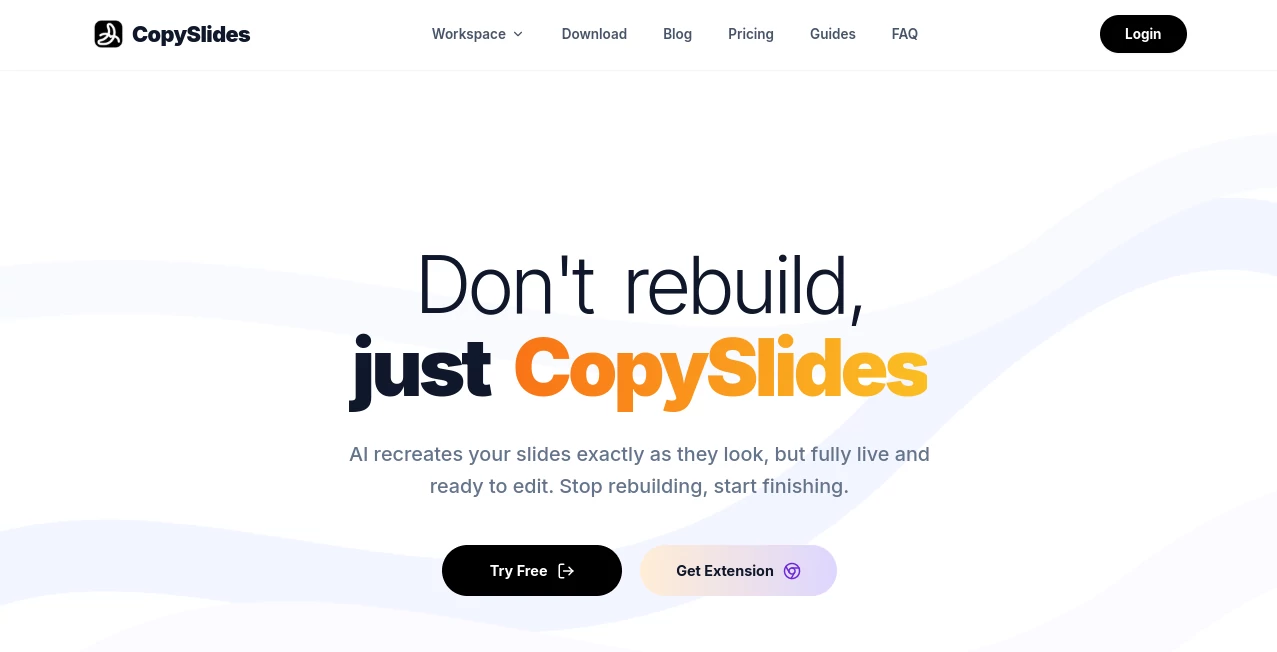
What is CopySlides?
Rebuilding a presentation from a screenshot, PDF, or recorded video can be one of those jobs that looks simple until you actually start doing it. Text has to be typed again, shapes need to be positioned, fonts need to be matched, and small spacing details can take far longer than expected.
CopySlides takes a different approach. Instead of treating a slide as a flat picture, it uses AI vision to analyze the visual structure and recreate the content as editable PowerPoint elements. Text can become text boxes, recognizable shapes can become editable objects, and layouts can be reconstructed rather than simply placed as an image on a blank slide.
This makes it particularly useful for people who regularly work with presentations created by other teams, screenshots captured from presentations, exported PDFs, or video recordings containing useful slides. Rather than starting from scratch, users can get a working presentation that is ready for further editing.
Key Features
- Reconstructs static slides as editable PowerPoint presentations.
- Converts screenshots and images into editable PPTX files.
- Converts PDF pages into structured presentation slides.
- Extracts presentation slides from video recordings.
- Recovers text as editable PowerPoint text boxes.
- Reconstructs recognizable shapes and vector elements.
- Matches fonts and colors to the original visual design.
- Recovers multi-column layouts and aligned content blocks.
- Supports charts and other visual presentation elements.
- Provides one-click PPTX export.
- Supports NotebookLM PDF and video workflows.
- Offers a desktop workflow that can run conversions locally.
User Interface
The workflow is deliberately straightforward. Users provide the source material, let the system analyze the slide, and then receive an editable presentation. This keeps the process focused on the actual task rather than forcing users through a complicated presentation editor.
The browser-based workflow is especially convenient when someone needs to convert a few screenshots or PDF pages quickly. There is also a browser extension designed around NotebookLM workflows, while the desktop version provides an option for users who prefer local processing.
The result is meant to be opened in familiar presentation software rather than locked inside a proprietary editor. A generated PPTX can be opened in PowerPoint and can also be uploaded to Google Slides for additional editing.
Accuracy & Performance
The main strength of the conversion process is that it looks beyond basic OCR. Traditional OCR can recognize words, but it does not necessarily understand that a headline belongs in one location, a diagram belongs beside it, and a colored shape forms part of the visual hierarchy.
The system is designed to recover those relationships. Fonts, colors, spacing, shapes, and layout are analyzed together, which can produce a much more useful starting point than a presentation containing a collection of extracted text.
Results will naturally depend on the quality and complexity of the original material. A clean, high-resolution screenshot with readable text is easier to reconstruct than a heavily compressed image or a complicated scan. For PDFs, digital documents with selectable text generally provide better results than low-quality scans.
For video conversion, scene detection helps identify when the displayed slide changes rather than treating every video frame as a separate slide. This is particularly useful for webinars, lectures, demonstrations, and recorded meetings.
Capabilities
The range of supported sources makes the tool more versatile than a simple image-to-PowerPoint converter. A screenshot can become an editable slide, a PDF can be converted into a deck, and presentation material hidden inside a recording can be extracted into a usable format.
Its NotebookLM workflow is another practical use case. Users who create presentation-style material through NotebookLM can convert exported PDFs or videos into editable PowerPoint files instead of accepting a flattened export.
The video workflow can process common formats such as MP4, MOV, AVI, and MKV, with recordings of up to two hours supported. Extracted slides can also be mapped to timestamps from the original recording, which can make it easier to return to the relevant moment in a long presentation.
Security & Privacy
Privacy is an important consideration when presentations contain internal business information, client material, research, or unreleased product details. The desktop edition provides a local workflow that does not require files to be uploaded to the cloud for conversion.
This offline approach can be particularly attractive to consultants, agencies, researchers, and businesses that regularly handle sensitive presentation files. The desktop offering also provides unlimited local conversions rather than tying every conversion to a monthly cloud allowance.
For online conversions, users should still consider the nature of the files they upload and review the provider's current privacy terms before processing confidential material.
Use Cases
- Presentation recreation: Rebuild an important slide from a screenshot without manually recreating every element.
- PDF to PowerPoint: Turn existing PDF documents into editable presentation slides.
- NotebookLM exports: Convert exported NotebookLM PDFs or videos into editable presentation files.
- Competitive research: Recreate reference slides for internal analysis and presentation research.
- Consulting: Transform reference materials into editable decks that can be adapted for clients.
- Education: Convert photographed or captured lecture slides into editable teaching materials.
- Webinars and lectures: Extract useful presentation slides from long video recordings.
- Marketing teams: Recover editable charts, layouts, and visual elements from existing presentation material.
- Design teams: Recover individual visual elements instead of rebuilding an entire slide manually.
- Document modernization: Turn older presentation PDFs into files that can be updated and reused.
Pros and Cons
- Pros: Converts static material into editable PPTX files.
- Pros: Goes beyond basic OCR by attempting to reconstruct layout and design.
- Pros: Supports images, PDFs, and video recordings.
- Pros: Useful for NotebookLM presentation workflows.
- Pros: Recovers fonts, colors, shapes, and other visual elements.
- Pros: Offers an offline desktop option for privacy-conscious workflows.
- Pros: Can export standard PowerPoint files suitable for further editing.
- Cons: Highly complex or low-resolution source material may require manual cleanup.
- Cons: The web plans have monthly slide limits.
- Cons: Users working exclusively with simple text may not need such a specialized conversion workflow.
Pricing Plans
The service currently offers a free starting option before users move to a paid plan. The Starter plan costs $9 per month and includes up to 200 slides per month, high-fidelity editable PPTX output, NotebookLM watermark removal, and the ability to cancel at any time.
The Plus plan costs $19 per month and increases the allowance to 600 slides per month. It includes everything in Starter as well as email support.
For heavier users, the Lifetime option is listed at $199 as a one-time purchase, reduced from $228. It includes unlimited slides through the desktop application, up to 10,000 slides through the web and extension, licensing for up to three devices, founder-level support, and future updates.
How to Use It
- Choose the type of source you want to convert, such as an image, PDF, or video.
- Upload the source material through the available conversion workflow.
- Allow the AI to analyze the visual content and reconstruct the slide structure.
- Review the generated presentation and check text, fonts, shapes, charts, and positioning.
- Export the result as a standard PPTX file.
- Open the presentation in PowerPoint or import it into Google Slides for final adjustments.
For video projects, the process is slightly different. The system analyzes the recording, detects slide changes, extracts unique slides, and rebuilds them as editable presentation elements. The original timestamps can also help users locate the source material in the recording.
Comparison with Similar Tools
Many presentation tools focus on generating a new deck from a prompt. That is useful when the starting point is an idea, but it does not solve the problem of having an existing visual presentation that needs to be edited.
This tool is aimed at that second problem. Its purpose is not primarily to invent a new presentation from scratch. Instead, it takes existing visual material and attempts to reconstruct it as editable presentation content.
Compared with a basic OCR converter, the difference is also significant. OCR can recover words from an image, while this workflow attempts to recover the surrounding presentation structure as well. For someone trying to recreate a branded slide, a diagram, or a complex layout, that distinction can save considerable manual work.
The video conversion feature also gives it a useful edge for people who work with recorded presentations. Instead of manually pausing a two-hour webinar and taking screenshots, users can let the system identify distinct slides and build a presentation from them.
Conclusion
Turning a static slide into an editable presentation is normally a tedious combination of copying, measuring, formatting, and repositioning. This tool addresses that specific frustration with a practical AI-powered reconstruction workflow.
Its strongest appeal is for professionals who already have valuable presentation material but need to edit, reuse, update, or repurpose it. Screenshots, PDFs, NotebookLM exports, and recorded presentations can all become starting points for editable PowerPoint decks.
The combination of layout recovery, font and color matching, editable elements, video extraction, and an offline desktop option makes it a particularly interesting choice for presentation-heavy workflows. It does not eliminate the need for a final review, especially with complicated source material, but it can replace a large amount of repetitive manual reconstruction.
Frequently Asked Questions (FAQ)
What does this AI presentation tool do?
It reconstructs slides from images, screenshots, PDFs, and videos into editable PowerPoint presentations. Instead of leaving the source as a flat image, it attempts to recreate text, shapes, layouts, and other visual elements as editable objects.
Can I edit the generated PowerPoint?
Yes. The output is a standard PPTX file, and recognized text is converted into editable text boxes while supported shapes and other elements can be edited within presentation software.
Can I convert a PDF into PowerPoint?
Yes. PDF pages can be converted into editable presentation slides. Digital PDFs with selectable text generally provide better results, while scanned documents may depend more heavily on scan quality.
Can it extract slides from a video?
Yes. The video workflow detects slide changes, extracts unique presentation scenes, and rebuilds them as editable slides. Common video formats are supported, and recordings of up to two hours can be processed.
Can it convert NotebookLM presentations?
Yes. NotebookLM PDF and video exports can be converted into editable PowerPoint presentations, making it easier to continue editing the material in a conventional presentation workflow.
Does the desktop version work offline?
Yes. The desktop edition is designed for local processing, allowing users to perform conversions without uploading files to the cloud. This can be useful for sensitive or confidential presentation material.
Is there a lifetime plan?
Yes. A lifetime option is available for a one-time payment. It includes unlimited desktop conversions, a separate web and extension allowance, support for up to three devices, and future updates according to the current plan details.
Does it preserve the original slide design?
The system is designed to recover the original layout, fonts, colors, spacing, shapes, and other visual elements. The final result can still require minor adjustments when the source is low-resolution, heavily compressed, or unusually complex.
Can I open the generated file in Google Slides?
Yes. The generated PPTX files can be opened in PowerPoint and can also be uploaded to Google Slides for collaboration and additional editing.
AI PDF , AI Presentation Generator , AI Video Recording .
These classifications represent its core capabilities and areas of application. For related tools, explore the linked categories above.
CopySlides details
Website unavailable — View Alternatives
Pricing
- Free
Apps
- Web App
- Chrome Extensions
Categories

CopySlides Alternatives Product

Claude Desig…

CursiveKit

SuperAI

Docubix
The #1 Text …

GenPPT AI

Twistly

Ryne AI

Sourcetable