

















CraftVis

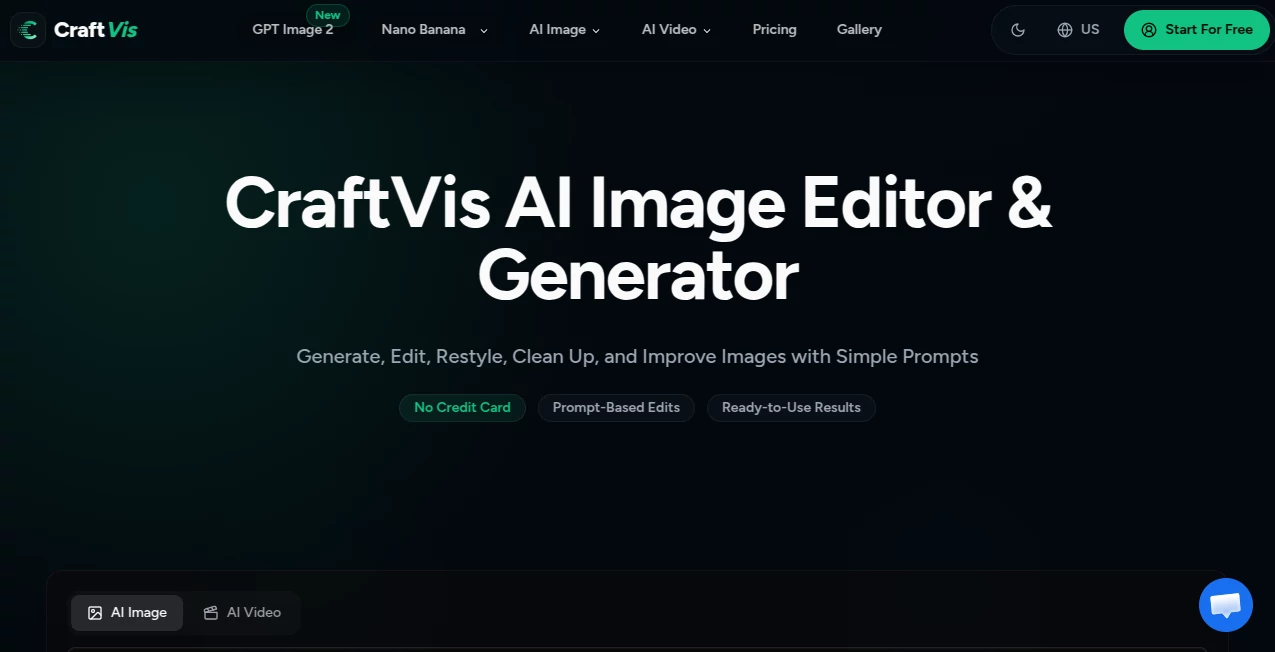
What is CraftVis?
Creating professional visuals no longer has to involve complicated design software or hours of editing. This platform brings AI-powered image generation and editing into a simple workflow, allowing anyone to transform ideas into polished visuals within minutes. Whether the goal is producing product photos, eye-catching social media graphics, advertising creatives, concept art, or marketing materials, everything happens in one intuitive workspace.
Instead of switching between multiple editing applications, users can generate images from text prompts, upload existing photos, modify specific areas, replace backgrounds, improve lighting, or completely restyle an image with natural language instructions. The result is a faster creative process that feels accessible to beginners while remaining powerful enough for experienced designers, marketers, and online sellers.
Key Features
User Interface
The interface is refreshingly clean and designed around simplicity. Every major tool is easy to locate, making it possible to start a project without spending time learning complicated menus. Users can move from generating images to editing them in the same workspace, reducing unnecessary steps and improving productivity.
Accuracy & Performance
Image generation is fast, while editing features preserve important details during modifications. Whether replacing backgrounds, adjusting lighting, changing colors, or refining objects, the AI produces visually consistent results that require minimal manual corrections. Multiple creative variations also make it easy to compare different ideas before selecting the final version.
Capabilities
- Generate high-quality images from text descriptions.
- Edit uploaded photos using natural language instructions.
- Replace or remove backgrounds with minimal effort.
- Create professional product photography for eCommerce.
- Produce marketing graphics and advertising creatives.
- Generate posters, illustrations, thumbnails, and social media content.
- Edit only selected parts of an image without recreating the entire design.
- Create multiple visual variations from one concept.
- Improve lighting, composition, colors, and image quality.
- Support commercial image creation for business projects.
Security & Privacy
The service provides private image generation for paid users and includes secure processing of uploaded content. Commercial usage is supported under eligible subscription plans, making it suitable for businesses, agencies, and professional creators who require both privacy and licensing flexibility.
Use Cases
- Designing product images for online stores.
- Creating engaging social media graphics.
- Producing advertising campaigns quickly.
- Generating website banners and landing page visuals.
- Designing YouTube thumbnails.
- Building promotional posters.
- Creating concept art for creative projects.
- Generating marketing materials for small businesses.
- Producing professional-looking portraits and avatars.
- Improving existing product photography.
Pros and Cons
Pros
- Simple interface suitable for all experience levels.
- Combines AI generation and editing in one platform.
- Supports text-to-image and image-to-image workflows.
- Excellent for eCommerce and marketing content.
- Commercial usage available on paid plans.
- Produces multiple creative variations quickly.
Cons
- Advanced features require a paid subscription.
- Image quality may vary depending on prompt quality.
- Cloud storage limits depend on the selected plan.
Pricing Plans
A free option allows new users to explore the platform before upgrading. Paid subscriptions include Starter, Creator, and Studio plans, offering increasing monthly credits, private image generation, commercial usage rights, cloud storage, secure processing, and priority support. Additional credit packs are also available for users who need more generation capacity without changing their subscription.
How to Use CraftVis
- Create an account.
- Choose whether to generate a new image or upload an existing one.
- Describe the desired result using natural language.
- Generate the first version.
- Refine backgrounds, lighting, colors, or individual elements.
- Compare multiple variations.
- Download the final image for personal or commercial use.
Comparison with Similar Tools
Unlike many AI image generators that focus only on creating new artwork, this solution combines image generation and intelligent editing in a unified workflow. Users can generate an image, improve it, modify specific elements, replace backgrounds, and prepare marketing-ready assets without exporting files between different applications. This integrated approach makes it especially valuable for marketers, online sellers, content creators, and small teams seeking both speed and flexibility.
Conclusion
For anyone looking to simplify visual content creation, this platform offers an impressive balance of usability and creative power. It removes much of the technical complexity associated with professional design software while still delivering polished results suitable for commercial projects. From product photography to advertising graphics and social media visuals, it provides a practical workflow that helps creators spend more time developing ideas and less time wrestling with editing tools.
Frequently Asked Questions (FAQ)
Can beginners use this platform?
Yes. The interface is designed for users with little or no design experience.
Can existing images be edited?
Yes. Users can upload photos and modify backgrounds, lighting, colors, objects, and many other visual elements using simple instructions.
Is commercial use allowed?
Yes. Commercial usage is included with eligible paid subscriptions and credit packages.
Can it generate images from text prompts?
Yes. Users can create completely new visuals by simply describing what they want.
Who benefits the most from this platform?
It is particularly useful for marketers, eCommerce businesses, designers, agencies, content creators, and anyone who needs professional-quality visuals without a complicated editing workflow.