
CRMLynk
What is CRMLynk?
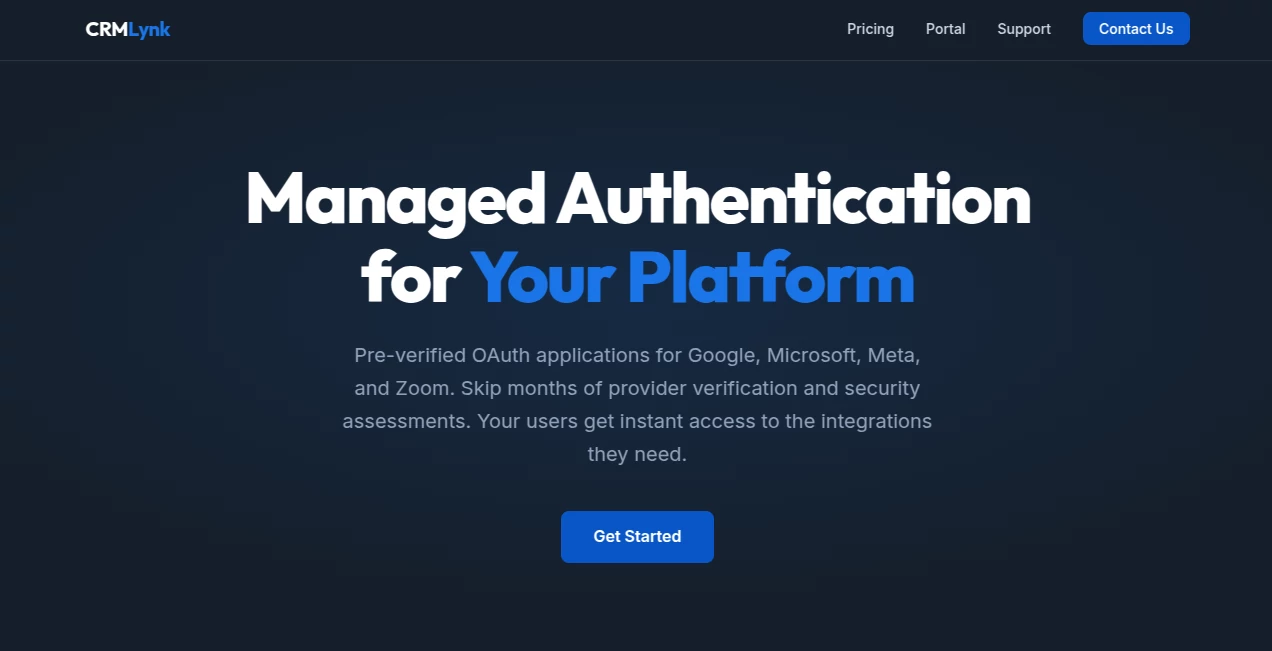
Building native integrations with Google, Microsoft, Meta, or Zoom used to be a headache—endless compliance forms, security assessments, annual renewals, and the constant fear of your app getting restricted. This service quietly removes all that friction. They maintain verified OAuth apps on your behalf so you can offer seamless connections to your users without doing any of the heavy compliance lifting yourself. I’ve talked to founders who spent months chasing Google CASA approval only to discover CRMLynk lets them launch integrations in days instead of quarters. It’s one of those tools that solves a painful, invisible problem most people don’t even realize is slowing them down.
Introduction
When you’re building a SaaS platform, users expect easy connections to the tools they already use every day. But becoming a verified partner with big providers is time-consuming and expensive. CRMLynk handles the entire compliance burden—verified OAuth applications, CASA assessments, developer tokens, data use checkups—so your team can focus on building product instead of paperwork. It’s especially valuable for smaller teams and growing startups who want enterprise-grade integrations without enterprise-grade headaches. The best part? Once set up, it feels completely native to your users while you stay completely hands-off on the provider side.
Key Features
User Interface
The setup is refreshingly simple. You register your deployment, receive your credentials, set a few environment variables, and integrations become available immediately. No complex SDKs or heavy configuration. From the user perspective, connecting their Google or Microsoft account feels exactly like any other trusted app—clean OAuth flow, no scary warnings. For platform builders, the dashboard keeps everything organized with clear status for each provider and easy webhook routing.
Accuracy & Performance
Because they maintain production-approved apps with ongoing compliance, connections are stable and reliable. No sudden revocations or scope changes breaking your features. Token exchange happens securely through their proxy, and everything stays fast for end users. Platforms using it report smooth experiences even with high volumes of connections—no throttling surprises or compliance-related downtime.
Capabilities
One subscription covers Google (Gmail, Calendar, Drive, Analytics, Business Profile, Ads), Microsoft (Outlook, Office 365, OneDrive), Meta (Messenger, Instagram DM, Lead Ads, Pages), and Zoom (Meetings, Webinars, Calendar sync). Everything is pre-verified and maintained, including CASA assessments and annual renewals. You get webhook routing and unlimited end-user connections. It’s designed so you can offer rich integrations without building or maintaining them yourself.
Security & Privacy
They take compliance seriously—everything is handled under verified apps with proper security assessments. Your users authenticate through trusted flows, and authorization codes are routed securely. No unnecessary data storage or sharing. For platforms handling customer data, this managed approach actually increases overall security because the heavy lifting is done by specialists who stay on top of every provider’s latest requirements.
Use Cases
A scheduling platform adds Google and Microsoft Calendar sync in a weekend instead of months. A CRM tool offers Meta Lead Ads and Messenger integration without dealing with Facebook’s strict policies. An analytics dashboard connects to Google Analytics and Business Profile instantly. A meeting tool adds Zoom creation and management with full compliance already handled. Any SaaS that wants to offer deep connections to major productivity tools can move faster and reduce risk at the same time.
Pros and Cons
Pros:
- Launch verified integrations in days instead of months.
- One subscription covers all major providers.
- Eliminates ongoing compliance headaches and renewal stress.
- Feels completely native to your users.
- Unlimited end-user connections.
Cons:
- You rely on their proxy for token exchange (though it’s secure and fast).
- Best suited for platforms that want to move quickly rather than build everything in-house.
Pricing Plans
Pricing is straightforward and transparent: one flat monthly or yearly fee that covers every provider. Monthly is flexible if you want to test, while yearly offers nice savings. No per-user or per-connection charges—unlimited end users. It’s priced so that even growing startups can afford enterprise-level integrations without breaking the bank.
How to Use CRMLynk
Sign up and register your platform deployment. Receive your pre-verified credentials for all supported providers. Add the credentials and proxy URL to your environment variables. That’s it—integrations become available immediately. Your users can then connect their Google, Microsoft, Meta, or Zoom accounts through your app with the same trusted experience they’re used to. Monitor status and webhooks from the clean dashboard. The entire process from decision to live integrations is remarkably fast.
Comparison with Similar Tools
Building your own verified apps takes months and ongoing maintenance. Other integration services often focus on one provider or require heavy SDK work. CRMLynk stands out by handling multiple major providers under one subscription with full compliance managed for you. It’s less about code and more about removing barriers so you can ship faster and focus on what makes your product unique.
Conclusion
Integrations shouldn’t be a bottleneck or a constant source of compliance stress. CRMLynk turns what used to be a painful, expensive process into a simple, reliable advantage. Your users get the seamless connections they expect, and you get to move faster without worrying about renewals, assessments, or sudden policy changes. For any platform that wants to offer deep productivity integrations, this is one of the smartest shortcuts available.
Frequently Asked Questions (FAQ)
How long does it take to go live?
Most teams are fully integrated within a few days once credentials are set.
Do I need to change my code?
Minimal changes—just environment variables. The OAuth flow stays standard.
Is it really unlimited users?
Yes—flat pricing with unlimited end-user connections.
What providers are supported?
Google, Microsoft, Meta (Instagram & Messenger), and Zoom—with more coming.
Can I cancel anytime?
Yes—flexible monthly billing with no long-term contracts.
AI E-commerce Assistant , AI CRM Assistant , AI Developer Tools , Other .
These classifications represent its core capabilities and areas of application. For related tools, explore the linked categories above.

CRMLynk Alternatives Product

RankingRider
Surgeflow

NetlifyAPP
WhatsMyName …

Nano Banana …

Screenshot t…

Lovable APP
OGimage

Sales Prospe…