
CustomerBot
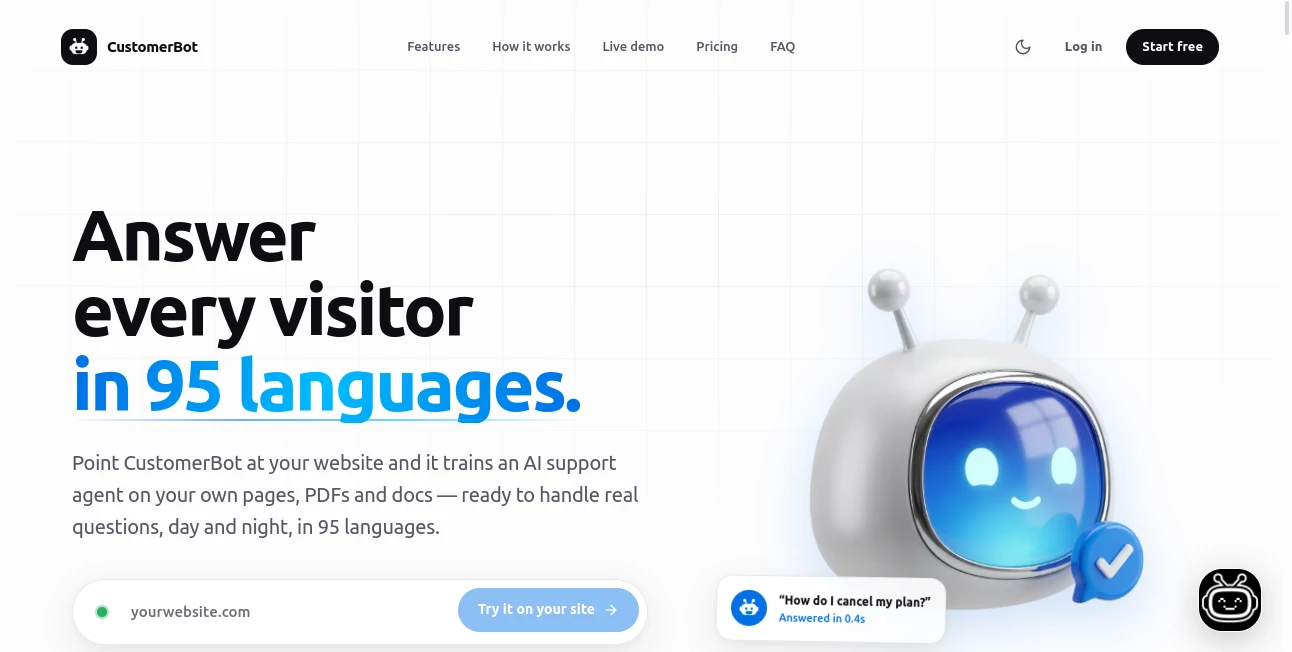
What is CustomerBot?
I used to dread those late-night support tickets that piled up while the team slept. Customers would leave the site frustrated, and by morning half of them were already gone. Then I tried this tool and the difference was immediate. It reads your own website, PDFs and help docs, learns your tone, and starts answering real questions in seconds — in almost any language. No more generic replies that sound like a robot reading a script. It feels like someone from your team is actually on the other side, even at 3 a.m.
Introduction
Support tickets never sleep, but most teams do. This platform solves that problem by turning your existing content into a 24/7 assistant that knows your products, policies and voice. Point it at your site, drop in a few PDFs, and it is ready to go live in a couple of minutes. It works on any website, detects the visitor’s language automatically, and cites the exact page it pulled the answer from. The result is fewer tickets for your team, faster replies for customers, and a support experience that actually feels human.
Key Features
User Interface
Everything stays simple and clear. You paste a URL or upload documents, watch it index the content, write a short description of how you want it to sound, and drop one line of code on your site. The widget appears cleanly without cluttering the design. On the backend, conversations, leads and unanswered questions sit in an easy-to-read inbox. There is even a mobile companion app so you can check chats or correct an answer from your phone. No steep learning curve, no endless menus.
Accuracy & Performance
Because answers come from your own material instead of general knowledge, the replies stay grounded and accurate. Each response includes a citation so both the visitor and your team can verify the source. Median first reply time sits around 0.4 seconds. It handles high volume without slowing down and automatically escalates when it hits something only a human should handle. In practice, teams report resolving the majority of routine questions without anyone on staff ever seeing the ticket.
Capabilities
It crawls websites, PDFs, CSVs, Notion spaces and more. You can choose the underlying model — including options from OpenAI, Anthropic, Google and Meta — and switch them later without losing the training. It detects and replies in 95+ languages, captures leads, keeps full transcripts, and lets you fine-tune answers by rewriting them on the fly. The same assistant works across Shopify, WordPress, Webflow or custom sites with one snippet.
Security & Privacy
Your content and conversation data stay encrypted and are never used to train shared models. You can export or permanently delete everything at any time. The system only answers from the material you provide, so it does not invent product details or policies. That level of control gives both small teams and larger companies real peace of mind.
Use Cases
An e-commerce store uses it to answer shipping, returns and sizing questions around the clock, cutting ticket volume dramatically. A SaaS company trains it on product docs and help articles so new users get instant guidance while the support team focuses on complex cases. A service business captures leads after hours when the AI cannot fully resolve a query, turning potential drop-offs into follow-ups. Even solo founders run professional support without hiring anyone extra. It fits wherever clear, consistent answers matter.
Pros and Cons
Pros:
- Trains directly on your own content, so answers stay accurate and on-brand.
- Live in minutes with a single line of code and almost no setup work.
- Handles 95+ languages automatically without extra configuration.
- Citations and human handoff keep trust high and complex issues covered.
- Free plan lets you test on a real site before committing any money.
Cons:
- Conversation limits on lower plans may require an upgrade for busy sites.
- Very specialized or rarely asked questions still need human attention sometimes.
Pricing Plans
There is a free forever plan with one assistant and 50 conversations per month — enough to try it properly on a live site. The Hobbyist plan at $39 per month raises the limit to 5,000 conversations and adds lead capture plus transcripts. The Pro plan at $79 per month supports two assistants, 10,000 conversations, API access and no watermark. All plans include unlimited team seats and no per-agent fees. Enterprise options with higher volume, SSO and custom agreements are available on request. Yearly billing brings a discount.
How to Use It
Sign up and paste your website URL or upload PDFs and docs. Wait a short time while the system indexes everything. Write a plain-English description of the tone you want — formal, friendly, concise, whatever fits. Copy the single script tag into your site before the closing body tag. The widget goes live and starts answering. From the dashboard or mobile app you can review conversations, improve any weak reply, and add more content whenever your product or policies change. Most people are fully operational the same afternoon they start.
Comparison with Similar Tools
Many support bots rely on generic knowledge or require complicated training pipelines. This one stays focused on your material, cites sources, and launches with almost no technical work. Some competitors charge per seat or hide key features behind higher tiers. Here the core capabilities — multilingual support, model choice, lead capture and human handoff — are available early. It feels lighter and more practical for teams that want results quickly without building a large internal setup.
Conclusion
Support does not have to be a constant drain on time and energy. When the assistant knows your content, speaks your language and stays available around the clock, customers get help the moment they need it and your team gets breathing room. The setup is fast, the answers stay trustworthy, and the overall experience feels closer to talking with a helpful colleague than dealing with a rigid script. For anyone tired of repeating the same answers or losing visitors after hours, it is a practical upgrade that starts delivering value almost immediately.
Frequently Asked Questions (FAQ)
How long does setup really take?
For most sites it is under two minutes: paste the URL, wait for the crawl, add the script tag, and you are live.
Will it invent answers?
No. It only replies from the content you provide and cites the source. If nothing matches, it can admit it does not know or collect a lead.
Can I change how it sounds?
Yes. You write a simple system prompt in plain English and it keeps that voice consistently.
Is there a free way to try it?
Yes. The free plan includes one assistant and 50 conversations per month with no credit card required.
What happens to complex questions?
You decide the handoff rules. It can escalate to your team, capture contact details, or both, while logging the question so you know what content is missing.
AI Chatbot , AI Knowledge Base , AI Customer Service Assistant , AI Response Generator .
These classifications represent its core capabilities and areas of application. For related tools, explore the linked categories above.
CustomerBot details
Website unavailable — View Alternatives
Pricing
- Freemium
Apps
- Web App
Categories

CustomerBot Alternatives Product

Free AI Chat

Overchat AI

Vapi

Chatzy AI

Weblo AI

Clay Read

Olabiba

Grok

Geekflare AI